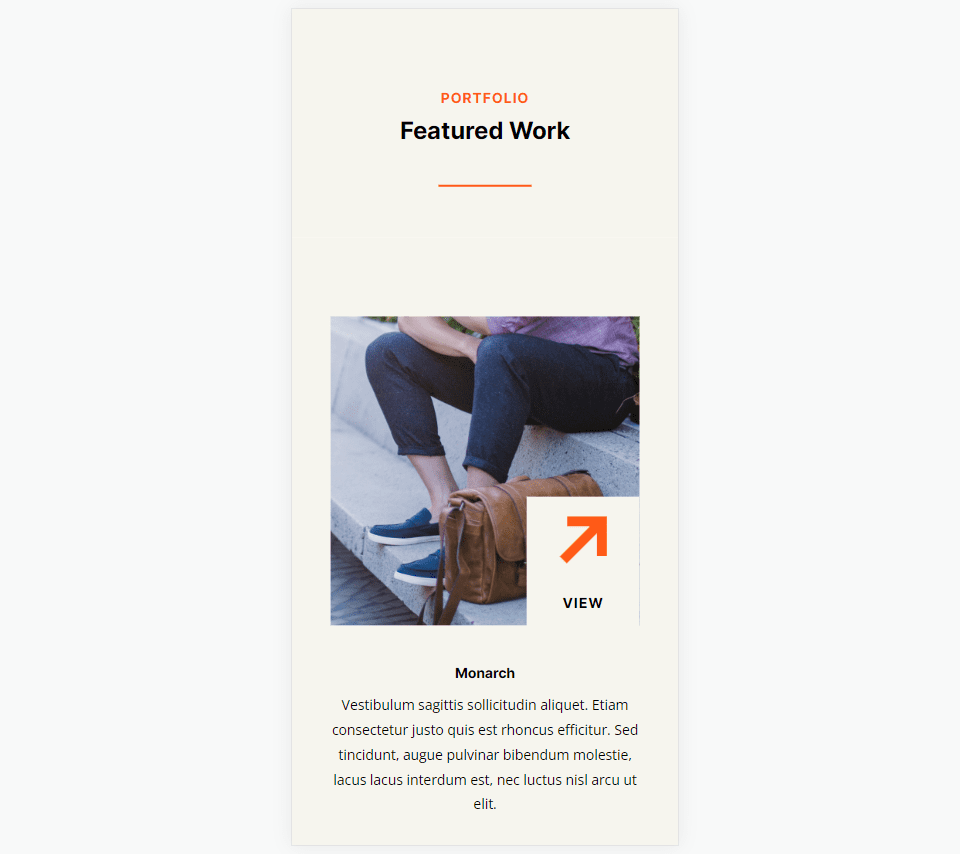
Hey Divi Nation! Thanks for joining us for the next installment of our weekly Divi Design Initiative; where each week, we give away a brand new Layout Pack for Divi.
This time around, the design team has created a beautiful Home Goods Layout Pack that’ll help you get your next Home Goods website up and running in no time!
This layout pack includes:
– 6 Premade page layouts strategically designed for any Home Goods website (including a footer design)
– Original, royalty-free photos and graphics + customizable source file (see below)
– Plus, a large collection of pre-designed website elements that are customizable and reusable anywhere.
This layout pack is available right inside Divi for all Divi customers for FREE as the latest addition to our growing Divi library of hundreds of premade layout packs, thousands of page designs, and countless web design elements and resources.
Are you looking to upgrade your home store or boutique with a new style? The new Home Goods Layout Pack for Divi is a great place to start. You can showcase your products beautifully with bold oversized text and interesting imagery, dedicated product sections, an effective call to action with a countdown timer, and more.
Live Demos
Click the links below to see a live demo for each of the layouts included in the pack.
Access This Layout Right Now
Directly from Your Divi Builder
Since Version 3.0.99 of Divi, you can find and import any of the layouts included in this pack (along with ALL of Divi’s Premade Layout packs) directly from the Divi Builder. They are already waiting for you.
To access your new layout, simply activate the Visual Builder when editing a page and look for the “Load From Library” icon in the page settings bar (it looks like a plus symbol). Click this icon to launch the Load From Library popup. Under the Premade Layouts tab, you can easily find the new layout by scrolling through the list of layout packs. Once you find the Home Goods Layout Pack, click on it. You will see all the individual layouts included in the pack. Select the layout you want to use and then click the “Use This Layout” button.
For more, check out this video to learn how you can get this layout pack up and running today.
Before you can download Premade Layouts from the Divi Library you must authenticate your Elegant Themes Subscription. You can do this by navigating to Divi > Theme Options > Updates. There you can enter your username and API key and save changes.
You can find your API Key under your members area on the Elegant Themes site. After you enter the Username and API Key, you will gain immediate access to our library of hundreds of free layouts (including this one). If you haven’t done this, when you click to import a layout to your page, you will be prompted to enter your Elegant Themes Membership Username and API Key.
Use Layout Images for FREE with No Licensing Restrictions
The image assets included with these layouts (icons, illustrations, photos, etc.) have no licensing restrictions. This means you can use them in all of your commercial projects without having to worry about paying licensing fees or attributing the photographer. Use them in your commercial websites, sell them within your Divi child themes, include them in your own Divi layout packs or just use them on your blog. We know how challenging it can be to find good photos and how confusing and scary the licensing that governs those photos can be. We want to fix that problem for our users.
We hope you enjoy this layout pack. We look forward to hearing your opinions in the comment section below. Make sure you check out next week’s layout pack as well!
As businesses and individual professionals strive for greater agility and efficiency, the role of artificial intelligence (AI) is becoming increasingly important. AI tools are increasingly adopted for productivity and simplifying business operations. From AI-powered content writing and sentiment analysis to image/video generation and predictive analytics, AI is changing how we work. This article explores the best AI tools available to help you optimize productivity on multiple fronts.
This article covers many types of AI tools, which can be a little confusing. Ranking them in a specific order is challenging due to the differences between each AI productivity tool and its intended application. However, we have tried to provide you with a comprehensive list of almost everything AI can help you with. Rest assured that if a tool has made it onto this list, it is worth considering for improving your workflows and general productivity. Let’s dive into these quality AI solutions to find the best fit for your needs.
Surfer SEO is an AI-driven search engine optimization tool that helps users analyze and optimize their content for better search rankings and increased organic traffic. Use it to start your content creation process by researching SERPs and creating content briefs with complete outlines. Once the content is created, Surfer compares it against the top articles in the SERPs using natural language processing (NPL) and gives you suggestions on how to beat the competition.
Key Features:
Enhance blog posts with real-time content analysis and optimization in the Surfer editor.
Keyword research based on actual SERP data and keyword volume
Grow Flow that analyzes your website continuously, searching for content decay and quick-wins
Best For:
Surfer SEO is ideal for digital marketers, content creators, and website owners aiming to optimize their content, boost search engine rankings, and outperform competitors in search results.
Jasper is an all-purpose AI tool designed to help users with various tasks, such as content generation and AI image generation. It’s our top choice because it has refined what it means to be an AI writer more than other tools. It doesn’t use a simple GPT 3 API to create content but mixes its own LLM and trained marketing and sales data. It’s got wide usage and plenty of funding to keep innovating for years to come. And with its May 2023 launch of unlimited words for every plan, it is now one of the best-valued tools on the list.
Key Features:
One of the best marketing and sales content generation platforms on the market
Surfer SEO integration for SEO-informed AI content generation
Brand memory lets you save key information about your products and services for Jasper to use for accurate content creation
Jasper is perfect for writers, marketers, and businesses seeking to improve writing quality and streamline content creation workflows for better productivity.
Descript is an AI-powered text-based video editor that simplifies the process of editing videos by allowing users to edit text instead of manually cutting and splicing video clips. Upload a video, and Descript transcribes it for you immediately. Editors can change the wording and remove filler words based on that transcribed text. Doing so edits your original video or audio. If that’s not magic, then it’s the next best thing.
Key Features:
Text-based video editing inside a doc (but it edits your video)
Automatic transcription of video and audio content
Audio editing for podcasters, even supporting multiple tracks
AI voices and voice clone
Best For:
Descript benefits content creators, video editors, and businesses that require high-quality videos and podcasts with easy-to-use editing features and transcription services.
Pricing: Free plan with paid plans starting at $15 / mo
ChatGPT is the revolutionary AI Chat assistant that powers many other tools on this list. It is designed to help users with text-based tasks in an easy-to-use chat dialogue application. Ask it a question to perform a text-based task, and it’ll do it using its extensively trained LLM. It even writes code and edits blogs.
Key Features:
Conversational AI that can talk about any topic and do complex tasks
Choose between different models based on your needs (multiple GPT 3.5 versions and GPT 4)
GPT 4 API that can connect to thousands of services to bring the power of the Large Language Model to your workflows and tasks
Best For:
ChatGPT excels in enhancing productivity, streamlining communication, and providing instant support for various tasks, making it suitable for individuals and businesses alike. Explore ChatGPT alternatives for more options.
Pricing: Free to use with Plus starting at $20 / mo
Pictory AI is an AI-powered video generator that creates visually stunning branded videos from long-form, written content. Give it a URL with your published content, and it can pull it in into its AI models. From there, it can choose the best content, create voiceovers and assign rich media to make a video worth publishing.
Key Features:
Create Shorts from longer videos
Creates videos using stock footage, background music, and AI-generated voiceovers
Impressive blog-to-video workflow editor
Automatic caption generator
Best For:
Pictory AI is perfect for designers, content creators, and businesses looking for an automated solution to convert long-form text and videos into engaging video content, enhancing visual storytelling.
WriteSonic is an all-purpose AI content creation tool that offers a suite of products, including AI writing assistance, AI-generated art, and ChatGPT-styled chat assistant. It’s most similar to Jasper on this list and has unique features that set it apart. WriteSonic is a go-to tool for content creators who want to use AI in multiple different ways.
ChatSonic – a GPT-4 powered AI chatbot with access to live internet data
Easy-to-use content creation UI
Best For:
WriteSonic is the go-to tool for AI enthusiasts needing a versatile solution to generate a wide variety of AI outputs, opening doors to endless creative possibilities. It’s backed by Y Combinator and poised to keep innovating.
Pricing: Generous free plan with paid plans starting at $19 / mo
Midjourney is an AI text-to-image generator that allows users to create unique and captivating visuals for various purposes, including social media, websites, and marketing materials. Users can start with Midjourney on their discord server by creating an account.
Key Features:
Text prompt to AI image generation
Endless potential with prompts and four images per prompt output
Scalenut is an AI writer that focuses on a total content creation workflow from start to finish. It plans content, creates outlines, generates content, and helps you optimize it in a full flow that is easy to work with. Scalenut is perfect for quick content creation and is the tool to use if you’re a solo writer or manage a team of writers. Truly a 10x AI writer for SEO content.
Key Features:
AI-generated content that is informed on live internet data
Advanced NLP models for SERP comparison and optimization
Cruise Mode takes content creation to an unbelievably automated level
Best For:
Scalenut caters to content creators and SEO specialists who need to generate unique, engaging, and optimized written content at scale, improving content marketing efforts.
Alli AI is an AI-powered SEO tool that helps optimize websites, improve search rankings, and increase organic traffic by providing actionable insights and recommendations. With a simple embed script (or WordPress plugin), Alli can start tweaking your entire website from its easy-to-use dashboard. It offers suggestions and rapidly (and dynamically) applies changes across your website.
Key Features:
Site-speed optimization that works overtop your website (no matter your CMS or builder)
Bulk on-page optimization via content recommendations
Easy to deploy A/B testing designed for SEO
Best For:
Alli AI is an excellent choice for agencies managing multiple websites aiming to improve search rankings and drive new organic traffic, thanks to its AI-powered SEO optimization.
Grammarly is an AI-powered grammar and writing assistant that helps users improve their writing by identifying and correcting grammar, spelling, punctuation, and style errors. Content is the cornerstone of marketing, business communication, and everything in between. Grammarly makes it error-free and ready for the eyes of your most important audiences.
Key Features:
Real-time grammar and spelling checker
Style and tone suggestions
Plagiarism detection
GrammarlyGO for generating content that matches your writing style
Best For:
Grammarly suits students, professionals, and writers who want to enhance their writing skills and produce error-free content. If you don’t use it, we recommend trying the free version. Even the free version offers valuable features for all users.
Pricing: Free plan that everyone should get and paid plans starting at $12 / mo
Lovo AI is an AI-powered text-to-speech generator that allows users to convert written text into natural-sounding audio in various voices and languages. Simply load up written content, and Lovo transforms that into AI-generated audio using TTS technology.
Key Features:
400+ natural-sounding voices at different pricing tiers
100+ languages supported
Customizable speech settings and granular voice control
Best For:
Lovo AI is ideal for content creators, educators, and businesses requiring high-quality audio content for applications like audiobooks, podcasts, and e-learning materials, simplifying audio production.
Pricing: Free plan available with paid plans starting at $25 / mo
Rank Math is an AI-powered SEO plugin for WordPress that helps users optimize their content, insert schema markup, and drive more organic website traffic. Many website owners trust Rank Math to provide detailed and accurate feedback concerning website content and technical SEO. Rank Math works like a charm and pulls in AI tools to create content that ranks.
Key Features:
On-page SEO analysis that gives you an easy-to-understand scorecard
Keyword optimization on a page-by-page basis
Insert schema markup on pages and across elements site-wide
Rank Math is a favorite among website owners, bloggers, and content creators using WordPress to optimize their content for better search rankings and increased organic traffic. It’s one of our favorites. Check out our Rank Math review.
Pro Rank Tracker is an AI-driven search engine optimization tool that helps businesses improve their online visibility by tracking keyword rankings and providing insightful reports. Connect it with your Google Search Console (GSC) account, and it starts pulling in all the data points. Best of all, it tracks and displays ranking history so you can tell how your websites are performing over time.
Key Features:
Daily keyword rank tracking
Sub-accounts, perfect for agencies managing client accounts
SERP tracker to see movement in the top 100 results
Best For:
Pro Rank Tracker appeals to businesses, digital marketers, and SEO professionals looking to monitor website performance, optimize content, and stay ahead of competitors in the ever-changing digital landscape.
Pricing: Free plan available with paid plans starting at $13.50 / mo
Quillbot is an AI-powered paraphrasing and rewriting tool that helps users rephrase and restructure their text while maintaining its original meaning, making it ideal for creating unique, plagiarism-free content. It’s a fantastic rewriter tool if used ethically.
Key Features:
Advanced paraphrasing by adjusting words and sentence structure
Multiple rewriting modes for a honed output
Settings to preserve original meaning and context
Add-on plagiarism detection tool
Best For:
Quillbot is perfect for content creators who need to rephrase text, create unique content, and avoid plagiarism issues, ensuring content quality and originality.
Pricing: Free plan with premium plans starting at $19.95 / mo
Originality.ai is an AI-powered plagiarism detection tool that helps users ensure their content is original and free from plagiarism by scanning and comparing it to billions of web pages and academic databases. Its only job is to compare your content against a large database of already published content. It can even tell you if the provided text is likely created using generative AI.
Key Features:
Plagiarism detection
Extensive database to compare against
Detailed similarity report
Detects if written content is likely written by AI
Best For:
Originality.ai is perfect for students, educators, editors, and content creators seeking an AI-powered solution to ensure their work is original, plagiarism-free, and maintains a high standard of integrity.
Pricing: $0.01 per credit, where one credit scans 100 words
Support Board is an AI-driven customer support tool that helps businesses automate and streamline their customer support processes, providing quick and accurate responses to customer inquiries. It connects to OpenAI’s GPT API and Google’s Dialogflow for advanced chatbot development—a powerful AI chatbot builder with lifetime deal (LTD) pricing available.
Key Features:
AI-powered chatbot using GPT API
Trained automated responses using Dialogflow
Integrations with CMSs and eCommerce platforms to pull live customer data
Best For:
Board Support is designed for businesses aiming to develop an AI chatbot that improves customer support efficiency, reduces response times, and elevates customer satisfaction.
Pricing: Multiple ways of purchasing, including cloud-based, for $5 / mo. Or choose between PHP or WordPress versions at $59 one-time—numerous add-ons for additional one-time charges.
GitHub Copilot is an AI-powered coding assistant that helps developers write code faster and more efficiently by suggesting relevant code snippets and completing lines of code based on the user’s input. Let it auto-complete routine lines and even offer up suggestions. Works with every programing language imaginable.
Key Features:
AI-assisted code generation via command prompts
Works with many different programming languages
Integrates with popular IDEs (Visual Studio, Neovim, VS Code)
Trained on OpenAI’s Codex model
Best For:
GitHub Copilot caters to developers, programmers, and software engineers who want to revolutionize their coding processes, reduce time spent on repetitive tasks, and accelerate project completion.
Pricing: CoPilot can be added to Github’s free plan for an add-on price of $10 / mo
Play.ht is another AI-powered text-to-speech platform that enables users to convert their written content into realistic and natural-sounding audio, perfect for podcasts, audiobooks, and more. It offers a reliable voice generator with additional editing tools to make it sound more human.
Key Features:
High-quality text-to-speech
Wide range of voices and languages
Audio editing tools to fine-tune AI voices
Best For:
Play.ht appeals to podcasters and audio-focused creators who want to transform text-based content into captivating audio formats, expanding their audience reach and accessibility.
Pricing: Great Free offering with paid plans starting at $39 / mo
Freshworks Freddy AI is an AI-powered and CRM-driven marketing automation platform connected to the Freshworks platform. It helps sales teams understand customer relationships and automates repetitive tasks to improve customer engagement. If you already use Freshworks, then Freddy is a natural AI tool to grow into.
Key Features:
AI-calculated lead scoring for sales teams
Predicted deal closing score with next-step suggestions
Analyze full-funnel data to learn what is working best
Best For:
Freshworks Freddy AI is tailored for businesses wanting to enhance customer relationship management, drive customer engagement, and foster long-lasting relationships.
Pricing: Freshworks Sales CRM starts at $18 / mo per user
Ocoya is an AI-powered social media platform that helps businesses automate their social posting. More than that, Ocoya has thousands of social media templates paired with a trained AI writer to help you create standout graphics for social.
Key Features:
AI-driven social media content creation
Optimized for copywriting
Cross-platform scheduling made incredibly easy
eCommerce integrations for product-based marketing assets
Best For:
Ocoya is a dream come true for businesses and eCommerce ventures seeking effortless social media content creation and scheduling to boost their online presence.
Retention Science is an AI-driven customer retention platform that helps businesses analyze customer behavior, personalize marketing campaigns, and improve customer loyalty. It connects directly to a store’s data layer to power individualized email marketing campaigns, broad segmentation, and analytics / reporting using advanced AI and Machine Learning (ML).
Key Features:
AI-powered customer behavior analysis
Personalizes email campaigns for maximum customer retention throughout the sales funnel
Dedicated success managers to help onboard to this very technical system
Best For:
Retention Science is designed for large eCommerce brands aiming to improve customer retention rates, foster customer loyalty, and drive growth through data-driven insights and personalized marketing efforts.
Pricing: Custom pricing only via a sales representative
Pencil is an AI-driven platform that generates creative ad designs, copy, and ideas to help businesses create high-performing digital advertising campaigns. This platform does this one thing really well. If other AI social content creators haven’t done it for you, Pencil might just.
Key Features:
Ad ideas and designs built using AI
AI predictions of performance before you spend a cent
Ad analytics with suggestions
Media assets created at several dimensions for multi-platform use
Best For:
Pencil is ideal for in-house marketing teams and agencies looking to create captivating digital ads using AI at every stage, delivering highly effective campaigns.
Pricing: Plans start at $119 / mo for this advanced ad platform
Synthesia is an AI-powered video avatar generator that allows users to create professional-quality videos in minutes. It generates virtual avatars based on a text script (doing both Text to Speech and Text to Video generation). This means that from single text prompts, Synthesia creates audio voices from it and a matching video with an avatar that is speaking it. That’s double the power rolled up into one AI tool.
Key Features:
AI-generated virtual avatars
Easy text-to-video UI
Create highly professional videos without relying on actors and narrators
Best For:
Synthesia caters to larger businesses and marketing teams seeking professional-grade avatar videos for presentations, help documentation, and more, enhancing communication and engagement.
Pricing: Starting price for individuals is $30 / mo with custom enterprise pricing
Looka is an AI-powered logo maker and brand guide builder. It can help create brand colors, logos, and other marketing collateral using the power and efficiency of AI. If creating an entire brand seems daunting, give Looka a try.
Key Features:
Generate dozens of AI logo designs and pick your favorite (download in SVG, PNG, and EPS)
Match logo with brand colors and font to create a well-rounded visual brand
Apply your brand to more than 300 templates for easy collateral creation (invoices, email signatures, business cards)
Best For:
Looka is a lifesaver for small businesses and entrepreneurs who want to create eye-catching logos and brands without advanced design skills, empowering them to focus on building their businesses.
Pricing: Purchase logos for as little as $20 (.png only) or build ongoing brand assets for $96 / yr
AskYourPDF answers, “Can I have a personal ChatGPT that pulls information from select data sources”? It’s an AI-driven text analyzer that helps users extract helpful information from PDF files by analyzing the content and making it easier to understand and work with. Whether wading through a large quarterly financial report or trying to get key information from a 29-page academic article quickly, AskYourPDF can make mining info as simple as talking to your document.
Key Features:
AI-powered PDF content extraction
Text analysis and summarization
Keyword extraction and insights
Best For:
AskYourPDF is perfect for professionals, students, and researchers who need to quickly and efficiently extract and analyze information from PDF files by simply asking questions.
Pricing: At the time of publishing, this is an entirely free AI chatbot
Magic Studio is an AI-powered design tool that enables users to create stunning visuals, including social media posts, product images, and other graphics, in just a few clicks.
Key Features:
AI-generated images
Magic Eraser to remove unwanted objects in photos
Background remover and eraser
Image enlarger to scale up images with AI without loss in quality
Best For:
Magic Studio makes it easy for creators to design visually appealing graphics without advanced design skills or expensive software, unleashing their creative potential.
Pricing: Free image creation with paid plans starting at $19.99 / mo
Resume.io is an AI-powered resume builder that helps users create professional and polished resumes tailored to specific job openings. It takes care of resume templates and helps with professional wording to help you secure the bag.
Key Features:
Tried and true resume templates that export as Word or .PDF
AI summary generator and cover letter creator
Simple job tracking to stay on top of submitted applications
Best For:
Resume.io is designed for individuals seeking standout resumes for job applications, offering an easy-to-use interface that helps them shine.
Pricing: Limited free plan with paid plans starting at $24.95 / mo
Adzooma is an AI-driven marketing and advertising platform that simplifies and optimizes digital marketing campaigns across multiple channels. It touches almost every aspect of marketing and can help improve efficiency for individuals or teams. Connect your Search and Social ad platforms, watch Adzooma pull in data, and help you launch new campaigns. Plus, it helps you maximize your ad initiatives by suggesting changes for increased ROAS.
Key Features:
Manage local listings and reviews from one dashboard powered by AI insights
AI-powered Ad campaign creation and optimization across ad platforms
SEO performance insights with action steps
Best For:
Adzooma is the top choice for digital marketers, small business owners, and agencies who need AI-powered insights and dashboards to make informed decisions across marketing initiatives.
Pricing: Free plan for ad management with paid plans starting at $99 / mo
Fliki is an AI-powered voice generation platform that turns written text into high-quality audio content. It also can pull images and b-roll videos from blogs and other sources and use them to create simple voiceover videos. Built by the same team behind the popular Rytr AI writing software.
Key Features:
A blog-to-video creation workflow
Stock media library, including images, video clips, and background music
900+ TTS voiceover voices in 75+ languages
Best For:
Fliki is a game-changer for content creators, marketers, and businesses looking to create engaging videos based on written text and static media, amplifying their storytelling capabilities.
Pricing: Free plan with paid plans starting at $8 / mo
Illustroke is a powerful AI-powered tool that helps designers easily create stunning and unique illustrations. While other tools make standard .jpg images, this tool produces editable vectors you can rework and resize once downloaded.
Key Features:
AI-generated illustrations with or without color
Commercial use allowed with no attribution required
API for bulk, automatic creation of illustrations
Four vector options per prompt / token
Best For:
Illustroke is tailored for web designers, illustrators, and creative professionals seeking to create striking illustrative designs with the help of AI, streamlining the design process.
Pricing: Starts at $6 for 50 tokens. No subscription fee. Pay as you use.
Otter AI is an advanced transcription service that uses artificial intelligence to provide accurate transcriptions of live meetings. It helps teams save time by taking notes, time stamping key moments, and pulling in presentation slides. Everything is searchable across your entire team, so meetings are never wasted.
Key Features:
Real-time transcription with time stamps
Captures slides and presentations for notes
Searchable notes to refer back to
Best For:
Otter.ai benefits journalists, podcasters, and working professionals who require accurate meeting transcriptions, saving them time and allowing them to be more present during discussions.
Pricing: Free plan available with paid plans starting at $16.99 / mo
CodeWP is an AI-powered WordPress code generator that helps developers of all skill levels create and extend WordPress websites faster than ever. With CodeWP.ai, you can generate code for various tasks, use pre-made and vetted code snippets, and write secure and efficient code that is up to WordPress standards.
WordPress code generation + for your favorite plugins
Pre-made and vetted code snippets are available
Secure, efficient, and compliant code
Best For:
WordPress design agencies, freelancers, and advanced owners of even single websites can benefit from rapid code generation for CodeWP. It creates simple code snippets that extend the customizability of your WordPress install. Plus, it saves everything for future use on other sites that you might have. This is especially great for agencies that are creating a lot of websites that might share some functionality.
Pricing: Free plan available with paid plans starting at $12/mo
10Web AI WordPress Builder is a powerful AI-powered platform that helps you create high-quality WordPress websites quickly and easily. With its drag-and-drop editor, you can customize your website to your exact specifications without any coding knowledge required.
Key Features:
AI-powered website creation with content and images
Based on WordPress for the most customizable foundation for any website
Use AI to recreate old websites for an even faster process
Best For:
10Web AI WordPress Builder is a great option for business owners and agencies that need to create professional websites quickly and easily. With its AI-powered features, 10Web can help you create a visually appealing and informative website. Additionally, the WordPress platform allows you to customize your website further to meet your specific needs.
Pricing: $20/mo, including AI, hosting, and security tools
The most useful AI tools depend on the type of work that you do. The best all-purpose AI tools are Jasper, ChatGPT, and WriteSonic.
The most useful SEO AI tools are Surfer SEO and Scalenut. For social media marketers, the best SMM AI tools are Ocoya, and Pencil.
What is the best AI right now?
ChatGPT is the best AI out right now. Its underlying Large Language Models (LLMs) are used in most of the AI tools referenced in this post, whether GPT 3, GPT 3.5, or GPT 4. That doesn’t mean that there aren’t other valuable tools. Many of the best AI tools add their LLMs and use alternate data sources (like real-time access to the internet).
Which is best free AI tool?
ChatGPT is the best free AI tool that productivity-conscious people should be exploring. It works like a messaging app where you type in a request (prompt), and ChatGPT responds back to you. You can ask it questions, perform text-based tasks, give advice, and make research easier.
How to use AI to increase productivity?
AI can significantly boost productivity by automating mundane tasks such as formatting and data entry. By taking care of these repetitive and time-consuming tasks, AI frees up valuable time for professionals to focus on more strategic and creative aspects of their work.
For instance, AI-powered tools can automatically format documents, spreadsheets, or presentations following predefined templates or guidelines, ensuring consistency and professionalism across all materials. Similarly, AI can handle data entry tasks, reducing the risk of human error and increasing overall accuracy.
To create easy tables for WordPress, you can tell ChatGPT to generate a markdown table, provide the table headings, and then give it the content to go under each heading. It’ll print out a table to select, copy, and paste into your WordPress document.
ChatGPT can also follow your HTML pattern for content templates. Give it your HTML template, explain what information is a placeholder, and what information to replace it with. This works very well for listicles and product roundups.
Can AI increase efficiency?
Yes, AI definitely has the potential to enhance efficiency in various aspects of life, including business processes, decision-making, and research. By automating repetitive tasks, analyzing large datasets, and offering predictive insights, AI can help organizations streamline operations and make more informed decisions.
Some ways AI can improve efficiency include:
Automating mundane tasks: AI-powered tools can handle repetitive tasks such as data entry, formatting, and basic customer support, freeing human resources to focus on more strategic and creative tasks.
Improving decision-making: AI can analyze vast amounts of data to identify trends, patterns, and correlations that might be difficult or impossible for humans to detect. This enables organizations to make better-informed decisions and optimize their processes.
Enhancing personalization: AI algorithms can analyze user behavior, preferences, and needs to offer personalized recommendations and experiences, increasing customer satisfaction and engagement.
Predictive analytics: AI can help forecast future trends and events based on historical data, allowing businesses to anticipate better and respond to potential market changes.
What are the Best AI Tools for Productivity?
It’s impossible to say what the best AI tools are since they are all over the map regarding functionality. However, we can narrow it down based on a few major categories. But first, glance over the table to compare our top AI products by their pricing and free plan offerings.
If you do a lot of content writing, you can’t go wrong with either Jasper or WriteSonic. Both platforms also include the ability to create AI art and images. With features packed into both, you can’t go wrong.
For people doing SEO for one site or many client websites, we strongly recommend you look into Surfer SEO, Scalenut, and Alli AI.
Lastly, for the video creators, consider Descript and Synthesia to edit videos via text editor and create AI avatar videos, respectively.
Many AI tools are out there, and more are launching daily. Which ones are you using and loving?
Divi Block is an online tool to mix and match premade blocks. It simplifies layout design and provides a file to upload and customize even further. In this post, we’ll look at Divi Block to see what it can do to help you decide if it’s the right Divi building tool for your needs.
What is Divi Block
Divi Block is an online drag-and-drop tool that lets you build layouts with close to 480 pre-designed blocks. Once you’ve created the layout, you can download it as a JSON file and upload it to any Divi website.
Divi Block includes:
Header Builder
Layout Builder
Footer Builder
Section headings
Special module designs
Light and dark versions
Color schemes
You can preview your layouts on a real Divi website.
Divi Block Online Tool
The Divi Block layout includes 4 areas. I’ve named them by their function:
Page menu – the first menu lets you add and edit blocks, manage pages, export to Divi, see the documentation, see the support forum, zoom in and out, undo and redo, and preview the page on a live Divi website.
Block menu – the second menu opens when you hover over it. It includes all the blocks you can add to your page. Clicking on one of the blocks opens a submenu with all the designs for that block.
Editing area – this is the canvas where you’ll drag the blocks to and arrange them in any order you want.
Color scheme – this is the color selector to change the color scheme for the layout.
Page Menu
The first menu controls the pages. Here, you can edit and export the page, create new pages, save your work, load a page, etc. When you save your work, it will download a file to your computer. You can load this file to pick up where you left off. You can also preview and export the layout from here.
In the example below, I’ve clicked the Manage Pages & Export to Divi icon and selected to edit the page settings. It has opened a modal where I can enter a title and apply it to the new page.
Block Menu
The block menu includes all of the blocks and elements you can add to the page. Hover over any element to see all the designs for that element. It includes headers, page layouts, footers, and custom modules. Many of them include features that are added without plugins. Click the element to add it to the page. In the example below, I’ve selected to see the hero headers. I clicked on the third hero header and added it to the page.
Editing Area
When you click on any of the blocks, they’re added to the editing area. You can then edit the layout further. Hovering over a block shows a small window with some editing tools. You can move the block up or down, change it to a light or dark version of the block, and delete the block from the layout. You can’t make changes to the layouts such as colors, text, etc. Those changes will be shown in the preview and in the layout on your website.
For this example, I’ve added three blocks: a card carousel, a page header, and a CTA. They were placed on the page in the order that I selected them.
Header Builder Examples
In this example, I’ve moved the blocks to different locations within the layout. I’ve also changed two of the blocks. The CTA is now light, and the card carousel is now dark. The blocks moved and changed extremely fast. I didn’t have to wait to see the new layout.
The header builder has 6 options that include pre-made headers, effects, sub-menus, mobile menus, mega menus, and preloaders. The effects show in the previews when you hover over them. In this example, I’m hovering over the Header and Navigation options, which include the pre-made headers. I’ve added a preloader and a mega menu to the layout.
Layout Examples
The layouts include hero sections, headers, about us pages, services, CTAs, FAQs, pricing tables, testimonials, team members, blogs, clients, galleries, numbers, processes, portfolios, email forms, contact forms, and footers. The example below shows a section heading, a hero header, and a page header.
This example shows sections for About Us and Services.
This example shows a CTA, an FAQ, and a pricing table.
Here are examples of a testimonial and a team layout.
This one shows a blog layout and client logos.
This example shows a gallery, a number section, and a process section, which shows the steps of a process.
Here are examples of a portfolio and an email optin form.
This example shows a contact form.
This example shows a footer.
Special Module Design Examples
The last portion of layouts includes special modules that add features without using plugins. Some of these are seen in the other layouts, but I’ll show a few of them. This one shows the before and after slider options.
Here’s the masonry gallery.
This example shows a promo bar, dynamic background, and a content toggle.
For this example, I’ve selected a floating button and a slide-in bar.
This example shows a horizontal timeline and gradient text.
Color Scheme
Clicking the color square in the lower right corner opens the color picker. This controls the color scheme for the elements on the page. The default is red, hex code 229, 27, 35. You can change it by moving the circle on the color area, moving the circle in the color slider, or adding the RGB values you want. When you change it, you won’t see the colors in the pre-made layouts change, but you will see them in your JSON files when you upload them and in the preview if you choose to view them.
Here’s the layout showing the original color. I’ve changed it to blue in the color scheme tool.
Here’s the layout on my website. It shows the blue that I chose. Next, we’ll see how to get the layout from Divi Block to your website and what you can do with it once you get it there.
Designing a Layout with Divi Block
I’ll use Divi Block to create a header, home page, and footer. I’ll then upload them as templates in the Divi Theme Builder.
Header
For the header, I’ve used a header with effects, submenu styling, and a mobile menu. I’ve used a brown color for the color scheme. I’m exporting the JSON file. It downloads as a zipped file, which I’ll unzip on my computer.
Next, I’ll build a global header from scratch in the Divi Theme Builder.
Next, I’ll import the layout.
Finally, I can now make any adjustments I want to the layout. I’ll add my primary menu, contact information, social links, and logo. Once I save it, the header appears on my site.
All the CSS is added to code blocks. The mobile menu is grayed out, as normal.
Here’s the header on the front end. The menu is sticky, so it remains at the top of the page when the user scrolls.
Homepage
For the homepage layout, I’ve added a hero section and a CTA. I’ve used a light orange for the color scheme. I’m exporting the JSON file, which I’ll unzip on my computer.
Next, I’ll build a homepage template from scratch in the Divi Theme Builder and add a custom body.
Next, I’ll import the layout.
Finally, I can now make any adjustments I want to the layout. I’ll add my text and images. Once I save it, the layout appears on my home page. This is the hero section.
Here’s a portion of the CTA.
Here’s the hero section on the front end. I’ve scrolled down to show the menu sticking to the top of the screen.
Footer
For the footer, I’ve used a layout with contact information. I’ve used a brown color for the color scheme. Now, I’m exporting the JSON file. I’ll unzip it on my computer.
Next, I’ll build a global footer from scratch in the Divi Theme Builder.
Next, I’ll import the layout.
Finally, I can now make any adjustments I want to the layout. I’ll add my contact info. Once I save it, the footer appears on my site.
Here’s the footer on the front end.
Where to Get Divi Block
Divi Block is available on the publisher’s website. The free version is available for anyone to use. The Pro version of Divi Block is only available as part of their Divi.Help Pro membership. Subscribers gain access to all of their Divi-related products, including the Divi Block Pro version, premium plugins, child themes, and layout packs. The Pro membership is $49 per year.
Ending Thoughts
That’s our look at Divi Block. This is an interesting drag-and-drop builder. Rather than moving modules and other elements around, we’re working with full elements as pre-rendered blocks. This makes it easier to create layouts without getting bogged down with where everything should go on the page. It also simplifies full layout design because we can mix and max pre-made sections. You won’t see the custom colors while you’re working in Divi Block, but since the blocks are pre-rendered, it makes sense. We can preview it and adjust everything once the files are imported into the Divi Builder. I found Divi Block easy to use and it makes Divi layouts quickly and easily.
We want to hear from you. Have you tried Divi Block? Let us know what you think about it in the comments.
WordPress is a great platform for building a website for realtors and real estate agencies. All required features are readily available, and many themes have the features already built in. But, the vast number of themes can make finding the perfect theme for your real estate website challenging.
In this article, look at some of the best real estate WordPress themes available today.
Why Choose a Real Estate WordPress Theme?
The best themes for real estate agents and agencies include helpful features such as property listings, easy and advanced searching of listings, maps to show locations, galleries to show multiple images, multiple agent profiles, featured listings, and MLS/IDX integration.
These features can be added to most themes using plugins, but real estate themes would have them built-in and ready to use. The layouts are designed specifically to showcase real estate properties, and the integrations are smooth with no compatibility issues. However, it should be noted that for deeper features, you may want to look into the various IDX or real estate plugins available for WordPress. For a review of some of the top real estate plugins, see the best WordPress Real Estate Plugins. Additionally, check out these IDX plugins if you’re looking for MLS/IDX integration.
The Best Real Estate WordPress Themes
Here’s our list of the best real estate WordPress themes. They cover a variety of uses in the real estate field. For the individual realtor or the property manager, the mortgage broker, or the real estate startup, we’ve got a theme for you.
1. Realtyna WPL Pro
WPL Pro is a real estate platform by Realtyna that provides the most powerful real estate themes available for WordPress. In fact, we rated the Realtyna WPL plugin as the top pick for WordPress real estate plugins! Theme 28 and Sesame Theme are both native themes that come free with WPL Pro. But there are other premium themes as well. Each of the themes for WPL Pro has all the features and add-ons needed to create a robust real estate listing website that looks great and is easy to manage. The built-in listing management system allows you to manage all your data in one place.
Adding MLS functionality, advanced search, and agent/broker management are all easily handled with the WPL Pro platform and themes. The platform includes a dynamic location system for displaying listings on interactive maps. You can add new content using custom widgets for displaying custom listings, search bars, carousels, agents, and more throughout your website. And it has page views and templates for displaying property listing details dynamically by pulling data from the backend.
WPL Pro is also compatible with popular website builders like Divi and Elementor, which brings drag-and-drop functionality to your real estate website so you can focus more on sales and less on coding.
Key Features:
Listing management system within WordPress theme
Advance search bar with dynamic search parameters
supports an unlimited number of users
Can handle 100,000+ listings on most servers
Plenty of premium add-ons for flexibility
Built-in SEO settings
Supports organic MLS/IDX integration for WordPress
EstateEngine is a WordPress real estate theme that allows you to list, manage, and monetize your properties from your WordPress website. Easily manage various property listings and build a feature-rich real estate website. Its Google Maps integration allows for deep customization of maps at various points on your site. Users of your site can submit, claim and manage their property listings on your site. You can also charge a fee to list or claim a property. Alternatively, you can set up your ad network on your site, allowing users to pay you for ad space on your website. Regarding the best real estate WordPress themes, EstateEngine is a force to be reckoned with.
Key Features:
Advanced search bar settings and configurations
Property list and grid view, plus image and video galleries
Property details (number of rooms, area, etc.)
User/realtor profile pages with frontend property submission
Charge users to list with custom payment plans or through a native ad network
To build the best custom real estate website, we’d recommend using our powerful Divi Theme. In addition to being the ultimate website builder for WordPress, Divi’s flexibility and integrations can take your real estate website to greater heights.
When coupled with extensions like Toolset and Realtyna, you’re on the road to building a dynamic, unique real estate website for your next project. In this tutorial, we show you how to use Divi and Realtyna to add property listings to your Divi site. This tutorial also customizes several layouts within our Real Estate Layout Pack. With the power of WPL Pro and the freedom of design with Divi, you can build a real estate website that matches your needs and your branding.
If you want to take bookings on your website, our integration with Motopress will help you! The MotoPress Divi plugin helps users easily book, list, and handle rental properties on their Divi site. This lightweight add-on seamlessly converts MotoPress shortcodes into bespoke Divi Modules with its innovative functionality. These modules are convenient tools to incorporate and manage all your listings and booking content on your website.
Ultimately, with an arsenal of dynamic extensions and limitless design capabilities, Divi is the clear choice for the real estate professional who values functionality and form for their website.
For a modern take on the real estate directory theme, Listable is for you. With customization tools that allow you to switch your branding and typography, Listable combines beauty with functionality for your real estate website theme. Whether you want to build a site for your locality or are thinking global, this WordPress real estate theme can help you build a beautiful site. Monetization is also a key feature of Listable. You can charge a fee to users for listing. Or, you can claim a percentage of their service fee. In each case, you can generate revenue from your real estate website. Build a solid real estate website with Listable and enjoy the benefits of one of WordPress’s best modern real estate themes.
Integrations are where Oikia stands strong. Use your favorite plugins like WPForms, Yoast SEO, Toolset, and more to amp up the power of this WordPress real estate theme. You can visually build your real estate website with the Block Editor or the popular page builder plugin Elementor. As such, you have access to an extensive library of elements and block patterns that you can use to create custom post, page, and listing layouts for your site. Create unique property page listings and utilize the extensive list of taxonomies that Oikia has made available. Users can browse through the listings of realtors or agents on your site and go on to contact them directly.
RentalHive makes it easy to create a rental marketplace website. If you want to build a website similar to Airbnb, RentalHive is the real estate WordPress theme you need. RentalHive makes it easy for your users to book their rentals on your website. They can search listings by distance, location, and availability. They’re able to message listings owners and leave feedback after their stay. As an admin, you can make it simple for your vendors to manage their bookings and listings. With a front-end management dashboard, your vendors will be happy that they chose to use their site for their short-term listings. As the admin, you can modify the RentalHive theme to make it your own. And you can do all this without using a single line of code!
Key Features:
Vendor management portfolio
Monetize your website through custom fees, booking confirmation fees, vendor payouts, and more
Custom booking forms and fields
Allow users to book and sell listings
Users can bookmark, message, rate, and review listings and listing owners
PremiumPress’ WordPress Real Estate Theme lets you make a website similar to Zillow. The theme comes with advanced search and filtering functionality, making it easy for your users to find the properties they are searching for. This theme has a powerful search and filtering system that you can customize to turn features on and off. Alternatively, you can add your custom fields to match your business case. The theme is also mobile-friendly and will work on various screen sizes. You can personalize the members’ area for agents and users of your site easily. Property listing pages can also be customized using the native drag-and-drop builder or crowd favorite Elementor. With 1,000 components, more than 250 page sections, and 300+ admin customization options, this theme is for you if you want to build a complex real estate-focused site quickly.
Houzez is a full-featured real estate WordPress theme with powerful customization features for search, profile pages, and more. Of all the themes on our list, Houzez takes customization to the highest level. Take, for example, the Houzez Search Builder. This tool allows you to build a custom search bar with the specific queries, options, and taxonomies you need. Secondly, this theme has numerous calculators, customizable email notifications, and a built-in CRM.
Houzez has a library of pre-built websites for real estate brokerages, individual agents, or real estate professionals. All of which can be edited without coding via the popular page builder Elementor. Truly, Houzez is one of the best real estate WordPress themes available today.
WP Residence was designed for both independent agents and real estate agencies. You can place property location markers on Google Maps. It has an advanced properties search feature with custom fields and a dynamic URL. Agents can submit properties and floor plans through the front end. You can allow users to upload for free or by a fee-based membership system that’s included. Payments can be accepted through PayPal or Stripe. Property searches can be filtered using AJAX filters. Users can receive email alerts for saved searches. It also has 37 included full-site demos for you to build your real estate website quickly. WP Residence is integrated with Elementor, so you can use the page builder to fine-tune each demo and build beautiful, expansive property listing pages and other aspects of your site.
Key Features:
90+ real-estate-specific Elementor widgets and modules
IDX/MLS Sync
Extended Google Maps integration
Supports multiple payment processors through WooCommerce
RealHomes is another popular WordPress real estate theme from the Themeforest marketplace. More than 30,000 users call RealHomes the best WordPress real estate theme for their uses, and with good reason. The theme is a powerhouse for real estate developers, agents, agencies, or anyone who wants a real estate booking solution. RealHomes allows you to monetize your site by charging a fee for accepting listings, among other ways of revenue generation from the site. Additionally, RealHomes has a robust property management system. This allows frontend property management by your website users, acceptance of payments through WooCommerce, and deep frontend dashboard features. Powered with Elementor, you can build your headers, footers, listings pages, and more with the visual builder chosen by many. This theme suits those who want a high level of features that they can customize with little to no code.
Key Features:
50+ real estate-specific Elementor widgets
Advanced search form design with Elementor
Handle bookings, rentals, and appointments natively
When building a powerful real estate booking site, WP Rentals is one of the best WordPress real estate websites you can use. For starters, the customization options for your booking calendar are endless: you can set pricing per day or hour; you can require a minimum number of days per stay… and that’s just the tip of the iceberg! Additionally, this is one of the few real estate themes that integrates with Google Maps and Open Street Map, providing you with an open-source map alternative. Like many themes on our list, you can get creative with your pages using popular drag-and-drop builders Elementor and WP Bakery. WP Rentals is truly a powerhouse of a theme for those who want to maximize their options for setting up rentals for their properties.
Key Features:
15 ready-to-use website demos
Elementor and WP Bakery are ready
Advanced booking system with extensive customizations available
Advanced Google Maps and Open Street Map integrations
That’s our list of some of the best real estate WordPress themes. All these themes have what you need to build a great-looking real estate website with WordPress and get your website running quickly. Whether you need a website for a few rental properties or a fully staffed real estate agency, you will find what you need from this list.
Consider using Divi as your theme (since it is so flexible) and a real estate plugin (instead of a theme) to get you all the necessary functionality. This may be an excellent way to future-proof your website. If you’re looking for a solid directory theme for your real estate business, EstateEngine is your theme. For the more modern among us, check out Listable. Its attention to detail, vast branding options, and unique style make it a top choice for those looking to build a sleek, feature-rich real estate website.
Do you have a favorite theme for realtors and agencies? Let us know in the comments.
Article thumbnail image by Boyko.Pictures / shutterstock.comÂ
As one of the best AI chatbots available, ChatGPT is a fantastic tool that can help you with nearly everything, from crafting engaging video scripts to designing stunning websites. With its ability to generate unique output quickly, it’s an excellent tool for creating exceptional work, regardless of your skill level. In this post, we’ll explore ten creative ways to use it, some of its limitations, and tips on how to get the most out of it.
Let’s dive in.
What is ChatGPT?
ChatGPT is a conversational software that uses three advanced models called generative pre-trained transformers (GPT) to generate text and code based on user input. These models have been trained on vast amounts of text data from various sources like books, social media, websites, and Reddit discussions. During this training process, the models learn language rules, such as how words are used in sentences.
It’s important to note that ChatGPT’s 3.5 version only has information up to 2021. However, if you upgrade to the 4.0 version with a paid plan, you can access a limited amount of information beyond that date.
Although ChatGPT is a series of language models, it generates output differently. Instead of using individual letters, ChatGPT uses tokens and pieces of words to create words. For example, the word dog is one token, but the word alligator is made up of two tokens: all and igator. To create output, ChatGPT calculates the likelihood of one word appearing with other words. However, there are other factors in generating output. The temperature setting is also essential.
Temperature determines how random or focused the output will be. A lower temperature setting, such as .2, will give a more focused and predictable answer. A higher temperature setting, such as 1.0, will provide more creative and random output, giving you a more comprehensive range of possibilities. By default, ChatGPT’s temperature setting is around .7, giving you a balance of focused and creative output.
Now that you understand ChatGPT and how it works, let’s discuss what it can and can’t do.
Understanding the Capabilities of ChatGPT
ChatGPT has been one of the most popular AI chatbots since its launch in 2022. It’s so popular that over 100 million people signed up for it in the first two months. With AI technology evolving at unprecedented rates, it can be challenging to determine what it can and can’t do.
Benefits of ChatGPT
ChatGPT is an incredibly versatile tool with limitless possibilities, making it an excellent choice for various tasks. Whether you need to research topics, extract and paraphrase information, translate text, grade tests, or want to have a conversation, ChatGPT can help.
As AI is still a relatively new technology, there’s still much to learn, and there may be some hiccups. Some say that technology is evolving too quickly and could lead to the loss of jobs. However, it’s undeniable that AI is here to stay. You can achieve more in less time by embracing it and learning how to use it ethically.
That said, some potential drawbacks to using ChatGPT and AI, in general, are worth considering.
What Are the Limitations of ChatGPT?
The first and most important thing is to take what it gives you with a grain of salt. It has been known to provide entirely inaccurate information, so always double-check the facts. Another area for improvement with it is the fact that it can’t access the Internet for up-to-date information. As previously stated, ChatGPT’s results are based on information available as of 2021. Therefore, it can’t give you the latest news or information on the latest technologies, which can cause issues.
Furthermore, it cannot generate images or videos, so you may need to use other AI technologies, such as AI art generators or video generators, to create digital assets. Nevertheless, there are plenty of great tools available to help with that.
Lastly, ChatGPT’s results may not be as human-like as some would like. You’ll need to do a lot of fine-tuning to get the most out of it. However, that’s a good thing, considering using what it gives you word for word is unethical. After all, it’s designed to assist you, not do your job for you.
How to Generate Prompts with ChatGPT
To be successful with ChatGPT (or other AI Chatbots), you’ll need to develop the skill to create effective prompts. It’s more complex than you would think. As previously mentioned, AI models tend to spit out falsehoods occasionally, so starting with a good, descriptive prompt is essential. It’s so important in this evolving technology that new jobs are being created for prompt engineers. If you find yourself looking for a new way to make money with AI, it all starts with the prompt.
Here is a short list of practical ways to generate prompts:
Talk to AI like it’s human: ChatGPT is conversational AI, so to get the best results, talk to it like you’re sitting across the table from someone having a conversation. When entering prompts, try to include casual details, be descriptive, and clarify what you want, down to even the most minute details.
Provide context: Try to include some explanatory text when crafting prompts. Don’t just make statements like create a headline about WordPress. Instead, use something like: I’m looking to introduce new users to WordPress so they’ll know how easy it is to use. Can you craft me some potential headlines that will entice users to read about WordPress??
Have ChatGPT assume an identity:
Another tip is to have the AI embody the person or company you’re inquiring about. For example, let’s say you want to write a review about Divi. Rather than saying tell me why Divi is a great theme, say something like from the point of view of its CEO, describe why Divi may be the best choice for WordPress users.
Those are just a few specific examples of ways to enhance AI’s output, but there are additional tips to consider:
Re-ask the question until you get the answer you desire
Make changes to your prompts to alter the output
Specify the length of the answer you’re looking for
Ask it to cite sources
Regardless of the type of answer, using a well-constructed prompt when using ChatGPT will give you better results than a standard prompt devoid of context, descriptors, or clarification.
10 Creative Ways to Use ChatGPT
There’s a long list of things that ChatGPT can help you with, including creative tasks. If you are a creative professional or new to design, writing, or web development, incorporating ChatGPT – or another good AI chatbot – can make your job much easier. Let’s look at ten ways to boost your creativity and save time on your projects.
1. Blog Topics and Keyword Research
Sometimes adding a new blog post to your website can be challenging. If you need a little help with keyword research and creating effective headlines for your posts, ChatGPT is a great tool to use. Using a good prompt, ChatGPT can generate keyword ideas based on the subject of your choice.
After picking a topic, you can ask ChatGPT to generate some related headlines. As an example, it gave us a list of 15 topics related to WordPress. After choosing WordPress Design Trends, it gave us ten pretty engaging titles that we can use.
Next, we prompted ChatGPT to provide an outline based on responsive design in WordPress. It ironed out a list of main points to craft our outline. While we had to make adjustments here and there, it provided a great start to draft our post.
2. Assist in Generating Copy for a Website
Using ChatGPT as a guide, you can generate copy for your posts, blurbs, FAQs, and more. However, as previously mentioned, you should never use AI to write your entire post. Using it to generate ideas is OK, but you should rewrite any generated copy in your voice. Aside from the ethical implications (a huge part), Google doesn’t care for AI-generated content, which could hurt your ranking in search engines. It’s always best to have it guide you, inspire you, and discover facts that you might not know. That said, be sure to fact-check everything it gives you, as it can generate false information.
Better yet, rather than having it generate copy for you, it’s best to refine copy that you have written yourself.
3. Proofreading and Editing
When writing new content, especially as a beginner, it can be too easy to be wordy, misspell words, or omit a point that may be relevant. Thankfully, ChatGPT is the perfect tool to help revise, condense, or make your original content flow better. After writing a few paragraphs for your posts or other web content, input it into ChatGPT and prompt it to improve your content. One tip to follow is telling it to keep the original tone of voice. This lets the tool know that you intend to control what is written yet improve it based on the parameters you provide.
As an example, we took the paragraph we’ve written above and asked it to make it more concise while keeping the original writing tone. Because ChatGPT is a conversational tool, it will try to utilize earlier prompts in the thread for relevancy. Based on this process, you can use ChatGPT to trim excess fluff, spot misspellings, make things more concise, or provide ideas on making your copy more relevant.
4. Creating WordPress Plugins
Another great way to use ChatGPT is to create plugins that you can use on your WordPress website. For the plugin to be functional and avoid further prompts, you must be more creative with your initial prompt.
For instance, we provided this information:
Create a WordPress plugin called “Dee Maintenance” that does the below actions once activated.
After a user logs in, redirect them to the home page after logging in.
If a user lands on the site but is logged out, show them a maintenance mode message that says this website is under maintenance. Give us a little time as we’re making things look awesome for you.
Style the maintenance message with a grey background with a 5px border radius.
Give the text a font size of 2em and make it red.
It provided a functional PHP file and told us how to implement it on our website. While you could use ChatGPT to code complex plugins, it can also be essential in creating plugins like these to help you keep your website bloat down.
5. Writing and Debugging Code
If you’re a web developer, chances are you’ve encountered errors with your website’s code or discovered console errors on your website. Thanks to ChatGPT, you can get the assistance you need with a well-crafted prompt. For example, we asked ChatGPT to identify a common console error to get help understanding the problem and how to fix it. It successfully identified the problem and provided us with the steps to correct it.
So, what happens if you have a more complex problem to solve? No worries because ChatGPT can assist with that too. In addition to debugging code issues, it will also write code for you. It understands various programming languages such as CSS, HTML, Javascript, PHP, etc.
If you’re a beginner, ChatGPT is an excellent tool for explaining what a code’s function is. For example, we grabbed a script from a Divi website and asked it to explain it. It described the code’s purpose with detailed information to make it easier to understand (as if we were a beginner). As a result, ChatGPT turned into an instructor, making it an excellent tool for people wanting to learn more about coding.
6. Generate Video Scripts
If you want to create promotional videos for marketing campaigns, ChatGPT is a great asset. Generating video scripts is the same process as blog posts but with a few differences. Of course, you’ll need to start with a keyword or title, then provide as many details as possible to get the best results. Anyone who creates videos can tell you the process can sometimes take hours or even days to develop a script. ChatGPT can do it in minutes. You can even use detailed prompts for effects and transitions that you can copy and paste into a good AI video generator to enhance it.
It can even be used to create YouTube videos, TikTok videos, and much more. For instance, we asked it to make a 30-second clip about five unknown dog facts. It generated a full script with ideas on which assets to use—pretty amazing stuff.
7. Generate Surveys and Quizzes
Quizzes and surveys are great tools for gaining valuable insights from your customers. Marketers can take these answers and use them to develop good marketing strategies. They are short, simple, and engaging, making good conversation pieces for users to share on social media. ChatGPT excels at this, so making them is a lot easier. You can create topics, titles, descriptions, and, yes, questions to include in your surveys and quizzes in a few short minutes.
For example, we asked ChatGPT to create a survey for an online jewelry store with lagging sales. We entered a concise prompt and got some pretty good questions about their shopping experience. You can take what ChatGPT gives you to gain other ideas for questions or reformat them to meet the needs of your specific business.
If you’re a WordPress user, you can use a good quiz plugin or survey plugin to add a quiz to your site quickly. That said, the possibilities are endless. You can ask ChatGPT to create HTML to incorporate your quiz into a static website, prompt it to make a text-to-image description to use with an AI art generator, and more.
8. Market Research
When conducting market research with ChatGPT, being specific is the best way to start. Tell it about the product or service you’d like insight on, provide specific demographics to look at, and even ask it to embody your target audience.
For instance, we asked ChatGPT to help identify people in Birmingham, Alabama, that would likely be interested in purchasing web design services. With a well-crafted prompt, it provided us with the age groups, income and education levels, and the specific locations of that area that would be our best demographic to target. While this is a basic example, it gives you a good concept of what ChatGPT can do.
Additionally, you can prompt ChatGPT to give a perspective or speak as a particular entity. It will help if you continue feeding it after the initial prompt to ensure you get the best results. Finally, as we’ve stated many times in our article, please don’t take what it says as absolute. Following up with your research is essential to ensure you have the correct facts.
9. Write Product Descriptions
If you have an ecommerce website, one of the most tedious tasks is writing good product descriptions. This is especially true if you have hundreds of products to create. Thankfully, ChatGPT and other AI writing software can help with that. As with any other task you ask of ChatGPT, you get what you give. So, to get the best results, be descriptive yet precise in telling it what you want.
We asked it to create a product description for an insulated 20-ounce cup we want to sell. After the initial prompt, it spits out five paragraphs, which is too much for a product description. So, in a follow-up prompt, we instructed it to provide two concise yet easy-to-read sections that make our product sound fun.
10. Generating AI Art
Our final creative way of using ChatGPT combines it with other AI programs to create beautiful artwork. Since ChatGPT is a language model, it can’t currently create images for you. However, there is a plethora of AI software that can help. When you are ready to create your art, you can combine it with a program such as MidJourney to design webpages, image assets, and so much more.
Alternatively, you can use ChatGPT to generate prompts for AI image generators. However, this method requires quite a bit of tweaking to get things like you want them, and most text-to-image AI software can do that for you.
Final Thoughts on Using ChatGPT
ChatGPT is a powerful tool with many practical uses, from blog topics and proofreading to coding websites and WordPress plugins. While it does have some mighty AI chops under the hood, it’s important to remember that it does have some limitations. We highly suggest you use it as a guide rather than having it do all of your work for you. After all, it’s meant to be an assistive tool, not a job replacement.
With its innovative technology, ChatGPT has the potential to revolutionize how we approach content creation, marketing, and technology. The sky’s the limit with AI, and it is exciting to see what kind of advancements it will bring.
How do you use ChatGPT, and are there other AI tools you swear by? Let us know in the comments below.
Over the past decade, Email Marketing has become increasingly popular and essential. It serves as a reliable marketing channel to educate new subscribers, establish your brand, and boost your CRM efforts while progressing toward your sales funnel. However, choosing the right email marketing service has become more challenging than before. With numerous contenders, you need to scrutinize a lot to get a suitable service that combines affordability and features.
This article will introduce you to our top email marketing providers and assist you in selecting the service that aligns with your needs.
Why You Should Consider Using an Email Marketing Service
Email marketing platforms provide you with a lot of key functionality, including:
Sign-up forms that you can use on your website
High email delivery rates (managing your own deliverability is a big job)
Templates for different types of campaigns, as well as editors for customizing them
Advanced email automation features based on engagement, behavioral, and eCommerce data
Analytics for learning about your subscribers
A/B functionality for improving your campaigns
That’s just a quick rundown of some of the features we expect to see from any quality email marketing service in 2023. You may have additional requirements based on your unique needs and target audience. Since so many options are available at various price points, it makes sense to opt for a service that focuses on the features that matter to you.
6 Best Email Marketing Services for Your Blog, Business, or Organization
To help you decide what tool to use, we will focus on email marketing services that we recommend for all types of businesses and across a broad range of price points. A few of these services include free tiers, but by and large, they’re premium solutions.
We’ve selected them based on their pricing options, feature sets, popularity, and reliability.
1. Mailchimp
Mailchimp is the most popular email marketing service on the market. It made a splash with relatable marketing and free tools, making it an attractive pick for small businesses and freelancers. As of late, those free features have been scaled back, but its dominance still is undisputed.
Using Mailchimp, you can have up to 500 contacts in your list and send up to 1000 emails monthly on the free plan. In our experience, that’s just enough for new businesses, enabling you to get started with email marketing without spending any money.
Best for those who want a huge and popular email marketing service. You’ll know that other tools will support it and that you shouldn’t have problems. It is also a great platform as you move up the paid tiers, so you won’t quickly outgrow Mailchimp
Price:Â Limited free level, with premium plans available starting at $13 per month
HubSpot is the best-integrated email marketing service that connects with other HubSpot tools like CMS, CRM, and live chat. It is a comprehensive inbound marketing platform offering various tools to help businesses attract, engage, and delight customers. Its email marketing service is just one of its many features, but it is a powerful one that can help you create and execute effective email campaigns.
HubSpot’s email marketing platform allows you to create targeted email campaigns using personalized content and automation workflows. You can also use HubSpot to segment your email list based on various criteria, such as past purchase behavior, website activity, or demographics. It also works with WordPress websites.
Key Features:
Create targeted email campaigns using personalized content and automation workflows
Segment your email list based on various criteria
Use a drag-and-drop email builder to create visually appealing emails
Integrate with a wide range of third-party tools
Includes unique features such as video in emails and personalized subject lines
Best For:
Businesses that need a comprehensive inbound marketing platform that includes email marketing and integrates with a wide range of third-party tools.
Price: Free plan available; paid CRM plans start at $50 per month
MailerLite is one of the best available free email marketing platforms. As a great up-and-coming service, many people have switched to it and been delighted by its features and free offerings.
Beyond that, MailerLite offers all the features you’d expect from an industry-leading email marketing service. A free plan supports up to 1000 contacts and lets you send 12,000 emails monthly (much more generous than Mailchimp).
Key Features:
Integrate your campaigns with hundreds of third-party services
Websites, landing pages, and sign-up forms included in the free plan
Visual automation builder for easy-to-build conditional sequences
Drag and drop email builder with templates (templates only in paid plans)
Get access to a library of free stock photos alongside your subscription
Best For:
MailerLite is best for businesses of all sizes that want to create and send email newsletters, landing pages, and forms. It’s a powerful email marketing platform that offers a wide range of features.
Price: Generous free with premium pricing starting at $10 per month
Constant Contact is the best small business email marketing service offering campaign templates, AI campaign content, and automation features. It shines by making email marketing easy for busy business owners and their staff. It’s not the most advanced platform on the list, but it has all the necessary features you need, plus some other nice-to-haves.
Using Constant Contact, you can send abandoned cart emails, collect online donations, and ask for event RSVPs. Included with it also is a platform for posting organic posts to Facebook, Instagram, Google My Business, and more. In addition, it allows you to create paid ads for many of these platforms as well. Check out our Constant Contact review to learn more.
Included in most plans are AI content suggestions. This is particularly helpful for creating engaging (and openable) subject lines based on the best generative AI tech plus all of Constant Contact’s learnings to get users to open emails.
Key Features:
Integrates with WooCommerce and other eCommerce solutions
Visual builder for creating automation paths for both email and SMS (SMS separate addon)
Templates for emails, landing pages, and even automation paths
Integrates with Google Ads, Facebook, and Instagram
Best For:
Constant Contact is best for small businesses that want to create and send effective email marketing campaigns with confidence. Constant Contact has some of the best deliverability rates, and customer support is easy to reach.
ConvertKit is the best email marketing provider for content creators. Aside from having the basics like custom landing pages and sign-up forms, ConvertKit also offers tools for managing content experiences. For instance, you can create landing pages that sell digital products and sign-up users to your email list. Not many providers have shoppable landing pages built into their services; if they do, they aren’t the best.
Just to show how creator-oriented it is, they also have Linktree-styled “link pages” that you can use on your social pages to help your followers get to the content and platform they want to see you on. It also can create paid newsletters, content subscription plans, and tip jars, giving more creators access to simple monetization tools.
Key Features:
Create landing pages that can include e-commerce functionality
Create email sign-up forms and send campaigns to your subscribers
Design intricate automation workflows using flowcharts
Best For:
ConvertKit is for creators who want to grow their audience and monetize their work.
Price: Free and premium options are available, with the latter starting at $29 per month
Emma is the best scalable yet premium email marketing service. It is made for large organizations (their starting plan includes 10,000 contacts for $99/mo). What you get with Emma is a highly curated set of tools with excellent UI and data management across platforms.
Emma is built for marketing teams, not solo marketers sending their first campaigns. As such, you can expect things to be suited for that purpose. It features brand controls so specific characteristics of your email campaigns can be locked and not changed by people on your team. It also has advanced user permissions and roles so that you can give people just the right access and require approval stages for specific work. Single sign-on can be activated to ensure greater security over who has access to your internal systems.
Key Features:
Get access to a vast library of templates and a drag-and-drop email builder
Monitor your campaigns with analytics
Automate email campaigns
Include dynamic content within your emails
Best For:
Emma is best for larger businesses looking for team controls and enterprise-level reliability from their marketing provider.
Price:Â Plans start at $99 per month (with a yearly contract)
AWeber is one of the most longstanding email marketing platforms still on the market (see how these rivals, AWeber vs Mailchimp, compare. While it may not be the flashiest or most advanced, it still has a great reputation.
Beyond that, AWeber offers all the features you’d expect from an industry-leading email marketing service. A free plan supports up to 500 contacts added to one email list. It is on par with the basic features of others on this list. Bloggers will enjoy the auto-newsletter feature that turns your scheduled content into scheduled newsletters. AWeber is also one of the few email marketing platforms that can power Web Push notifications and help you with those messages and analytics.
Automation Templates for quickly building quality autoresponders
Key Features:
Integrate your campaigns with hundreds of third-party services
Email marketing services are necessary whether you’re a blogger, an influencer, or an eCommerce store owner. Email is one of the best ways to do it if you have an online audience you want to stay in touch with.
If you’re on the fence about which email marketing service to use, here are our top two suggestions:
Mailchimp: Best for those needing a marketing platform that is stable and has every feature for when your business scales its growth
ConvertKit:Â Best email marketing for content creators and especially those looking for easy monetization tools connected
We also recommend getting a subscriber popup plugin for creating advanced popup forms in WordPress.
Do you have any questions about choosing the best email marketing service? Let’s talk about them in the comments section below!
Frequently Asked Questions (FAQs)
Before we wrap up, let’s answer some of your most common questions regarding email marketing services. Did we miss one? Leave a question below and we will respond!
Image by Tetiana Diana Herashchenko / shutterstock.com
There are plenty of niche-specific WordPress themes out there. You can easily find themes dedicated to specific topics like education, travel, and more if needed. But what if you want something a little more flexible? That’s where knowing and finding the best multipurpose WordPress themes come in.
You can use multipurpose themes across a vast array of verticals. That means you can invest in one single multipurpose theme and use it over a variety of personal or client projects.
But nowadays, everyone and their mother are calling their themes multipurpose. So how can you separate the wheat from the chaff? Easy – with this list of the best multipurpose WordPress themes.
What Makes the Best Multipurpose WordPress Themes?
While choosing what I think are the best multipurpose WordPress themes, I focused on a few critical criteria:
Sales/download numbers (when available): I view it as a positive when a theme is popular. It usually means a more vibrant community and indicates that the theme will continue to receive support and updates.
Reviews/star ratings (when available): Good ratings are always positive.
Adherence to modern design standards: that is, things like following responsive design principles, modern aesthetics, etc.
Ease of using it as a multipurpose theme: When multipurpose themes include templates or demo content, it is easier to use the theme across various niches. If a multipurpose theme takes lots of hacking to use, what’s the point?
The Best Multipurpose WordPress Themes
Now that you know what we considered while going through the different themes, let’s dig into the list!
1. Divi
Are you an Elegant Themes member? If so, you’ve already got access to a great multipurpose theme. It’s called Divi, and you might have already heard of it. Divi is flexible enough to create any website you throw at it. You’ll also get neat features like Divi Leads for A/B testing and the Divi Role Editor, which go far beyond what’s baked into most multipurpose themes. With Divi, the possibilities for the type of sites you can build are endless. If you want a one-page website, you can build that. If you want to launch a blog or your online portfolio, Divi can also help you imagine that.
Additionally, we have more than 300 full website layout packs for various sectors and businesses. Non-profits, blue-collar businesses, or even web design agencies can all use Divi to build fully featured websites without using code. Powered by more than 2,000 individual page layouts and counting, no matter what the purpose of your website is, Divi has a place in your web design toolkit.
X Theme is one of the all-time best sellers at ThemeForest, coming in with over 200,000 sales and a 4.8-star rating.
It comes with the Cornerstone page builder and tons of standard and expanded website demos across various verticals, such as churches, restaurants, and spas. No matter the industry you’re in, X Theme has a website demo that you can install, modify and use on your site, without having to learn a line of code.
X Theme also uses the WordPress customizer for easy real-time editing. Additionally, you’ll also get custom shortcodes and various header/menu layouts.
Bridge is one of the best multipurpose WordPress themes for those who love using the WP Bakery page builder. Deeply integrated with this builder, you have over 200 elements to build your pages and posts. Bridge has over 600 demos, so you can quickly build a website for any sector.
In addition to its vast library of demos, Bridge also has native plugins to help you enhance your site. It has a music module to connect with popular music platforms like Spotify and Soundcloud. Its native LMS module brings online learning to your website without an additional plugin needed. As a multipurpose WordPress theme, Bridge takes you further than most.
Other features include:
600+ complete website sets
200+ web design elements
24 layout concepts
7 portfolio list layouts
Build pages with Gutenberg, Elementor, or WP Bakery
Proclaimed as the most downloaded and popular WordPress theme of all time, Astra balances its free and pro feature set very well. Astra has over 200 website templates available for a variety of sectors. Designers, bloggers, small businesses, and others can easily find a free – or premium – Astra website template to begin building their website.
Astra is performance-focused, so your site will perform well for visitors and search engines. You can build custom headers, footers, page templates, and more with its native builder. Alternatively, you can use page builder plugins like Elementor and Beaver Builder to build your website.
With a focus on performance and an excellent working relationship with the Block Editor, GeneratePress is the best multipurpose WordPress theme for those who want to build a supercharged website. While it may not have many fancy modules, it emphasizes accessibility, clean code, and usability. GeneratePress has a site library where you can find several professionally designed starter sites. Whether you’re looking to build a business website, blog, or online store, GeneratePress can help you build all of the above.
Other features include:
Works well with Gutenberg, Beaver Builder, and Elementor
Block-based Theme Builder
Integration with WooCommerce
Extensive library of professionally designed websites
Multiple menu and navigation controls including off-canvas, secondary navigation and sticky options
Another theme that leans into the Block Editor is Genesis Pro. This multipurpose theme makes it simple to create and use content quickly. Equipped with prebuilt sections, custom page layouts, and more, you can build any website with the Block Editor and Genesis Pro. While it does have a free version, the Genesis framework, Genesis Pro, gives you more power and guidance. It’s an enhancement to WordPress’ Block Editor, allowing you to speed up your design workflow while adhering to clean coding standards. If these aspects of web design are essential to you and your business, Genesis Pro is one of the best multipurpose WordPress themes for you.
Key Features:
15+ optimized blocks for the Block Editor
50+ pre-built, full-page layouts
130+ pre-built sections
Premium block library through Genesis Blocks plugin
Hello Elementor is a free multipurpose WordPress theme that works perfectly with the page builder Elementor. If you’re looking to keep costs low for your next WordPress project, you can use Hello Elementor with the free version of the page builder and still build a unique and feature-rich website for your needs. Powered by Elementor, out of the box, you receive more than 100 widgets that you can use on your pages and posts. It is also a lightweight WordPress theme, so you don’t need to worry about page speeds as you build your site. By upgrading, you’ll get access to Elementor’s kit library, which has more than 100 ready-made designs for any business, project, or site you’d like to create.
Themify’s Ultra is a powerful multipurpose theme that makes it easy to customize every aspect of your site. It ships with several “skins” that help you quickly create a website for niches like restaurants, weddings, fitness, lawyers, and more. Ultra comes with preset typography that you can use for your site. Alternatively, you can also choose from over 600 Google Fonts. You can create your own color palette that can then be used globally throughout your site. Regardless of your industry, website requirements, or branding, you can use Ultra to build the site of your dreams easily and efficiently.
With over 880,000 sales, Avada is the #1 selling theme of all time on ThemeForest (among all themes, not just multipurpose themes). It ships with many demos, making it a “Swiss army knife” of WordPress themes. Avada comes with several builders for various site functions. There is the Header and Footer Builder, which is self-explanatory. It also has a native popup and form builder, eliminating the need to add additional plugins to your site. Having these tools integrated into your WordPress theme makes Avada one of the best multipurpose themes available on the ThemeForest marketplace for people who want more control and customization in their WordPress theme.
Flatsome is one of the best multipurpose WordPress themes for eCommerce. While many of the themes on our list are integrated with WooCommerce, Flatsome focuses on online selling. Yet, you can build a capable website without a store with this theme. Flatsome is mobile and speed optimized, so your WooCommerce store will perform well for your users and search engines. Flatsomes UX Builder is 100% compatible with the Block Editor. It is a live page builder with an extensive element library. You can build any online store with Flatsome, but you can also build any site with this theme.
Other features include:
300+ pre-defined layouts and sections
Drag and drop header builder
Live visual page builder
Multiple product grid and portfolio layouts and styles
Trusted by more than 280,000 users, the7 may be the last on our list, but it is certainly a contender as one of the best multipurpose WordPress themes available today. It integrates deeply with Elementor, extending its widget library, theme builder, and WooCommerce editor. This gives you greater control over all aspects of your site. The7 also has an extensive library of demo sites, so you can quickly and efficiently build any site you need. This theme has also created several custom post types like testimonials, portfolios, teams, etc., and has corresponding widgets to showcase them on your site. If you want to amp up the power of the Elementor page builder plugin, The7 is a great theme to use.
Without question, our Divi theme gives you tons of flexibility for creating multipurpose designs! And it is a great choice for newbies and professionals alike. For another epic live building experience, you can count on X The Theme to make building your new site easy. Finally, consider Bridge if you’re a fan of WP Bakery and want an extensive library of demo sites to lean on.
We hope you enjoyed the list of the best multipurpose WordPress themes! As mentioned earlier, there are heaps of multipurpose themes out there nowadays, so we hope we helped you filter down the field to only the most popular and best-reviewed.
Article thumbnail image by olesia_g / shutterstock.comÂ
Have you spent hours and hours designing websites on platforms that are hard to use? Are you looking for a faster, more efficient way to create a visually stunning online presence? It’s time to embrace the future with the best AI website builders that can give you a helping hand.
These new tools have already started to change the web design process, using artificial intelligence to take the heavy lifting off your shoulders. From AI-driven design assistance to code generation, the best AI website builders make it easier than ever to create a professional, mobile-optimized site in no time. These go beyond simply using ChatGPT or alternatives and AI writers for content creation—these are design and functionality tools for creating full sites.
This article will introduce you to the top AI website builders that have taken the industry by storm. From Wix ADI to CodeWP.ai and GetResponse AI Website Builder, get ready to explore the ultimate tools for speedy web design.
Most of these platforms have a complete AI design flow for creating new websites. The last one on our list can help more advanced WordPress users create custom code solutions using AI. Here’s what we’ll be covering:
First on our list is Wix’s ADI builder.
1. Wix ADI
Wix ADI is an AI-driven website builder that simplifies website creation through its innovative AI assistant. Its innovative AI technology simplifies the process of designing websites, making it a go-to choice for users who may lack technical skills or time to dedicate to website creation. The platform enables users to create visually appealing web pages, landing pages, and online stores. Wix ADI is worth considering if you’re looking for a convenient and efficient AI tool for web design.
Not all features in the standard Wix website builder are available in the ADI interface. Once an AI website is built, users can convert it to Wix’s standard editing interface for advanced features. However, ADI won’t be usable on that website once converted over. Users should stay on the ADI editor if they want to continue using AI website building for their websites.
Key Features:
Intuitive AI design assistant for creating a website based on answers to simple questions
Customizable outputs to add a human touch to quickly generated AI designs
Can convert to a standard Wix site once built using AI
Best For:
Wix ADI is a very popular way to build websites for small business owners and freelancers. Wix offers a unique way of creating websites that many people enjoy. ADI further simplifies the process by creating unique designs based on your needs.
Want to compare Wix and WordPress? See how they stack up: Wix vs. WordPress
10Web AI WordPress Builder is a groundbreaking AI platform designed for agencies and freelancers looking to create high-quality WordPress websites with ease. Its AI-powered capabilities allow users to craft stunning websites that cater to their needs while saving time. It offers a variety of paid plans, each with an array of features, such as AI writer integration, drag-and-drop editor, and SSL certificates. Users can create stunning web pages and landing pages in real-time.
What’s great about 10Web’s product is that it builds websites using WordPress, which has long been one of the best and more customizable platforms for creating any website. AI WordPress site creation brings the power of WordPress to even more users.
Key Features:
AI-powered website creation with content and images
Based on WordPress for the most customizable foundation for any website
Use AI to recreate old websites for an even faster process
Best For:
10Web is a great AI website builder for those that want advanced websites. Though AI will help with the basics, WordPress will help with deeper customization as a business website grows and needs to do more. Agencies will love using this platform because its page recreation platform takes a URL and recreates it.
Pricing: $20/mo, including AI, hosting, and security tools
Bookmark is an AI-driven website builder designed to help users create professional websites effortlessly. The platform leverages artificial intelligence (with what they call Artificial Intelligence Design Assistant or AiDA) to streamline the design process and generate customized websites tailored to users’ requirements. This AI assistant helps users create attractive and functional websites in no time.
Aside from being a quick-to-launch AI website creator, Bookmark offers AI Optimization of on-page content. It will analyze a webpage against key metrics and provide suggestions and hints about how to get better page results. It also creates AI translations of your whole website and publishes them using up to 3 target languages to reach your customers in every language.
Key Features:
AI design assistant that creates goal-based websites
Drag-and-drop website builder when you want to take over from AI
Build responsive eCommerce stores and blogs
Agency tools to make and manage customer websites
Best For:
Bookmark is an excellent choice for small business owners, entrepreneurs, and freelancers who need a reliable platform that solves every website need. It has solutions for every type of website and includes booking, SEO, and contact form tools.
GetResponse AI Website Builder is a part of the all-in-one marketing platform best known for sending emails. It features an AI-powered website builder that enables users to create visually stunning and highly functional websites. Its intuitive design and powerful features make it a comprehensive solution for businesses looking to launch their online presence and grow their audience. With a focus on providing an all-in-one solution, GetResponse offers a range of features, such as website creation, landing pages, and integration with social media.
This website builder uses an AI wizard to find out website needs, industry, and brand elements. It uses all of that to create a solid starting point for a website that the owner can further refine.
See our GetResponse Review to see what it’s capable of with Email Marketing
Key Features:
AI-driven website design to create new ones from scratch
Integrations with the platform’s email marketing and automation tools
Utilize its live chat, web notifications, and webinar tools
Best For:
GetResponse AI Website Builder is perfect for any business owner who trusts GetRepsonce for their email, live chat, automation, and social tools. Having all these basic business marketing tools under one roof makes it much simpler to manage everything and know everything will work well together. GetResponse has done a great job growing its whole set of tools, and that is most obvious with its AI website maker.
Pricing: Website builder available on the free plan with paid plans starting at only $19/mo
CodeWP.ai is an innovative AI code writer that simplifies the process of coding and designing WordPress websites. It enables users to create custom WordPress-coded solutions with minimal effort, allowing them to focus on other aspects of their projects.
CodeWP.ai also features plenty of pre-coded and vetted snippets ready to copy and paste. Pre-made code snippets generated by AI cover general PHP use cases for WooCommerce, standard WordPress installs, and some solutions for the Breakdance and Oxygen builders.
Key Features:
AI-powered code generation built specifically for PHP and WordPress
Solve quick problems using AI trained on the WP code base
Advanced snippet generation for Regex, ACF, some page builders, and WooCommerece
Best For:
CodeWP.ai is best suited for web developers, designers, and agencies that want to streamline their WordPress development process and create tailored solutions for their clients.
Pricing: Free plan with limited snippet generation and paid plans starting at $12/mo
The best AI website builder, considering its ease of use, features, and popularity, is Wix ADI. Wix ADI offers an AI-driven design process, enabling users to create visually appealing and functional websites with minimal effort. Its user-friendly interface and various customizable templates make it a top choice for individuals and businesses looking to build professional websites quickly and efficiently.
Can I use chat GPT to build a website?
While Chat GPT can assist with content generation and provide suggestions for website design, it is not a standalone tool for building websites. You’ll need to use a website builder, a content management system, and Chat GPT’s content generation capabilities to create a website.
ChatGPT can also help with writing code, but the chat interface isn’t ideal for creating websites.
Check out our guide on how to create amazing web design using ChatGPT, Midjourney, and the Divi WordPress theme.
What’s the Best AI Website Builder?
While AI is just now starting to enter full-scale web design, some solid tools make creating easier than ever. Here’s a look at our top picks from this article.
The longest-standing and most widely adopted AI website builder is Wix, with its ADI design system. It’s reliable and one of the current bests. For WordPress die-hards, 10Web’s AI builder is also an excellent choice and will save new site builds a lot of time.
For those who like the manual methods of creating custom websites with WordPress but want to inject some AI code generation to speed up projects, CodeWP.ai is your place to start.
The divider line in Divi’s Divider Module is a great way to separate elements or add some visual flair to your Divi layouts. The module is easy to use and surprisingly versatile. In this post, we’ll see an overview of the line styles in Divi’s Divider Module and see how to style them. We’ll create six examples to help spark your imagination to style your Divi Divider Module.
Let’s get started.
Preview
Desktop Divider Module Line Style Example One
Phone Divider Module Line Style Example One
Desktop Divider Module Line Example Two
Phone Divider Module Line Example Two
Desktop Divider Module Line Example Three
Phone Divider Module Line Example Three
Desktop Divider Module Line Example Four
Phone Divider Module Line Example Four
Desktop Divider Module Line Example Five
Phone Divider Module Line Example Five
Desktop Divider Module Line Example Six
Phone Divider Module Line Example Six
Divider Module Features
To give the screenshots some color and reference, I’ve added the Text Modules and a colored background from the Portfolio page of the free Photography Studio Layout Pack that’s available within Divi.
Divi Module Content Tab
The Divider Module’s Content tab includes the option to display the divider line or not and to give the divider a background color.
The Background options are the standard options for other Divi modules. It includes a background color, gradient, image, video, pattern, or mask. For this example, I’ve added a pink background color to make it easy to see the space the divider uses. The divider is placed at the top of this space by default.
Divider Module Design Tab
The Divider Module Design tab options include Line Color which also includes the Line Style options. Other options include Sizing, Spacing, Border, Box Shadow, Filters, Transform, and Animation.
Line Color
The Line Color setting includes the standard color picker, allowing Divi users to fully customize the color of the divider line.
Line Style
The Line Style setting determines the shape of the line. It has 9 options.
Line Position
Line Position places the line at the top, middle, or bottom of the divider’s space.
Divider Module Line Style Options
The Line Style options work with Sizing (Weight, Width, etc.) to create some interesting dividers. Here’s a look at each Style with a Weight of 20px so they stand out in my images.  After this, we’ll style the divider with various Color, Style, and Size combinations.
Solid
Solid displays the divider as a solid line.
Dashed
Dashed cuts the divider line into small dashes.
Dotted
Dotted displays the divider line as dots.
Double
Double displays two divider lines in parallel.
Groove
Groove cuts into the top of the line and makes the top a darker shade of the color we selected.
Ridge
Ridge cuts into the bottom of the line and makes the bottom a darker shade of the color we selected.
Inset
Inset cuts into the top and bottom of the line, making the entire line a darker shade of the color we selected.
Outset
Outset doesn’t cut into the line, essentially giving the same look as Solid.
None
None makes the divider line invisible, showing only its background color.
Divider Module Line Sizing Settings
The Sizing options determine the divider’s weight, height, width, and alignment. Here’s a look at the main settings.
Divider Weight
Divider Weight specifies the thickness of the divider line.
Width
Width specifies the width of the divider line. It can be used in combination with Module Alignment to place the line on the left, center, or right of its area.
Module Alignment
Module Alignment places the line on the left, in the center, or on the right of the module’s area.
Height
Height determines the height of the module’s area. The line remains the same size, but the background fills in to take up the space.
Divider Module Line Style Examples
Now, let’s see some examples of these settings working together. For our examples, I’ve added the Divider Module to various locations within the Portfolio page and the Landing page of the free Photography Studio Layout Pack. I’ll use the colors from the layout pack and style the module to fit the area.
Divider Module Line Style Example One
For our first example, we’ll place a solid divider line under the page title of the portfolio page. Add the Divider Module under the Text Module.
Change the Line Color to #ff5a17 and leave the Line Style at the default setting (Solid). Set the Divider Weight to 4px for desktops and tablets and change it to 2px for phones. Set the Width to 30% and the Module Alignment to Center.
Line Color: #ff5a17
Line Style: Solid
Divider Weight: 4px desktop, 2px phone
Width: 30%
Module Alignment: Center
Divider Module Line Style Example Two
We’ll place the second divider between portfolio projects under Featured Work. This requires adding a new Row for the Divider Module. The divider will be offset, just to make it look different.
Change the Line Color to #ff5a17 and the Line Style to Ridge. Set the Divider Weight to 24px for desktops and tablets and to 20px for phones. Change the Width to 76%.
Line Color: #ff5a17
Line Style: Ridge
Divider Weight: 24px desktop and tablet, 20px phone
Width: 76%
Set the Height to 40px to add more space between the next Row.
Height: 40px
Divider Module Line Style Example Three
We’ll place the third divider line next to the Call-to-Action button for a section labeled Let’s Work Together. This one changes the Row to three columns with a ½ column on the left and two ¼ columns on the right. The Divider Module is placed between the Text Modules and the Button Module. The divider line connects to the button, following design cues from other sections of this layout.
This one uses the Solid Line Style. Change the Line Color to black and set the Divider Weight to 2px. Set the Width to 128% for desktops, 112% for tablets, and Auto for phones.
Line Color: #000000
Line Style: Solid
Divider Weight: 2px
Width: 128% desktop, 112% tablet, Auto phone
Divider Module Line Style Example Four
The next three examples use the Photography Studio Landing Page. Our fourth example places a Divider Module under the Button Module in a CTA called Turning Moments Into Art. This one will use the module’s settings to add dots to the area to draw attention.
Change the Line Color to #ff5a17 and choose Dotted for the Line Style. Set the Divider Weight to 30px. Change the Width to 45% for desktops, 30% for tablets, and 28% for phones.
Line Color: #ff5a17
Line Style: Dotted
Divider Weight: 30px
Width: 45% desktop, 30% tablet, 28% phone
Scroll down to Spacing and add 42px of Left Padding for phones. Leave the Padding for desktops and tablets at the default.
Left Padding: 42px phone
Divider Module Line Style Example Five
Our fifth example will add a dashed line to a section called Recent Work. Add the Divider Module to the empty column in the top Row.
Change the Line Color to black and the Line Style to Dashed. Set the Divider Weight to 24px.
Line Color: #000000
Line Style: Dashed
Divider Weight: 24px
Change the Height to 45px for tablets and phones. Alternatively, you can set the Height to 45px for all devices. Desktops will look the same either way.
Height: 45px
Divider Module Line Style Example Six
For our last example, we’ll add a Divider Module with a double line under the description in a section called Case Study.
Change the Line Color to white and the Line Style to Double.
Line Color: #ffffff
Line Style: Double
Set the Divider Weight to 6px. Change the Width to 48% for desktops, 22% for tablets, and 36% for phones. Change the Module Alignment to Center.
Divider Weight: 6px
Width: 48% desktop, 22% tablet, 36% phone
Module Alignment: Center
Results
Desktop Divider Module Line Style Example One
Phone Divider Module Line Style Example One
Desktop Divider Module Line Example Two
Phone Divider Module Line Example Two
Desktop Divider Module Line Example Three
Phone Divider Module Line Example Three
Desktop Divider Module Line Example Four
Phone Divider Module Line Example Four
Desktop Divider Module Line Example Five
Phone Divider Module Line Example Five
Desktop Divider Module Line Example Six
Phone Divider Module Line Example Six
Ending Thoughts
That’s our overview of line styles in Divi’s Divider Module and how to style them. The various line styles and options provide lots of design possibilities. With just a few settings, Divi users can create small or large dividing lines, add shapes, and lots more. Divi’s Divider Module is a great way to add some visual flair to any Divi website.
We want to hear from you. Do you style the divider line in your Divi Divider Module? Let us know in the comments.
The potential value of a creative professional’s portfolio is beyond doubt. For that value to be realized, however, it’s vitally important that your portfolio displays your work beautifully and stands out as an extraordinary project in and of itself. Fortunately, many WordPress themes are available to help you build the perfect portfolio. This article will look at the best portfolio WordPress themes for creative professionals.
What Makes the Best Portfolio WordPress Themes?
Creativity is, of course, highly subjective. In turn, themes that appeal to one set of creative professionals might not appeal to others. This list offers various top-rated themes to cater to a broad spectrum of creative portfolio needs. Some have been included because of their built-in aesthetics, whereas others have made the list due to their high customizability or superior design features.
The Best Portfolio WordPress Themes
Although we’ve presented our list below, the examples below are not in any particular order. Our advice is to check out each theme in turn – among them, you may find the perfect one for you.
1. Bridge
Bridge is a multipurpose WordPress that works well with Gutenberg, Elementor, and WP Bakery. The theme is one of the best-selling portfolio WordPress themes on the ThemeForest marketplace. Built with the designer in mind, Bridge allows you to build a unique portfolio website on WordPress. From interactive elements to over 600 demos you can import, designing your portfolio with Bridge is the clear choice for those who want a website that stands out.
Key Features:
Seven portfolio pages, list, and single portfolio layouts
Divi – our popular and versatile theme – has everything you need to display your work in the best possible light. The drag-and-drop Divi Builder is simple and intuitive, enabling you to create beautiful custom portfolio layouts without code.
Divi includes a dedicated Portfolio Module for displaying portfolio items in stunning grid layouts and a Filterable Portfolio Module that allows users to filter portfolio items by category without reloading the page.
Portfolio items are pulled from Divi’s built-in custom post type called Projects, which is a convenient feature for those wanting to separate their portfolio from their blog posts.
To jump-start the design process, you have access to 2000+ premade layouts from within the Divi Builder, with tons of stunning portfolio layouts that are only a click away. We even have complete layout packs suited to portfolio sites, including Portfolio, Art Gallery, Photography Studio, and many more. If that’s not enough, there are hundreds of premium premade layouts for Divi’s portfolio and carousel modules available with Divi Portfolio Module Pack and Divi Portfolio Carousel Module Layouts.
Key Features:
Includes the Divi Builder drag-and-drop page creator.
Create portfolio layouts in multiple grid layouts
Filter portfolio items by category without reloading the page
Dedicated Portfolio modules with hundreds of design options.
Hundreds of premade portfolio layouts to help design your site.
If you want to build your portfolio website on a budget, consider Hestia. The theme works with the most popular page builders, including Divi, Beaver Builder, Thrive Themes, and more. With a slick material design, you can fully customize your site with WordPress’ Customizer. Hestia has enhanced WooCommerce features, so an upgrade may be needed if you want to sell products on your site. Switching to the pro version of Hestia is a good idea, as it comes with four portfolio-focused starter sites that can help you build your website faster.
PILE is specifically designed to create beautiful portfolio websites. This is one of the best portfolio WordPress themes for the creative who wants true creative control with their website. Its sophisticated, minimalist structure results in a sleek modern design. This simple and intuitive theme is a good option for beginner WordPress users looking to create a visually impactful portfolio.
LENS is a theme dedicated to helping photographers showcase their work in extraordinary ways. The minimal flat design offers a variety of visually appealing options, such as full-screen slideshows and galleries. The fast and smooth animated page transitions for a seamless viewer experience is a central feature that sets this theme apart. Also, it’s one of the best portfolio WordPress themes on our list, with a unique grid homepage layout.
For SEO and performance-focused creatives, Sydney is the best portfolio WordPress theme. It has lightning-fast loading speeds, which are great for ranking in search engines, helping you find your work. Sydney has five starter sites that can help you quickly get your portfolio online. As a bonus, you have extra WooCommerce customization features, extra slider options, and more when upgrading to the theme’s pro version.
Astra is a well-known free theme that powers over one million WordPress websites online. With both a free and pro version, the power of this portfolio theme shines with the pro version. Build custom headers, footers, blog layouts, and more for your next portfolio website. There are also global design options that make it easy to style and brand your site quickly. Astra is WooCommerce-ready, schema-integrated, and SEO optimized, making it one of our list’s best free portfolio WordPress themes.
Kalium is a clean and crisp portfolio theme that offers many options, including over 30 portfolio item types and multiple grid listing choices. It has many other built-in elements, such as Google Maps and pricing tables.
Uncode is another flexible theme that comes with a variety of portfolio options. Its clean and modern layout is easy to use and offers near-endless customization. The advanced grid system is beautiful for anyone creating masonry and grid-style sites.
Key Features:
A range of layout options.
A library of portfolio layouts, including grid and masonry.
Oshine has been designed to combine a clean, modern design with excellent features. Although this is a multipurpose theme, it is geared toward portfolio layouts. Functionality such as sliders, parallax effects, and overlays can assist you in getting truly creative with your portfolio.
These WordPress themes have what it takes to produce a beautiful portfolio website. With Divi, you have the power to build a bespoke portfolio website with the sky as your limit. Bridge allows you to build your portfolio with a selection of page builders and starts you off with many layouts to get your portfolio off the ground. Finally, Hestia packs a clean, modern design into its free version, helping you build a nice portfolio on a budget.
Whether you want to display your beautiful photography or show off your creative coding skills, one of these themes will fit your needs. Which theme will you try for your next portfolio project and why? Let us know in the comments section below!
Article thumbnail image by vasabii / shutterstock.com