EDITS.WS

Category: elegantthemes.com

  • Get a Free Coaching Layout Pack for Divi

    Hey Divi Nation! Thanks for joining us for the next installment of our weekly Divi Design Initiative; where each week, we give away a brand new Layout Pack for Divi.

    This time around, the design team has created a beautiful Coaching Layout Pack that’ll help you get your next Coaching website up and running in no time!

    This layout pack includes:

    8 Premade page layouts strategically designed for any Coaching website (including a footer design)
    – Original, royalty-free photos and graphics + customizable source file (see below)
    – Plus, a large collection of pre-designed website elements that are customizable and reusable anywhere.

    This layout pack is available right inside Divi for all Divi customers for FREE as the latest addition to our growing Divi library of hundreds of premade layout packs, thousands of page designs, and countless web design elements and resources.

    divi layout

    Check Out The Divi Coaching
    Layout Pack Below

    Get it for free today!

    Coaching layout pack

    Landing Page Design

    Coaching layout pack

    View The Live Layout Demo

    Home Page Design

    Coaching Layout Pack for Divi

    View The Live Layout Demo

    Services Page Design

    Coaching Layout Pack for Divi

    View The Live Layout Demo

    Service Page Design

    Coaching Layout Pack for Divi

    View The Live Layout Demo

    Pricing Page Design

    Coaching Layout Pack for Divi

    View The Live Layout Demo

    About Page Design

    Coaching Layout Pack for Divi

    View The Live Layout Demo

    Blog Page Design

    Coaching Layout Pack for Divi

    View The Live Layout Demo

    Contact Page Design

    Coaching Layout Pack for Divi

    View The Live Layout Demo

    Key Features

    Launching a new coaching business is much easier thanks to the Coaching Layout Pack for Divi. Your website’s visitors will be met with an elegant, timeless design, including large color blocks, striking typography, and muted colors. These features combine to make a professional, beautiful website that effectively promotes your business.

    Live Demos

    Click the links below to see a live demo for each of the layouts included in the pack.

    1. Coaching Landing Page (live demo)
    2. Coaching Homepage (live demo)
    3. Coaching Services Page (live demo)
    4. Coaching Service Page (live demo)
    5. Coaching Pricing Page (live demo)
    6. Coaching About Page (live demo)
    7. Coaching Blog Page (live demo)
    8. Coaching Contact Page (live demo)

    Access This Layout Right Now
    Directly from Your Divi Builder

    Since Version 3.0.99 of Divi, you can find and import any of the layouts included in this pack (along with ALL of Divi’s Premade Layout packs) directly from the Divi Builder. They are already waiting for you.

    To access your new layout, simply activate the Visual Builder when editing a page and look for the “Load From Library” icon in the page settings bar (it looks like a plus symbol). Click this icon to launch the Load From Library popup. Under the Premade Layouts tab, you can easily find the new layout by scrolling through the list of layout packs. Once you find the Coaching Layout Pack, click on it. You will see all the individual layouts included in the pack. Select the layout you want to use and then click the “Use This Layout” button.

    Coaching Layout Pack for Divi

    For more, check out this video to learn how you can get this layout pack up and running today.

    Subscribe To Our Youtube Channel

    Authentication Required

    Before you can download Premade Layouts from the Divi Library you must authenticate your Elegant Themes Subscription. You can do this by navigating to Divi > Theme Options > Updates. There you can enter your username and API key and save changes.

    Coaching Layout Pack for Divi

    You can find your API Key under your members area on the Elegant Themes site. After you enter the Username and API Key, you will gain immediate access to our library of hundreds of free layouts (including this one). If you haven’t done this, when you click to import a layout to your page, you will be prompted to enter your Elegant Themes Membership Username and API Key.

    Use Layout Images for FREE with No Licensing Restrictions

    Coaching Layout Pack for Divi

    The image assets included with these layouts (icons, illustrations, photos, etc.) have no licensing restrictions. This means you can use them in all of your commercial projects without having to worry about paying licensing fees or attributing the photographer. Use them in your commercial websites, sell them within your Divi child themes, include them in your own Divi layout packs or just use them on your blog. We know how challenging it can be to find good photos and how confusing and scary the licensing that governs those photos can be. We want to fix that problem for our users.

    Download the Full Res Image Assets

    New Layout Pack Every Week!

    We hope you enjoy this layout pack. We look forward to hearing your opinions in the comment section below. Make sure you check out next week’s layout pack as well!

    The post Get a Free Coaching Layout Pack for Divi appeared first on Elegant Themes Blog.

  • 13 Best Live Chat Software in 2023 (Free and Paid)

    Giving exceptional support on a website has never been more crucial. As more websites become transactional, your visitors need more help to make the decisions you want them to make. That’s where live chat software can make all difference. In this post, we’ve compiled a list of the best live chat software solutions that cater to various business needs. Whether you’re a startup, small business, or large enterprise, discover the perfect live chat tools to elevate your customer support game and keep your visitors returning for more.

    13 Best Live Chat Software

    13 website chat platforms that can help you manage growing support demand and improve your brand through support.

    1. LiveChat

    Livechat.com - Homepage April 2023
    LiveChat is a Poland-based live chat and help desk solution that allows businesses to communicate with customers in real time. It is the flagship product, but the same company also develops HelpDesk, KnowledgeBase, and Chatbot (one of the top AI chatbots).

    Key Features of LiveChat:

    • Ticketing system for managing longer support queries
    • Advanced reporting and chat transcripts
    • Chat routing based on interaction intent and automatically segment new leads
    • Omnichannel messaging across many supported services
    • eCommerce integration to create a conversational shopping experience (watch that boost your chat ROI)

    LiveChat Customer List

    Best For:

    Companies that could see themselves using the whole ecosystem of tools, from live chat and AI chatbots to a helpdesk and knowledgebase. These integrated tools can make larger eCommerce and SaaS operations more efficient while improving customer experience (CX). eCommerce stores stand to benefit from reduced churn and better retention rates.

    Pricing: Plans starting for as little as $24/mo

    Get LiveChat

    2. HubSpot Live Chat

    Hubspot Live Chat software - Homepage April 2023
    HubSpot is a leading CRM platform for helping businesses grow. It is known for being one of the best platforms for marketing automation, with a suite of tools for managing sales, support, and more. But did you know it also offers a live chat solution?

    HubSpot’s live chat is a tool that allows businesses to connect with website visitors in real time. It can answer questions, provide support, and generate leads. HubSpot’s live chat is easy to use and integrates with other HubSpot products, such as HubSpot CRM and marketing automation tools.

    Key Features of HubSpot Live Chat:

    • CRM, CMS, and Marketing integrations
    • Qualify, and then route leads to the right team
    • Chat conversations are stored in CRM so future agents can get customer context fast
    • Slack integration so you can help customers where you work

    HubSpot Best Live Chat Software

    HubSpot’s seamless integration with its own CRM makes it an ideal solution for businesses already using HubSpot’s suite of tools. The CRM integration allows for better tracking of customer interactions and improved customer support.

    Best For:

    Businesses already using HubSpot for CRM should look no further for basic live chat—though it does leave much to be desired in conversational AI. Those looking for a live chat solution and a CRM integration can solve two problems with one unified platform.

    Pricing: Free live chat solution with paid CRM plans starting at $20/mo

    Get HubSpot Live Chat

    3. Tidio

    Tidio Live Chat software - Homepage April 2023
    Tidio is a live chat tool and AI chatbot that helps businesses turn passive visitors into active buyers. It’s a user-friendly live chat widget with impressive AI chatbot abilities.

    Key Features of Tidio:

    • AI bot that classifies user intent, understands queries even if misspelled words are used, creates FAQ responses based on website content, and a writing assistant that is trained on your customer satisfaction data
    • eCommerce integration to automate offers, discounts, and recommendations based on store and visitor data
    • AI learns your business communication over time to be able to answer even more customer questions while you take a break
    • WordPress/WooCommerce plugin for easy integration and setup

    Tidio is a user-friendly live chat solution with an impressive array of chatbot functionalities that cater to businesses of all sizes. The visual chatbot builder allows for easy customization of basic chatbots to suit specific business needs. Tidio+ comes with conversational AI (but at a much higher monthly price tag).

    Best For:

    Great for any business. They have plans that support any scale of business. Tidio can grow with you and provide you with the tools you need.

    Pricing: Free, with paid plans starting at $20 per month

    Get Tidio

    4. LiveAgent

    "<brLiveAgent is a live customer chat software that helps businesses provide customer service to users and visitors. It is easy to use and can be customized to fit the needs of any business.

    Key Features of LiveAgent:

    • Universal inboxes for chat, email, and even phone support support
    • Knowledgebase and forum solutions built-in
    • Workforce management tools like time tracking, call queueing, and interaction routing/transfer

    LiveAgent’s universal inbox feature simplifies customer support by consolidating communications from various channels into one centralized location. This makes it easy for support agents to manage and respond to customer inquiries no matter how they come in.

    Best For:

    LiveAgent is for businesses that rely on a scaled and effective customer support operation. Large support teams handling complex queries over multiple channels can rely on LiveAgent.

    Pricing: Free plan available, and business plans starting at $12/mo per agent

    Get LiveAgent

    5. Zendesk Chat

    Zendesk - Homepage April 2023
    Zendesk Chat is a live chat software solution that helps businesses provide 24/7 customer support. It is easy to set up and use and scales seamlessly with businesses of any size. People love it for its robust and scalable live chat solution with AI-powered chatbots and advanced analytics. Plus, Zendesk is a go-to provider for anything “customer support.”

    Key Features of Zendesk Chat:

    • AI-powered chatbots (called Answer Bot)
    • Rule or Condition-based bots for routine conversations and answers
    • Conversation analytics, CSAT scoring, and customer journey views
    • Out-of-the-box integrations with 3rd party tools and a broader CX platform
    • Async web chat that works across channels (start a conversation in Facebook Messager, finish it on any supported channel)

    Zendesk Chat is a robust and scalable solution that is especially beneficial for larger enterprises seeking advanced chatbot capabilities. AI-powered chatbots enable businesses to provide efficient and personalized customer support. It offers a variety of tools, including proactive chat, canned responses, offline forms, customizable branding, and integration abilities.

    Best For:

    Large enterprises seeking a live chat solution with advanced chatbot features and scalable functionality.

    Pricing: Plans start at $49/mo per agent

    Get Zendesk Chat

    6. Zoho Desk

    "</a

    Zoho Desk Live Chat is a customer service tool that allows your chat support team to work on support tickets and chats efficiently. You probably know Zoho from its very popular CRM and dozens of connected tools, but it offers even more. Note that live chat is only available in their “Enterprise” plan, but smaller businesses stand to benefit from the standard plan’s help center, email ticketing, and social media connections.

    Key Features of Zoho Desk:

    • Multichannel support (Facebook Messenger, WhatsApp, and WeChat)
    • Workflow and Macros for automatic ticket management
    • Improve customer satisfaction by giving faster and more personalized support
    • Time-saving snippets for repeated phrases
    • Gather customer feedback to improve your processes

    Best For:

    Zoho Desk’s customer service and support approach is appropriate for different scaling needs. The lowest-priced plans omit reasonable things and focus on async communication channels. The higher plans assume more people-power and allow access to tools like live chat and telephone support. If you are a smaller business looking only for live chat, look at Olark (next up).

    Pricing: Live chat plans start at $50/mo, but there are cheaper plans

    Get Zoho Desk

    7. Olark

    Olark - Homepage April 2023
    Olark is a small but loved live chat software that helps businesses service their customers quickly. With Olark, you can chat with visitors on your website in real time, answer their questions, and so much more.

    It enables you to organize the data you’ve collected from your users within Olark or your preferred CRM. It also has a WordPress plugin.

    Key Features of Olark:

    • Customizable chatbox design with pre-chat forms for faster resolve times
    • Automatically trigger chat messages based on web events (location, referring URL, and browsing behavior)
    • Searchable chat transcripts to uncover trends
    • Live dashboards, analytics, and management tools
    • All plans have all the features (that’s worth looking at)
    • Co-browsing addon lets you control the customer’s screen

    Best For:

    Small to medium-sized teams seeking a no-nonsense, easy-to-use live chat solution for engaging with their customers.

    Pricing: $29/mo per agent

    Get Olark

    8. Social Intents

    SocialIntents - Homepage April 2023
    Social Intents is a live chat solution for businesses using Microsoft Teams, Slack, Zoom, and Webex. It helps companies interact with customers using a familiar collaborative tool that employees already know how to use.

    Key Features of Social Intents:

    • Website chatbot with deep integration to other tools your team uses every hour of every day
    • Pre-qualify leads based on rules and data
    • Quick replies based on routine questions
    • No “per agent” pricing, so you just pay for the tech (Basic plan and up)
    • Pro and Business plans have access to ChatGPT API and Dialogflow chatbots

    Best For:

    Social Intents is a versatile live chat solution built for social teams. It’s not quite as feature-rich as customer support-oriented chat solutions, which makes Social Intents stand out. Colleges, government organizations, and clubs can use Social Intents to create a natural channel for communication with their members.

    Pricing: Plans start at $49/mo

    Get Social Intents

    9. Tawk.to

    Tawk.to - Homepage April 2023
    Tawk.to is a free live chat tool with one of the most attractive pricing models on the market. It offers unlimited messaging, ticketing, and agent seats and includes iOS, Android, Windows, and Mac OSX apps for free. They are also expanding into CRM, chat payments, and phone support.

    Key Features of Tawk.to:

    • 100% free (they only make money through professional services and logo removal)
    • Live chat, knowledge base, and ticketing features are baked in
    • Mobile and desktop apps so you can help your customers no matter which device you’re at
    • WordPress plugin for easy integration

    Tawk.to is an affordable, feature-rich live chat software ideal for small businesses and startups. The 100% free pricing structure makes it accessible to companies of all sizes, while the customizable chat widget ensures a seamless user experience.

    Tawk.to best live chat features list

    Best For:

    Small businesses and startups seeking a cost-effective live chat solution with all the features.

    Pricing: Free with professional services starting at $1/hr

    Get Tawk.to

    10. Botsify

    Botsify is an AI live chat solution that aims to help you reduce your work so you can focus on growing a business. It works perfectly with WordPress via an official Botsify plugin or a JavaScript snippet you can manually add to your website.

    Key Features of Botsify:

    • AI-driven chatbots to handle nuanced talks using natural language
    • Turn Botsify into a lead generation and booking agent that gets your customers to the next step
    • Website chatbot that connects with other live messaging services like WhatsApp
    • AI bot chat with agent fallback when a human touch is necessary

    Botsify’s AI-driven chatbots are designed to provide efficient and personalized customer support. And because it works so well with other popular platforms, it is easy for businesses to use Botsify in their existing workflow.

    Best For:

    Businesses that seek an AI-driven live chat solution with powerful chatbot capabilities and seamless integrations. Agencies love using Botsify because of the Whitelabel abilities and the dedicated teams for chatbot development.

    Pricing: Plans start at $49/mo for the DIYers

    Get Botsify

    11. Intercom

    Intercom - Homepage April 2023

    Intercom is a business messaging platform that helps companies connect with their customers across multiple channels, including website live chat. Intercom’s live chat service is easy to use and customizable, so you can create a chat experience that fits your specific needs. It’s what we use here at ET!

    Key Features of Intercom:

    • Conversational AI bots
    • Real-time insights and outcome reporting
    • Gather context and customer intent by integrating with other data and enrichment tools in your tech stack
    • Workload management so your team stays busy but not overwhelmed

    Intercom’s targeted messaging feature enables businesses to deliver personalized and relevant communication to their customers. Custom chatbots and real-time insights help companies to provide an efficient and seamless customer support experience.

    Best For:

    Businesses seeking an all-in-one customer messaging service with advanced chatbot abilities and powerful integrations. We started using Intercom quite a while ago, which helped our business. Watch this 2017 clip where Mitch Skolnik discussed how we first implemented Intercom. If you are interested in it, check out our introduction to Intercom.

    Pricing: Plans start at $74/mo

    Get Intercom

    12. LivePerson

    LivePerson Live Chat software - Homepage April 2023
    LivePerson is a conversational AI platform that offers live chat, chatbots, and (soon) voice AI solutions to help businesses automate customer support and eCommerce chat sales. The service provides a unified workspace for agents and supervisors to manage all conversations, and it offers a variety of tools to improve customer engagement and agent performance.

    Key Features of LivePerson:

    • Cutting-edge conversational AI that sounds as natural as a human
    • Omnichannel support to message customers wherever they are
    • Detailed analytics that gives you an understanding of every area of the platform’s running
    • Create intent-based conversational AI automations to give the bots some human genius

    LivePerson’s AI-powered conversational commerce platform is designed to enhance customer experience and drive sales. Omnichannel support allows businesses to connect with customers on their choice channels, while advanced analytics provide valuable insights to optimize the customer experience.

    Best For:

    Enterprise companies looking to enhance customer experience and drive sales through an AI-powered conversational commerce platform.

    Pricing: Contact LivePerson for pricing details

    Get LivePerson

    13. Podium

    Podium - Homepage April 2023
    Podium Webchat is a text-based live chat tool allowing you to connect with visitors in real-time. With Podium, you can answer questions, schedule appointments, and close deals with real, friendly interactions that are quick and convenient. It’s a unified messaging platform for businesses designed to simplify communication and improve online reputation.

    Key Features of Podium:

    • Optimized for conversions so live agents can win more deals
    • Online review gathering and management
    • Webchat and texting combined for out-of-this-world conversions
    • Made to feel human and not like those bots you keep hearing about

    Podium is a unified messaging service that simplifies communication and improves local businesses’ online reputation. It has centralized messaging and various communication channels, such as webchat and texting, to help companies to engage with customers more effectively.

    Best For:

    Businesses seeking a proven messaging platform to streamline communication and improve online reputation.

    Pricing: Starting at $289/mo for 1000 contacts and 3 team members

    Get Podium

    Best of the Best Live Chat Software FAQ

    What is live chat software?

    Live chat software is a tool that allows businesses to communicate with their customers in real time. It is a popular way to provide customer support, answer questions, and resolve issues. Live chat software can be integrated with websites, so customers can easily contact a representative without having to leave the page they are on. It can also be used to send out surveys, collect feedback, and promote products or services.

    What is the best live chat software for small businesses?

    LiveChat.com is the best all-purpose live chat solution available today while being affordably priced for low to medium budgets. It boasts a ton of great features and has an extensive ecosystem of sister products that can easily accommodate even the most demanding businesses as they continue to grow and expand.

    How do I choose a live chat software?

    1. Define realistic live chat needs
    2. Do product research
    3. Read reviews from users
    4. Try out demos and free trials
    5. Compare prices and feature match
    6. Make a decision and try to grow

    Which is better between Live Chat and Conversational AI?

    Live chat and conversational AI effectively provide customer support, but they have different strengths and weaknesses. Live chat is better for providing immediate assistance with complex issues, while conversational AI is better for handling simple inquiries quickly and efficiently.

    Here is a more detailed comparison of live chat and conversational AI:

    Live Chat

    • Pros:
      • Real-time interaction with a human agent
      • Ability to handle complex issues
      • It provides a personal touch that customers appreciate
    • Cons:
      • It can be expensive to staff live agents
      • Agents can be busy, leading to long wait times
      • Not always available 24/7

    Conversational AI

    • Pros:
      • Available 24/7
      • Can handle a high volume of inquiries
      • Inexpensive to operate
      • Can learn and improve over time
    • Cons:
      • Not as good at handling complex issues as live chat agents
      • It can sometimes be difficult to understand
      • Not as personal as live chat

    What is the best free live chat software?

    Tawk.to is the best free live chat software. It offers a wide range of features, including chat widgets, canned responses, and visitor tracking. Tawk.to is also easy to use and set up, making it an excellent option for businesses of all sizes.

    What is the Best Live Chat Software?

    Ranking Product Starting Price Free Option
    🥇 LiveChat $24/mo No Visit
    🥈 HubSpot Live Chat Free Yes Visit
    :🥉 Tidio Free Yes Visit
    4 LiveAgent Free Yes Visit
    5 Zendesk Chat $49/mo No Visit
    6 Zoho Desk $50/mo No Visit
    7 Olark $29/mo No Visit
    8 Social Intents $49/mo No Visit
    9 Tawk.to Free Yes Visit
    10 Botsify $49/mo No Visit
    11 Intercom $74/mo No Visit
    12 LivePerson Custom No Visit
    13 Podium $249/mo No Visit

    LiveChat.com is the best all-purpose live chat software at a small business price point. It has great tools and sister products supporting almost any business as they grow. Whether you only want live chat or want to look into bots and a help desk, it has you covered. If you are looking for a live chat solution that integrates with a more robust suite of tools for managing your business and customers online, Hubspot Live Chat is a great choice. For those who want live chat with impressive AI, Tidio will provide a great user experience for customers.

    If you want something a little more advanced, look at the best AI chatbots on the market today.


    Featured Image by semprong / shutterstock.com

    The post 13 Best Live Chat Software in 2023 (Free and Paid) appeared first on Elegant Themes Blog.

  • Divi Product Highlight: Divi Timeline Layouts Pack

    Divi Timeline Layouts Pack is a collection of 100 premade timeline layouts that work with the Divi Builder. Timeline layouts can be used in a wide variety of ways. You can use a timeline to share a sequence of events, such as the history of how a company or organization started, display different steps of a process, easily organize information, and so much more. The layouts that come with the Divi Timeline Layouts Pack can be easily customized and can help visually convey just about any information you would like.

    In this product highlight, we’ll take a look at some of the layouts you get with the Divi Timeline Layouts Pack and help you decide if it’s the right product for you.

    Let’s get started!

    Installing Divi Timeline Layouts Pack

    The Divi Timeline Layouts Pack comes as a ZIP file containing Divi Library .json files. To install the timeline layouts, start by unzipping the file. Then, open your WordPress dashboard and navigate to the Divi Library page.

    Click Import & Export at the top, then select the import tab. Choose an individual layout file or select the All_DCT_Timeline_Layout_Template file which contains all 100 layouts, then select Import Divi Builder Layouts.

    Divi Product Highlight Divi Timeline Layouts Pack Install 1

    Once the layout has been imported, open your page in the Divi Builder. Click the blue plus icon to add a new section, then select Add From Library.

    Divi Product Highlight Divi Timeline Layouts Pack Install 3

    Locate your layout, then click the Use This Section button to load the layout.

    Divi Product Highlight Divi Timeline Layouts Pack Install 2

    Divi Timeline Layouts Pack

    Divi Timeline Layouts Pack comes with 100 different timeline layouts, each with different styles, layouts, and designs. With so many layouts to choose from, you are sure to find a great option for your next web design project. Because the layouts are built with Divi, it’s easy to customize the colors, fonts, icons, and other design elements right within the visual builder. Without further ado, let’s take a look at some of the layouts you can get with the Divi Timeline Layouts Pack.

    Layout 1

    Timeline layout 1 features an orange and black signage-style design. Each timeline blurb also has an icon that you can change to represent your information best. On hover, the icon background turns orange, and a thick black border appears around the timeline blurb.

    Divi Product Highlight Divi Timeline Layouts Pack Layout 1

    Layout 3

    Layout 3 has a blue color scheme and features logos down the middle line and timeline blurbs on each side of the line. On hover, a shadow appears around the blurb and the icon.

    Divi Product Highlight Divi Timeline Layouts Pack Layout 3

    Layout 6

    Layout 6 features a unique curved middle line with icons. The timeline blurbs are connected with a line. This layout does not feature any hover effects.

    Divi Product Highlight Divi Timeline Layouts Pack Layout 6

    Layout 8

    Timeline layout 8 has a black and orange color scheme. On hover, an orange shadow appears around the timeline blurb. The icon background turns orange, and the lines above and below the icon turn vertical.

    Divi Product Highlight Divi Timeline Layouts Pack Layout 8

    Layout 10

    Layout 10 has a middle line with circles for each blurb. The blurbs have a rounded design with a large icon toward the middle. This layout does not have any hover effects.

    Divi Product Highlight Divi Timeline Layouts Pack Layout 10

    Layout 14

    This layout has a unique cylindrical middle line. The title for each blurb is placed on an orange line that points toward the middle line. This layout does not have a hover effect.

    Divi Product Highlight Divi Timeline Layouts Pack Layout 14

    Layout 18

    Layout 18 has a middle line with arrows coming out of it that point toward each timeline blurb. Each blurb has a banner-style design, and the icons have a fade-in animation.

    Divi Product Highlight Divi Timeline Layouts Pack Layout 18

    Layout 20

    Following this is layout 20, which has a green and black middle line design with icons in the middle. The icons have a fade-in animation.

    Divi Product Highlight Divi Timeline Layouts Pack Layout 20

    Layout 22

    Layout 22 has a dotted middle line with blue dots for each blurb. The timeline blurbs feature a rounded design with a unique shape with a blue background for the icons.

    Divi Product Highlight Divi Timeline Layouts Pack Layout 22

    Layout 29

    Layout 29 has a dotted center line with star icons that mark each timeline blurb. The timeline blurbs come to a point towards the middle and feature an icon at the top.

    Divi Product Highlight Divi Timeline Layouts Pack Layout 29

    Layout 33

    This layout has a yellow curved border around each timeline blurb. The icon sits within the blurb on a yellow rounded background shape.

    Divi Product Highlight Divi Timeline Layouts Pack Layout 33

    Layout 37

    Layout 37 has a center line with icons marking each blurb. The blurbs have a banner-style background and a dotted line connecting each icon to the respective blurb.

    Divi Product Highlight Divi Timeline Layouts Pack Layout 37

    Layout 40

    This is layout 40. It features grey timeline blurbs with an angled green section that highlights the icons.

    Divi Product Highlight Divi Timeline Layouts Pack Layout 40

    Layout 48

    This layout has icons with a two-tone blue design. The icon connects to the main timeline blurb, which has a grey background.

    Divi Product Highlight Divi Timeline Layouts Pack Layout 48

    Layout 53

    The timeline blurbs for layout 53 are shaped like arrows that point toward the center. The background is a subtle blue gradient, and the icon is contained within a circle at the tip of the arrow.

    Divi Product Highlight Divi Timeline Layouts Pack Layout 53

    Layout 59

    Layout 59 is a colorful layout with images instead of icons. The images are in the center with a two-tone colored border. The header for each blurb is placed on a gradient background, and the text is contained within a rounded blurb section.

    Divi Product Highlight Divi Timeline Layouts Pack Layout 59

    Layout 62

    This is layout 62. It features seven different blurbs, unlike many of the other timeline layouts, which feature four blurbs. The timeline is also horizontal instead of vertical. Icons are contained within diamond-shaped borders and are connected to the blurbs with a dotted line.

    Divi Product Highlight Divi Timeline Layouts Pack Layout 62

    Layout 66

    This layout features four blurbs with an orange banner that overlays the blurb containing the icon.

    Divi Product Highlight Divi Timeline Layouts Pack Layout 66

    Layout 68

    Next, layout 68 features blurb content contained within two border lines that have a gradient effect. The icons are aligned to the center.

    Divi Product Highlight Divi Timeline Layouts Pack Layout 68

    Layout 72

    This is layout 72, a unique layout that features an image with rounded corners and a section with an orange background where you can list a year or another short heading.

    Divi Product Highlight Divi Timeline Layouts Pack Layout 72

    Layout 76

    Layout 76 is another colorful layout. It features diamond-shaped icon backgrounds with a slight gradient. The timeline blurbs are also surrounded by a colored border.

    Divi Product Highlight Divi Timeline Layouts Pack Layout 76

    Layout 79

    Layout 79 has a dark background with a dotted center line on a colorful background. The blurb headings are also colorful, and the icons are placed at the outside edge of each blurb.

    Divi Product Highlight Divi Timeline Layouts Pack Layout 79

    Layout 81

    Layout 81 is a visually simplistic layout with icons in the center on an angled red background with a slight shadow. The heading text is red as well.

    Divi Product Highlight Divi Timeline Layouts Pack Layout 81

    Layout 85

    Layout 85 features a green color scheme with icons in the center surrounded by two green rounded border lines. There are also green border lines on the outside edge of each blurb.

    Divi Product Highlight Divi Timeline Layouts Pack Layout 85

    Layout 88

    Similarly, layout 88 also has a green color scheme. It has a gradient border that surrounds the timeline blurb and fades into the background. The icon and title are centered in the blurb.

    Divi Product Highlight Divi Timeline Layouts Pack Layout 88

    Layout 90

    Next, layout 90 places the blurbs on an angled green background with a grey background behind it.

    Divi Product Highlight Divi Timeline Layouts Pack Layout 90

    Layout 94

    This layout features blurbs with a red gradient background that fades to white. The icons are on a white background within the blurb.

    Divi Product Highlight Divi Timeline Layouts Pack Layout 94

    Layout 96

    Layout 96 has icons centered on a red background with an inward shadow. The blurb title also has a rounded red background.

    Divi Product Highlight Divi Timeline Layouts Pack Layout 96

    Layout 98

    This is layout 98. It has icons centered on the page on a teal background. The icons are turned to the side, and the background extends into an arrow shape, pointing to the next blurb.

    Divi Product Highlight Divi Timeline Layouts Pack Layout 98

    Layout 100

    Finally, layout 100 features an angled block design on the inside edge. The icons are placed in an orange circle, and the blurb has a shadow effect on the bottom and inside corners.

    Divi Product Highlight Divi Timeline Layouts Pack Layout 100

    Purchase Divi Timeline Layouts Pack

    Divi Timeline Layouts Pack is available in the Divi Marketplace. It costs $15.99 for unlimited website usage and lifetime updates. The price also includes a 30-day money-back guarantee.

    Divi timeline layout pack review

    Final Thoughts

    As you can see, the Divi Timeline Layouts Pack comes with a wide variety of layouts that fit many different use cases and styles. The layout pack is simple to install and use, and you can very easily customize the layout with your own content. If you are looking for a great way to organize information on your page or want to create a timeline, this layout pack has a lot to offer and would be a great choice.

    We would love to hear from you! Have you tried Divi Timeline Layouts Pack? Let us know what you think about it in the comments!

    The post Divi Product Highlight: Divi Timeline Layouts Pack appeared first on Elegant Themes Blog.

  • 8 Best Directory WordPress Themes in 2023

    Believe it or not, directories are still found on the web. People look for products and services daily on popular directory sites like Yelp, Yellow Pages, and even Google My Business. Building your own directory website is an excellent way to drive traffic to your website and establish brand awareness. In this post, we’ll review the best directory WordPress themes to help you get the directory website you’ve always wanted without all the effort.

    What Features Do the Best Directory WordPress Themes Have?

    While everyone’s needs are different, there are some basics that your directory theme should cover. Firstly, it needs to be searchable. There is no use in having a directory without some form of search feature or plugin. Secondly, your theme should allow you to organize your listings into categories. This will help people navigate your site better. You should be able to edit your site with your branding and colors. That’s a third feature to look out for, customization. Lastly, SEO and extendability should also be considered in your quest for the best WordPress directory theme for your project.

    The 8 Best Directory WordPress Themes

    In our list, we’ve compared some of the best themes for building your own directory website. Look through our list and see if any of these products satisfy your project needs.

    1. GeoDirectory Themes

    GeoDirectory Directory Plugin

    GeoDirectory is one of the best directory plugins for WordPress. The plugin also has dedicated GeoDirectory Themes that allow you to get a powerful directory site up and running with ease. While there is a free version of the plugin and some themes, you’ll get the full experience with the paid version. Firstly, you can access the paid Custom Post Types addon if you want to manage multiple listing types. With this addon, each listing type gets its own set of custom fields, layouts, and more. The Pricing Manager add-on makes it simple to monetize your directory. Give free trials, send payment reminders, and collect funds with over 30 payment processors.

    Geo Directory, one of the best directory WordPress, ft. Supreme

    Some GeoDirectory Themes are based on the Genesis framework (by StudioPress) to help those already familiar with the framework get a directory site underway. Furthermore, users of our very own Divi will be thrilled to know that Geo Directory integrates well with our theme and our powerful Theme Builder. This further expands the plugin’s features by giving you a powerful tool to create your custom online directory entirely.

    Key Features of Geo Directory Themes:

    • 40+ widgets, shortcodes & blocks
    • Works with any page builder like, Gutengery, Divi or Elementor
    • Drag and drop listings tab builder and custom fields
    • Advanced sorting and filtering options
    • Unique custom badge system to show listing identifiers
    • Integrations with Ninja Forms, Yoast SEO, RankMath, BuddyPress, and more

    Geo Directory Plugin Addons

    While the Geo Directory plugin and theme are free, you can amp up the power of your directory theme with the paid add-ons that GeoDirectory has available. The add-ons that GeoDirectory provides make it one of the best WordPress directory themes for users with grand plans for their websites. Extend the core theme by adding extras like a dedicated pricing manager, BuddyPress integration, and event management, to name a few.

    Learn how to create a directory in WordPress with GeoDirectory.

    Best For:

    GeoDirectory is the ecosystem to plug into for an all-around good theme and plugin combo. With a powerful plugin at its foundation and a range of themes to make customization a breeze, the GeoDirectory family is a great starting point for building a directory on WordPress.

    Pricing: Free core plugin and themes available. Paid add-ons and themes start at $19—memberships with all themes and add-ons for $199.

    Get Geo Directory

    2. Directory Theme

    Directory Theme by PremiumPress, a WordPress Directory theme

    Directory Theme by PremiumPress is a theme that helps you build a site like Yelp or Yellow Pages on WordPress. It is a feature-rich theme that works effortlessly with Elementor. This means you have the power of its theme builder and modules to build a stellar directory site. Directory Theme lets you create categories to organize your listings. You can also add custom fields to each category, making it possible to have unique fields and content types per category.

    Directory Theme is integrated with Google Maps, allowing users to share their location on their listings. This also allows for its powerful geolocation settings so that searchers can find listings via zip code and the distance from their current location. Users can create listings with YouTube videos, image galleries, music, and many more content types.

    Key Features of Directory Theme:

    • 150+ design blocks
    • Supports the free version of Elementor
    • Sell listings, membership, and more to monetize your site
    • Advanced Ajax filters and search functionality
    • Dedicated members portal complete with analytics and listing management
    • Advanced user feedback, comments, and review system

    PremiumPress' monetization options

    Directory Theme impressively handles monetization with flair. You can sell memberships to certain countries. You have customization options for invoices. The theme also integrates with over 30 payment processors, ensuring you can get paid. Handle shipping, store credit, payouts, and more.

    Best For:

    Directory Theme is the best WordPress directory theme for owners who want to build a sleek, clean directory that doesn’t sacrifice functionality. Also, builders who want the most flexibility in making money with their directory will benefit from using this theme.

    Pricing: Paid plans start at $198 per year

    Get Directory Theme

    3. Listable

    Listable, a WordPress Directory theme

    Listable is a WordPress directory theme for those who want to build a beautiful directory. The theme gives you an expansive range of customization options that will have you designing an attractive directory in minutes, with not a single line of code required! Apart from its design options, Listable has a vast range of features. For starters, its search and filtering system allows users to search by tag, category, region, or any other field that they choose.

    Secondly, you can use its easy drag-and-drop builder to create custom single-listing page templates. You can do this easily if you want a different layout for different listings in various categories. You can also have a beautiful blog on your site and static pages like a contact page, shop page, and much more.

    Key Features of Listable

    • Beautiful style and font presets that can be thoroughly customized
    • Powerful listing cards system for creating engaging listing grids
    • Monetize listings with a fee or revenue sharing
    • Multiple filtering options, including interactive filtering
    •  Drag and drop builder for custom post types like listings, categories, etc.
    • Compatible with WPML, WPForms, WooCommerce

    Listable design customizer

    Listable’s style manager makes creating tailor-made color stories for your site painless. With color adjustment tools like color diversity, shuffle, and more, designing and changing the colors across your site is a breeze. Backgrounds, buttons, titles, and icons can all be instantly changed with a simple click of a button. No code or extra effort to make sitewide edits is necessary. Plus, the simple dark mode toggle adds a nice touch!

    Best For:

    For the most aesthetically pleasing directory, use Listable. Its modern design options make it one of the best-looking directory themes on our list. Additionally, you can easily customize the design of your site with its color swatches, making it uncomplicated to build a beautiful directory.

    Pricing: Paid plans start at $85 per year

    Get Listable

    4. Listee

    Listee, a WordPress Directory theme

    Listee is an uncomplicated directory theme that works well with the block editor and Elementor. Given that it is a simple theme, it has the standard functionality expected from a directory theme. For example, Listee uses Ajax to power its search and filtering system. You can search by keywords, location, or categories within your directory.

    As Listee is compatible with both Elementor and the block editor, it comes with several blocks and custom modules that you can use to build custom layouts for the various pages of your directory. Listee is also translation ready and works with WPML, Polylang, and Weglot for translations. Finally, you can use the WordPress Customizer to edit page template layouts, colors, fonts, and more for your new directory.

    Key Features of Listee

    • Easily create landing pages with Elementor or Gutenberg
    • Flexible search functions
    • Frontend user submissions
    • Create custom color schemes
    • Build and global sections with Elementor or Gutenberg
    • SEO and mobile optimized

    Listee frontend submission

    Listee has a simple frontend interface allowing users to submit listings without logging into the WordPress backend. The form will enable you to create your account and submit your listing simultaneously. The user backend interface also lets you see when a post has been approved. You can also edit your listing or delete it from the site quickly.

    Best For:

    Use Listee if you want to build a directory but don’t want it to be a complex process. The theme does not have as many eye-catching features as others on our list, but to build a stable site, this would be the best directory WordPress theme next project.

    Pricing: Paid plans start at $49 per year

    Get Listee

    5. ExpertHive

    ExpertHive, a WordPress Directory theme

    ExpertHive is a unique directory WordPress theme by HivePress geared toward service providers. If you want to build a service marketplace, the ExpertHive theme is for you. Powered by HivePress, experts on your site can create a profile, list their services and communicate with potential leads through the in-built messaging system.

    ExpertHive allows you to set custom criteria for each profile or listing type. Because of its deep integration with WooCommerce, payments are a breeze. The ExpertHive expert dashboard allows site users and experts to manage their listings accurately, track orders, and more. And seeing as ExpertHive is powered by HivePress, you can continue to extend your marketplace with its library of add-ons that connect well with each other.

    Key Features of ExpertHive

    • Manage profile and service listings with a private frontend dashboard
    • Powerful private messaging system
    • Project bidding system
    • Accept payments and payouts for successful projects via WooCommerce
    • Monetize through percentage, a flat fee, or featured listings
    • Custom fields and search filters

    Expertify's bid system

    A unique feature of the ExpertHive directory theme is its bidding system. In addition to people being able to reach out to expert listings, site users can create services and receive offers from site experts. Like an auction or marketplace like Upwork, experts can bid on projects, users can accept offers, and a new order is created, which can be paid before work begins.

    Best For:

    ExpertHive is the best WordPress directory theme for those building an expert marketplace. If creating a site like Fiverr or Upwork is your goal, use ExpertPress to get your project off the ground.

    Pricing: $89 per year

    Get ExpertHive

    6. Classipress

    ClassiPress, a WordPress Directory theme

    Classipress is a directory theme that covers all your bases for creating a WordPress website for listing classified ads. It has advanced search features making it easy for your site users to find what they’re looking for. It has various widgets, like its latest ads listing grid, for you to show the most recent listings on your site. Furthermore, Classipress also allows you to create a featured listings section for premium ad spots, which you can charge a premium for and create revenue for your directory.

    Your customers can manage their listings from a dashboard where they can update their profiles and view their invoices. As an admin, you can also see which listings are performing the best on your site without relying on external analytics plugins like the popular MonsterInsights plugin. All in all, the Classipress directory theme gets you a directory website on WordPress with little hassle.

    Key Features of Classipress

    • Multiple pricing models like fixed fees, a percentage of sales, or price per category listing.
    • Create and sell membership packages and bundles
    • Create custom forms with an in-built form builder
    • Choose and edit colors and fonts from the Theme Customizer
    • Email notification system for admins and users
    • Auto-complete & suggest search functionality

    Classipress active homepage map with live listings

    A cool feature of the Classipress theme is its homepage map. The map shows live listings from the site that can be clicked through. Showcase local listings to your site users as they search through your website. Additionally, you could also promote this as a package feature to listings owners.

    Best For:

    Those who want to get a classified listing website up and running quickly will like the ease of use that ClassiPress employs. Easily make your directory website with little fuss but lots of features and functionality.

    Pricing: Paid plans start at $69 per year

    Get Classipress

    7. ListingPro

    ListingPro, a WordPress Directory theme

    ListingPro is an impressive directory theme for those who want to build the ultimate directory. The search functionality of this theme is head and shoulders above the rest. It provides autosuggestions, can auto-locate via IP or location, and you can determine whether the search match is broad or precise.

    ListingPro takes filtering seriously. Users can filter listings by myriad options, including opening hours, distance, custom amenities, etc. Thirdly, this is one of the best WordPress directory themes for those wanting genuinely custom listings. The native drag-and-drop form builder gives you a library of fields that you can use to build forms for your users and admins to submit and manage their listings.

    Key Features of ListingPro

    • Expansive library of niche directory child themes
    • Powerful Ajax search and filtering with autocomplete
    • Powerful admin and user dashboards
    • Monetize with free and paid plans, one-time or monthly recurring services, and more.
    • Native drag-and-drop form builder
    • Internal messaging system for leads to connect with listing owners

    Fill-O-Bot

    Fill-O-Bot is a feature of ListingPro that allows your users to pull their Google My Business details to their listing. The Search by Google feature will match their Google listing fields with the signup form. This will provide a better user experience for posters, saving time and energy when creating their profile on your directory.

    Best For:

    To be a powerful, feature-rich, modern directory, choose to use ListingPro. It takes customizations seriously when it comes to the crucial features of a directory: monetization, search, filtering, and user interaction.

    Pricing: Paid plans start at $138 per year

    Get ListingPro

    8. Listify

    Listify, a WordPress Directory theme

    Listify provides a directory theme that is deeply integrated with Elementor. If you’re a fan of this page builder, you’ll like building your directory with Listify. Listify provides you with various ways to monetize your website’s features. The theme makes it easy to earn ad revenue from PPC with dedicated ad spaces across the site. You can also charge for access to the site, access to view listings, or access to features like appointment booking and reservations, amongst other monetization features.

    Users of your site can bookmark their favorite listings and contact listings owners. Listing owners can then reply and manage these messages in their private inboxes. Users can also leave reviews, search your site by region and labels (set by you), and use social login to create their account easily on your site.

    Key Features of Listify

    • Custom homepage and listings page with a native drag-and-drop builder
    • Extensive library of style kits for quick brand implementation
    • Message dashboard and system
    • Geolocation informed only to show relevant, nearby listings
    • SEO-friendly and optimized
    • Charge monthly fees for listings via WooCommerce

    Set appointments within your directory

    One of the unique features that you can offer users of your directory is the Appointify addon. Now, listing owners can set and book appointments through your website. They can rapidly create appointments, save events to their calendars, and preview upcoming meetings through a tooltip. Furthermore, all this can then be added to their Google Calendar!

    Best For:

    If you have plans to scale your website, Listify is the best directory WordPress theme for you. With its diverse collection of free add-ons, growing and adding features to your directory doesn’t need to be expensive. With Listify, you don’t need to worry about plugins potentially breaking your site. You can rely on their library of addons you can pull from as your directory expands.

    Pricing: Paid plans start at $138 per year

    Get Listify

    What are the Best Directory WordPress Themes?

    Plugin Price Free Option
    🥇 Geo Directory Themes $199/year ✔️ Visit
    🥈 Directory Theme $198/year ❌ Visit
    🥉 Listable $85/year ❌ Visit
    4 Listee $49/year ❌ Visit
    5 ExpertHive $89/year ❌ Visit
    6 Classipress $69/year ❌ Visit
    7 ListingPro $198/year ❌ Visit
    8 Listify $138/year ❌ Visit

    In conclusion, we know that there is a WordPress directory theme out there for you. Geo Directory Themes are the best choice for the one who wants to have the most control over their site. A large feature set supports it and sits at the top of our list. PremiumPress’ Directory Theme comes in second. With its library of 100+ design blocks, you can build your custom directory website with this theme.

    Lastly, Listable’s editing options set it in our top three. Your branding will shine through with this directory theme, from filters to colorization, color palettes, and its dark mode. Ultimately, the best WordPress directory theme is the one you choose to use and make your own. Which one will you choose for your next directory website? Was there a theme that you think we missed? Share it below in the comments section!

    The post 8 Best Directory WordPress Themes in 2023 appeared first on Elegant Themes Blog.

  • WordPress vs Bootstrap (2023) — What You Need To Know

    WordPress and Bootstrap are two popular methods of building websites. Although they share some similarities, such as responsive design and the ability to create visually stunning web pages, and are both free, they differ in approach. Bootstrap relies on only three programming languages: HTML, CSS, and javascript. In contrast, WordPress uses PHP, integrates CSS, HTML, and javascript, and requires a MySQL database. Deciding between the two for your web development needs depends on your goals and technical expertise. This post will compare WordPress vs Bootstrap to help you decide which platform suits your needs best.

    WordPress vs Bootstrap: Who Are They For?

    Although WordPress and Bootstrap are used to create responsive websites, each platform is tailored to a different audience.

    WordPress vs Boostrap

    WordPress and Bootstrap are meant for different types of users when building websites. If you know HTML, CSS, and Javascript well, Bootstrap lets you create a website from scratch by writing code for every part of it. However, since Bootstrap relies heavily on coding, it’s not the easiest choice for people who don’t have experience in this area. But Bootstrap can still be a good option if you’re willing to learn. That said, there are ways to use Bootstrap in WordPress, should you decide to go that route.

    WordPress vs Bootstrap

    On the other hand, WordPress is more user-friendly, which makes it an excellent choice for people who aren’t technically savvy. WordPress websites use themes that can be quickly installed, styled, and filled with content. Moreover, most themes either come with or allow page builder plugins to drag content blocks, images, and other design elements into a post or page. However, WordPress users will find that even though it’s not absolutely necessary, it’s good to know at least some basic CSS and some HTML codes in case they need to make changes that their chosen theme doesn’t support natively.

    Overall, WordPress is a more suitable platform for beginners. At the same time, Bootstrap is better suited for web developers with coding knowledge who prefer to build websites from the ground up.

    WordPress vs Bootstrap: Pricing

    Regarding pricing, it’s worth noting that both the core Bootstrap and WordPress platforms are free and open-source, making them accessible even for those with tight budgets. However, it’s important to remember that there are still associated costs if you want to expand the functionality of either platform.

    WordPress

    As a multi-purpose platform, WordPress is hard to beat. You can create any site with it, make it look any way you like, and even easily create an online store. That said, the costs associated with WordPress can quickly add up. You’ll need a domain, hosting, a theme, plugins, and other things like email accounts, should your hosting provider not offer them. The costs of using WordPress can vary depending on the hosting type, theme, and plugins you choose.

    Hosting options include shared, managed, dedicated, cloud, or VPS, with monthly prices ranging from a few to hundreds of dollars. For themes, you can choose from thousands of free options on the WordPress theme repository or invest in a premium one. Depending on your chosen theme, you can expect to pay anywhere from $40 to several hundred dollars annually for premium themes.

    Additionally, plugins are essential for expanding your website’s functionality, but they can also be costly depending on your needs. For example, suppose you’re building a membership website. In that case, you may need a membership plugin like MemberPress, which costs around $180 annually. If you’re creating an ecommerce site, you can use WooCommerce. Still, extensions can potentially cost thousands of dollars when it’s all said and done.

    Bootstrap

    One of the best features of Bootstrap is that it’s completely free, but as with anything free, there is a cost. In this case, the price is your time. As previously mentioned, Bootstrap uses HTML, CSS, and javascript. It utilizes a 12-column grid system designed to be responsive, making it an excellent platform for creating mobile-first websites. However, to build a beautiful, mobile-friendly website with Bootstrap, you must build it from scratch. No drag-and-drop builders, plugins, or themes will do the work for you. You will only spend a little as long as you’re okay with spending countless hours in the depths of inline CSS.

    The only costs you will incur with Bootstrap are hosting and a domain. Fortunately, Bootstrap doesn’t require much to host, so you can generally get away with cheaper shared options like Bluehost, HostGator, or Hostinger. For domains, you can expect to pay less than $20 a year through top domain registrars.

    WordPress Bootstrap
    Pricing While it is technically free, you’ll eventually need to pay for hosting, a theme, and plugins. Your costs depend on how much you’re willing to spend. 🥇 Winner

    Costs associated with Bootstrap are far less, with hosting and a domain being the only necessities.

    Get started with WordPress Get started with Bootstrap

    WordPress vs Bootstrap: Ease of Use

    Depending on your coding expertise and familiarity with a content management system (CMS) and its unique features, WordPress and Bootstrap can be challenging to learn. To help you choose the best platform for your needs, let’s explore which one is more user-friendly.

    WordPress

    WordPress Dashboard

    Anyone who knows WordPress is aware that getting used to things takes a little time. Initially, the dashboard can be overwhelming, mainly when using multiple plugins. That said, since it is so widely used, there are plenty of places to learn WordPress. One of the best features of WordPress is the fact that you don’t need to know how to code. WordPress uses the Gutenberg editor out of the box, which is based on blocks and functions similarly to old word processors, allowing users to start typing right away. However, the block editor expands on this by adding over 40 blocks to build pages and posts.

    Gutenberg editor

    You can also create templates with the editor, which allows you to build custom page designs for archives, 404, search results, and more.

    Bootstrap

    Bootstrap sample website

    While the learning curve for Bootstrap is steeper compared to WordPress, it’s manageable. As mentioned earlier, you need to develop a basic understanding of coding to add content like posts and pages. However, even without prior experience with Bootstrap, we grasped it quickly, thanks to our knowledge of CSS and HTML. After reviewing the documentation and coding examples on Bootstrap’s website, we built a functional one-page website in just an hour or so.

    WordPress Bootstrap
    Ease of Use 🥇 Winner

    Creating posts and pages with the Gutenberg editor is a breeze. However, deciphering the dashboard takes some getting used to.

    Working with Bootstrap requires coding knowledge, so it may take a while for beginners to get up to speed.
    Get started with WordPress Get started with Bootstrap

    WordPress vs Bootstrap: Customization

    Both platforms let users fully customize their websites, giving them complete control over design and functionality. This high level of customization is a significant reason for their popularity. However, there are notable differences between the two that may impact your choice.

    WordPress

    WordPress is one of the most highly customizable content management systems available. With unlimited themes and plugins, and the ability to add custom code, custom fields, additional post types, and any number of widgets, you can create the perfect website for your needs.

    Divi by Elegant Themes

    WordPress offers thousands of free themes in the theme repository, along with countless premium options from professional developers like Elegant Themes, aThemes, and StudioPress. Most themes offer customization using the live WordPress customizer or proprietary theme options pages, allowing users to adjust colors, fonts, site width, and more. Some themes, such as Divi, have a Theme Builder that enables users to create custom templates for a fully customized look.

    Best WordPress plugins

    WordPress plugins offer users a range of features to enhance their website’s functionality, such as SEO improvement, LMS integration, custom forms, security optimization, and more. Additionally, excellent plugins are available for almost anything you can imagine, making it one of WordPress’s best features.

    Custom post types, widgets, and custom code are other tools to make your website unique. Plugins such as Toolset allow you to create specialized websites like real estate, membership, business, or directory sites using custom post types. WordPress widgets let you add elements to your website, such as recent posts, search bars, categories, tags, and social media platforms, which you can place in the header, footer, or sidebar. You can add custom CSS or HTML to customize design elements further or insert snippets for third-party integrations, such as Google Analytics or Pinterest tags.

    Bootstrap

    Bootstrap is highly customizable, with every aspect being hand-coded, including reusable components, JavaScript code snippets, and CSS styles. This allows developers to modify Bootstrap’s framework and create a website that suits their needs without being limited by templates or themes. With a wide range of components to choose from, including headers, hero sections, modals, buttons, menus, and more, you can add elements to your site that can be easily adjusted with CSS to fit your website’s specific style.

    Bootstrap themes

    For those who require a more structured approach, Bootstrap offers more than 80 themes that can be used as a starting point. While they aren’t free, they are reasonably priced compared to some WordPress themes. They offer a solid foundation for developers to build on, with pre-designed styles and components that can be customized easily.

    WordPress Bootstrap
    Customization 🏳️ Draw

    WordPress offers tons of customization options by way of plugins, themes, custom post types, widgets, and custom CSS and HTML, giving you ample ways to make your website unique.

    🏳️ Draw

    Although Bootstrap doesn’t offer many themes, you can create your own with plenty of snippets and custom components at your disposal.

    Get started with WordPress Get started with Bootstrap

    WordPress vs Bootstrap: Hosting

    Both WordPress and Bootstrap require hosting to display a website. That said, each has a different set of requirements.

    WordPress

    WordPress runs on PHP, so it needs a stable version installed on the server. In addition, WordPress requires a MySQL or MariaDB database to store all of your site’s content, including posts, pages, comments, and images. It also helps to use a web host optimized for WordPress, where the server is set up with specific parameters to make it fast, stable, and secure.

    There are so many options for WordPress hosting that we’ve written plenty of posts about it. With several different types, including managed hosting, dedicated hosting, cloud hosting, and others, it’s essential to familiarize yourself with the different types before deciding.

    Bootstrap

    On the other hand, Bootstrap is a more straightforward option that utilizes Syntactically Awesome Style Sheets (Sass), a preprocessor scripting language that generates CSS stylesheets. This enables Bootstrap to provide a modular and customizable architecture. As a result, hosting requirements for Bootstrap are less stringent, and you can often use a budget-friendly hosting provider, depending on the size of your website. However, it’s worth noting that better options are available that optimize their web servers to run Bootstrap websites more efficiently.

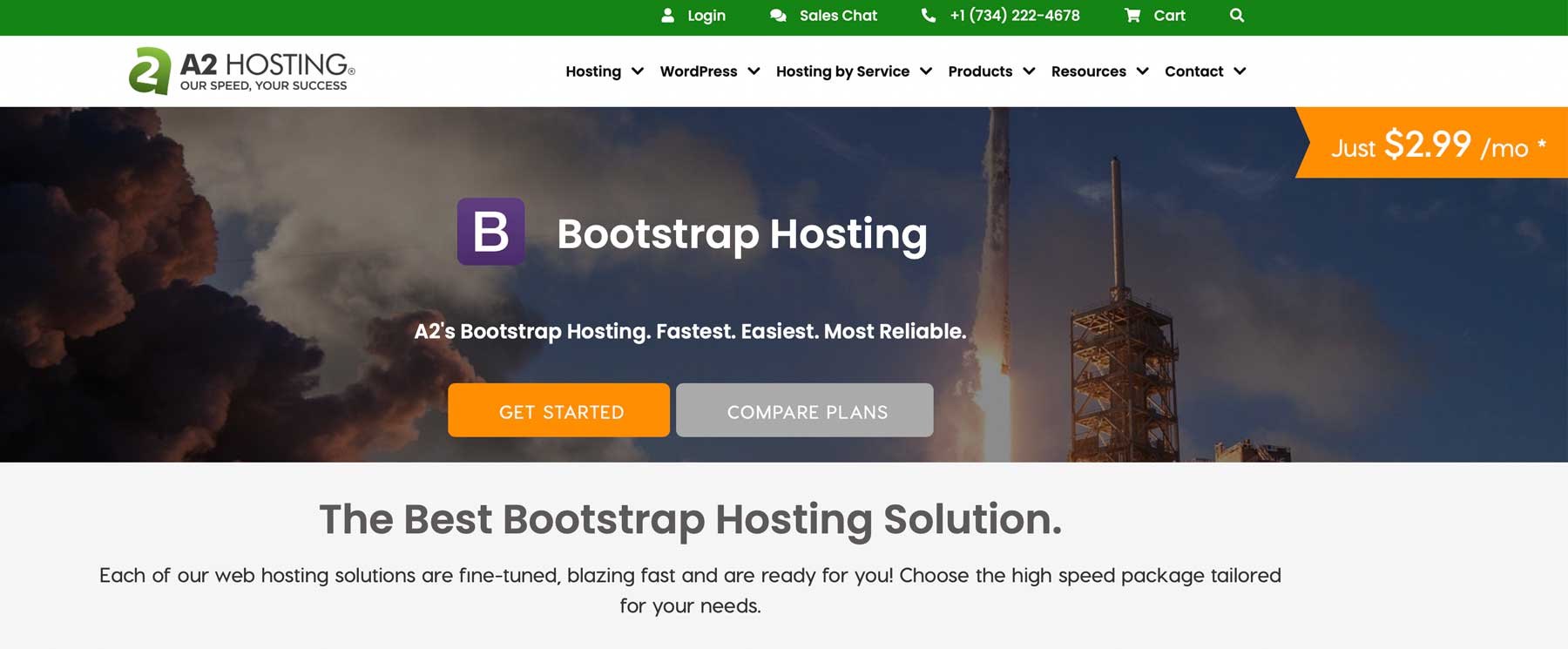
    A2 Hosting for Bootstrap

    One of the better options is A2 Hosting, which offers several plans for Bootstrap ranging from $12-$25 per month. They offer turbo hosting, which is built using LiteSpeed servers. Additional features include a free SSL, one-click Bootstrap installs through Softaculous, and several server location options.

    WordPress vs Bootstrap: Which One is Better?

    Both WordPress and Bootstrap have a learning curve and offer plenty of customization options.

    WordPress Bootstrap
    Pricing While it is technically free, you’ll eventually need to pay for hosting, a theme, and plugins. Your costs depend on how much you’re willing to spend. 🥇Winner

    Costs associated with Bootstrap are far less, with hosting and a domain being the only necessities.

    Ease of Use 🥇 Winner

    Creating posts and pages with the Gutenberg editor is a breeze. However, deciphering the dashboard takes some getting used to.

    Working with Bootstrap requires coding knowledge, so it may take a while for beginners to get up to speed.
    Customization 🏳️ Draw

    WordPress offers tons of customization options by way of plugins, themes, custom post types, widgets, and custom CSS and HTML, giving you ample ways to make your website unique.

    🏳️ Draw

    Although Bootstrap doesn’t offer many themes, you can create your own with plenty of snippets and custom components at your disposal.

    Get started with WordPress Get started with Bootstrap

    However, the choice between the two ultimately comes down to what you want to achieve with your website. WordPress is the better option if you’re looking to create a blog or an e-commerce website. On the other hand, if you’re interested in building a custom website and enjoy coding, Bootstrap may be more appropriate. Regardless of your choice, WordPress and Bootstrap are excellent options for creating a unique website.

    The post WordPress vs Bootstrap (2023) — What You Need To Know appeared first on Elegant Themes Blog.

  • 10 Best Ecommerce WordPress Themes in 2023 (Compared)

    Choosing a suitable WordPress theme for your online business can be daunting, especially since many themes are available. Therefore, finding the perfect one that aligns with your business goals is crucial. This post will provide a comprehensive guide to the ten best ecommerce WordPress themes perfect for any online business, making your choice easier. Let’s get started.

    What is an Ecommerce WordPress Theme?

    Ecommerce WordPress themes allow you to display and sell your products on your WordPress website. They are usually integrated with WooCommerce and feature enhancements, such as shop and product layouts, shopping carts, checkout pages, and product filtering and sorting options. Basically, ecommerce WordPress themes provide site owners with an easy way to do business online.

    10 Best Ecommerce WordPress Themes

    When creating our list of the best ecommerce WordPress themes, we considered several factors. Our top priority was to find themes designed explicitly for WooCommerce since it is the most widely used ecommerce platform for WordPress. Additionally, we evaluated each theme’s features, customization options, and the number of starter websites. Now, without further delay, let’s dive into our top picks.

    1. Divi

    Divi by Elegant Themes

    Our next entry for the best ecommerce WordPress themes is Divi. It provides the most customizable experience compared to other WordPress themes, thanks to its front-end, no-code Visual Builder. With over 200 design elements, you can design every aspect of your site while viewing your design changes in real time.

    Divi integrates seamlessly with WooCommerce, offering over 20 Woo-specific modules to help you create product layouts, shop pages and more using the Theme Builder. With the Theme Builder, you can create custom layouts to showcase products, design headers, footers, search results pages, and more, giving you complete design control over your ecommerce website.

    Key Features for Divi

    • 200+ design elements
    • Theme Builder
    • No-code Visual Builder
    • 20+ WooCommerce modules
    • 2300+ design layouts

    Divi is packed with over 2300 professionally designed layouts to help your ecommerce website stand out. Each layout pack comes standard with a shop page layout, so there are nearly endless possibilities to feature your products. Plus, you’ll have access to the Divi Marketplace, where you can purchase extensions, child themes, and layouts specifically designed with Divi and WooCommerce in mind. For instance, there’s the WooCommerce Layouts for Divi bundle that includes 55 product, 30 shop, and 15 cart pages, so you can create the ecommerce Divi website of your dreams.

    Divi bulk editing

    Additionally, Divi offers bulk-editing modules, keyboard shortcuts, and copy-and-paste styles, which can significantly improve your workflow when building out those product pages and templates.

    Divi is best for:

    Divi’s ease of use, design flexibility, and customization options make it an excellent ecommerce WordPress theme for beginners and developers looking to create a professional and visually appealing online store quickly.

    Divi
    Starting Price $89/year
    Websites Unlimited
    Free Layouts 2300+
    Visual Builder ✔️
    Theme Builder ✔️
    Get Divi

    2. Astra

    Astra ecommerce WordPress theme

    Our next ecommerce WordPress theme is Astra, which provides seamless integration with WooCommerce, front-end editing with Elementor, Spectra, and other page builders, and dedicated WooCommerce modules to build the perfect online shop.

    Key Features for Astra

    • Compatible with popular page builders
    • Lightweight for fast page loading times
    • 40+ premade starter ecommerce templates
    • Live theme customizer

    Elementor theme builder

    With Astra and Elementor, you can create custom page templates for every aspect of your site. Whether headers, footers, single posts, product archives, or anything in between, Elementor’s drag-and-drop theme builder makes it easy to tailor your site to your unique style and branding. Astra is one of the fastest WordPress themes around, weighing in at under 50kb on the front end. A lightweight theme means quicker page loading times, which can seriously boost your site in search engine optimization (SEO).

    Astra is best for:

    Try Astra if you’re looking for a fast, lightweight theme that integrates well with Elementor and WooCommerce. With over 40 design modules, 40+ starter templates for ecommerce, and endless customization options, Astra is one of the best ecommerce WordPress themes available.

    Astra
    Starting Price $59/year
    Websites 1
    Free Layouts 240+
    Visual Builder ✔️
    Theme Builder ✔️
    Get Astra

    3. OceanWP

    OceanWP ecommerce WordPress theme

    Our next ecommerce WordPress theme is OceanWP. With seamless integration with Elementor and Gutenberg, this theme offers endless customization options to make your online store your own. With over 220 premade demos, you’re sure to find a layout that perfectly suits your needs. And with the Ocean Extra plugin, you can easily install demos with just one click, control page settings at the page level, create custom templates, and more.

    Key Features for OceanWP

    • Ocean eComm Treasure Box add-on (pro)
    • Freepik and Flaticon integration (pro)
    • Seamless integration with Elementor
    • Unlimited A/B testing
    • Over 220 demo sites

    While the free version of OceanWP is packed with features, the pro version takes things to the next level. With instant access to Freepik and Flaticon, A/B testing capabilities, over 220 premade demo websites, and 22 extensions, you can create the ultimate ecommerce site. For example, the Ocean eComm Treasure Box extension lets you make every aspect of your ecommerce site from start to checkout, including custom shop, single product, cart, checkout, and thank you pages. You can even incorporate a buy now button or a WooCommerce popup to highlight sales or specific products.

    OceanWP is best for:

    OceanWP is an excellent choice for a flexible and feature-rich ecommerce WordPress theme. Its vast demos and customization options suit small and large online stores. At the same time, its integration with popular page builders like Elementor and Gutenberg means you don’t need to be a coding expert to create a professional-looking website.

    OceanWP
    Starting Price $54/year
    Websites 3
    Free Layouts 210+
    Visual Builder ✔️
    Theme Builder ✔️
    Get OceanWP

    4. Neve

    Neve ecommerce theme

    Up next on our list of best ecommerce WordPress themes is Neve by ThemeIsle. Neve uses a mobile-first design, is compatible with all major page builder plugins, and integrates seamlessly with the Accelerated Mobile Pages (AMP) plugin to provide a fast, highly-customizable website for your online store.

    Key Features for Neve

    • 100+ starter templates, 6 dedicated WooCommerce sites
    • Enhanced for WooCommerce (pro)
    • Custom Woo modules for Elementor
    • Mobile-first and AMP ready

    Neve WooCommerce settings

    Neve is WooCommerce-ready right out of the box, but upgrading to the pro version will give you some cool, enhanced features. With design elements like a quick product view, a floating cart, off-canvas shop filters, and a wishlist, you’ll have everything you need to take your ecommerce store to the next level. Additionally, the pro version offers various checkout page layouts, six WooCommerce starter templates, and unlimited design options through Elementor integration.

    Neve is best for:

    Those looking for a speedy, lightweight ecommerce WordPress theme will find Neve an excellent choice. With support for AMP, a mobile-first design, and plenty of demo sites to get you started, Neve is suitable for those without design experience.

    Neve
    Starting Price $199/year
    Websites Unlimited
    Free Layouts 110+
    Visual Builder ✔️
    Theme Builder ✔️
    Get Neve

    5. Flatsome

    flatsome ecommerce WordPress theme

    The next ecommerce WordPress theme on our list is Flatsome. Explicitly designed for WooCommerce, Flatsome has a front-end page builder, several product layouts, built-in variation product galleries, and complete theme customization through the live WordPress customizer screen.

    Key Features for Flatsome

    • Local Google fonts
    • Multiple product layouts
    • Drag and drop builder
    • Flatsome studio with 35+ design elements
    • Over 100 ecommerce designs through Flatsome Studio

    Flatsome studio

    Flatsome boasts several standout features, including its front-end design editor with over 35 customizable design elements, such as sliders, price tables, product categories, banner grids, and more. Additionally, Flatsome offers more than 100 pre-built layouts focused solely on ecommerce that you can import with just one click using the Flatsome Studio. This lets you quickly jump-start your website with a pre-designed layout if you prefer to avoid building layouts from scratch.

    Flatsome is best for:

    Online store owners who want a flexible and easy-to-use ecommerce WordPress theme with unlimited design options will like Flatsome. With hundreds of premade designs, nearly 40 modules, and built-in ecommerce support, Flatsome is well-suited for just about everyone.

    Flatsome
    Starting Price $59/six months
    Websites 1
    Free Layouts 300+
    Visual Builder ✔️
    Theme Builder ✔️
    Get Flatsome

    6. Shoppe by Themify

    Themify Shoppe ecommerce WordPress theme

    Next on our list of best ecommerce WordPress themes is Shoppe, available through Themify. With a proprietary drag-and-drop builder, Shoppe makes it simple to design custom ecommerce pages, headers, footers, and more. Additionally, it’s easy to change the theme’s layout with just one click using the website skin option. It provides over 60 regular page layouts and 20+ shop page layouts that can be imported with a few clicks.

    Key Features for Shoppe

    • Themify drag and drop page builder
    • 14 header layouts
    • 6 Woo-specific shop features
    • 8 WooCommerce starter sites

    Shoppe product filtering

    Shoppe comes with some excellent features for WooCommerce. Your site visitors will love the quick look feature that lets them see product details quickly in a popup without leaving your shop page. You’ll also get an Ajax cart, so shoppers can add items to their cart without refreshing the page. With Shoppe, you can add products to a wishlist, showcase a product gallery slider, enable image zoom, and add product-sharing options. To simplify the browsing experience, Shoppe has a filtering option that lets shoppers sort by price, color, or category.

    Shoppe is best for:

    If you’re someone who wants a lot of design choices, Themify might be a good option for you. For only $89 per year, you can subscribe to their Master Club and get access to 42 WordPress themes, 11 plugins, and 25 Themify builder add-ons. This is a great choice for anyone who has multiple websites or wants a wide range of options.

    Shoppe
    Starting Price $89/year
    Websites Unlimited
    Free Layouts 42+
    Visual Builder ✔️
    Theme Builder ✔️
    Get Shoppe

    7. Shoptimizer

    Shoptimizer ecommerce WordPress theme

    Our next entry – Shoptimizer – emphasizes site speed. With Shoptimizer, the main CSS file is automatically minified, allowing visitors to see your website nearly instantly. Additionally, the theme is designed to increase conversions by allowing for a streamlined ordering experience that removes distractions such as headers, footers, and sidebars, so your customers can concentrate on the task at hand – spending their hard-earned money. Plus, the single product FOMO feature allows you to add an animated stock counter that encourages people to purchase a product quickly – before it’s gone.

    Key Features for Shoptimizer

    • Automatic minified and critical CSS
    • Support for major page builder plugins
    • Accessibility friendly
    • 20+ sale-boosting features

    Shoptimizer product page demo

    Although Shoptimizer doesn’t come with multiple layout options, you can create the ecommerce site of your dreams with the page builder of your choice. With support for Elementor, Visual Composer, Beaver Builder, and more, you’ll have access to a front-end visual building experience that makes designing your site easier. Plus, Shoptimizer comes packed with features to improve sales on your site, including custom product badges, the ability to request a callback, security badges for increased trust, a wishlist feature, and more.

    Shoptimizer is best for:

    If you’re looking for a speed-optimized ecommerce theme that comes out running right from the gate, then Shoptimizer may be a good fit for you. With many product-enhancing extras like a wishlist, image zoom, and product variant gallery images, your online shop will be up and running in no time.

    Shoptimizer
    Starting Price $99/year
    Websites Unlimited
    Free Layouts 30+
    Visual Builder ✔️
    Theme Builder ✔️
    Get Shoptimizer

    8. Botiga

    Botiga ecommerce WordPress theme

    Our next ecommerce WordPress theme is Botiga, one of two theme offerings from aThemes. It’s the most feature-packed free theme on our list. All theme styles are handled through the familiar WordPress customizer, including WooCommerce settings, making it easy for anyone to style. It comes with several product catalog and single product settings, such as image zoom, image gallery layout style, Ajax add to cart button, and draggable product elements, making customizing your online store a breeze.

    Key Features for Botiga

    • Header and footer builder
    • Multiple layout options
    • Lightweight and SEO ready
    • 8 starter designs
    • Elementor and Gutenberg support

    Botiga header builder

    Botiga has got you covered with plenty of styling options that you’ll benefit from. You can create custom headers and footers with a simple drag-and-drop editor and pick from various layout formats for products, posts, and pages. You can even style WooCommerce icons, and buttons, add a scroll to top button, or enable parallax effects. To simplify things, you can start with one of the eight starter designs, add your products, and launch your online store without fuss.

    Botiga is best for:

    If you’re a beginner looking to sell a few dozen products, consider Botiga. While you can’t really change the framework, loads of styling options will allow you to make it unique to your brand. Botiga has a minimal style but maximum potential.

    Botiga
    Starting Price $69/year
    Websites 1
    Free Layouts 8
    Visual Builder ✔️
    Theme Builder ✔️
    Get Botiga

    9. Storefront

    Storefront ecommerce WordPress theme

    Our next ecommerce WordPress theme is Storefront, brought to you by the makers of WordPress, Automattic. It’s a free theme built for WooCommerce, allowing you to easily create an online store in minutes. That said, you can add quite a few bells and whistles with the Storefront extensions bundle, including complete store styling through the WordPress customizer.

    Key Features for Storefront

    • Built for WooCommerce
    • Live theme customizer
    • 14 premade starter designs (3 free)
    • Advanced product filters

    Storefront product filters

    With the free version of Storefront, you can still control the design aspects of your store, but your options are more limited. You can change site styles, WooCommerce product catalog, pages, and images. Suppose you want to add features such as advanced product filtering or the ability to edit product meta or layouts. In that case, you’ll need to purchase the expansion bundle.

    Storefront is best for:

    Sure, Storefront is a vanilla ecommerce theme, but if you are a developer, this is music to your ears. One of the best features of Storefront is its simplicity. You can use it as is or dive under the hood and create a custom-coded, lightning-fast ecommerce website that is fully tailored to your business.

    Storefront Extension Bundle
    Starting Price $69/year
    Websites 1
    Free Layouts 3
    Visual Builder ✔️
    Theme Builder ✔️
    Get Storefront

    10. Woostify

    Woostify ecommerce WordPress theme

    Woostify, our final pick for the best eCommerce WordPress themes, is a lightweight, SEO-ready theme designed specifically for WooCommerce. With a live theme customizer, multiple product, cart, and catalog layouts, and a range of layout styles, it offers plenty of flexibility for your eCommerce website. You can edit your pages using the Gutenberg block editor or Elementor, making customization a breeze.

    Key Features for Woostify

    • 20+ starter websites
    • Lightweight (under 30kb) page size
    • Built specifically for WooCommerce
    • Compatible with Elementor

    WooCommerce settings

    You’ll get basic styling options with the free version of Woostify. You can adjust various site and WooCommerce settings, but most other options require add-ons. However, you can install and use Elementor to edit products and pages or create templates. If you stick with the core Woostify theme, you can purchase a pro license and get 20+ starter website designs and all pro-add-ons. These include a header and footer builder, a callback feature for customer support, a buy now button, and more.

    Woostify is best for:

    Elementor users who want a fast, lightweight theme for WooCommerce should try Woostify. With a dedicated theme builder, unlimited customization options, and native WooCommerce support, it’s a good option.

    Woostify
    Starting Price $49/year
    Websites 1
    Free Layouts 13
    Visual Builder ✔️
    Theme Builder ✔️
    Get Woostify

    Which Ecommerce WordPress Theme is the Best Overall?

    While we’ve given you ten great options for the best ecommerce WordPress theme, we feel there is a clear winner. Overall, Divi is the best option, thanks to it’s dedicated WooCommerce integration, 20+ Woo-specific modules, and countless free shop layouts to help you create the perfect ecommerce store.

    Starting Price Websites Free Layouts Visual Builder Theme Builder
    🥇 Divi $89/year Unlimited 2300+ ✔️ ✔️ Visit
    🥈 Astra $59/year 1 240+ ✔️ ✔️ Visit
    🥉 OceanWP $54/year 3 210+ ✔️ ✔️ Visit
    Neve $199/year Unlimited 110+ ✔️ ✔️ Visit
    Flatsome $59/six months 1 300+ ✔️ ✔️ Visit
    Shoppe $89/year Unlimited 42+ ✔️ ✔️ Visit
    Shoptimizer $99/year Unlimited 30+ ✔️ ✔️ Visit
    Botiga $69/year 1 8 ✔️ ✔️ Visit
    Storefront $69/year 1 3 ✔️ ✔️ Visit
    Woostify $49/year 1 13 ✔️ ✔️ Visit

    Are you looking for more theme reviews? Check out our picks for the best responsive WordPress themes.

    The post 10 Best Ecommerce WordPress Themes in 2023 (Compared) appeared first on Elegant Themes Blog.

  • Introducing Divi Cloud for Theme Options (And Some Other Neat Stuff)

    I have a few small Divi features to share with you! As you may know, most of our team is working hard on Divi 5. Still, we are working on other great stuff too, including brand-new services and updates to our current services, like Divi Cloud, which isn’t affected by the Divi 5 project.

    Today, I want to share a few updates we made to the Divi Library and Divi Cloud, including improved layout importing and the ability to save Theme Options presets so that you can use them to jumpstart your new client websites.

    Expanding Divi Cloud Into New Areas

    Since the launch of Divi Cloud, we have been expanding it into new areas. Our vision for Divi Cloud is for it to be the “Dropbox of your WordPress websites,” with the ability to store all of your favorite assets in the cloud to be used on each new website you build.

    So far, we have added several asset libraries, allowing you to save Layouts (including sections, rows, and modules), Theme Builder templates and template sets, and code snippets of various types to the cloud and your local libraries. Today, we are adding a new asset to that list: Theme Option Presets.

    You may have specific Theme Option configurations that you use on client websites. You may prefer specific layout settings, have custom code added in the integration tab, and choose to disable particular performance settings, among other things.

    Now, instead of manually configuring those options, you can save presets to the cloud and use them immediately when you start a new site. When you load a Theme Option Preset, everything gets set up instantly.

    Bulk Importing For The Divi Library

    We also made some significant improvements to layout uploading. The Divi Library, including Divi Cloud, now supports bulk uploading multiple .json files at once! And not only that, but it supports uploading multiple files that have been exported in different contexts (that means you will no longer receive the “shouldn’t be imported in this context” error when importing layouts to the Divi Library).

    In the video above, you can see me uploading a layout pack from the Divi Marketplace that includes dozens of layouts, along with a few individual layouts that were exported from the Visual Builder, along with another layout pack of sections. Simply drag and drop all files into the portability modal, and Divi will take it from there!

    Automatically Split Layouts Into Reusable Sections

    Finally, we added a nifty new feature to the Divi Library that allows you to split layouts into reusable sections. It takes any layout and automatically breaks it up into sections and saves all of the sections into your library. As you build new pages, these layout parts can be pieced together to create new layout variations.

    Stay Tuned For More Updates Coming Soon

    That’s all for today’s update. We have some exciting new stuff in the pipeline, so be sure to follow and subscribe so you don’t miss my future updates. I always give a detailed look into each new feature, so if you run your websites on Divi, you don’t want to miss these posts!

    The post Introducing Divi Cloud for Theme Options (And Some Other Neat Stuff) appeared first on Elegant Themes Blog.

  • 10 Best Responsive WordPress Themes in 2023 (Compared)

    It’s no secret that designing websites with a mobile-first approach is an essential aspect of web design. Since Google changed its algorithm on how websites are scored with its mobile-first index, its become increasingly important to use a theme that looks great on all devices for your WordPress website. In this post, we’ll introduce you to the best responsive WordPress themes for your website, so you can determine which is right for you.

    What is a Responsive WordPress Theme and Why Should You Use One?

    A responsive WordPress theme utilizes breakpoints to adapt a website’s content for various screen sizes, ensuring that it looks stunning regardless of the device used to view it. As over 60% of internet users access websites through mobile devices, it has become increasingly vital to incorporate a responsive theme into your WordPress site. Neglecting to do so can result in distorted website content, increasing your bounce rate and negatively impacting SEO for mobile devices.

    10 Best Responsive WordPress Themes

    We considered several essential factors to compile our list of the best responsive WordPress themes. First and foremost, we evaluated whether the theme has responsive tools that allow you to test how a page will display on desktop, tablet, and mobile devices. Additionally, we assessed the number of features the theme offers, its ease of use, and its responsive tools on the module level. Considering these factors, we present our picks for the best responsive WordPress themes.

    1. Divi

    Divi by Elegant Themes

    At the top of our list is Divi, the most advanced responsive WordPress theme available. It comes with over 200 fully customizable design elements, each of which can be adjusted based on screen size. Using a no-code front-end Visual Builder, you can easily create beautiful, responsive, and fast web pages to showcase your blog or business. Suppose you would rather start with a pre-defined design. In that case, Divi offers over 2200 professionally designed layouts to build your web pages in just a few clicks.

    Key Features for Divi:

    • Front-end, no-code Visual Builder
    • Build custom page templates with Theme Builder
    • Over 200+ design elements
    • Responsive page preview
    • Edit responsive settings at the module level
    • 2200+ professionally designed layouts

    Divi responsive preview

    One of the best features of Divi is its responsive page preview, which allows you to see in real time how your page will appear on different screen sizes. With Divi, you can adjust everything from text size, borders, background image placement, and even CSS using Divi’s intuitive, responsive controls.

    Another great feature of Divi is the ability to create custom page templates using the Theme Builder. Using the Visual Builder to customize your website, you can design global headers and footers, page templates, and even WooCommerce products.

    Divi is best for:

    Divi is best suited for anyone looking for the ultimate responsive WordPress theme that looks amazing on any device. With more design options than any other WordPress theme, you’ll be hard-pressed to find a better option.

    Divi
    Starting Price $89/year
    Websites Unlimited
    Free Layouts 2200+
    Theme Builder ✔️
    Responsive Preview ✔️
    Get Divi

    2. Hello Elementor

    Hello Elementor responsvie WordPress theme

    Hello Elementor is one of the best responsive WordPress themes available. Built to work seamlessly with the Elementor page builder plugin, it gives you the complete design freedom to build a custom website with over 100 widgets and responsive controls for every aspect of your site, down to padding and margin.

    Key Features for Hello Elementor

    • 100+ widgets
    • Ultimate header and footer builder (pro)
    • Customized page templates (pro)
    • 300+ basic and pro templates (pro)
    • Responsive design controls at the module level

    Elementor responsive controls

    Elementor’s page editor allows you to preview your page designs for desktop, tablet, and mobile devices, enabling you to make necessary adjustments to ensure a seamless browsing experience for your site visitors on any device. You have complete control over everything from the text size to how images are displayed on various screen sizes, allowing you to tailor your website to look and function perfectly.

    Moreover, by upgrading to the pro version of Elementor, you’ll have access to even more advanced features. For instance, you can create custom headers and footers and build page templates for products, categories, taxonomies, and much more. Alternatively, you can use a pre-built template kit to quickly and easily make your website in just a few minutes.

    Hello Elementor is best for:

    Those looking to build a lightweight, fully responsive WordPress website will like Hello Elementor. Most of the features are free, so it’s perfect for anyone on a budget.

    Hello Elementor
    Starting Price $59/year
    Websites Unlimited
    Free Layouts 100+
    Theme Builder ✔️
    Responsive Preview ✔️
    Get Hello Elementor

    3. Avada

    Avada responsive WordPress theme

    Next on our list of the best responsive WordPress themes is Avada, which stands out for its use of a proprietary front-end page builder called Fusion Builder. With over 120 design elements, it’s easy to customize your website to make it unique. Each element has responsive settings to adjust text size, photo placement, how columns break down on smaller devices, and more. Avada also offers the ability to create responsive, custom layouts for global headers and footers, 404 pages, search results, and more with their Layout Builder. Plus, with its helpful setup wizard, you can quickly and easily set site width, global colors, fonts, and more to make the process smoother.

    Key Features for Avada

    • Live front-end builder
    • 90+ demo websites
    • Build custom menus, forms, sliders, and layouts
    • Adjust responsive settings at the design element level

    Avada responsive preview

    Avada makes it easy to preview how your pages will look on different devices while editing. With responsive preview options, you can ensure your website looks great on any screen size. The Fusion Builder also allows you to customize each element’s settings, providing optimal display across all devices. Additionally, Avada offers several other impressive features, such as creating custom mega menus, forms with conditional logic, and image sliders without additional plugins.

    Furthermore, for those who want to get started quickly, Avada provides over 90 importable demo websites. These demos offer fully functional, responsive websites you can launch within minutes, then update with your branding using Avada’s global options. It’s an excellent feature for those who want to save time and get their website up and running quickly.

    Avada is best for:

    With the ability to adjust any setting, import demo content, and control responsive settings at any level, Avada is a great option for those looking for an all-inclusive, fully responsive WordPress theme.

    Avada
    Starting Price $69/year
    Websites 1
    Free Layouts 90+
    Theme Builder ✔️
    Responsive Preview ✔️
    Get Avada

    4. Astra

    Astra responsive WordPress theme

    Our next responsive WordPress theme, Astra, is a lightweight and robust theme compatible with popular page builders such as Elementor, Spectra, Beaver Builder, and Visual Composer, amongst others. Astra recommends Spectra, built on top of Gutenberg blocks, to keep things light.

    Key Features for Astra

    • 240+ starter templates
    • Works with popular page builders
    • Extremely lightweight at less than 50Kb
    • Self-hosted Google fonts
    • Extensive header, footer, and blog layout options (pro)

    Spectra blocks

    With the Spectra page builder plugin, you can expand the functionality of Gutenberg blocks with over 35 additional blocks, all of which can be used seamlessly with Astra. This plugin also includes other valuable features, including the ability to define content width, adjust container padding and elements gap spacing, and host Google fonts locally, which can significantly reduce page loading times. Additionally, the plugin comes with a vast library of over 240 pre-made starter templates that can be easily imported, making it easy to get started on your website.

    Astra is best for:

    Astra is a great responsive WordPress theme for publishing a lightweight, fast website built on Gutenberg blocks. Gutenberg provides responsive previews of your pages, so you’ll know how your pages will display on multiple screen sizes.

    Astra
    Starting Price $59/year
    Websites 1
    Free Layouts 240+
    Theme Builder ✔️
    Responsive Preview ✔️
    Get Astra

    5. Kadence

    Kadence responsive WordPress theme

    Introducing our next best WordPress theme – Kadence. It’s fully responsive, lightweight, and fast, providing a seamless user experience for beginners and developers alike. Built on Gutenberg blocks, Kadence offers great flexibility and customization options. However, for those who prefer a true front-end visual builder experience, you can easily install a page builder of your choice, such as Elementor.

    Key Features for Kadence

    • 40+ free templates
    • Compatible with Elementor and Gutenberg blocks
    • Responsive preview
    • Extensive live customizer options

    Kadence starter templates

    Kadence offers over 50 free starter templates for Gutenberg and Elementor, so you can easily choose a layout suitable for your type of business. If you prefer using the Gutenberg page editor, you can add more capability to it with the Kadence blocks plugin. There are over 15 blocks, including an advanced gallery, Lottie animations, tabs, accordions, and more. Additional features include live customizer settings with responsive preview options, drag-and-drop block patterns, premium support, and integration with WooCommerce.

    Kadence is best for:

    Those looking for a good, responsive WordPress theme built on Gutenberg should try Kadence. With an abundance of starter templates, extra blocks, live theme customization options, and compatibility with most page builders, it’s a good choice for anyone.

    Kadence
    Starting Price $129/year
    Websites Unlimited
    Free Layouts 80+
    Theme Builder ✔️
    Responsive Preview ✔️
    Get Kadence

    6. Authority Pro

    Authority Pro responsive WordPress theme

    Built on the Genesis Pro framework, Authority Pro is one of over 40 themes by StudioPress. With Genesis Pro, you can create responsive and SEO-optimized WordPress sites using Gutenberg. As one of the most developer-friendly options on our list, Authority Pro empowers you to build a fast, lightweight, and secure website tailored to your unique needs.

    Key Features for Authority Pro

    • One-click theme setup
    • Powered by Genesis framework
    • Built for Gutenberg blocks
    • Live theme customizer
    • AMP and accessibility ready

    With Authority Pro, you’ll have everything you need to create a professional-looking website, thanks to its range of pre-built pages. Authority Pro covers you from landing pages to blogs, contact pages to about pages, single post pages to shop, and category pages. But that’s not all – with the Genesis Blocks plugin, you can add custom elements to your website. Genesis Blocks allows developers to build additional functionalities through custom blocks, which can be extended with third-party apps and plugins, enabling you to create a truly unique website.

    Authority Pro is best for:

    Those that want a high-quality, professional business theme should consider Authority Pro. That said, you’ll need coding knowledge to fully take advantage of Genesis blocks.

    Authority Pro
    Starting Price $360year
    Websites Unlimited
    Free Layouts 40+
    Theme Builder ✔️
    Responsive Preview ✔️
    Get Authority Pro

    7. Sydney

    Sydney WordPress theme

    Our next best responsive WordPress theme is Sydney, by aThemes. Sydney offers an array of customizable features to enhance the design and functionality of your website. With five header layouts and the option for a sticky menu, you can choose the perfect layout to suit your needs. In addition, Sydney allows you to personalize your site with custom elements such as buttons and contact info while providing a static hero image, slider, or video background, which can be easily managed through the live WordPress customizer.

    Key Features for Sydney

    • Desktop and mobile header and footer layouts
    • 3 free starter sites
    • Integration with Elementor
    • Built-in slider(pro)
    • 6 blog layouts

    Furthermore, Sydney offers six free blog layout options and support for WooCommerce, making it an ideal choice for businesses and bloggers alike. Elementor users can use the testimonial, slider, and team carousel widgets for added functionality. And if you’re catering to a multi-lingual audience, Sydney is translation-ready and supports popular translation plugins, such as WPML.

    Sydney starter templates

    For those who want to get started quickly, Sydney also offers four pre-made starter sites that you can load and customize. If you go for the pro license, you can access over 20 templates, including popular business categories, podcasting layouts, and more. Plus, you can build custom templates with the aThemes theme builder, add custom post type support through Toolset, and create modal popups to highlight sales or other important information.

    Sydney is best for:

    Those looking for a responsive WordPress theme that’s easy to style, is multi-lingual compatible, and offers plenty of starter templates for different types of businesses should consider Sydney.

    Sydney
    Starting Price $69/year
    Websites 1
    Free Layouts 17
    Theme Builder ✔️
    Responsive Preview ✔️
    Get Sydney

    8. Blocksy

    Blocksy reponsive WordPress theme

    Up next on our list of best responsive WordPress themes is Blocksy. Built on Gutenberg, it’s easy to style, has plenty of blocks to choose from, and is fully responsive with multi-platform page preview options, the ability to adjust block settings for any device, and live preview customizer settings so you can see how your site looks in real-time. Blocksy is available in both free and pro versions, with most features available for free.

    Key Features for Blocksy

    • Uses Gutenberg blocks
    • 28 starter sites (pro)
    • Free header and footer builder
    • WooCommerce support
    • Built-in lazy-loading

    Blocksy customizer options

    Blocksy offers a handy getting started screen to control color options, header, footer, blog, and page and sidebar options. You can build custom headers and footers with desktop and tablet/mobile options and display them according to conditions. If you want to save time and effort, you can import one of 28 Blocksy starter sites which are all mobile-ready, requiring only text and image changes to make it unique. WooCommerce users will rejoice thanks to Blocksy’s compatibility with the popular e-commerce platform. You can customize product and shop page layouts, category and tag templates, and more.

    Blocksy is best for:

    People who prefer to build websites with the Gutenberg block editor will find Blocksy one of the best responsive WordPress themes available. With plenty of professional designs available, it’s an excellent option for beginners.

    Blocksy
    Starting Price $49/year
    Websites 1
    Free Layouts 28
    Theme Builder ✔️
    Responsive Preview ✔️
    Get Blocksy

    9. Deep

    Deep responsive WordPress theme

    For our next entry, we have Deep – one of the best responsive WordPress themes for beginners. Like others on our list, it supports Elementor, so creating pages is a breeze. With over 120 demo sites, you can build any site you need, then edit your content through Elementor’s front-end builder.

    Key Features for Deep

    • 120+ demo sites, including 28 free ones
    • 160+ ready-made section designs
    • Header & Footer builder
    • Advanced portfolio builder

    Deep mobile header builder

    One of the best features of Deep is the header builder. With a drag-and-drop editor, you can easily create custom headers for both desktop and mobile devices. Plus, you can customize the background, add custom colors and images, and add other useful elements simply by dragging them into your header. You can also add headers conditionally, displaying different headers for specific pages or devices. You also have complete control over your footer design, with options to display social media feeds for Instagram and social icons or add a subscribe form through Mailchimp.

    Deep is best for:

    Anyone looking to build a professional website with a few clicks will be impressed with Deep. With over 120 starter websites, 160 section designs, and integration with popular third-party services like Mailchimp, Deep is one of the best responsive websites for beginners who want to create a website quickly.

    Deep
    Starting Price $39/year
    Websites 1
    Free Layouts 120+
    Theme Builder ✔️
    Responsive Preview ✔️
    Get Deep

    10. Zakra

    Zakra responsive WordPress theme

    Zakra is the last and one of the best responsive WordPress themes on our list. It offers support for various page builders such as Gutenberg Blocks, Elementor, and Brizy. With these tools, you can effortlessly create a stunning website without coding knowledge. Zakra also supports WooCommerce for those looking to build an eCommerce website.

    Key Features for Zakra

    • Works with Elementor, Gutenberg blocks, and Brizy
    • Quick demo importer
    • Compatible with WooCommerce
    • Create custom headers and footers

    Zakra demo importer

    Zakra’s one-click demo importer, powered by the ThemeGrill Demo Importer plugin, is a standout feature of the theme, with over 80 demo sites available with a pro license or just over 40 with the free one. However, it should be noted that for optimal results, starting with a fresh WordPress installation is crucial before importing the demo content. Failing to do so may result in duplicate pages or a failed import.

    Zakra is best for:

    Zakra is another good, responsive WordPress theme best suited for beginners who want to create a website with just a few clicks effortlessly. Thanks to the number of starter sites available, there are plenty of options to make the website your own.

    Zakra
    Starting Price $59/year
    Websites 1
    Free Layouts 80+
    Theme Builder ✔️
    Responsive Preview ✔️
    Get Zakra

    Final Thoughts on the Best Responsive WordPress Themes

    Of all the themes we’ve featured in this post, Divi is undoubtedly the most highly recommended. Not only is it suitable for both beginners and developers, but it also provides the most value for your money. With an impressive selection of over 200 design elements and the capability to create custom templates, Divi empowers you to design a professional website without requiring coding skills.

    Starting Price Websites Free Layouts Theme Builder Responsive Preview
    🥇 Divi $89/year Unlimited 2300+ ✔️ ✔️ Visit
    🥈 Hello Elementor $59/year 1 100+ ✔️ ✔️ Visit
    🥉 Avada $69/year 1 90+ ✔️ ✔️ Visit
    Astra $59/year 1 240+ ✔️ ✔️ Visit
    Kadence $129/year Unlimited 80+ ✔️ ✔️ Visit
    Authority Pro $360year Unlimited 40+ ✔️ ✔️ Visit
    Sydney $69/year 1 17 ✔️ ✔️ Visit
    Blocksy $49/year 1 28 ✔️ ✔️ Visit
    Deep $39/year 1 120+ ✔️ ✔️ Visit
    Zakra $59/year 1 80+ ✔️ ✔️ Visit

    Are you looking for more theme reviews? Check out our top 10 best WordPress themes.

    The post 10 Best Responsive WordPress Themes in 2023 (Compared) appeared first on Elegant Themes Blog.

  • WordPress vs HTML Websites (2023)

    Debating how you should build your next website? Both HTML and WordPress websites have their upsides and potential drawbacks. We’ll help you compare WordPress vs HTML websites in this article so you can decide for yourself.

    WordPress vs. HTML: What’s the Difference?

    Static HTML Websites

    HTML, or Hypertext Markup Language, is the backbone of the internet and the foundation of all websites. Before the days of WordPress and other popular website builders, websites were built from the ground up using mostly HTML (with CSS and JavaScript to add style and functionality). These sites are often referred to as static HTML sites because the pages and content created in HTML are hard-coded exactly how it is to be rendered. That’s why creating and updating large static HTML sites can be more time-consuming, complex, and costly than modern methods.

    Example HTML and Rendering

    You can create static HTML sites that are suitable for small-scale projects, personal pages, or simple landing pages. They will require CSS (for styling) and JavaScript (for interactivity), and more in most cases. Larger (more complex) static HTML websites will require more complex programming to incorporate the functionality we take for granted with other solutions like WordPress.

    WordPress Websites

    WordPress simplifies the process of building websites by providing software (including the WordPress editor) that allows non-developers to build a website without having to know anything about HTML, CSS, or JS. Unlike static HTML sites, WordPress site content (the HTML that ultimately gets rendered for the browser) is generated dynamically from a database with each page load. This allows site owners to make site-wide changes from one of the best content management systems (CMS).

    WordPress’s CMS simplifies website creation with a streamlined dashboard and seemingly unlimited extendability.

    WordPress dashboard

    Users can add a theme and plugins to get tailored design and functionality. The easy-to-use visual block editor gives you full control over your entire website on the front end.  And with powerful page builders like Divi, designing templates and site elements can be done more efficiently using no or little code.

    WordPress is a robust platform that can create various websites, including blogs, business websites, e-commerce stores, portfolios, and more. Its user-friendly interface and extensive range of themes and plugins make it easier to build and customize websites without any coding knowledge. You could create an advanced eCommerce store in an afternoon with WordPress that could take weeks with HTML (unless you are using pre-made templates and JS libraries).

    Learning Curve and Ease of Use

    When it comes to website building, WordPress provides a straightforward approach with its dashboard, ability to add plugins, and drag-and-drop builder, streamlining the process for anyone to create and manage a website. However, HTML may be sufficient for making a static site that won’t require frequent updates.

    WordPress Learning Curve

    WordPress is a user-friendly platform designed to make website building accessible for everyone. Yes, even those without coding knowledge. Its visual block editor simplifies web page design. You can create pages, posts, and even reusable site templates with it.

    The WordPress Block Editor

    The platform’s admin dashboard is intuitive and easy to navigate. It allows users to easily manage website content without requiring extensive coding knowledge. To get a basic understanding of WordPress, users must familiarize themselves with the dashboard and settings. This includes learning to add and customize themes, install plugins, and create pages and posts using the block editor. Also, understanding website structure basics like menus, headers, and footers helps create a well-organized website.

    Basic HTML and CSS knowledge can help users further customize their website beyond what the pre-built themes and plugins offer. However, coding knowledge is unnecessary to take full advantage of what WordPress offers.

    With tens of thousands of plugins and themes available, users can extend their website’s functionality and design in any way they choose.

    Static HTML Website Learning Curve

    In contrast, if you are wanting to build a static HTML website, you’ll need a deep understanding of HTML and CSS to build and style the website and make it visually appealing. You’ll need to learn more complex languages like JavaScript to add interactivity and advanced features (but this isn’t necessary for simple sites).

    Example HTML Webpage

    This can be a steep learning curve for those without coding experience. To gain a basic understanding of HTML, you must learn the language and its syntax, including understanding the structure of HTML tags and how to use them to format text and create basic page layouts.

    To style your HTML website, you must also learn CSS, which allows you to apply visual styles to your HTML code. Some popular CSS frameworks like Bootstrap help jump-start this process, but you will still have much to learn in order to implement the framework and make changes. Various resources are available for individuals to learn HTML and CSS, including online courses and tutorials from platforms W3Schools, books on web development, and YouTube tutorials.

    W3Schools to Learn HTML, CSS, and More

    Online communities such as forums, social media groups, and coding bootcamps are also available resources.

    WordPress vs Static HTML Customization Options

    Customization is a crucial aspect of website building. HTML and WordPress provide different options for customization. HTML offers complete control over every part of the website, while WordPress offers pre-built options that can be customized through themes and plugins.

    WordPress Customization

    WordPress provides an ecosystem of themes, plugins, and integrations that make it easy to customize your website. Users can choose from thousands of free and premium themes to suit their website’s purpose and style. In addition to themes, WordPress provides an extensive range of plugins for various purposes.

    Users can browse and install plugins from the WordPress plugin repository or third-party providers, making adding features without coding knowledge easy.

    WordPress 60000+ Plugins

    Some of the best plugins that make running a website accessible than using static HTML are:

    • eCommerce plugins to enable you to create simple or advanced online stores.
    • Page builders that help you build beautiful websites without any code.
    • Form plugins to collect any data or submissions from your website visitors.
    • SEO plugins to help your site rank because what good is it if it just sits there?

    Static HTML Website Customization

    Customizing a static HTML website requires the website creator to have complete control over the design and structure of the website. While HTML templates are available for purchase, editing them requires knowledge of HTML, CSS, and other web-based programming languages.

    Template Monster HTML Template Marketplace

    Template Monster Marketplace for Starter HTML Templates

    Front-end development skills are necessary for customizing an HTML website beyond its basic structure and design. Adding advanced features and interactivity to a static HTML website can be challenging and time-consuming without the appropriate skills.

    JavaScript is often required to add dynamic functionality, such as animated menus, pop-up windows, and real-time form validation. However, Learning JavaScript requires a significant investment of time and effort. It is a complex programming language that requires understanding programming concepts beyond HTML and CSS.

    WordPress vs Static HTML: Hosting

    Both WordPress and HTML websites require web hosting to make them accessible on the internet. Web hosting to the service that stores your website files and makes them available online. Hosting providers offer various plans with different features, pricing, and performance levels to suit the website owner’s needs.

    Hosting requirements differ between WordPress and static HTML websites. Static HTML websites require fewer server resources and can often be hosted with basic shared hosting plans that cost less. The HTML files themselves are usually accessed via FTP software and edited using a text or code editor of your choice.

    CyberDuck FTP Client

    WordPress websites are dynamic, generated on the fly using PHP and a database, and typically require more server resources. Because of this, most WordPress hosting platforms include features like specialized caching, automated backups, and optimized server configurations to improve performance and security.

    Many hosting providers offer one-click installers for WordPress, making it easy for users to install and set up WordPress quickly. These installers create a WordPress installation, including the necessary files and a pre-configured database. Our hosting guide covers everything you need to know about finding the right host.

    WordPress vs. HTML: Which One Should You Choose?

    When deciding between building a website with WordPress or HTML, it’s important to consider your specific needs and level of expertise. Suppose you’re looking for a user-friendly platform that offers a wide range of customization options and simplifies the website-building process. In that case, WordPress is the better choice, especially for beginners. On the other hand, if you have coding experience and prefer complete control over your website’s design and functionality, or if you only need a simple static website, then HTML may be more suitable.

    WordPress vs HTML FAQs

    Which is better HTML or WordPress?

    WordPress is better for most websites, especially if they require adding new content, integration with other tools, and interactivity. HTML is preferred when a website is not changing often, and you have the HTML + CSS skills to make it happen.

    Is WordPress replacing HTML and CSS?

    WordPress does not replace HTML and CSS but rather provides a no-code way of creating websites without touching HTML or CSS.

    Is it worth learning HTML anymore?

    If you desire to learn HTML, it is an excellent starting skill for front-end development. Whether you build static HTML sites or use a CMS like WordPress, this will be a helpful skill. HTML is just the beginning, though. You’ll also want to learn CSS and JavaScript to do more in web design.

    Do professionals use WordPress?

    Website owners and creators of all kinds use WordPress—including professional web designers. It is a reliable CMS with millions of users who help make it a better platform every day.

    What is Static-HTML?

    Static HTML refers to a website built using HTML files that comprise a whole page of a website. These websites are called “static” because their content remains fixed and does not change unless the developer manually updates the file’s code (unlike CMSs that use databases and dynamic content).

    Static HTML websites do not have any server-side processing or dynamically generated content. As a result, they are simpler and load faster. They may have fewer security concerns compared to dynamic websites built with content management systems (CMS) like WordPress or server-side scripting languages like PHP.

    Does caching a dynamic page create a static HTML file?

    Caching a dynamic page can effectively create a static HTML file of that page. When you cache a dynamic page, the server generates and stores a static HTML version of that page. This cached version is then served to visitors, reducing the need for server-side processing and database queries, which results in faster page load times and reduced server load.

    It’s important to note that caching a dynamic page does not permanently convert it into a static HTML file. The dynamic aspects of the page still exist, but the caching mechanism helps improve performance by serving a static version to visitors whenever possible.

    In most cases, WordPress is the preferred option for building a new website due to its ease of use, extensive customization options, and educational resources like this blog to help you learn everything you need to know. It’s scalable and can grow with your needs, making it an excellent choice for businesses and individuals. However, if your website project is small and you want to learn the fundamentals of HTML design, go for that.

    How to Get Started with WordPress

    Leaning towards choosing WordPress? We know it can be difficult to know where to start. Here is a quick guide to help you create the ultimate WordPress toolkit:

    1. Hosting: You’ll want a great host even if you go with HTML. We recommend SiteGround and Pressable.
    2. Theme: Our very own Divi Theme gives you advanced design customization for every part of your website. It’s the most popular theme in the world for a reason!
    3. SEO: Make sure to optimize your site for search engines using Rank Math. They’ve got a great free version as well.
    4. Performance: Nothing is worse than a slow website. Keep your website running fast with WP Rocket or any of the best speed optimization plugins.

    Now you’re ready to start building with WordPress!

    Featured Image via Sammby / shutterstock.com

    The post WordPress vs HTML Websites (2023) appeared first on Elegant Themes Blog.

  • How to Create a Message Pattern in Your Divi Contact Form Module

    Email Message Patterns are an excellent way to view messages sent through your Divi Contact Forms. You have full control over the layout design and content, so you get the exact information you want in the way you want it. In this post, we’ll see how to create a Message Pattern in your Divi Contact Form Module and explain how to use it.

    What is a Message Pattern?

    The Message Pattern is a template for the email message. It specifies how the message looks and what information it includes when you receive it in email. It can include text that you specify and the content of any of the fields in the form. The Message Pattern is not required, but it is helpful. Simply leave it blank for the default pattern.

    Why Use a Message Pattern?

    Utilizing a message pattern is a great way to streamline your workflow. You’ll have the exact information you want in the layout you want.

    Where to Find the Email Message Pattern

    To find the email Message Pattern field, open the Contact form Module by clicking the dark gray gear icon that appears on hover. For this example, I’m using the Contact page from the free Home Baker Layout Pack that’s available within Divi.

    Where to Find the Email Message Pattern

    Next, scroll down to the section labeled Email. Here, you’ll find two fields. The first is Email Address. This is the address of the message that will be sent. The second field is called Message Pattern. Enter your pattern into this field.

    Where to Find the Email Message Pattern

    When a message is sent to the email address that you’ve imputed into the Email Address field, it normally includes only the content in the Message field. For example, I’ll send this message:

    Where to Find the Email Message Pattern

    The result is an email with who it’s from, as normal, but the body of the content only shows the message itself.

    Where to Find the Email Message Pattern

    How to Create a Message Pattern

    We can adjust the content of the email by creating a Message Pattern. You can add text and specify the fields you want to include. To include a field, add two percent symbols to both sides of the field’s ID. For example, to include the field with the ID-name, use %%name%%. We’ll see how to find the Field ID in the next section.

    You can create a template with text, spaces, and the form content. Add your text around the field names and include spaces for the fields. For example, I am %%name%% and my message is %%message%%.

    When I add this Message Pattern to the example from above, we get a different email. This pattern includes text, field IDs, and extra spaces.

    Here is the message from %%name%%, email %%email%%.

    Message: %%message%%

    How to Create a Message Pattern

    The result is an email with more information and a layout that makes more sense. It’s the same information that was submitted in the form in the section above, but now it shows more of the information and places it in a layout that’s easy to read, which is the layout I created with the Message Pattern.

    How to Create a Message Pattern

    How to Add New Fields

    Each field in the Contact Form Module is a submodule with its own settings. To create a new field, go to the Contact Form Module’s content tab and click Add New Field under all the form’s submodules.

    How to Add New Fields

    Text

    Under Text, enter the Field ID and the Title. The Field ID is the label you’ll use to create the Message Pattern. This is a unique ID and should only use English characters with no special characters or spaces. The Title field can be used to define the content. It doesn’t have to be a unique title or match the Field ID, but it is best if it’s unique to make it easier to understand.

    How to Add New Fields

    Next, scroll down to options and select the Field Type. Choose any settings you want for the field. Click the green check at the bottom or return arrow at the top to return to the regular Contact Form Module settings.

    How to Add New Fields

    Finally, add the new field to the Message Pattern with any text you want to include. Close the module and save your settings.

    How to Add New Fields

    How to Test the Message Pattern

    Finally, test your Message Pattern to ensure it works how you want. Simply fill out the form yourself and go to the email address you used for the email field to view the Message Pattern.

    How to Test the Message Pattern

    You’ll receive the message in your email inbox so you can know if you like the design or not.

    How to Test the Message Pattern

    Creating a Well-Designed Message Pattern

    The Message Pattern should be constructed in a way that you get the most out of it. This is for your use, so design it the way you need to see it.

    Be sure to use whitespace to make the email easier to read and use. The Message Pattern includes all spaces that you add to the pattern. You can use spaces to create the exact layout you want.

    Restaurant Reservation Message Pattern Example

    Let’s see an example of a Message Pattern for a restaurant reservation. For this example, I’m using the landing page from the free Poke Restaurant Layout Pack that’s available within Divi. I’ll replace the reservation button with a new Contact Form Module. We’ll keep the form simple for this example.

    Here’s how the layout looks before adding the Contact Form Module.

    Restaurant Reservation Message Pattern Example

    Change the Title Text

    First, edit the Title Text to show “Make a Reservation.” Highlight the portion of text you don’t want and click the Delete key.

    Restaurant Reservation Message Pattern Example

    Delete Row

    Next, delete the Row with the buttons. We’ll use the style of the left button, but we don’t need these buttons.

    Restaurant Reservation Message Pattern Example

    Add a Contact Form Module

    Next, add a Contact Form Module under the phone number Text Module.

    Restaurant Reservation Message Pattern Example

    Add New Fields

    Now, remove the Message Field and add a new Field by clicking Add New Field.

    Restaurant Reservation Message Pattern Example

    Change the Field ID to Phone, the Title to Phone Number, and use Input Field as the Type. For Allowed Symbols, select Numbers Only. Close the submodule.

    • Field ID: Phone
    • Title: Phone Number
    • Type: Input Field
    • Allowed Symbols: Numbers Only

    Restaurant Reservation Message Pattern Example

    Add another Field, change the Field ID to Guests, the Title to Number of Guests, and use Input Field as the Type. For Allowed Symbols, select Numbers Only. Close the submodule.

    • Field ID: Guests
    • Title: Number of Guests
    • Type: Input Field
    • Allowed Symbols: Numbers Only

    Restaurant Reservation Message Pattern Example

    Add another Field and change the Field ID to Day, the Title to Day of Visit, and use Select Dropdown as the Type. Enter the name of each day for the options. Close the submodule.

    • Field ID: Day
    • Title: Day of Visit
    • Type: Select Dropdown
    • Options: add days

    Restaurant Reservation Message Pattern Example

    Add another Field and change the Field ID to Time and the Title to Time of Visit. Select Radio Buttons for the Type. For the Options, add the possible times. Close the submodule.

    • Field ID: Time
    • Title: Time of Visit
    • Type: Radio Buttons
    • Options: possible times

    Restaurant Reservation Message Pattern Example

    Text

    Now, we’ll adjust the form. Under Text in the Content tab, change the Submit Button text to Book a Table.

    • Submit Button: Book a Table

    Restaurant Reservation Message Pattern Example

    Email

    Next, scroll down to Email and enter the address where you want to receive the email in the Email Address field. Also, create the Message Pattern. I’ll create a pattern that provides the name first, skip a line, and then show the day, time, and number of guests. After this, it will skip a line, show a heading for the contact information and then list the information.

    The Message Pattern looks like this (complete with spaces):

    Reservation for %%name%%


    Day: %%day%%

    Time: %%time%%

    Number of Guests: %%guests%%


    Contact Information

    %%email%%

    %%phone%%

    Restaurant Reservation Message Pattern Example

    Spam Protection

    Scroll down to Spam Protection and disable it.

    • Use Basic Captcha: No

    Restaurant Reservation Message Pattern Example

    Fields

    Now, let’s style the module. First, go to Fields in the Design tab. Change the Background color to rgba(255,255,255,0) and the Text Color to black.

    • Background Color: rgba(255,255,255,0)
    • Text Color: #000000

    Restaurant Reservation Message Pattern Example

    For the Fields Padding, add 13px for the Top and Bottom and 30px to the Left and Right. Change the Font to Darker Grotesque and set the Weight to Medium.

    • Fields Padding: 13px Top and Bottom, 30px Left and Right
    • Font: Darker Grotesque
    • Weight: Medium

    Restaurant Reservation Message Pattern Example

    Change the Size to 24px for desktops, 18px for tablets, and 14px for phones. Set the Line Height to 1.4em.

    • Size: 24px desktop, 18px tablet, 14px phone
    • Line Height: 1.4em

    Restaurant Reservation Message Pattern Example

    Button

    Next, scroll down to Button and select Enable Custom Styles for Button. Change the Text Size to 17px, the Text Color to black, and the Background to #f6c85d.

    • Enable Custom Styles for Button
    • Text Size: 17px
    • Text Color: #000000
    • Background: #f6c85d

    Restaurant Reservation Message Pattern Example

    Set the Border Color to #f6c85d and the Button Letter Spacing to 0.16em. Change the Font to Darker Grotesque, the Weight to Ultra Bold, and the Style to TT.

    • Border Color: #f6c85d
    • Button Letter Spacing: 0.16em
    • Font: Darker Grotesque
    • Weight: Ultra Bold
    • Style: TT

    Restaurant Reservation Message Pattern Example

    Change the Button Padding to 12px for the Top and Bottom and 20px for the Left and Right.

    • Button Padding: 12px Top and Bottom, 20px Left and Right

    Restaurant Reservation Message Pattern Example

    Sizing

    Next, scroll down to Sizing, change the Width to 60%, and set the Module Alignment to Center.

    • Width: 60%
    • Module Alignment: Center

    Restaurant Reservation Message Pattern Example

    Border

    Finally, scroll down to Border. Add 5px to the Rounded Corners, 2px to the Border Width, and make the Border black. Close the module, save your settings, and test your form.

    • Inputs Rounded Corners: 5px
    • Border Width: 2px
    • Color: #000000

    Restaurant Reservation Message Pattern Example

    Message Pattern Results

    Here’s how our message looks in the form and in the email that I received.

    Message in the Form

    Message in the Form

    Message in the Email

    Message in the Email

    Ending Thoughts

    That’s our look at how to create a message pattern in your Divi Contact Form Module. Creating Message Patterns is easy to do with Divi’s Contact Form Module, and they’re great for organizing the information within the emails themselves. Following a few simple steps is all you need to create your own email Message Patterns.

    We want to hear from you. Have you created a message pattern in your Divi Contact Form Module? Let us know about your experience in the comments.

    The post How to Create a Message Pattern in Your Divi Contact Form Module appeared first on Elegant Themes Blog.