EDITS.WS

Category: torquemag.io

  • Conquering The Rest of the Web at DE{CODE} 2023

    WP Engine‘s virtual developer conference DE{CODE} 2023 just wrapped up, but that doesn’t mean you have to miss out on the insightful content! You can still register for free today and get the entire conference on demand.

    DE{CODE} logo with dates and times

    Let’s dive into some of the great content you can access right now.

    Learn at DE{CODE}

    The conference is packed with expert-led talks for any skill level. Whether you’re interested in headless, privacy, or security, there is something for you.

    WP Engine CIO and Founder, Jason Cohen, tackles How Technology has Shaped the Power Dynamics Between Designers, Developers, and Marketers. Cohen looks back on the last 20 years of WordPress and where technology might lead us in the next 20.

    Advanced Custom Fields users will get even more use out of the plugin with 7 Things You Didn’t Know You Could Do with Advanced Custom Fields. Iain Poulson, Senior Product Manager at WP Engine and Rob Stinson, Product Marketing Manager and WP Engine will highlight their seven favorite “hidden” features.

    20 Years of WordPress

    One of the most notable talks was a fireside chat with WordPress co-founder and Automattic CEO, Matt Mullenweg and Matías Ventura, Lead Architect of Gutenberg; Developer Experience Team at Automattic.

    WP Engine VP of Marketing Monica Cravotta moderated the chat kicking things off with a question about the lasting power of WordPress considering the upcoming 20 year anniversary.

    “For one thing, it’s shared ownership. You own WordPress as much as I do. Because of this we were able to bring together this community of people who like working on it,” Mullenweg said. “The story of WordPress is the community. It’s not just the code, it’s the ecosystem around it.”

    Mullenweg continued saying it is the responsibility of all WordPress developers to make sure the user experience remains excellent. Making WordPress the default and easy choice will create more open source defenders, and eventually lead to powering 85 percent of the web.

    Beyond WordPress

    In Mullenweg’s State of the Word address in 2022, he stated that Gutenberg could one day be bigger than WordPress. He imagines a world where some day any site can adopt Gutenberg architecture even without using WordPress.

    Ventura spoke to how we’ve already seen non-WordPress users design entire sites just using blocks.

    “We’re seeing designers who haven’t touched code at all be able to express and share their creations using Gutenberg,” he said. “What I really want to see is that expansion of catering to all the facets of human creativity and expression and I think all these tools speak to that.”

    Mullenweg agreed saying, “We are aiming to build something for humanity, for the web, not just for the WordPress community.”

    Watch Now

    If you are already registered and want to revisit content, go here and enter your name and email to access On Demand content. If you haven’t registered, not to fear, you still can. Go to the same page and select “Still haven’t registered?”

    You won’t want to miss out on the inspiring sessions.

    The post Conquering The Rest of the Web at DE{CODE} 2023 appeared first on Torque.

  • How to Create a Blog Comments Policy (And Display It on Site)

    Blog comments are an important way of interacting with readers, collecting feedback, and getting ideas for new topics. However, your comment section can also be overrun by spam and turn into a toxic cesspool of people fighting (you know, like Twitter). In order to avoid that, it makes a lot of sense to set up a blog comments policy.

    Creating some rules around comments left on your blog is a great way to set some boundaries and expectations toward your audience. It helps raise the quality of comments you receive and, as such, the quality of your site as a whole.

    To help you facilitate that, in this post, we will go over how to create, announce, and enforce an effective blog comments policy. We talk about why you should have one, what rules to include, and how to let readers know about it.

    Why Set Up a Policy for Your Blog Comments?

    blog comments policy
    Image source: Nick Fewings/Unsplash

    We already alluded to why a blog comments policy is a good idea in the introduction. It sets up a set of expectations as to how people in your comments section should behave – if they want to see their comment on your website. Besides that, it can help with other things, too.

    Build a Civilized Community

    Building a blog also means building a community. Ideally, there are people who come back to your blog over and over again and regularly comment on your posts. With a blog comments policy, you get to decide what kind of community first timers will find.

    Will it be open, prone to interesting discussions, and polite disagreements? Or a bunch of doo doo heads yelling at each other (you know, like Twitter)?

    twitter elon musk internet drama example

    Comment guidelines allow you to weed out behaviors that you don’t want to see in your comments section. It can include things like rude and offensive behavior or spammy comments.

    While just setting up a comment policy won’t eliminate all the spam on your blog (if only, unfortunately, most of it is automated), it might discourage some of it and inspire people to leave better comments. It might also deter some users from commenting, however, they are often the ones that the policy is aimed at in the first place.

    Set a Precedent

    In addition, having a comments policy in place gives you instant justification to delete comments that don’t adhere to it. Nobody can complain that their comment didn’t show up if they didn’t bother to follow the rules.

    A blog comments policy is sort of like a “no shoes, no shirt, no service” sign that they have in restaurants sometimes (at least in movies).

    no shirt no shoes no service sign
    Image source:
    Daniel X. O’Neil
    /Flickr

    You can metaphorically tap it whenever someone complains that their contribution didn’t show up.

    This especially applies to news websites. The tone online has become rougher with some people feeling that the anonymity of the Internet allows them to spew every offensive and racist nonsense or conspiracy theory out there without consequence.

    A comment policy in place gives you official justification to delete all that drivel.

    Note: A Comment Policy Is Not for Censoring

    As we have settled so far, a comment policy should be a legitimate guideline to encourage good behavior and fruitful discussions. At the same time, what it should not be is a justification to delete every comment that you don’t agree with or that doesn’t agree with you.

    Criticism can be great source of feedback to further improve your writing or clarify your content. It can also be a good start for interesting conversations and exchange of ideas, if it’s constructive. After all, the comment section exists to connect with readers, even those that don’t think the same way as you.

    Sure, if you are being brigaded or trolled just for the hell of it (some people just want to watch the world burn) that’s not constructive criticism and you have every right to delete it. Just be aware that the policy should not used to silence dissenting voices but to make sure that the conversations that happen are above board.

    What Should Be Part of Your Policy and Rule Set?

    Next, let’s talk about what guidelines should be part of your comments policy. Here are things that people commonly include for reader contributions.

    Welcome and Encourage

    Ideally, your policy shouldn’t just be a list of commandments of everything that is forbidden (“thou shall not spam!”). As all other content, it’s part of your branding, meaning part of how you present yourself and what you stand for. Therefore, you can use it to further show readers who you are and what they can expect from you.

    welcome sign
    Image source: David Nitschke/Unsplash

    To achieve this, start off by welcoming readers to your blog and encouraging them to take part in the conversation. In addition, set expectations. Again, not just about what’s forbidden, you can also set positive intentions. Say what you expect comments on your site to be like and what kind of discussion you wish to see.

    Content Quality Guidelines

    Secondly, it’s a good idea to put rules in place to make sure that comments adhere to certain quality standards:

    • Anonymity — A good way of combating a lot of anonymous contributions is to make the use of an email address mandatory in order to leave a comment. You can do that in WordPress under Settings > Discussion. The menu also has other settings that are useful, such as automatically holding comments in moderation until manually approved.
    • Relevance — Ask commenters to stay on topic and add input that carries the conversation forward, not simply regurgitates what the article already says. Also ask that members of your audience don’t write anything that is completely off topic, like a personal rant.
    • No spam — You should already have spam plugin in place to catch genuine junk comments. However, some people still try to use spammy tactics in blog comments that make sense to ban. Examples include the use of a business name or URL as their name, trying to link from inside their comment, or purely promotional content.
    • Copyright, privacy — If it turns out that something someone posts in the comment section is copyright protected, it will go. Same for private information like phone numbers or email addresses. A comment section is not for a classified ads.

    Absolute No-Gos

    blog comments policy no gos
    Image source: Dim Hou/Unsplash

    In addition, your comment policy should include whatever is a hard no for you. The type of comments that will never see the light of day on your site and that gets people permanently banned from the comment section.

    • Hate speech — Sexism, racism, or any of the other -isms aimed at discriminating against individual groups of people should never be tolerated. Same for homophobia, transphobia, or general threats and harrassement against anyone.
    • Offensive language — Want to ban curse words like the f-bomb in your comment section? Include it in your policy. Same for abusive, threatening, pornographic, misleading, or libelous statements.

    Consequences

    Finally, once you have established your rules, it’s also important to point out what happens when someone violates them.

    • Editorial rights — Make clear that you reserve the right to modify comments in order to make sure they adhere to the your policy or simply delete them if they don’t.
    • Outcomes — Spell out what happens to comments that fail to adhere to the policy, such as that you delete, block, or report them.
    • Frequently asked questions — It often helps to proactively include answers to questions that come up a lot. For example, why a comment might not be published, how to contact a moderator, etc.

    In short, the comment section should be a place where everyone feels welcome and don’t have to fear being harrassed for no reason. Use your blog comments policy to enourage people to be decent to one another and keep out those that refuse to do so.

    How to Display the Blog Comments Policy on Your Website

    With the above out of the way, the question that remains is where and how to make your comments policy visible on your WordPress site. For that, you have several options.

    Publish a Dedicated Page

    One of the easiest ways is to create a separate page for your blog comments policy.

    create dedicated page for blog comments policy

    This is especially a good option if it has gotten too long to appear directly in the comments section. Just like your privacy policy, you can give it its own page where your audience can read it in its entirety.

    The important thing here is that, just like for other policies, you make it findable. A link in the footer is a good solution for that.

    copyblogger link to comment policy in footer

    Of course, you can also do a hybrid model and add a short version to the comments section that links to the full edition on a separate page.

    Include It in the Comments Section via the Site Editor

    If you want to link to your policy in your comments section or if it is short enough to post it there, that’s pretty easy to do if you are using a block theme like Twenty Twenty-Two. In that case, first access the Site Editor under Appearance > Editor.

    access wordpress site editor

    Here, you need to click the logo in the upper left corner to access Templates.

    template menu in wordpress site editor

    Look for the Single page template.

    find wordpress single template in site editor

    That’s the one that controls the look of your blog posts. In it, you will find the Comments block that controls the markup of your comments section.

    wordpress comments blog

    Adding a comments policy is as easy as including a paragraph block wherever you want the policy to appear (using list view makes this especially easy). Then simply paste it there (including any links).

    add blog comments policy to comments block

    Note that you might have to switch the Comments block into editable mode to make any changes. Once you save the template, the policy should start showing up on your blog as well.

    blog comments policy on page

    Add the Policy via Code

    If you are using a classic theme, you can still incorporate a policy in your blog comments section by using markup. You have three basic options for that:

    • Edit the template file — WordPress comes with a template file called comments.php. You can edit it and include your blog comments policy there directly to have it show up on the page.
    • Add it via hook — WordPress has a number of action hooks you can use to show your policy in your comments section such as comment_form_before. More on hooks in this article.
    • Use a widget area — If you want to be able to change your comment policy from the WordPress back end, adding it via a widget area might be the best idea. In that case, you first need to edit comments.php and create a new widgetized area where you need it. After that, you can add a text widget and edit it to your liking.

    For all of the above, it’s best if you have a code editor that you like and that you implement the changes in a WordPress child theme. That way, they won’t vanish at a theme update.

    Use a Plugin

    As far as I can tell, there is no plugin dedicated to adding a comments policy to your blog section. However, some plugins that enhance or take over your comments have settings that allow you to easily display it. Disqus is one of them.

    disques comment policy preview

    Thus, if you use a WordPress comments plugin, make sure to check for possibilities like this.

    Examples of Blog Comments Policies

    In the final part, let’s have a look at some of the commenting guidelines of websites out in the wild. You can use the examples as comment policy templates to come up with your own.

    WordPress.com

    wordpress.com comment guidelines example

    WordPress.com has their blog comments policy on a dedicated page. Here’s what they ban from the comments section:

    • One-word comments
    • Self-promotion
    • Support questions
    • Multiple comments by the same author
    • Really long comments
    • Personal comments about WordPress.com staff
    • Non-English comments
    • Comments that have too many grammatical and spelling errors to be understandable

    The only thing I couldn’t find was how to access the policy without searching in Google or on the site. A link somewhere on the blog would be useful.

    Copyblogger

    copyblogger comment policy example

    The Copyblogger blog also have their own dedicated page for the comment policy and link to it from the site footer. Here’s the gist of what it says:

    • Comments are only open for two weeks after a post’s publication date
    • Use your real name and email address
    • Read the article before commenting in order to be able to add relevant insights and constructive criticism
    • Comments may be deleted if they are spammy, self-promotional, irrelevant, threatening, defamatory, racist, obscene, or violate someone’s copyright

    Tim Ferriss

    Author Tim Ferris has his blog’s comment rules directly below the comment form.

    tim ferriss blog comments policy example

    It’s short and sweet and basically says no rudeness, no personal URLs in comments, and use your real name or initials. That’s pretty much it.

    What Will Be Part of Your Comment Policy?

    A blog comments policy is an important part of Internet real estate. It’s a great way to put some guard rails up for the discussions below your articles so that they doesn’t veer off track. It also helps to remind people to behave well while interacting with one another.

    Above, we have gone over reasons why you should consider putting comment guidelines for your blog in place, what to include, and how to publish them on your WordPress site.

    The last thing to keep in mind is that the blog comments policy can (and often should) evolve over time. The rules are not set in stone and you are able to adapt them as needed. If you find that you have forgotten something the first time around or realize that something is not clear enough, feel free to make changes as required.

    Do you have an explicitly written blog comments policy? If so, what did you include in it? And how are you making it available to your visitors? Please feel free to share in the comments section below!

    The post How to Create a Blog Comments Policy (And Display It on Site) appeared first on Torque.

  • Torque Social Hour: Josepha Haden Chomphosy talks about WordPress’s 20th Anniversary

    The Torque Social Hour is a weekly livestream of WordPress news and events. In this episode, we talked with Josepha Haden Chomphosy, the Executive Director of the WordPress project, about WordPress’s 20th anniversary, the upcoming release of WordPress 6.2, Hot Ones hot sauce, and much more. It was a great conversation and we hope you enjoy it too.

    https://youtube.com/live/9T0LgQP7M4A

    Join us next each Wednesday from 3-4pm PST for WordPress news and interviews.

    The post Torque Social Hour: Josepha Haden Chomphosy talks about WordPress’s 20th Anniversary appeared first on Torque.

  • Press This: How WordPress Certification Can Help Developers Stand Out

    Welcome to Press This, the WordPress community podcast from WMR. Each episode features guests from around the community and discussions of the largest issues facing WordPress developers. The following is a transcription of the original recording.

    Powered by RedCircle

    Doc Pop: You’re listening to Press This, a WordPress Community Podcast on WMR. Each week we spotlight members of the WordPress community. I’m your host, Doc Pop. I support the WordPress community through my role at WP Engine, and my contributions over on TorqueMag.Io where I get to do podcasts and draw cartoons and tutorial videos. Check that out.

    You can subscribe to Press This on Red Circle, iTunes, Spotify, or you can download episodes directly at wmr.fm. 

    Have you ever wondered how you can stand out in the competitive world of WordPress development? What if WordPress certification was a way to help you stand out as a Developer? On today’s episode of Press This, we’re excited to dive into the topic of certification with Talisha Lewallen, the founder of CertifyWP and WPConnects through her work at WPConnects, Talisha has been helping military veterans find new careers within the WordPress industry. 

    And also through her work, Talisha has seen firsthand that there is a need for credentialing within WordPress. Talisha, welcome to the show. I’m excited to have you here. Can you start us off by telling us your WordPress origin story?

    Talisha Lewallen: Yes. And I’m also excited to be here today. Thank you for having me. But I think my WordPress origin story started pretty much like a lot of people when Covid started. As soon as Covid started, there started being a beef shortage and I own a farm. And so when everybody was talking about how shortage of beef there was, I was like, I have a whole field of cows.

    So I ended up needing a website. So I reached out to the one person I knew that worked in tech, Corey Miller at Post Status and was like, “Hey, I need a website.” And so instead of doing it for me, he taught me how to create a website and it’s the first one I ever created. It is still live and it still looks like the first one I ever created.

    And since then it just kind of snowballed into what it is now, working with WPConnects and CertifyWP.

    Doc Pop: I love that Corey helped teach you how to build your own website. That sort of sounds like some lesson like, teach someone how to build a website and they’ll build websites for days or whatever. You know, the fishing one. 

    Talisha Lewallen: Seriously, it’s the whole fish. You give a man a fish and he eats for one day. You teach him how to fish, he’ll eat for the rest of his life. Seriously, one of those. He taught me how to make one, and then I think I’ve made five or six websites at this point.

    Still not a lot in comparison to most people, but more than I ever thought I would ever create.

    Doc Pop: After that experience, I know that you started WPConnects. Can you tell us a little bit about that organization?

    Talisha Lewallen: Yes. WPConnects is a company that helps active duty military personnel, or I should say US military personnel, receive training for their next career path. We have three different training platforms at this time that they go through depending on what stage of their military career they’re in. So the whole goal is for us to train them and then help them be very successful whenever they do separate from the military and they start their civilian life.

    Doc Pop: So WordPress is just part of that training? There’s other potential education that you’re doing?

    Talisha Lewallen: Yeah. So WordPress is our main focus. So the three training programs we have, the first one is called a Credentialing Assistance Program. That program is for active duty or like Reserve or National Guard members. They get a stipend used for education every year and they could take a credentialing assistance program.

    So currently we are using the Web Foundation Associates credential through CIW, but that’s where CertifyWP came in because I really needed a WordPress credential to teach these men and women at that very first stage. 

    If they are ending their service contract or after they end their service contract in the last 180 days of their service contract, they can join our SkillBridge program, which is a WordPress SkillBridge program. This is a 12 weeks hands-on, instructor led course where they come into a Zoom meeting. Because we have people all over the us. We’ve had a couple in Germany, ‘cause they’re stationed over there. So we’re trying to make this as all inclusive as we can for people wanting to really learn WordPress. We have a pretty good structure model now. 

    We’re also teaming up with Robbie at OSTraining to flush out a couple of the bugs that we have. So either way, they’re gonna go through that CA program, the Skill Bridge program, and we now have an Active Apprenticeship Program. So once they finish that Skill Bridge program, they can apply to join our apprenticeship program that we have hooked up with three other companies.

    And WPConnects, also hires apprentices too whenever we’re building websites. So it’s a really three step process.

    Doc Pop: It’s through that process that you’re talking about that you’ve actually encountered a need for certification because some of the organizations that you’re partnering with military veterans organizations, they request some sort of credentialing or certification program as you know, if they’re gonna be involved.

    Is that right?

    Talisha Lewallen: Yeah. So for that credentialing assistance program, there has to be a community built credential. And when we’re even just going through our training, the Web Foundation Associate Credential is a very good credential. It’s lacking in some of the things that we need them to know for our WordPress Skill Bridge course.

    So it really got me thinking that we really need a WordPress credential just for WPConnects. But then the more people I talked to in the community, and I worked at Post Status, and the people I talked to in the community while I was over there, there’s just kind of always seemed to be that need. You have people that go to a job interview and they say, I’m a WordPress Developer. 

    That can mean a lot of different things. That can mean you made a couple sites to you could handle those big mega corporation websites, WordPress websites. And so there’s just not really a standardized foundation of education. So hiring managers are having problems kind of determining what somebody’s skill level is in an interview.

    And likewise with all the contract jobs and freelance jobs, there’s that struggle of I can do this if somebody will just gimme the shot or here’s my portfolio. But just saying that you’re a developer, there’s just not that standardized level of education for people to be like, “Oh, okay, this is exactly what you know, and we can build from there.”

    So that’s where it was really turned into, “Okay. So I not only need it for WPConnects to train our military personnel to help them get to this next stage in their personal careers, but also just in the WordPress space in general.” And so that’s kinda where the start of CertifyWP came from.

    Doc Pop: Yeah, I think that’s really interesting. It probably goes beyond the organizations you’re working with. I’m sure that working with governments, local governments or federal governments, I’m sure that oftentimes there’s some sort of credentialing requirement that’s not quite there yet.

    Like something that some website builder might need to have that doesn’t really exist in the WordPress space, but it might exist in other things. Or in higher education there could be these sorts of credentialing things. 

    So this has actually been a topic that’s come up since the first WordCamp I went to, which was WordCamp San Francisco. I think in 2012 or 2013. And it’s been a hot topic for some reason. I would assume part of that reason is that developers don’t think that WordPress.org should be in charge of this. Is that what this comes down to? Or what is the tension that has been around in the past?

    Talisha Lewallen: I’ve heard various different things. So whenever I first brought it up, I had some people be like, “Oh no, stay away from that. You don’t wanna touch it. Nobody wants a credential.” It’s almost like a political situation type thing. 

    And then I heard other people say, “Yes, we absolutely need this.” And so me being me, I don’t just take a no. I’m like, well what has been the pushback? Let’s see if we can’t figure this out. And some people that I’ve heard is a who should be the one to hold this credential? Who should be the one to do it? And I even heard people say maybe hosting companies should be the one to have the credentialing license or the agencies or who should really just be the one to create this.

    And then the other side of it, we’ve heard gatekeeping like, “Oh, you’re just wanting to gatekeep.” When you hear credential, and I talked to previous podcasts about the difference between certification and credentials. And with credentials there is a cost, and it can be pretty extensive on some credentials.

    And so I could see where that came from. And so we had meetings with the CertifyWP Board of Directors and our advisory board. And this is something that we want to be able to keep the costs down on in being able to offer where everybody can take it. We don’t wanna gatekeep, it only benefits the community if everybody is able to have access to it.

    So that’s where CertifyWP became a foundation. So we are now a nonprofit. And this nonprofit is able to hold sponsorships and memberships to where the price can be cut down and just really trying to benefit the mass. But, as to like, historically, what’s just been that pushback?

    I think it just depends on the person and what their thoughts are of an actual credential. The few people that have come to me and said, “Hey, I don’t agree with what you’re doing, and here’s why.” And we’ve had an open conversation of where CertifyWP came from, our goals, what we’re doing and how we’re planning to accomplish that. They’ve actually gone and signed our endorsement form. 

    So it’s one of those that I understand where they’re coming from and we are trying everything in our power. We’re not gonna make everybody happy, but we are trying everything just to benefit the community as a whole and just really be helpful the most and best way that we can.

    Doc Pop: I think that’s a good spot for us to take a quick break. We’re talking to Talisha Lewallen, the founder of WP Connects and CertifyWP. When we come back, we’re gonna talk about the, the kind of nitty gritty about how this credentialing process will work and the benefits that could come from that.

    So stay tuned. You’re listening to Press This.

    Doc Pop: You’re listening to Press This, a WordPress community podcast on WMR. I’m your host, Doc Pop, and today we’re talking about credentialing and certifications in the WordPress Ecosystem. We’ve talked about the history of what is happening with CertifyWP with our guest, Talisha Lewallen, the founder of CertifyWP.

    And now we’re gonna talk about the future. So we talked about how we got to a need for credentialing in WordPress. I want to talk about the way testing will go and all that stuff. I guess the first thing to talk about though is I know there’s a difference between credentialing and certification and Talisha, I can’t make this stick.

    Can you help explain the difference between the two?

    Talisha Lewallen: Yes. A certification is generally anybody can make it. There doesn’t have to be continuing education tied to it. It’s literally, I took a class or a course and now I have this certificate and I never have to redo it. I never have to update my knowledge or do those continuing education hours.

    So then 10 years down the road you could still go to an interview and say, “Hey, I have this certificate. I got my certification.” But technology has changed in the last 10 years, but they can still have it. To me that’s the downside of having a certification. 

    Having a credential, it has to be some form of community built and maintained. There also has to be continuing education hours in re-certification of that credentialing license. Our board decided that it would be every three years, the exam would have to be retaken. And it’s updated every year with the new information that’s coming out, or if anything changes. 

    That way, it keeps everybody’s education level at the same point. And you’re continuing learning. Everything in tech changes, even if it’s a minute change to a large change. But it’s also a group of people that’s coming together. So it’s not just, me, myself, and I over here saying, this is what I think everybody should know.

    It’s a group of community, what I would probably call, leaders in our case, or influential people that are determining really what we should have or what is important to keep in these credentials. So really it just comes down to the difference is one you re-certify every couple of years and maintain your knowledge.

    The other one is just a class. Sometimes you don’t even even have to take a test to state that you know what you’re taught or know that you learned the material, you just took the course. So that is the main difference between the two.

    Doc Pop: So what is the education process like for the credentialing that y’all do? What is the education process like for that, and what is the testing process gonna look like for that?

    Talisha Lewallen: So we are building a course to go with the exam. Our course does not have to be the course you take. There could be other courses. I know that Robbie at OSTraining, I believe, is making a beginner WordPress course. Our course is hand tied to the exam because we have the ability to do that while we’re making it right now.

    But you don’t have to take the course to take the exam. So if you’ve been in WordPress for years and you just wanna support the community by obtaining this credential. And just having that on your records and being able to tell employers that you have done this, you could go take the test at any time or take the exam. 

    So there is a course tied to it. We are trying to hit almost all the different types of teaching and learning and ways people learn. The holdup we have right now on it is the video. We’re trying to create a video side to go with the script and PowerPoint.

    So we don’t wanna just give somebody a PDF and say, here, go read this, and now you know what you need to know. So we’re doing the video. There will be the reading version. If people learn better by reading like I do, then there’s also gonna be the hands-on portion where it tells you how to do stuff and you can work along beside the instructor or the video that’s playing.

    For the exam, there’s three levels to obtain the credential. The credential has been titled the WordPress Design and Management or Management Design Credential. And there’s three levels. There’s the beginning, intermediate, and then expert. So you take all three levels of the course, or exam, and then you’re able to obtain your credential. 

    So for the first two levels of the exam, it is just question and answer type of things. For the top level, there’s gonna be that question and answer, but we’re also planning on putting in a capstone somehow to where somebody has to actually build the website. And so we’ll have domains and we’ll have this space for people to go through and really do that Capstone Project. So then it’s not just, yes, I can answer a question, but I’ve actually completed this and I know how to do what I just learned. 

    So it’s really having that practical application that I think I might have been the biggest one pushing that. So then it’s not just question and answers, it’s legitimately a practical application to show that you have the knowledge and you’re able to that. And that’s been a pretty big selling point for a couple of people that I’ve talked with that weren’t a hundred percent down for the credential, just because they’re well, anybody could take a test, but that doesn’t mean they could do it. And I’m like, exactly, which is why I want this practical application side of that top tier exam.

    Doc Pop: So when we’re talking about knowing how to do it, is there gonna be a credential for web design in WordPress or is it gonna be just one? Like you are certified in WordPress Core, go out and do your thing.

    Talisha Lewallen: So the original thought was we were just gonna have one, and then after the advisory committee met. I think it was really the first time we realized very quickly that one was not gonna cover it. You know, there’s frontend, there’s backend, then there’s security, and then there’s this side of it.

    So the first two that we are looking at building is the frontend, which is this WordPress Management Design Credential. That’s gonna be the frontend of WordPress. Then we’re gonna create a developer course, name pending, and it’s gonna be the backend side. And so the board decided that you need to be able to pass the frontend credential to be able to take the backend credentialing license.

    And that’s just because, through some conversations with companies and even things that the advisory board has dealt with personally and professionally. It’s hard to be able to become a backend expert if you don’t know what it looks like on the frontend and how to help your customers on that side.

    So there are gonna be different credentials that you can take from CertifyWP. But the main two I would say foundational courses are gonna be that frontend and backend credential.

    Doc Pop: This is just focused on WordPress Core. There’s not a WooCommerce credential in the works, correct?

    Talisha Lewallen: Right. At least not right now. We have tried very, very hard to stick with WordPress Core, which has kind of caused its own set of difficulties because there’s plugins that are very helpful. But we don’t wanna call any one of those out. We are strictly sticking to the core. So that has been an interesting challenge, especially for somebody like me that doesn’t have that side of experience.

    So that’s why I’m not on the advisory board. I get to sit in and take notes and really just help us push forward with the credentialing. But yeah, maybe eventually we might have the plugin extensions or a credential over WooCommerce. I feel like that’s a beast all on it’s own.

    Doc Pop: Yeah. And it kind of comes back to a thing you were talking about earlier where, in the discussion of credentialing there’s been, should WordPress.org, along with like their Learn.WordPress and everything else, should they have credentialing there or should this be something that private companies and for some reason hosts usually are kind of mentioned as the people who might, like GoDaddy credentials or WP Engine or Automattic credentials versus official WordPress.org.

    And it does kind of make me think when you’re talking about possibly someday, possibly a WooCommerce credential. I’m just kind of wondering, do you think that that would be something that would be better for WooCommerce to do, or do you think that would be something that’s better for like a nonprofit that’s kind of independent to be doing.

    Talisha Lewallen: You know that’s a really good question. At this time. I mean, I would definitely say that WooCommerce would be a great place to hold that credential. Like I said, just because to me that is a whole beast on its own. And the few sites I’ve made with WooCommerce, I just wanna chuck the computer into the other room, but that’s just probably my lack of knowledge on that.

    But should they hold it versus a nonprofit or a separate entity? I don’t know. That’s the question we get is, why us? Why is this third party company holding this credential and why are we the ones building it? And I always say, why not us? Why not a third party company?

    We’re able to look at things a little bit more objectively. I wouldn’t say that WordPress.org is not looking at it objectively, and I don’t mean it that way at all, but we’re just able to remain objective a little bit more, you know what I’m talking about? 

    So whenever it got brought up by agencies or hosting companies at one point, if they should be the ones. I heard by a few people, well they might not be as objective ‘cause then they’ll say, well you have to use one of our credential holders.

    And then that’s where you could get into the price situation. And with us, we are legitimately just trying to help the best of community and you know, I think WordPress.org is too. But you know, why us? I mean it’s just, again, it’s a why not us? 

    We put together a strong board of community members. And I think that if somebody in the Woo commerce space could do that for them and hold it as a separate company and be able to have that strong board, I think that they would be able to do it great. Just like we are.

    Doc Pop: I think that’s another good spot for us to take a quick break, and when we come back, we’ll continue our conversation with Talisha Lewallen, the founder of CertifyWP, about WordPress credentials, so stay tuned.

    Doc Pop: Welcome back to Press This, your certified source for WordPress news and information. Today we’re talking to Talisha Lewallen the founder of WPConnects and CertifyWP about the importance of credentialing and how it can help WordPress developers get jobs and get opportunities in places that currently require credentials.

    And I guess just in general how it could help developers stand out, like Talisha you were saying, you have designed five sites, which is very impressive. I think that’s about how many sites I’ve built in my 15 years doing WordPress. But you wouldn’t consider yourself a WordPress expert?

    Correct? 

    Talisha Lewallen: Yeah.

    You would be sort of an example of you’ve built WordPress, but you’re not necessarily someone that would get hired by a large company to be their WordPress expert.

    Talisha Lewallen: Yeah. I don’t think they would want me to. I really don’t think they would want me to. I can build a website and I think that it looks good. However, if you ask the people on my team, they will tell you not to let me touch your website. I probably break my site more times than I do anything else, ‘cause I’m the trial and error person.

    I wanna get in there and be like, I know it could do this. I’m gonna figure it out, and the next thing I know I get a 404, the page. And so then I have to call somebody else and be like can you go back and reset that or fix this? Like you’ve done, you’ve built five in 15 years.

    I’ve built five and what, 3, 4 years. I don’t know how long it’s been at this point. I haven’t made huge websites, just little ones for either myself or managed a couple other sites for some friends just because they had somebody build it and they needed something done. I just wouldn’t consider myself an expert.

    But having a standardized level of education would help stuff like that. So if I went into an interview for a WordPress expert position, I could say yes, I built five websites and I’ve managed, three and I’ve put in WooCommerce and I’ve done all of this, but on the other side, they wouldn’t wanna hire me to do it.

    Just because I feel like again that I break my site more times than I do anything. And a lot of things are kind of trial and error.

    Doc Pop: So potentially this certification beyond the needs that y’all have at WPConnects. This could be something that if I went to Fiver and wanted to hire a WordPress person to make some changes, or if I was a company looking to hire a WordPress Developer to build our restaurant website, this is the sort of thing that could, beyond your specific needs that you built this for, this is something that could help hiring in general.

    Talisha Lewallen: Yes. Yes. I’ve actually brought up Fiver several times whenever I talk to people. Fiver is a great platform. I hire people all the time off of Fiver. And whenever I first started looking at the credentialing, I went through and looked at probably an ungodly amount of WordPress developers and website designers on Fiver.

    And the common thing that you saw was, I’m a WordPress Developer or some even said that they were licensed or credentialed in WordPress. And I’m like, you’re full of crap because there isn’t one. But if I didn’t know, and that’s what I try to look at on the standpoint of, if I didn’t know anything about websites, what would I be looking for?

    I would be looking for a Developer that was licensed or credentialed because they would know what they were doing. It’s just like an auto mechanic. If you take your car somewhere, you want them to have the credentialing. And pretty much every industry has some form of credentialing. Whenever you get in a car wreck, your insurance company makes you take your car to, there’s a certain credential for the auto mechanics that work on wrecked cars. I cannot think of the credential right now, but there is that. 

    The same thing with teachers licenses and nursing licenses. You have to renew those, you have to continue your education. Same thing with chiropractors. But in tech industries and in any type of I’m gonna call it like a hands-on industry, there is credentialing and it’s for that because people that don’t know anything about it, I do not know anything about my car.

    I’m gonna look for somebody that is licensed and credentialed to know what they’re doing, to know that they’re not gonna break it or compromise my site to somebody else. And so that’s really the point behind this is, yes, it’s supposed to help companies and hiring managers hire better employees, but it’s also supposed to help those of us that do contract work or are listed on Fiver, but also to give our customers a little bit more protection as well, knowing that the person they have mess, like I’m gonna say messing with, but designing their site is actually somebody that is knowledgeable.

    I keep saying knowledgeable in baseline education. But that’s what they need to know. And I would very much hope that Fiver would be able to adopt the WordPress credential as something that their developers need to have on their sites to be able to be that next level on there.

    That’s probably a pipe dream. But, you know, I do hope it’s there to give people, protect customers protection as well as helping other people get a job and be able to say that, “Yes, I can do this. Cause I have been trained.”

    Doc Pop: Well, Talisha, I appreciate your time today. I know that as part of the process that y’all are currently still rolling out the credentialing process. I know it’s gonna come out probably, in the next month it sounds like. There’s also the letter that you’re asking folks to sign.

    Can you quickly tell us about that and then we’ll wrap up.

    Talisha Lewallen: Yes. The endorsement letter on our website. The main purpose for that letter is to show that there is a need in the community for the credential. So this need can be from companies saying that, “Yes, I will more than likely hire somebody that has this credential.” Or it could be individuals just saying, “Yes, I do find a need in our community for a credential.”

    And the whole purpose behind it is for us to be able to send this credential off to the DOD. And this is where it, it’s been kind of getting a little murky with people and everybody’s like, oh this is only for the military. No, this credential is for every single person in the community. The DOD comes in for WPConnects.

    So for us to be able to train the WordPress credential to our military personnel, it has to be approved through the DOD. So these credentialing letters of endorsement help us be able to get it approved through the DOD to train our armed forces.

    Doc Pop: Well, I think that’s awesome. I filled out my letter and I encourage listeners to do the same. If people want to follow along, you were suggesting to follow on Twitter @certify_wp. And I think that’s a great spot for us to wrap up today, Talisha, I really appreciate what you’re doing with WPConnects and CertifyWP and huge shout out to all the advisory boards.

    I know there’s a lot of volunteers and a lot of people who are excited to make this happen.

    Doc Pop: Good plug. Thanks for listening to Press This, a WordPress community podcast on WMR. Once again, my name’s Doc and you can follow my adventures with Torque magazine over on Twitter @thetorquemag or you can go to torquemag.io where we contribute tutorials and videos and interviews like this every day. So check out torquemag.io or follow us on Twitter. You can subscribe to Press This on Red Circle, iTunes, Spotify, or you can download it directly at wmr.fm each week. I’m your host Doctor Popular I support the WordPress community through my role at WP Engine. And I love to spotlight members of the community each and every week on Press This.

    The post Press This: How WordPress Certification Can Help Developers Stand Out appeared first on Torque.

  • 3 Best Project Management Tools for Developers

    If you don’t find ways to optimize your workflow, your web development projects could suffer. You may end up facing unexpected delays or poor results. Essentially, without the right project management software, you’ll likely struggle to effectively schedule tasks or communicate with your team.

    Fortunately, you can easily find project management tools designed specifically for development. Options like Wrike, Monday.com, and Zoho Projects can help you centralize team-wide communication and streamline your development projects.

    In this post, we’ll discuss the benefits of using project management software. Then, we’ll show you three of the best options for developers. Let’s get started!

    The Benefits of Using Project Management Software

    As a developer, you might rely on your technical skills to succeed in your profession. However, it’s important to stay organized as well. That’s where project management tools come in.

    Put simply, project management software helps track, organize, and execute professional work projects. In this type of workspace, teams can collaborate on tasks and execute work more efficiently.

    As a result, you can optimize your workflow and complete projects faster (and better). That means you’ll likely be able to increase your client base.

    One of the key benefits of using project management software is its communication channels. Instead of relying on multiple third-party tools, your entire team can discuss projects in one place. This can help you clearly establish your project expectations and increase transparency.

    Whether you’re a part of a freelance development team or an agency, you can benefit from a project management tool. Here are some features developers should look for:

    • Project planning
    • Task management
    • File sharing
    • Invoicing
    • Bug and error tracking
    • Time tracking
    • Analytics

    Keep in mind that each developer and team will have a unique set of needs, but these are just the essentials you’ll probably want to look for. Crucially, your project management tool should give you access to organized records of your work. So, when you need to refer to a previous task, you can easily browse through stored information.

    3 Best Project Management Tools for Developers

    Now that you’re familiar with project management software for developers, let’s discuss some of the best options available. This way, you can make an informed decision, and start optimizing your projects!

    1. Wrike

    Wrike project development software

    One of the best project management tools for developers is Wrike. It is used by over 20,000 organizations, including Google and Lyft. Wrike’s universal work management process includes everything you need to create and structure development tasks.

    What’s more, with Wrike, you can use pre-built templates to instantly add work requests, weekly to-do lists, project risk analyses, and much more. Then, Wrike enables you to structure work with Gantt charts and calendar views.

    Furthermore, as you develop your projects, you’ll receive real-time reports that help keep track of your budget, resources, and digital performance. Plus, Wrike will secure your workspace with Single Sign On (SSO) and Two-Factor Authentication (2FA).

    Key features:

    • Shared team calendars
    • Visual workload views
    • Instant file access
    • Cross-channel insights
    • Real-time reports
    • Integrates with Bitbucket, MySQL, and other developer tools

    Pricing: Wrike has a completely free starter plan that supports task management, custom work views, and email integrations. If you’d like to create unlimited projects with custom workflows, the premium subscriptions start at $9.80 per user every month.

    2. Monday.com

    Monday.com website

    Next up on our list is – Monday.com. This is a versatile project management software well-suited for marketing, sales, and development teams. No matter your goals, Monday.com can help you centralize projects all in one place. Using visual boards, views, and dashboards, this software makes it easy to manage and customize your work.

    In addition to basic project management, Monday.com has features for developers. For example, it enables you to create a visual timeline for product development projects. Then, you can plan sprints to streamline changes using Monday.com’s scrum framework.

    Key features:

    • Calendar, timeline, and chart views
    • 200+ templates
    • Bug tracking
    • Backlogs
    • Product roadmaps
    • Integrates with software development tools like GitHub, Jira, and PagerDuty

    Pricing: Like Wrike, you can start using Monday.com for free. However, this plan is best for smaller teams. To access Gantt views, time tracking, and multi-level permissions, each team member’s seat starts at $8 per month.

    3. Zoho Projects

    Zoho Projects

    Last up on our list is Zoho Projects. If you’re looking for a budget-friendly but feature-packed project management tool, you can’t go wrong with this option. This cloud-based tool is used by Stanford University, Airbus, and other major companies.

    With Zoho, you can record new issues and assign them to your team members as you’re working on projects. Additionally, you’ll be able to create dependencies and track your progress with Gantt charts. Plus, Zoho includes user-friendly communication tools to optimize team collaboration.

    Even better, using Zoho Projects, you can access the entirety of the Zoho app suite. Along with some third-party integrations, you’ll be able to use Zoho’s software for Customer Relationship Management (CRM), invoicing, analytics, and much more.

    Key features:

    • Portfolio dashboard
    • Custom templates for projects, tasks, and task lists
    • Document sharing
    • Task timers, timesheets, and invoicing
    • Issue reports
    • Integrates with GitHub, Bitbucket, Basecamp, and more

    Pricing: Zoho Projects is free for up to 3 users. To start building unlimited projects, the premium subscriptions start at $5 per user per month.

    Conclusion

    Currently, your development team could be wasting time better spent onboarding new clients. Therefore, you may want to consider using project management software to make sure your projects are set up for success. These tools should include features to manage tasks, share files, track errors, and more.

    To review, here are some of the best project management tools for developers:

    1. Wrike: A popular tool for tracking work requests, budgeting, resources, and team-wide performance.
    2. Monday.com: A versatile project management software with custom visual timelines and sprints.
    3. Zoho Projects: A budget-friendly and cloud-based tool with a full suite of built-in apps.

    Do you have any questions about which project management software you should use? Ask us in the comments section below!

    The post 3 Best Project Management Tools for Developers appeared first on Torque.

  • How to Add Buy Now Buttons to Your Products

    To decrease abandoned cart rates, you’ll need new ways to optimize your eCommerce store. If there are too many steps required to purchase your products, visitors may just simply leave without buying.

    That’s where Buy Now buttons can simplify the checkout process. By adding a Buy Now button to your products, customers can skip straight to the payment stage. This setup can provide a simpler buyer’s journey, leading to higher conversions.

    In this post, we’ll explain why you might want to add Buy Now buttons to your eCommerce store. Then, we’ll show you how to do this in five simple steps. Let’s get started!

    Why You Should Consider Adding Buy Now Buttons to Your Products

    A Buy Now button is a clickable Call to Action (CTA) on your website that enables customers to purchase a product or service. It immediately initializes the checkout process:

    Buy Now buttons

    If customers have to go through too many steps to purchase your eCommerce products, they may abandon their carts. You can speed up the buyer’s journey with a Buy Now button. After a user clicks on this CTA, they can check out without placing the item in their cart.

    As an eCommerce store owner, you’ll want to place Buy Now buttons on product pages. However, this feature can also be beneficial on landing pages. When customers can go directly from your advertisement to the checkout page, you can increase your conversion rate.

    How to Add Buy Now Buttons to Your Products (In 5 Easy Steps)

    Buy Now buttons can be useful if you’re struggling to improve conversions in your eCommerce store. To help you get started, we’ll show you how to create and customize Buy Now buttons with Easy Digital Downloads!

    Step 1: Install Easy Digital Downloads

    Although there are many different ways to create a Buy Now button in WordPress, the simplest option is to install a plugin. If you sell digital products, we recommend Easy Digital Downloads:

    Easy Digital Downloads plugin

    Easy Digital Downloads is a popular WordPress plugin that makes it easy to sell eCommerce products such as software, music, and videos. With even the free version, you’ll be able to add Buy Now buttons to any of these digital items.

    To get started, install Easy Digital Downloads in your WordPress dashboard. Once you’ve activated it, continue to the next step!

    Step 2: Configure the Plugin’s Payment Settings

    Before creating your first Buy Now button, you’ll need to configure a few settings for Easy Digital Downloads. Firstly, you’ll have to select a supported payment gateway.

    In WordPress, navigate to Downloads > Settings > Payments > Active Gateways. To ensure that the Buy Now button works, select either Stripe or PayPal. These are the only two payment gateways that support the feature:

    EDD payment gateways

    After saving this change, click on the PayPal or Stripe tab. You’ll see different setup instructions based on the payment method you chose:

    PayPal payment gateway

    Connect either your Stripe or PayPal account. Then, click on Save Changes.

    Step 3: Create a Digital Product

    Now it’s time to set up a digital product for your eCommerce store. Click on Downloads > Downloads > Add New:

    New digital product

    This will open an editing page for the new product. You can start by giving the item a title and description:

    Customize digital product

    By default, your product will be available for free. Under Pricing Options, set a custom price:

    Digital product pricing

    Then, you’ll need to upload the product. By opening the Download Files section, you’ll be able to add an uploaded file, URL, or item from the Media Library:

    Digital download file

    Once you’ve customized these settings, customers can view your product. After purchasing it, they will be able to download your eBook, art, or custom software.

    Step 4: Add a Buy Now Button to Your Product

    If you publish your product now, your eCommerce site will display an Add to Cart button. We recommend swapping it for a Buy Now button to improve the customer experience and encourage more purchases.

    In the same editor, open the Download settings on the right-hand side. Then, scroll down to the Button Options:

    Add buy now button

    Under the Purchase button behavior, select Buy Now. This will replace the Add to Cart button with a Buy Now button:

    eCommerce buy now button

    As we mentioned earlier, Buy Now buttons can also be useful on sales or landing pages. Fortunately, Easy Digital Downloads adds a Buy Button block to the WordPress Block Editor. This element lets you insert Buy Now buttons into any page or post.

    After opening one of your site’s pages or posts, insert a new block. Then, search for the EDD Buy Button block:

    EDD buy button block

    In the new block, use the dropdown menu to select your digital product. Once you do this, the block will automatically turn into a Buy Now button:

    Select product download ID

    By navigating to the block settings, you can choose to hide the product’s price. If you select this option, customers will just see the purchase CTA:

    Hide product price

    Once you’re happy with these settings, publish the page!

    Step 5: Customize Your Buy Now Button

    By now, you should have fully functional Buy Now buttons for your eCommerce store. However, you may want to customize them to align with your branding.

    To do this, head to Downloads > Settings > Misc > Purchase Buttons. Here, you can set a custom style and color for the Buy Now button:

    Buy Now button color

    At the bottom of the page, find Buy Now Text. In this field, feel free to change the default text on your Buy Now buttons.

    For example, you might add an exclamation mark to further excite your customers:

    Buy Now text

    Finally, save your settings to update the Buy Now buttons. With this minor feature, you can give your customers a smooth checkout experience!

    Conclusion

    If customers need to follow multiple steps to buy your products, they might leave without completing their orders. However, a Buy Now button can make the checkout process significantly easier and faster. Adding this simple feature can effectively improve User Experience (UX) on your eCommerce website.

    To review, here’s how to add Buy Now buttons to your WordPress products:

    1. Install Easy Digital Downloads.
    2. Configure the payment settings.
    3. Create a digital product.
    4. Add a Buy Now button to your product.
    5. Customize your Buy Now button.

    Do you have any questions about adding Buy Now buttons to your eCommerce store? Ask us in the comments section below!

    The post How to Add Buy Now Buttons to Your Products appeared first on Torque.

  • Blog Images Best Practices: 10 Ways to Use Images in Blog Posts

    Images are an essential part of blog posts and using visual elements is definitely among the best practices of creating blog content. You probably already know that. But do you ever ask yourself if the way you are using images on your blog is the most effective?

    In order to dispell any doubts you may be wrestling with, in this post, we will discuss how to use images in blog posts in depth. We will talk about why you should do so in the first place and then give you detailed tips on how to best use blog images.

    In the end, we want you to feel like you know how to use visuals in your blog content in a way that enhances it and makes it more effective.

    Can you already picture it? No? I’m drawing a blank as well. Sounds sketchy? I’m just trying illustrate a point. (My deepest apologies. Please leave your favorite image-related pun in the comments).

    Why Should You Use Images in Your Blog Content?

    blog images best practices

    You are most likely aware that using images in blog content is a good idea. However, let’s go over quick refresher why, so that you are more motivated to implement the advice below.

    Humans Are Visually Oriented

    The first thing to remember is that humans are visual creatures. We are much better at remembering visual information than mere facts. It’s the reason why many memory techniques are based on turning information into images so that you can remember it better.

    visual memory technique example
    Image source: e-Learning Infographics

    As a consequence, we are much more drawn towards visuals than just text. It’s the reason why video content has exploded in recent years. 82% of Internet traffic are predicted to come from video in 2022.

    Need further proof? In 2021, the short-video platform TikTok managed to become the most frequented domain in the world, removing Google from the thrown in the process.

    tiktok domain ranking over time graph

    In addition, you know what’s the second largest search engine in the world? It’s YouTube (though with some caveats).

    Visuals Make Content Easier to Consume

    So, people are visually oriented. So far so good. However, in addition to simply being a thing that we as humans are into, visuals in your blog content also offer other benefits:

    • Make scanning easier — According to a study by Nielsen, only around 20% of visitors will end up reading your entire blog post, the rest skim. Consequently, since images transport a lot more information, you do the majority of your audience a great service by including them.
    • Break down long stretches of text — Images make your blog posts more exciting than simply a wall of text. Together with proper formatting, that makes your content more pleasant to consume and easier to comprehend.
    • Add personality — Good use of images can further accentuate the personality of the writer and the tone of the article.
    • Affect SEO — Images also play a role in SEO. Using them is a great way to add more information for search engines to your content.

    Convinced yet? Then, let’s talk about ways to put this knowledge into practice.

    How to Properly Use Images in Blog Posts

    Here are our best practices for how to use blog images on your site.

    1. Use a Lot of Them

    The first step for increasing the effectiveness of your blog images is to use a sufficient number of them. As mentioned, the job of visuals is to keep readers on the page. Think of them as breadcrumbs that guide your visitors along.

    So, how many is the right number?

    Well, a BuzzSumo study showed that articles with an image every 75-100 words are shared almost twice as often as those with fewer images.

    content shares in correlation to image sizes graph

    However, if you don’t want to go ahead and start counting words, a good rule of thumb is to use enough images so that, no matter where a visitor is on your page, they always have a visual element in their field of vision. Besides images, that can also be embedded videos, embedded social media posts, etc.

    many visual elements on page example blog images best practices

    2. Choose Images That Are Relevant and Add Value

    While it’s important to use a lot of images, it’s just as important to not simply include them just for the sake of it (e.g. because we say so). Any image appearing in your web content should both be relevant and add to what the text is saying.

    For example, if I were to add an image of a piece of broccoli in this post, it would confuse you rather than add to your experience.

    broccoli random image negative example blog images best practices

    Sure, here it also functions as a negative example but, aside from that, it doesn’t really contribute anything to the post. On the other hand, the quote image below is both on topic and further expands on a point I am already making.

    quote image example

    Makes a lot more sense than the broccoli, doesn’t it?

    For that reason, whenever you think about adding a visual to your content, always ask yourself the following questions:

    1. Is it relevant to the topic of the piece overall?
    2. Is it relevant to the part of the article it is located in?
    3. Does it add value for the reader?

    If the answer to any of these questions is no, it’s usually better to omit the particular image. In addition, you may consider whether an image fits your existing color scheme and visual language. All of the above is especially important for the featured image.

    3. Make Use of Charts and Graphs

    Charts and graphs are a great way to pack a lot of information into very little space. Here is one that explains how HSV color space works from our article on declaring colors in CSS:

    hsv colorspace schematic as an example for blog images best practices
    Image: SharkD/Wikimedia

    They not only make articles more compelling to look at but also reinforce your points and act as proof for your claims. In addition charts and graphs help visualize data in an easy-to-grasp way that mere text often can’t. Consequently, if you can find any that fit with the content of your article, be sure to use them!

    They are also relatively easy to create, e.g with Imgflip, Canva, or Visme. Even Excel or Google Sheets are able to produce graphs that you can easily screenshot.

    Plus, there are other options for data visualization, like diagrams or infographics. The latter also work especially well on social media. If you can produce a valuable and good-looking infographic, it can bring in tons of views and traffic.

    Finally, charts, graphs, and other data visualizations are highly reusable. You can use them in several articles to make the same or a similar point. They are also a great way to gain backlinks, since they are so popular.

    4. Include Images of People

    Humans are social animals. We are hardwired to look at people and – in particular – faces. Eye-tracking studies show that our gaze is magically drawn to them.

    eye tracking study focus on faces
    Image source: LinkedIn

    That’s one of the reasons why about pages are often one of the most visited pages of websites. We want to connect with real people, not faceless (pun intended) websites. Therefore, including images of people on your site or blog when it makes sense should definitely be part of your best practices.

    You can also go one step further and use them to direct your visitors’ attention. Another thing that studies have shown is that we direct our attention where other people look.

    eye tracking study directing gaze

    You can use this to get your visitors to focus where you want them to. More about that in our science-based web design tips.

    5. Take Advantage of Screenshots

    Screenshots are super useful when you write tutorials or any kind of instructions that help readers do things on their computers.

    screenshot example for blog images best practices

    They make instructions much clearer than if you describe the same thing only in words and they are also perfect for scanning. Plus, screenshots are very easy to produce.

    If you are a Firefox user, your browser has the functionality built in. Simply right-click on a page and choose Take Screenshot. You can also place a button for the same thing in the toolbar at the top.

    create screenshot in firefox

    In Chrome, there are browser plugins like Awesome Screenshot for screengrabs. In addition, computers come with the ability take them as well. On Mac, you can capture the entire screen by pressing Cmd+Shift+3 and grab a selection with Cmd+Shift+4. On a Windows PC, use the Windows button plus Print instead.

    Finally, to annotate your screenshots, a good tool is Skitch (you can also find Windows version), which provided the annotations in this article. Snagit is a another, paid option.

    6. Create Your Own Images

    Besides taking screenshots, it’s generally a good idea to try and create your own images. This is especially since we have become quite adapt at filtering out stock photography.

    stock photos eye tracking study
    Image source: Nielsen Norman Group

    Therefore, among the best practices to stand out from the masses is to make your own blog images. Here are a few options for that:

    • Take your own photos — Especially if you run something like a food or travel blog, this is par for the course. Readers expect you to provide self-made image material.
    • Use professional photos — I once worked with a client who had a stock photo on their About page. I only realized it when I found the same image on a stock photo site. Until that point, I thought those were actual employees and the office interior. Imagine my disappointment. Don’t do that. Hire someone to take actual photos of the people in your company.
    • Turn quotes into images — If you need avisual to spruce up your content and you don’t have anything handy, why not turn the text itself into one? You can always take a meaningful quote from your article make a picture out of it. There are several tools that make this really easy, such as Pablo or the aforementioned Canva. You can also do this for social media using your headline.
    • Try your hand at illustrations — If you are marginally talented with pencil and paper, you can also consider creating your own illustrations. Draw, scan, polish digitally, and you are ready to go. A website that does this really well is Enchanting Marketing.

    Of course, there are other ways to create your own unique images, not least if you are a designer and know your way around Photoshop or Illustrator. For the rest, there are still the tools mentioned throughout this post.

    7. Include Videos With Attractive Thumbnails

    Using visuals in your articles is not limited to just images. As already demonstrated, videos and their thumbnails also fulfill the same role.

    However, make sure that the video is a) relevant and b) has a good-looking thumbnail. If it’s from your own YouTube channel, even better!

    8. Go for Gifs and Memes

    If you spend any time around popular entertainment sites such as Reddit, you will quickly figure out that gifs and memes have pretty much become the currency of the Internet. There’s something about them that people simply seem to love and Internet users appear to be in constant competition to create the best ones.

    memes on imgur example

    The good news about this is that you can use this for your content. A well placed gif or meme (better yet, a meme gif) can really deliver a punch in a way that few other content types can.

    The Wire Reaction GIF - Find & Share on GIPHY

    The challenge here is that it requires literacy in the medium. Especially memes have turned into their own kind of language and you really need to know their meaning to avoid coming off as cringy.

    30 Rock Fellow Kids GIF by PeacockTV - Find & Share on GIPHY

    However, with both memes and gifs it’s also important not to overdo it. They are both pretty high impact, so if you overload your blog posts with them, it can detract completely from the actual content.

    9. Observe Usage Rights Licenses

    When using blog images, one of the most important best practices is not to forget that images are intellectual property. That means, they are protected by copyright unless the author has granted a license that permits their usage. For that reason, it’s important to know how to find images that are free to use without getting sued.

    One option is to go for sites that are specifically built to offer free-to-use images like Unsplash, Pixabay, Pexels, or Flickr Commons (though in the latter, be sure to check what license is actually granted by the author).

    unsplash free stock image site

    Even Google has the possibility to set their image search to only show pictures that have a Creative Commons license. You find it in the image search under Tools > Usage Rights.

    google image search for creative commons licensed images

    Seriously, don’t use images that you don’t have the license for! There are companies that specifically scan the web for these and it’s not worth the legal trouble.

    10. Use High-Quality Images and Optimize Them

    blog images best practices low quality image example

    What did you think when you first looked at the image above? You probably thought that surely someone made a mistake, right? That nobody in their right mind would use such a blurry image in their finished blog post.

    Well, now you know what your readers think when you use low-quality images in your content. So, the first lesson here is: don’t. It makes you look amatuerish and introduces doubt about the quality of your content as a whole.

    At the same time, don’t use full-width, super high-resolution images in your posts either. Doing so increases page weight, bandwidth usage, and reduces site speed (if that is an issue on your site, you can find out via speed testing).

    The challenge is to find a sweet spot between image size, quality, and performance. Important tools here are using the right file type, size, and taking advantage of image compression. Plus, don’t forget to use a file name that makes sense and add an ALT tag for both visually impaired readers and search engines. You can find detailed tips for that in our dedicated article on image optimization.

    Final Thoughts: Blog Images Best Practices

    When using images on your blog, it’s important to know how to do it right. That way, you can make sure that they have the most impact and don’t detract from your content or – worse – land you in legal trouble. Above, we have gone over a number of best practices for blog images designed to help you do so.

    In the end, images are just as important as your text. They can make or break an article, so don’t skimp on them. Otherwise, you might find yourself out of the picture soon. Figures, doesn’t it?

    What other best practices for blog images do you think are most important? Please share your thoughts (and worst puns) in the comments below!

    The post Blog Images Best Practices: 10 Ways to Use Images in Blog Posts appeared first on Torque.

  • Press This: Can AI Improve WordPress Documentation with Aaron Edwards

    Welcome to Press This, the WordPress community podcast from WMR. Each episode features guests from around the community and discussions of the largest issues facing WordPress developers. The following is a transcription of the original recording.

    Powered by RedCircle

    Doc Pop: You’re listening to Press This, a WordPress Community Podcast on WMR. Each week we spotlight members of the WordPress community. I’m your host, Doc Pop. I support the WordPress community through my role at WP Engine, and my contributions over on TorqueMag.Io where I get to do podcasts and draw cartoons and tutorial videos. Check that out.

    You can subscribe to Press This on Red Circle, iTunes, Spotify, or you can download episodes directly at wmr.fm

    Now, there’s a lot of discussion this year and right now about the web and artificial intelligence, AI, Large Language Models, Stable Diffusion. Google and Bing have been experimenting with showing AI generated answers at the top of search queries.

    And some developers are experimenting using AI tools like ChatGPT to generate code snippets. A lot of fascinating things are happening right now around AI, and as we’re recording, it’s really hard to tell where we are in this technological cycle. Like are we just at the very beginning?

    Are things gonna look totally different next year? How is the web gonna be different and how is WordPress gonna be affected? So I’m super excited to have Aaron Edwards join us on the show today. Aaron is a Chief Technology Officer at WPMU Dev. He’s also the founder of Infinite Uploads, a cloud storage plugin for WordPress Imajinn AI and AI Image Generator for WordPress.

    And he’s the creator of a new tool called ChatWP. The last two of those tools I think are gonna be relevant to our conversation today. Before we get into AI, Aaron, why don’t you tell us your WordPress origin story?

    Aaron Edwards: Sure my short origin story I started out being really interested in WordPress when it was WordPress MU, or Multiuser now called Multi-Site because I was trying to build a kind of network of websites, kinda like WordPress.com. And so that’s when I kind of got into it and started learning WordPress development and actually joined WPMU Dev at that point as a customer and then eventually got hired by them as a developer. And now fast forward, what, 12 years or something? I’m CTO and that company’s grown quite a bit. But more recently I’ve been just building my own little side projects as well. Some of those you mentioned.

    So that’s kind of my WordPress story.

    Doc Pop: You and I have talked on the Torque Social Hour about Imajinn and we’re gonna talk about that later in this episode. But the newest thing you just launched is ChatWP. Kind of a fun twist on ChatGPT. Can you tell us a little bit about what is ChatWP? 

    Aaron Edwards: Well ChatWP is basically, it’s a chat bot for WordPress and I trained it on all the WordPress documentation from WordPress.org. And just so it has that customized knowledge about it. And then I took that to create a custom chatbot, so anybody can ask questions about WordPress and it forms full answers.

    Unlike a search engine, it actually answers the full question and gives you code snippets and examples. I mean, you can even tell it to answer in the form of a poem and it will do that, which is pretty fun. 

    Yeah, it is really just an experiment as I’m kind of learning this new technology and kind of brand new ways to customize it for your own needs.

    Doc Pop: So you said how this would be different than taking your question to Google or looking it up on Stack Overflow, but how is looking up a question on ChatWP different than maybe going to ChatGPT and asking for a technological question like this?

    Aaron Edwards: Right. Well, ChatGPT, I’m gonna get ’em mixed up at one of these points, is trained on the entire Internet, so it has kind of general knowledge from back in 2021, I think. Of a whole lot of subjects, but it’s not specifically focused on any one subject. Also they still don’t provide any kind of API to where you can control it yourself.

    Doc Pop: Mm-hmm.

    Aaron Edwards: You have to use their interface on their website right now. So there hasn’t really been any clear, easy and as powerful ways to build the same kind of bot for your own content. Whether it’s your own support docs or in this case as a demonstration, I did the WordPress support docs. And so it’s a very relatively new, some of the APIs that OpenAI has released have enabled building products that are very similar to ChatGPT, but building them with your own knowledge base, like custom trained.

    Doc Pop: So this is trained on WordPress documentation from WordPress.org, I assume. 

    Aaron Edwards: Right, WordPress.org. 

    Doc Pop: The site says “ChatWP can make users confident they’re receiving the most accurate and up-to-date information available.” 

    And I imagine it’s hard to train a model when you’re using volunteer generated documentation and especially to keep it up to date, can you tell us a little bit about the difficulties around something like that?

    Aaron Edwards: Yeah, for sure. I mean, obviously whatever you train on, you have to kind of trust that as the source of the truth. Within the way this AI works in the backend, is it specifically instructed to only be allowed to answer things that it finds from WordPress to older documentation? I specifically don’t allow it to pull in general knowledge that it might know from the Internet.

    Because you could get bias sources or things like that.

    Doc Pop: Mm-hmm.

    Aaron Edwards: Also, a big part of this is I wanted it to be able to provide sources for its answers. So, when you ask it to answer something and it writes the whole answering code snippet, it will actually link right below it, the actual sources to where it got that knowledge from, ranked by which ones like were most associated with it.

    So that way it’ll link directly to the relevant documentation pages so you can check his answers to make sure it didn’t make something up, which is something that ChatGPT is known for just kind of making things up. So that’s kind of a very unique thing that’s part of it that we’re able to do with that technology by indexing the sources as well as just the general knowledge.

    Doc Pop: So users are encouraged to ask questions. This is a conversational structure. You can’t just say “REST API” or something. You have to ask a question about the REST API.

    Aaron Edwards: Right.

    Doc Pop: And you also encourage users to ask or provide how they’d like answers, like if they want a code example.

    When you’re providing code examples or when ChatWP is providing code examples, is it kind of creating those, or is it quoting those verbatim from the docs?

    Aaron Edwards: It’s actually for the most part, creating them. So just like ChatGPT, we are leveraging the general knowledge of language and programming language and everything that OpenAI models have learned from all of the Internet. So we’re using that general knowledge, but then we’re specifically tailoring it or limiting it to only the WordPress specific docs information.

    So it’s using its general knowledge of language and general knowledge of PHP programming, for example. And it’s mixed, combining that with the specific details that it’s learned from WordPress.org. So it’s able to create code examples that way, which is pretty amazing.

    Doc Pop: And can users say, “Hey, I’m trying to edit WordPress 5.0 or something.” 

    Can they ask questions about older versions or is this always assume they’re using the newest version?

    Aaron Edwards: It would probably not be able to find or like limit to that kind of context. 

    Doc Pop: Mm-hmm. 

    Aaron Edwards: Just cause we basically just scraped every page from WordPress.org. Whether it’s like the Codex, the Developer documentation about all the code, that’s auto generated or the Learn WordPress site that has tutorials and courses and things like that.

    So it’s just kind of pulling in that information and answering based on what it knows there. And then it’s specifically instructed that if it doesn’t find the answer in those sources, like specifically, then it will say, I don’t know, look on WordPress.org. So it’s kind of instructed to not make those things up or make those combinations if it didn’t find them from WordPress.org.

    Doc Pop: Yeah, that makes sense. And if documentation gets updated, does it have a way of scrubbing the old information, or is that like a manual process you have to do?

    Aaron Edwards: Right now it’s manual, as I mentioned in the FAQ. I tried different ways to get that data, like REST API or different things like that. But I found the most efficient way was actually just to build a web crawler and scrape WordPress.org, ‘cause then you get the full HTML how it was meant to be presented.

    I use that for training. So right now that was just a manual process, but I have scripts that I can run to update it manually. But eventually kind of the idea was just for this to be an experiment to learn and play with this new technology and then also, I kind of added a wait list form there with just gathering interest for if people are interested in something like this for their own business, their own documentation.

    So I think that could be a fun, cool product to build to where anyone could have a chatbot for their own business.

    Doc Pop: Let’s talk about that in a minute. We’re gonna take a quick break to get to our sponsors, but when we come back, we’ll continue talking with Aaron Edwards, the creator of ChatWP about AI and WordPress.

    Doc Pop: Welcome back to Press This, a WordPress Community podcast on WMR.fm. My name’s Doc. I’m your host today, and I am talking to Aaron Edwards about AI and WordPress. We are talking so far about ChatWP, a brand new tool that allows you to go and ask questions, get code examples, all sorts of stuff in regards to WordPress, and you can check that out at WPdocs.chat.

    And you know, you were just kind of talking about how currently we’re scraping WordPress documentation to kind of provide the answers for these questions on the chat. But are there future plans to kind of do this beyond WordPress? Do you have future partnerships lined up?

    Aaron Edwards: Yeah, I hope to. I’ve already been working on building this into WPMU Dev, my day job. So we’re testing this technology also with our own documentation there, but eventually I would like to turn this into a service that any online business that has documentation or support tickets, any kind of that data that they can use to ingest and learn from, and they would be able to use that on their own sites.

    So whether customer facing or even it could be used for like internal company documentation where you index that. You have for example, a Slack bot or something in your company, and then you can ask how many days off do I get, you know, when’s the next holiday or whatever. And it would be able to give you answers instead of having to search through piles of HR documentation, there’s so many use cases for this.

    It’s just really fun to think about.

    Doc Pop: I hadn’t thought about using implementation like this, like chat implementation for intranet, internal web stuff. That is pretty interesting. You mentioned that possibly something like this might come to WPMU Dev, and so that would be, y’all have documentation for your mini apps, mini plugins, and so that would be sort of like on your site as well and it would help users of those plugins maybe find answers to questions.

    Aaron Edwards: Yeah, exactly. So we would just expose it as part of our support options where people could ask the AI for the answers they want. And of course I also have plans, for example, we have support forums and you have support tickets. Like you may have help desk software.

    Would it be possible to actually write a draft answer to support tickets automatically based on your company’s internal knowledge or even based on training it on all the support tickets that you’ve already answered in the past? So, I mean, almost any online business has a help desk or something like that, and they have a huge amount of data already that the AI could learn from.

    If you could build a custom one and then you can use that to help answer people’s questions in the future, which was a pretty amazing thought.

    Doc Pop: Regarding ChatWP. This is paid API access that you have, that you’re providing, kind of complimentary. And you do mention on here, I think I saw a tweet, “If you do hit the rate limit, we provide a way to make requests using your own OpenAI API key instead,” is what you said. 

    For people who are listening, if I was using this and for some reason, your API key had been maxed out, your quota had been reached, what would be the process if I wanted to keep using this but not pay money?

    Aaron Edwards: Well I have a rate limit that I just set up right now that’s basically per user or visitor or whatever, and I’m just trying to keep someone from spamming it or putting a bot or whatever and costing me a ton of money because every question is costing a number of cents.

    So that can add up quickly when you have thousands of people that are asking questions. So I just kind of put a basic rate limit there. And if you hit that rate limit, which resets daily right now, then it will just actually prompt you to enter your own API key, which anyone can create an open AI account. 

    And they give you $20 of free credit. So then you just put in your own key and then it would use that to make the request instead. And so that frees me from having to block people and they can just continue to use it using their own credits.

    Doc Pop: Well, that’s cool and I do have to say I appreciate at the bottom of the page you say, “Help contribute to WordPress and improve this bot by joining the documentation and training teams.” That’s a nice call to action there and shout out to those teams. 

    Aaron Edwards: Yeah for sure.

    Doc Pop: And I think anything that, anything that kind of helps make their work more visible is awesome.

    I wanna switch things up a little bit and talk about other AI WordPress implementations that you’ve worked on. You and I have talked on the livestream about Imajinn AI, but I don’t think we’ve introduced that to our Press This audience.

    So why don’t you tell us about Imajinn AI.

    Aaron Edwards: Yeah, sure. So I was following really closely when OpenAI came out with Dall-e, which was their image generation model, and it was very hard to get into the beta testing. I think I finally got access back in July or something. So playing around with that, at that point it was like, this is amazing, revolutionary as we’ve seen how it’s affected art and image generation and things like that and the things that can be done with it.

    And so once the first kind of open source model that was capable of doing that came out, which is called Stable Diffusion. I was following that very closely, just waiting for that to drop and the second it did, I just started getting to work that weekend and trying to build a proof of concept for how you could generate images like that within WordPress since it’s a platform I know and what I’m best at developing for.

    And so that was back in August and I kind of tweeted that out and shared it. It went pretty viral and um, so we released that plugin, Imajinn. Back at the beginning of September. So that’s our plugin for generating images. And so since then I’ve maintained that plugin and added new features, but also have pivoted as newer technologies have kind of come up.

    So I turned it kind of into a SaaS. So that isn’t necessarily WordPress dependent. So we have a whole bunch of different little mini products that we launched on that, which you can see at Imajinn.AI. But we’ve done everything from where you can custom train product photos or pictures of yourself so you can generate all kinds of images. You’ve seen that kind of go viral too, like with avatars, AI avatars, profile pictures, that kind of thing.

    Doc Pop: Mm-hmm.

    Aaron Edwards: We’ve also built ways that you could make a printed portrait for Valentine’s Day. My wife and I released a children’s book that uses that underlying technology to turn the child’s pictures into like a superhero and a doctor and construction worker and all these different things within the children’s book.

    Most recently we launched a product photo visualizer. And that’s actually free. So where you just upload your product photo and then it can totally change the style and background. It’s kind of like a virtual photo shoot,

    Doc Pop: Mm-hmm.

    Aaron Edwards: That’s kind of fun. I’m hoping to integrate that into the plugin and so it could be used like maybe for WooCommerce images, things like that.

    Doc Pop: Oh, cool. For anyone who is hearing this and wants to research it more, it’s Imajinn.ai and you can find out more about it. And one of the things that really got me about the Gutenberg Block, the Imajinn Block, is just how cool it was to be able to kind of interact with Stable Diffusion within a WordPress block.

    It just felt really polished and it was one of those things that really, if you were still on the fence about blocks. This is one of those implementations you’re like, okay, this really shows how cool a block can be. It was a really cool implementation and shout out to y’all for that.

    Aaron Edwards: That was my first Gutenberg block that I built, so that was a fun learning experience too.

    Doc Pop: We’re gonna take another short break and when we come back we’re gonna talk to Aaron Edwards about predictions for the web and AI and WordPress. So stay tuned after this break.

    Doc Pop: Welcome back to Press This, a WordPress Committee podcast on WMR. I’m your host, Doc Pop, and today I am talking to Aaron Edwards, who’s a busy dude making a ton of cool projects like Infinite Uploads, Imajinn AI Chat WP, and of course he’s also the CTO over at WPMU Dev. We have spent all of the show so far talking about ChatWP and Imajinn AI, kind of two specific WordPress implementations Aaron, you’ve been working on.

    I kind of just want to take a step back and see if you have any predictions for AI and WordPress. Right now it’s hard to tell what’s the fad and like, what’s gonna stick around and how much more advanced things are gonna get. Are we kind of like seeing something that we will see like a year from now?

    Will it look the same or is this technology gonna look totally different? I’m not gonna ask you all those. I’m just gonna ask you, just give me your predictions for AI and WordPress.

    Aaron Edwards: That’s a big concept. I think it’s just been interesting, I mean, what has happened in the last year is ridiculous, whether it’s the image generation or ChatGPT, large language model text generation. It’s really just a kind of revolution. It’s kind of in that phase where everyone’s just super excited about it.

    I’m sure that there’s gonna be that crash soon, that trough of disillusionment they call it, with new technology. And then from that is where we actually see the real tools that will be actually practical and they’ll just gradually get integrated in everyone’s workflow and everyone’s everyday life. So definitely there’s a lot of hype right now. But it’s exciting ‘cause every day, new things are being invented, new ways to use it. Like even this ChatWP that I built that’s very new, it was only enabled, OpenAI released the API needed for that just in December, and then the embeddings API, which I used to actually train it, they reduce the cost of that and improved it like tenfold, how well it works.

    So they reduced the cost by 10x and it basically works 10 times better. And that was only released on I think December 22nd. So this is a very new technology thing that everyone is just starting to learn about and learn new ways to use for building products, building practical things.

    So as far as WordPress, I think that, obviously WordPress is all about content. So content is a huge thing. So I think that the image generation, those kind of tools will get better and easier to use for when you’re writing content. Then of course we have AI writing, which has been around for a while.

    You have ones like Bertha, plugins that allow you to like insert writing. Then of course you have some big companies like Jasper and things like that. Some of them have browser integrations just to help you write content. And of course that’s another subject when it comes to SEO and if that’s to write content using AI, so I don’t have any specific things, but I think that content is probably the biggest thing that’s gonna impact WordPress for sure.

    Doc Pop: SEO is kind of a surprising element that I think WordPressers talk about when we think about AI and I think in the beginning my biggest fear was that AI generated content, largely through WordPress sites would flood Google, right? Like you wouldn’t be able to find anything because everything was gonna be just people competing using bots to generate content that just does really well.

    That was my fear. And it’s funny, that was like a month ago and now my fear since Bing and Google have experimented with adding ChatGPT answers to things. Now my fear is the opposite is that Google won’t be sending traffic anywhere because they’re gonna be uh…

    Aaron Edwards: SEO won’t exist anymore.

    Doc Pop: Yeah. So there’s theories that I’ve seen people saying that in order to stay relevant within a world where ChatGPT answers or AI answers are at the top of search results, large publishers might end up partnering with Google to make sure that they’re training Google on their results. So in order to be maybe the most relevant thing that shows up in a chat answer, New York Times might be like, “Hey we’re giving you quick access to all of our content to make sure that you’re really well trained in case anything comes up.”

    Right? It reminds me of AMP in a way of like the Google Amp, and kind of like Google showing AMP results up at the top. And so publishers were incentivized to use AMP. I kind of feel like we’re maybe gonna see some sort of pressure there to team up with Google. I’m really going all over the place here.

    But like that’s what’s happening with SEO is our concerns are just pivoting from one thing to another. You know, since AI’s come around

    Aaron Edwards: Exactly. I think the focus will be less on SEO and more about actually providing answers to people’s questions. And that will be integrated, you know, into these Large Language Models more easily. So I think it will have a positive benefit, honestly ‘cause really SEO has become a very unfair game.

    Doc Pop: Mm-hmm. That’s true.

    Aaron Edwards: That’s my personal opinion. I hate that space, even though I have to do it for my own business, pay that tax. Another thing that I’ve heard, which is a very interesting way of looking at it, is if you know how these Large Language Models or Large Image Models, how they work, they work in, they call it latent space.

    So it’s kind of like a higher dimensional space of vector numbers. So basically they’ll take a piece of text and they’ll convert that into a set of 1000 to 4,000 unique numbers called vectors. And that’s how you’re able to compare and that’s what encodes not just the words, but it’s actually encoding the patterns and things like that in text.

    With that though, it’s actually a very strong form of lossy compression. Kind of like when you have a JPEG image, it doesn’t encode all of the details in it. It may look okay, like good enough for a human to see, but it’s actually missing a whole lot of information and a whole lot of data.

    And these AIs basically work the same way. So it’s a very lossy compression, so it can make something that may look okay and work okay for many applications, but it doesn’t have the same level of depth as a human written thing or human generated art in that regard, there may always be that place for real human content, and people will categorize those differently as different levels.

    If they want to know just the general knowledge or if they want to know the in depth, real human insights.

    Doc Pop: Mm-hmm. Aaron, I appreciate your time today. It’s been really fascinating to talk to you about, uh, your predictions for AI and WordPress, and the tools you’ve already created. 

    If people wanna find out more about you, they can follow you on Twitter @UglyRobotDev, and I want to say thanks so much to everyone who’s listened to this episode of Press This, a WordPress Community podcast on WMR.

    You can follow my adventures with Torque magazine over on Twitter @thetorquemag or you can go to torquemag.io where we contribute tutorials and videos and interviews like this every day. So check out torquemag.io or follow us on Twitter. You can subscribe to Press This on Red Circle, iTunes, Spotify, or you can download it directly at wmr.fm each week. I’m your host Doctor Popular I support the WordPress community through my role at WP Engine. And I love to spotlight members of the community each and every week on Press This.

    The post Press This: Can AI Improve WordPress Documentation with Aaron Edwards appeared first on Torque.
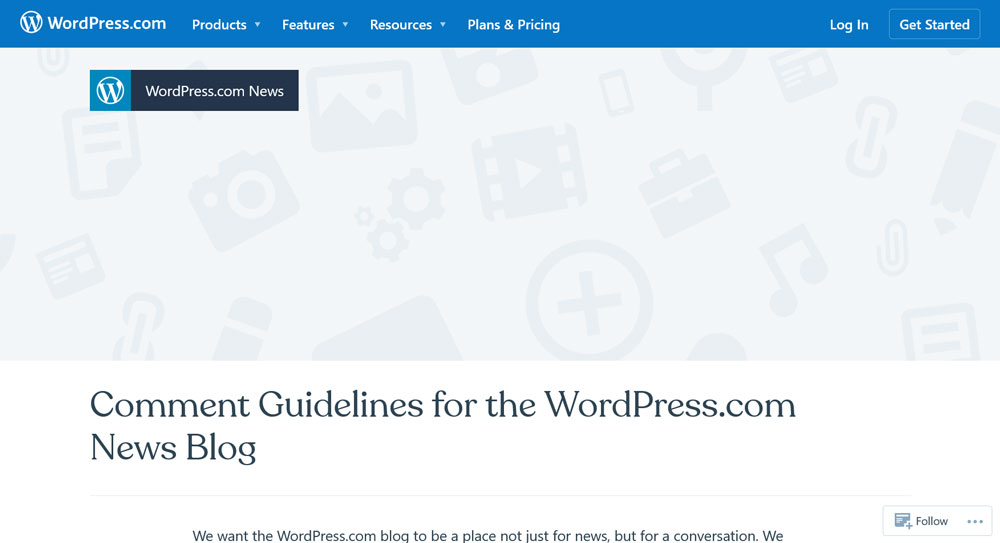
  • What is the Creator Economy (And How Can You Join It?)

    In today’s economy, the ability to create is more important than ever. And the rise of the “creator economy” has made it easier for people with creative ideas to share them with the world, and get paid for them.

    But what is the creator economy, exactly? And perhaps more importantly, why should you care about it in the first place? And what on Earth does Web3 have to do with it?

    We’ll endeavor to answer all these questions and more in today’s exploration into the creator economy and how you might take advantage of it for yourself.

    The Creator Economy: A Definition

    creator economy
    Image source:
    ConvertKit/Unsplash

    The creator economy is, quite simply, the idea that people with creative ideas can get paid for their work. Specifically, it’s a rapidly growing sector of the economy that enables individuals to monetize their creative output, often in the form of content. Its main driving factors have been the advancement of technology and the ever-changing landscape of the Internet. And Web 3.0 will allow for even more innovative ways to create, share, and monetize what you do.

    The cool thing about this development is that it has opened up a whole new world of possibilities to make a living doing what you love most. And while it’s not without its challenges, the potential rewards are great. Imagine turning your ideas into a full-fledged business and spending your days getting paid for things you’d happily do for free.

    This is already a reality for creators across a variety of platforms, from YouTube to Instagram. But it’s made even more viable by the promise that Web3 offers.

    What is Web3?

    Web3, also known as the third generation of the Internet, is a shift towards a more decentralized, distributed model. Web2.0, which marked the rise of user generated content, put publishing power in the hands of everyone. However, it also put control over it in the hands of and generated money for a few big players.

    Web3 is poised to upend all that. It’s based on blockchain technology — which powers cryptocurrencies like Bitcoin — and offers users more control over their data while providing better security and privacy. In addition, Web3 gives creators unprecedented control over their content, as well as more opportunities to monetize it.

    blockchain schematic
    Image source: GuerrillaBuzz Crypto PR/Unsplash

    This could be in the form of tokenized rewards, micro-payments, or even crowdfunding initiatives. By using “creator coins,” creatives can reward their fans and followers with tokens they can use to buy products, receive discounts, or gain access to exclusive content. It’s an exciting time for those in the creative industry. It gives you the power to create and monetize your ideas in an entirely new way.

    Why is Decentralized the Way of the Future?

    Decentralized networks offer numerous advantages over centralized models. By distributing user control and data, they provide better security, privacy, and autonomy. Furthermore, they are more resilient to attacks or other disruptions.

    When it comes to creators being able to earn a living, centralized platforms by their nature keep the majority of the creator-generated revenue for themselves. This means people who produce content on platforms like YouTube or TikTok are only getting a percentage of the value they create. For instance, 97.5% of YouTubers don’t make enough money from ad revenue to even reach the poverty line in the United States. And that’s including those who receive at least 20,000 views per day!

    youtube analytics

    That’s why you’ll so often find YouTubers diversifying their income across multiple channels, i.e. YouTube + TikTok + Patreon + merchandising sales, etc. 

    With decentralized models, the creator gets to keep the revenue their content generates. It basically cuts out the middleman. Certainly, the potential to receive fair rewards for their hard work is one of the biggest draws of the creator economy.

    The Creator Economy By the Numbers

    The creator economy is growing rapidly. For example, estimates say that Patreon pays out $25 million each month to its users. And there are over 300,000 streamers that have hit partner or affiliate status on Twitch.

    patreon statistics

    Investors are moving toward decentralized models as well. According to Statista, the use of decentralized finance products and systems is growing in developing regions, pointing to a broader acceptance of cryptocurrency as a legitimate option.

    In short, the creator economy is well on its way to becoming a major global force. And, as more and more creators join in, Web3 looks to play a key role in the transition. With its promise of decentralization and autonomy, it’s not hard to see why. 

    How to Become Part of the Creator Economy

    If you’re interested in joining the creator economy and the Web3 approach to monetization, there are a few steps you can take to get started.

    1. What Will You Create?

    what will you create in the creator economy
    Image source:
    Nubelson Fernandes/Unsplash

    First, decide what type of content you’d like to create. Are you more focused on video, audio, written content, or something else? What topics are you passionate about? What skills do you bring to the table? This will decide which direction you are taking in your creative career.

    Once you have an idea of what kind of content you’d like to go for, the next step is to develop a strategy for getting it out there.

    2. Choose Your Platforms

    Next up, you’ll need to think about the sorts of platforms you’d like to use. Will you focus on running a paid newsletter on Substack? Will you create videos to offer through a service like Patreon? Or, perhaps, you’ll monetize your work through a community token-style setup like Bonfire? Traditional options like YouTube or Instagram are totally valid, too. 

    substack homepage

    The great thing about the creator economy is that you can have multiple platforms in play. It’s a good idea to cast a wide net. Experiment to see which types of content do best on each platform. Then, adjust accordingly as you go.

    3. Start Creating and Building an Audience

    After that, it’s time to begin creating content. Put in the work to produce high-quality content that your audience will be excited to engage with. Don’t forget to promote your work, too — reach out to influencers, use SEO tactics, and create a social media presence when possible.

    creator promotion example

    The goal of all of this is to help you start building an audience for your work.

    4. Monetize Your Content

    Once you have gathered 1000 true fans, you can start monetizing your content. Usually, this may involve using ads, sponsorships, offering access to exclusive content for a fee, or selling merchandise. Web3 also offers additional ways of earning from your content:

    • Community Tokens: Community tokens are digital assets that reward users for being part of a particular community. With them, users can receive rewards and buy items. A popular service for this is CrowdPad.
    • Crowdfunding: Crowdfunding is a great way to raise funds for a specific project or idea. On platforms like Kickstarter and Indiegogo users can donate money to support your work and receive exclusive content and products. The platform takes a cut but the overall premise of the platform is in line with the principles of Web3.
    • Micro-transactions: Micro-transactions are small payments made by users in exchange for access to content. This is already common practice, for example, in video games. For creators, it could involve charging users to watch a video, listen to a podcast, or access exclusive content on your website.
    • NFT Marketplaces: NFT marketplaces are another way to monetize your creative work. On these sites, users can buy digital tokens that represent physical or virtual items. This could include artwork, digital collectibles, music, or even gaming items. In the future, blockchain technology might make it possible for creators to receive royalties even when their work gets sold on.

    5. Creator As a Business

    build a business in the creator economy

    The final step to truly join the creator economy is to thing of yourself as a business. Set goals for yourself and create a plan to achieve them. Track your progress and use analytics to optimize your strategy.

    Thankfully, there’s an increasing number of Web3-compatible tools that make creating content and managing the business side of things easier and more efficient. Let’s take a look at a few categories of tools and the options within them.

    Managing Payments

    When it comes to managing payments, you can of course use services like PayPal or Stripe. However, they take a cut of your revenue for the pleasure. This may be preferable for you at this time, especially when just getting started. However, there is also a growing range of blockchain and cryptocurrency-based payment solutions that would work great:

    • Juno: Juno is a Web3-compatible payment solution that makes it easier for anyone to accept payments in crypto.
    • Earnr: Earnr is a revolutionary, Web3-compatible platform that simplifies the payment process with cryptocurrency, including ERC20 tokens, NFTs, and stablecoins.
    • Karat: Karat is open-source and streamlines payments with Ethereum.

    Creating Content

    The process of content creation has become increasingly decentralized and platforms like these facilitate the effort:

    • Unlock Protocol: Unlock Protocol is a groundbreaking Web3-compatible platform that enables creators to monetize their content in a safe, decentralized environment.
    • Dapper Labs: This platform makes it so you can create and manage digital collectibles.
    • SuperRare: Use this site for showcasing and monetizing your artwork through NFTs.

    Of course, you can use other tools like Canva to create graphics and assets for your online business. 

    Monetizing Music

    You can even directly monetize your music distribution efforts:

    • Audius: Audius is a Web3-compatible platform for musicians to share and monetize their music.
    • Pianity: Use this service for music streaming and monetization.
    • Sonomo: And Sonomo supports music streaming and NFTs as well.

    Listing your music on other centralized platforms is still a good way to get attention for your work. You just might not make a ton of money from them. Think Spotify, Amazon Music, and so forth. 

    Business Management

    Managing your business, from creating content to tracking payments, can be a daunting task. Thankfully, there’s an increasing number of Web3-compatible tools available that make it easier and more efficient.

    • Popchew: Popchew allows you to manage your business operations, including invoices, payments, and customer relationships.
    • Pietra: This platform is ideal for tracking and managing all parts of your business.
    • uDroppy: Manage digital commerce operations, from inventory to payments, with this convenient system.

    Building Communities

    Web3 can also make it easier to build a (paying) community around your content:

    • Moment House: Moment House is a Web3-compatible platform for streamers and creators to build communities, promote events, and monetize their content.
    • Boomerang: Another service for community building and engaging with your followers.
    • talkbase: Here’s a platform ideal for streamers and other creators.

    Design Tasks

    These platforms and services decentralize design and provide greater avenues of collaboration:

    • Fable: Fable is intended for managing design tasks, from asset creation to collaboration.
    • snappa: You can use this service for creating and editing graphics quickly and easily.
    • Bildr: You can use this platform to create, edit, and share visual assets.

    Final Thoughts on the Creator Economy

    The creator economy is an exciting and empowering way for creative people to make a living from their ideas online. While options for that have been around for a while, future developments look to make it easier and more profitable for individuals.

    With the right strategy, you can take advantage of this trend and turn your passion into a profitable business. A growing number of tools seeks to assist you in your endeavors. Now that you know what they are, what are you waiting for? Get out there and start creating!

    Are you going to jump headfirst into Web3 and decentralized content creation? Are there any platforms that particularly excite you? Feel free to share your thoughts below!

    The post What is the Creator Economy (And How Can You Join It?) appeared first on Torque.

  • Plugin Madness 2023 Voting Now Open

    The court floor has been polished, the gatorade coolers have been filled, and the announcer has finished their vocal warm up. That can only mean one thing, Plugin Madness has officially begun!

    The community has chosen the very best 64 plugins out there and now it’s time to put them to the test. Who will have a slam dunk and who will foul out? We need you to come back every week to vote in the new round and keep your faves going.

    The schedule is as follows:

    Week 1 (64): Feb 27

    Week 2 (32) March 6

    Week 3 (16): March 13

    Week 4 (8): March 20

    Week 5 (4): March 27

    Week 6 (2): April 3

    Week 7 (Winner announced): April 10

    There are bound to be some buzzer beaters this year, so make sure you are coming back week after week. Your team needs you!

    Swoosh! 

    The post Plugin Madness 2023 Voting Now Open appeared first on Torque.