Website builders are increasing in popularity every year as more users and companies look for streamlined solutions for building websites. They are designed to make it easy for anyone to get a new website up and running. With built-in templates and drag-and-drop page interfaces, you won’t need advanced technical skills or coding knowledge to use them. However, even the best website builders will have unique strengths and limitations to consider before choosing one for your website.
In this post, we’ll give a detailed review of each of the best website builders. We’ll compare key features, price, ease of use, flexibility, and more so you can make the best choice.
What are Website Builders?
In general, a website builder is an online tool that allows users to build websites. They are usually offered by hosting companies or other hosted Software as a Service (Saas) platforms that provide an all-in-one suite of tools for building a site from the ground up. You can use them to build anything from a simple blog to a large online store equipped with tools for email marketing, social sharing, SEO, and more.
Also, website builders will give you more control and ownership of your website than some blogging platforms like Blogger or Medium. But they won’t give you as much flexibility and control as a dedicated CMS like WordPress. As such, they are best for those who want enough control over their site to get the design and functionality they want without spending much time on other technical aspects of a website.
The Pros and Cons of Website Builders
What makes website builders great is that they are so easy to set up and use. You don’t have to worry about making sure all the pieces or your website are put together correctly. It’s already done for you. You can get a custom domain name, hosting, SEO, security, pre-made template designs, a drag-and-drop visual interface, and a content management system for your pages and posts all in one place.
The drawback of using website builders is that they can be limiting. This is the tradeoff for ease of use. Website builders are easier to use because the platform does most of the heavy lifting for you. Because of this, you are bound to the limitations set by the platform for things like hosting, SEO, functionality, and design features. Additionally, site builders often require users to upgrade to higher-priced plans to access certain functionalities. So, finding a platform that can scale to your needs as your website grows without breaking the bank is essential.
Despite any drawbacks, in most cases, the stress-free benefits of website builders far outweigh the limitations. And getting the right website builder can make all the difference.
The Best Website Builders
The best website builders provide the complete package for creating your website. But each website builder on our list comes with its strengths and weaknesses. Let’s look at some of the top picks across the web and see how they match against each other.
1. WordPress

WordPress powers over 1/3 of all websites and has grown into a powerful content management system (CMS) that can be used to build just about any kind of website. The software is open-source and available to download for free. It is also self-hosted, meaning it can be installed on any hosting provider.
Although the creators of WordPress offer an all-in-one hosted service platform at WordPress.com, it is much more limiting than using the .org version. Check out this post explaining their differences.
WordPress is More Flexible than Other Website Builders
WordPress is not bound by the same limitations as other hosted website builders. The customization options are virtually limitless. Countless WordPress plugins, themes, and integrations (both paid and free) allow you to build any type of site you want with advanced design and functionality.
Additionally, the WordPress block editor makes it easy to build websites using a visual drag-and-drop builder. You can also use a visual page builder like Divi to create custom layouts and stunning designs without any coding knowledge using thousands of pre-made templates.

There are also tons of WordPress plugins for extending the functionality and capabilities of your WordPress website. For example, you can use WooCommerce to add exhaustive eCommerce features to any WordPress site for free. There are high-quality plugins for SEO optimization, eCommerce, memberships, speed optimization, and much more.
A common drawback of using WordPress versus other website builders on this list is that it requires a steeper learning curve and more technical knowledge to get everything set up. You’ll be carrying more responsibilities when managing and maintaining your site. However, once the work is done, you have complete control over every aspect of your site.
Although WordPress is free software, the actual cost of getting a complete website up and running will depend on other factors, like hosting and any premium themes or plugins you may need.
Key Features
- Blocks-based editing for easy creation of complex page layouts
- Exhaustive library of plugins and themes both natively and in third-party marketplaces
- Excellent native blogging platform with commenting system and social media integration
- Powerful eCommerce capabilities with the WooCommerce plugin
- Works with popular drag-and-drop page builders like Divi to give you thousands of pre-made layouts and powerful design options.
Pros
- User-friendly interface for easy website creation and management
- Customizable with thousands of themes and plugins
- Scalable to grow with your website’s needs
- You have more control over your website than other hosted platforms for security, SEO, and speed optimization.
- Available managed WordPress Hosting providers that handle all the technical stuff for you.
- A large community of developers and users
Cons
- Steeper learning curve
- User must find a hosting provider and domain separately
- The large number of resources and tools can be overwhelming for beginners
- Requires more hands-on management and optimization
Best For:
WordPress is best for any user or company that wants complete control over their website using a drag-and-drop builder that doesn’t have the limitations of other hosted website builders. Although you may need more technical expertise or resources to manage website hosting, security, and backups, you are rewarded with the highest levels of flexibility for your website.
Pricing: Free
Start a WordPress Website
2. Weebly

Weebly is one of the best website builders known for its easy-to-use interface and robust eCommerce platform, making it a popular choice for small businesses, entrepreneurs, and individuals.
The platform includes several themes and pre-made layouts to jumpstart the design of various types of websites. Online stores, portfolios, personal brands, event sites, and blogs can all be built with the Weebly website builder. You can customize the design of your page using an intuitive drag-and-drop interface with all content elements like forms, testimonials, PDFs, and even Instagram feeds.

Weebly for eCommerce
Weebly’s eCommerce features make it a uniquely powerful builder for online stores. Because Weebly is tightly integrated with Square, the POS service provides much power to online shops built on the platform. With Square POS tightly knit into the Weebly ecosystem, your website integrates quickly with several payment gateways, including PayPal, Stripe, and Square.
Weebly allows users to organize and add products to their store with images, descriptions, prices, and shipping options. You can generate a menu PDF with Weebly if you’re a food-based business.

Weebly’s abandoned cart sequence is a feature of their eCommerce platform that allows store owners to automatically send emails to customers who have added items to their cart but still need to complete the checkout process. They also have built-in email marketing tools, including pop-ups. Plus, it has built-in SEO functions that help store owners optimize their stores for search engines. This includes adding meta tags, descriptions, and keywords to products and pages.
Key Features
- Sell physical products, services, or food online for pickup or delivery
- Accept reservations or bookings
- Automatically sync with Square POS
- Provides a selection of form templates for surveys, events, and more
- Manage communications with customers through Facebook Messenger, text and email alerts
- Create popups with popup builder
Pros
- Easy-to-understand and use builder
- Quick to set up an eCommerce store
- Sell from multiple sales channels like Facebook and Google
- Set global styles for your logo, fonts, colors, images, and form fields
- Manage multiple websites and stores from one account
Cons
- Scare number of third-party integrations
- Limited modules and design options
- Doesn’t integrate with many shipping carriers
- Can’t create complex product variations
Best For:
Cost-conscious small businesses and individuals looking to build a complete website with a wide array of features and ease of use would benefit from using Weebly as their website builder.
Pricing: Free, Paid plans start at $10 per month
Get Weebly
3. Wix

Wix is a well-known website builder that allows users to create professional-looking websites. With over 200 million users in 190 countries, Wix has become one of the best website builders on the market. One of the main features of Wix is its visual page builder, which allows users to add and arrange elements on their website easily.
While Wix has essential elements such as text, images, videos, and buttons in its arsenal, it also boasts some unique modules like in-page menus, member profile cards (helpful if you’re building an online community), forum posts, and more. Wix also provides a wide range of responsive templates that can be customized with CSS and HTML. However, Wix has some limitations when customizing the code of templates that can limit some users.

Wix’s SEO management is more in-depth than its competitors by customizing meta tags, URL structure, site speed, and using structured data. With Wix, it is easy to build an eCommerce store surrounding tickets, products, appointments, and more. Standard features like product management, inventory, order tracking, and shipments are all available.
Key Features
- Visual drag-and-drop page editor
- Drag-and-drop header and footer builder
- Create and customize your website’s color and text
- Library of pre-designed layouts and sections
- An exhaustive list of essential and complex content elements
- Add page and element animations and hover interactions

In addition to building your website from scratch, Wix’s website builder can utilize AI technology to create your website. Wix asks users about their industry and preferred color scheme during the setup process. Using this information, Wix’s builder generates working page templates with relevant copy, providing users with a starting point for their website.
Pros
- Build your website with zero coding skills
- Add CMS functions with Wix’s Content Manager
- Comprehensive eCommerce platform
- Ability to build a multilingual website
- Provides personalized content for sections and pages
- An app store that has many dependable third-party extensions
Cons
- Displays its branding and ads on free websites
- Challenging to migrate to a different platform or website builder
- Unable to apply a different template to a site you already created
- Premium plans can be expensive
Best For:
Small business owners and non-technical users who seek deep functionality will enjoy using Wix. If you need a website builder that is easy to administer and allows you to expand your website with minimal coding experience, Wix is for you.
Pricing: Paid plans start at $15 per month
Get Wix
4. Shopify

Shopify is an eCommerce platform and website builder that allows users to create and manage online stores. Their builder will enable you to add various modules to the header, body, and footer of set pages on your site. Depending on the template used, your website page could have multiple sections with which you can find a selection of modules to build your pages. While the builder is simple, it lacks complexity compared to other builders on our list.
Shopify’s template store boasts several hundred free and premium template offerings. Templates are built using a combination of CSS, HTML, and Liquid, which can be customized should you know how to use these coding languages.
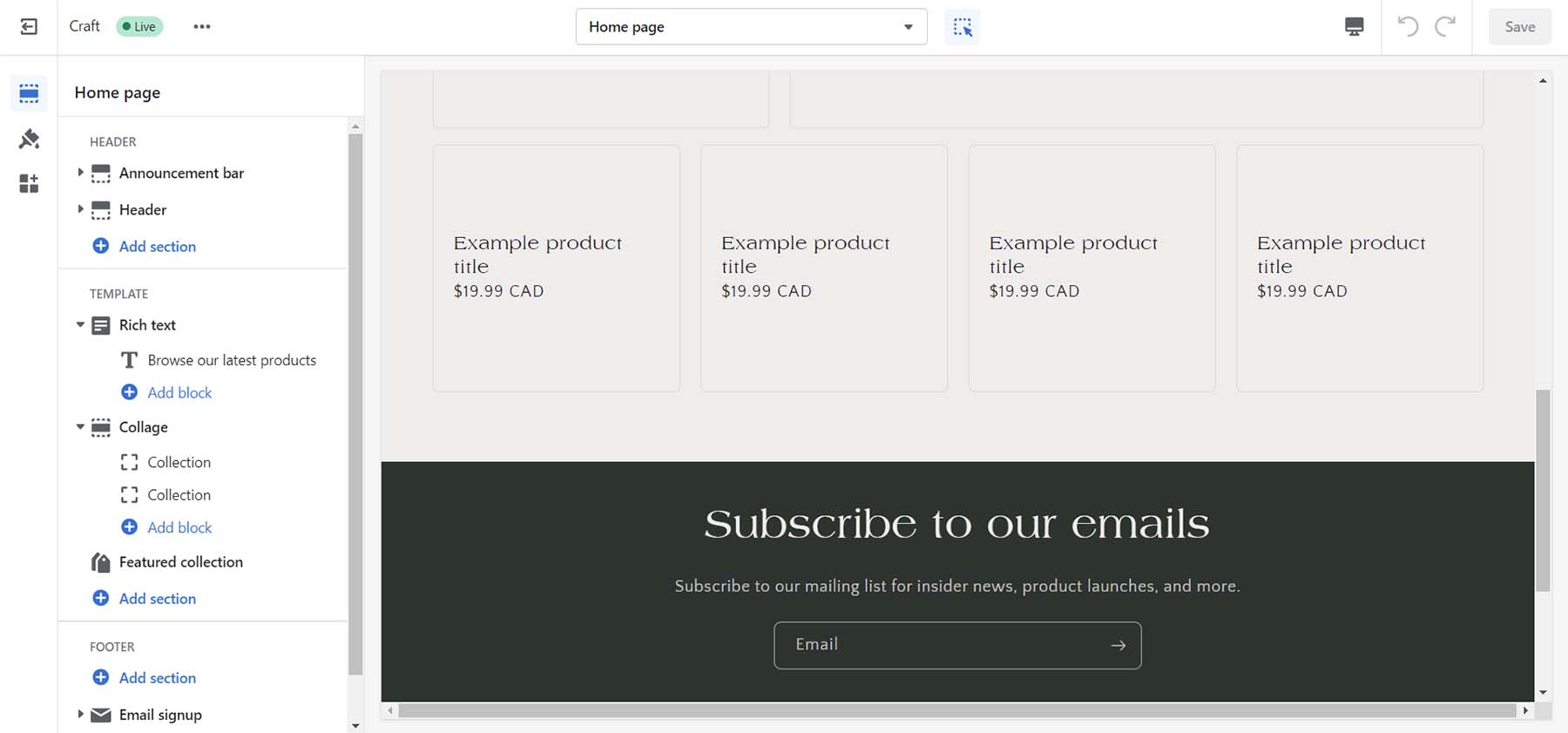
As an eCommerce platform, Shopify stands head and shoulders above the rest with native functionality for simple and complex eCommerce needs. Shipping, fulfillment, marketing, and analytics are built into the website builder allowing the smallest of companies and the biggest of brands to flourish.
Key Features
- Simple website builder with several feature blocks
- Hundreds of free and premium themes
- Payment processing with Shopify Payments or other payment gateways
- Order management and inventory tracking
- Analytics and reporting to track sales and customer behavior
- App store with a wide range of add-ons and plugins

You can further expand your store with the apps available on the Shopify app store. Third-party developers create free and premium apps that you can install to add extra features to your site. Shopify’s app store is a valuable resource for merchants looking to enhance their online store’s functionality and improve their eCommerce business.
Pros
- Drag-and-drop visual builder
- Quickly set up an online store with no technical knowledge
- Simple website management and design tools
- Payment processing, order management, marketing tools, and analytics
- Customizable templates
Cons
- It can be expensive compared to other eCommerce platforms
- Limited native design blocks
- Little control over core code, hosting, and domain name
- App dependencies and compatibility issues may arise if not properly managed
Best For:
Businesses and brands looking to build a stable eCommerce website can benefit from this website builder.
Pricing: Paid plans start at $37 per month
Get Shopify
5. Duda

Duda is a professional website builder designed for businesses and agencies that want to create and manage multiple websites for their clients. Because Duda is a website builder geared towards agencies and designers, it offers a range of pricing plans to cover your needs.
Unlike many builders featured, Duda allows users to create custom templates from scratch or import templates from other sources. This gives users a high degree of flexibility in designing their website and ensures it stands out.

Duda’s builder has a library of pre-designed widgets you can edit as you see fit. This can help you quickly build and edit websites for you and your clients. The builder also allows you to set global colors and fonts and style content elements like images and buttons.
Duda offers more robust SEO tools than most builders. Redirects, SSL, Google Analytics integration, and more are accessible and editable within the builder. You can enable local business schema and integration with the WooRank app to add more SEO features to your site.
You can build various eCommerce stores with Duda, including memberships, physical products, etc. Products, shipping, and payments are easy to manage, and if you sell memberships, you have a separate interface to manage the nuances of building a membership site.

A unique feature of Duda is its ability to allow users to collect content from their clients. Directly from their builder, you can gather, organize and insert content clients have sent you into your websites built by Duda.
Key Features
- Builder allows for pixel-perfect mobile-optimized design
- Global styling across custom fonts, colors, and modules
- Decent library of pre-made templates and content widgets
- eCommerce functionality for online stores, appointments, digital products, and memberships
- White-label agency and team collaboration features
- Built-in website analytics and reporting tools
Pros and Cons
- Visually build pages and blogs posts in real-time
- Hundreds of sleek website templates
- Builder created with designers and agencies in mind
- Built-in SEO tools and management
- Native popup, notification, and announcement bar management
Cons
- Duda App Store is smaller than most
- Pricing is per site, per month
- Building multiple websites can get expensive
- You can’t switch templates once the website is built
Best For:
Web design and marketing agencies looking to quickly build complex websites for their clients would benefit from using Duda. If you’re a freelancer, who wants an all-in-one platform for managing your clients, hosting, marketing, and web design needs, Duda is for you.
Pricing: Paid plans start at $19 per month
Get Duda
6. Squarespace

Squarespace is a website builder that allows users to create professional-looking websites without coding or technical expertise. The platform is known for its clean and modern designs, making it a popular choice for creatives, artists, and small businesses. Squarespace’s templates are highly customizable and easy to use. The platform is also known for its responsive design, ensuring that websites look great on any device.
Its drag-and-drop interface allows you to place your elements with pixel-perfect precision. Design blocks included with Squarespace include your typical type, images, and galleries, but also exciting modules like scrolling text, CSS3 shapes, and three different types of charts.

You can also dip your toe into online selling with Squarespace. You can sell on social media, pull your products from Esty, and more. Additionally, Squarespace provides various analytics tools to track website performance and audience behavior. You can easily handle your online booking calendar with Squarespace’s Acuity Scheduler or run simple email marketing campaigns with its native email marketing solution.

Squarespace is known for its sleek and modern designs. However, regarding eCommerce, Squarespace allows you to sell almost any product online beautifully. Whether you want to offer digital downloads, a membership, or create a video-on-demand website, Squarespace gives you the tools to do this in a highly aesthetic way.
Key Features
- All Squarespace templates are mobile-responsive
- Set up an online store with a variety of product and service types
- Create and publish blog posts on your website
- Native promotional popup builder, announcement bar, and email marketing solution
- Includes marketing tools, such as email campaigns, social media integrations, and analytic
- Integrates with a range of third-party services, including Google Analytics, Mailchimp, and Adobe Creative Suite
Pros
- Advanced design and styling options
- The template library is expansive and uses eye-catching, trendy designs
- Allows you to sell a variety of product types on your eCommerce store
- Natively provides scheduling, email marketing, and analytics
- Ability to password-protect pages and create members’ areas
- Custom domain name registration and management
Cons
- It doesn’t have an app/plugin repository, so third-party integrations are limited.
- While easy to learn, the builder has a learning curve that may dissuade beginners from website building.
- Blogging functionality leaves much to be desired
- Expensive options for some eCommerce functions and support
Best For:
Photographers, designers, and creatives who want to build a beautiful website will love Squarespace. If you’re a small business that wants to sell simple products online or take appointments will also enjoy how simple it is to do this with Squarespace.
Pricing: Paid plans start at $16 per month
Get Squarespace
7. GoDaddy Builder

GoDaddy has been a significant player in the domain and web hosting industry for a long time. And their website builder is one of their most refreshing features, allowing users to start a new site quickly and easily. Their builder offers a user-friendly interface and a range of features to help users design and customize their websites. It comes with a drag-and-drop editor and various widgets for adding content. The platform offers pre-made templates for simple one-page sites and more complex multi-page sites with eCommerce functionality.

GoDaddy’s InSight is an AI-powered tool that guides you as you build your website. Directly within the page builder, the device prompts you with ideas and steps to consider as you develop your site. InSight doesn’t just tell you what pages would be an excellent addition to your site. It also helps with marketing, suggesting integrations (like videos, email marketing, eCommerce, etc.) that can better your website as you are building it. This is good for those without knowledge of web design and who would like some hand-holding through the creative process.
Key Features
- A library of modern, professional templates
- Sleek, responsive, mobile-friendly templates
- AI-powered advice from GoDaddy InSight
- Built-in tools for SEO, social media, and email marketing
- Sites include free professional images that you can use freely
- Build a full-featured online store
Pros and Cons
- No coding experience is necessary
- Consists of a variety of pre-made templates to build your site
- Easily integrate appointments, eCommerce, and email marketing
- Integrates with other GoDaddy services, such as domain name registration, email hosting, and online marketing tools
Cons
- A limited number of templates, design features, font, and color options
- Limited storage for media files, basic website analytics, and primitive SEO tools
Best For:
Godaddy’s website builder is best for beginners and small businesses looking to start a website quickly and have their domain and hosting managed all in one place. Godaddy has a lot of additional services that scale to your needs. However, the builder will have limited options compared to more advanced website builders.
Pricing: Paid plans start at $14.99 per month
Get GoDaddy Builder
8. Webflow

Webflow is known for being a multi-faceted website builder, making it a popular choice for designers and developers. The platform offers eCommerce functionality, responsive templates, web hosting, and collaborative features. With Webflow, users can create fully responsive websites. The builder includes the ability to add custom CSS and HTML. This makes the builder attractive to those who are familiar with coding.
Though Webflow is a drag-and-drop website builder, it is more geared toward advanced users with a good understanding of website design and development. Nevertheless, it also offers a good selection of free and paid templates to help users get started.
Though other builders may have more eCommerce features, Webflow offers solid tools for building an online store. For example, you can use Stripe and PayPal as payment processors. And you can create a custom shopping cart and checkout page and even customize the emails and invoices sent to customers.

As a website builder, Webflow provides much more flexibility than other website builders. But because of this, you may need more technical knowledge to create more complex designs. However, Webflow does simplify the building process for beginners with a 2-minutes walk-through when you start building your first site.
Key Features
- Powerful drag-and-drop website builder
- Custom HTML and CSS
- Integrates with Mailchimp, Google Shopping, Facebook, and Instagram
- Has eCommerce and CMS functions
- WebP support
- Pre-built interactions and After Effects Lottie integration
Pro
- A powerful, flexible design tool
- The ability to add custom code
- All templates are mobile-responsive
- Generates clean code
- Robust and reliable hosting infrastructure to ensure that websites load quickly
- Allows for custom templates and themes to be installed
Cons
- It has many restrictions when it comes to user seats, storage, eCommerce, and more
- Coding knowledge can make your experience better
- The drag-and-drop editor can be intimidating and complex
- There are limits on the eCommerce plan that could pose a hindrance to those who plan to build large-scale eCommerce stores
- eCommerce is limited to two payment processors: Stripe and PayPal
Best For:
Web designers and developers who want the comfort of no-code design with the option of adding clean code to their projects will love using Webflow.
Pricing: Paid plans start at $18 per month
Get Webflow
9. IONOS

IONOS offers a web hosting and website builder service with various features for building and managing a website. With pre-made templates, a drag-and-drop editor, and content management features, it is easy to create a website using IONOS. The built-in blogging platform and social media integration features are also helpful. While the mobile-friendly templates are customizable, there is a limited selection of templates available compared to other website builders.
However, where IONOS shines is in its SEO capabilities. The website builder provides clean, well-structured code that follows SEO best practices, including semantic HTML and customizable meta tags and descriptions for each page and post. IONOS also includes a site map generator and an SEO analyzer tool.
For eCommerce, the website builder relies on WordPress’ WooCommerce and the Ecwid platform, which may not be ideal for those seeking a native eCommerce experience.

A standout feature of the IONOS website builder is its multilingual support for creating websites in multiple languages. Visitors to your website can select their preferred language from a dropdown menu, and the website content will be translated accordingly. You can use automatic translation through Google or upload your translations through the builder. The IONOS website builder also provides an SEO-friendly architecture for multilingual websites, which allows search engines to understand the different language versions of a website and index them separately.
Key Features
- A wide range of widgets, including galleries, forms, and social media icons
- Customizable headers and footers for consistent branding
- Integration with Google Analytics for advanced tracking and reporting
- Image editing tools for resizing, cropping, and optimizing images
- Advanced customization options with CSS and JavaScript editing
- Secure payment processing through PayPal and Stripe integrations
Pros
- Easy-to-use drag-and-drop builder with unique elements
- Multilingual support
- Display and design popups, banners, and announcements
- Provides access to an extensive library of free images and icons
- Built-in backup and restore features
Cons
- No free option or trial
- A small selection of website templates
- Does not have native eCommerce support
- Limited third-party apps and integrations
Best For:
Small business owners who want a website available in multiple languages for an affordable price should consider using IONOS’ website builder.
Pricing: Paid plans start at $9 per month
Get IONOS
10. Hostinger

Hostinger is a powerful hosting provider that has everything you need to create a website. Their website builder offers a wide range of customizable templates for users to create their websites. The templates cover a range of categories such as business, portfolio, eCommerce, and more. Each template can be customized with different colors, fonts, images, and other elements to create a unique website. Furthermore, the builder includes advanced design tools such as a color palette generator, a background image remover, and a shape divider tool.
The website builder provided via the Hostinger platform differs from Zyro, Hostinger’s standalone website builder platform. The website builders are essentially the same, but they offer different features and serve different audiences.
Regarding SEO, Hostinger’s website builder includes built-in SEO optimization tools that allow users to customize meta tags, descriptions, and other SEO elements. The platform also provides users access to Google Analytics and other SEO analytics tools to help them track their website’s performance.

Hostinger’s website builder includes AI tools to help users quickly and easily create a website. For example, the AI Writer tool can generate content for a website based on user input. In addition, the AI Heatmap tool can provide insights into how users interact with a website. Moreover, you can also create a logo in seconds with their AI logo maker.
Key Features
- Uncomplicated drag-and-drop builder with interesting modules
- Simple eCommerce builder and features
- Code editor for advanced customization and coding
- Image editor for basic image editing and optimization
- Blogging tools, including a built-in blog editor
- Contact form builder for creating custom forms
Pros
- Simple to use and understand drag and drop builder
- Global color generator to speed up the branding process
- Integrated with Google Font library
- AI-powered website design assistance
- Includes AI-powered tools for writing, logo design, and heat maps
- Websites can be migrated to WordPress or another CMS
Cons
- Feature set pales in comparison to sister platform Zyro
- Does not have an app store or extension gallery for third-party integrations
- Each blog post needs to be laid out individually
Best For:
Small business owners, consultants, and service providers who want to create a professional-looking website quickly and efficiently will like the features of Hostinger’s platform.
Pricing: Paid plans start at $11.99 per month
Get Hostinger
11. Web.com

Web.com is a user-friendly and affordable website builder platform for those who want to create a website quickly and easily. The drag-and-drop interface allows users to customize templates fast, making it simple to match your website to your branding and style. The drag-and-drop website builder makes it easy to create a mobile-friendly website. With pre-designed building blocks, access to 2 million stock photos, and custom code blocks, you have everything needed to build your perfect website.
Web.com’s responsive templates ensure that websites look great on any device. Web.com provides 24/7 customer support through phone, email, and chat, and users can also opt to have a personal website designer who can help them create a custom website.
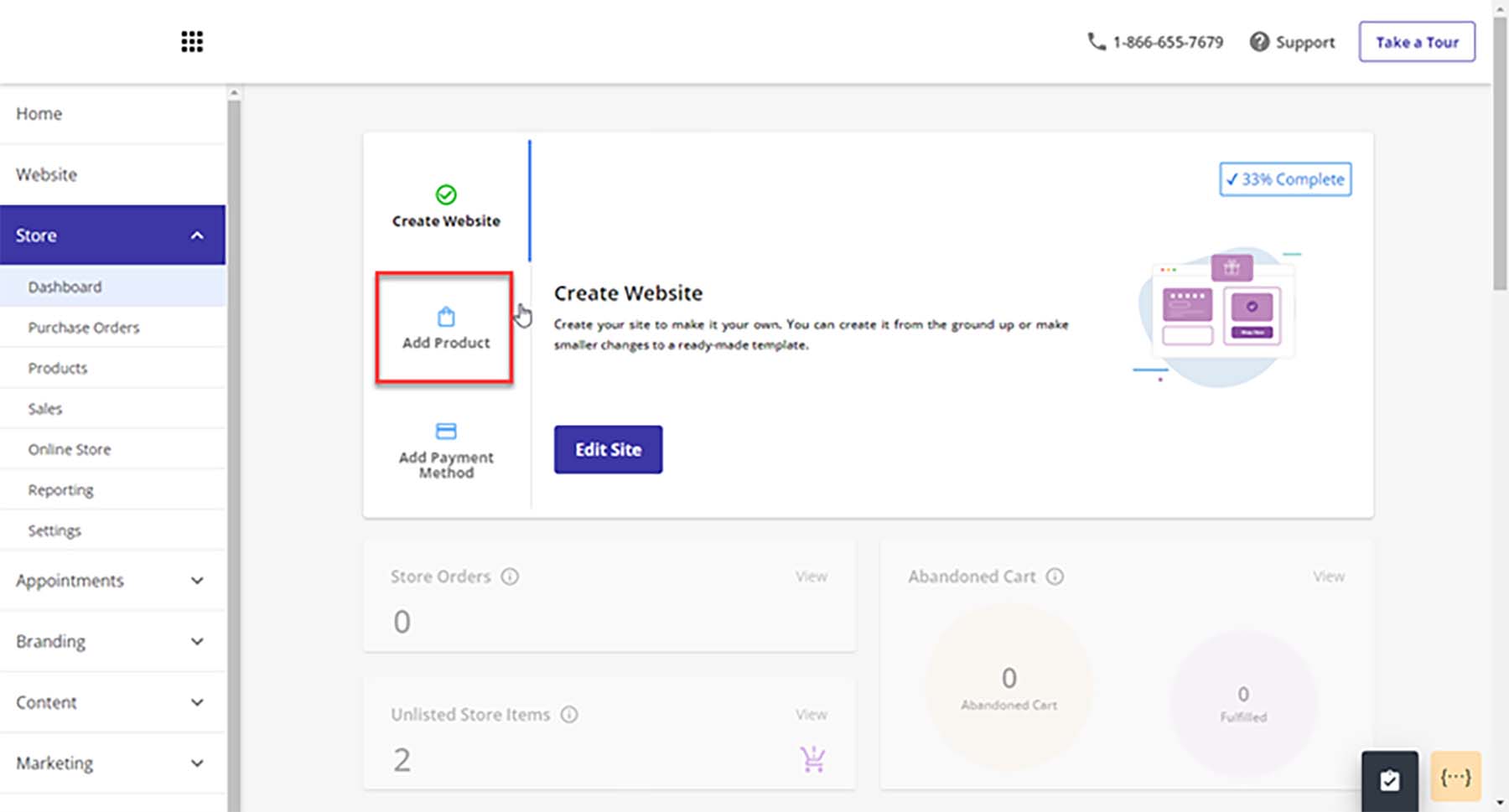
Web.com also offers eCommerce features, which allow users to set up an online store with a shopping cart and checkout. This feature is handy for small businesses that want to start selling online without investing in a separate e-commerce platform.
Key Features
- Free Domain and SSL for one year
- 150+ responsive templates
- Advanced eCommerce features
- Connect to Quickbooks and Xero
- Sell on Facebook and Instagram
- Simple Google site verification with monthly SEO checks and to-do lists
- Built-in customer relationship management (CRM)
Pros
- eCommerce features are good value for the price paid
- Templates are easy to use and mobile-friendly
- Ability to manage email marketing, SEO, and pay-per-click from one place
- Built-in SEO tools
- Customizable forms to gather user data and feedback
Cons
- Pricing can increase significantly for additional features or support options.
- Offers limited storage for your website and its associated media
- Some customers have reported slow load times on websites
- Limited blogging features
Best For:
Small businesses and individuals who want to build a website quickly. While Web.com’s website builder may offer fewer features than other website builders, it is an excellent option for those who want a simple and affordable platform that includes eCommerce functionality and SEO optimization tools.
Pricing: Plans start at $14.99 per month
Get Web.com
12. Google Sites

Google Sites is a free website builder provided by Google that allows users to create basic websites and collaborate with others in real-time. The platform is designed to be user-friendly and straightforward, with a drag-and-drop interface that requires zero coding experience. You can use several elements on your sites: textboxes, images, image carousels, table of contents, social links, and spaces.
A unique feature of Google Sites is its tight integration with Google’s suite of products. With Google Sites, you can quickly embed your Google Calendar, pull videos from YouTube and connect your site to your Google Analytics accounts.
If you’re looking to build the most basic of websites, Google Sites is a good option. Creating a complex website with advanced customizations (like eCommerce) is not available with this tool. For building the most basic of sites, Google Sites is an excellent choice, but there are better, free options available, like Wix.

An exciting feature of Google Sites is its collaboration functionality. You and others can efficiently work on your website as quickly as editing documents in Google Workspace. Because Google Sites is a product of Google, the same robust version control you’re used to with Slides, Sheets, and Docs is also present in Google Sites.
Key Features
- Easily connect with Google Drive, Analytics, Slides, Docs, and other Google products.
- Powerful collaboration features allow you and your team to work on your site in real time.
- Build-in announcement banner builder
- Build an unlimited amount of mobile responsive websites
- Connect easily to Google Domains for custom domain names
- Pull assets directly from your Google Drive, Google Photos
Pros
- Free
- Very easy to build a site in a matter of minutes
- Deeply integrated into the Google Workspace and Google suite of tools
- Easy click-and-drop builder
- Zero coding experience of knowledge required
Cons
- Less customizable than other builders
- Limited themes and design elements
- Limited access to fonts and colors
- No eCommerce functionality
- No ability to add custom scripts or plugins
Best For:
Google users and beginners who want a familiar way to create a simple website without all the bells and whistles.
Pricing: Free, Paid plans start at $7.80 per month
Get Google Sites
Quick Overview of the Best Website Builders
What is the Best Website Builder?
For the most flexibility with your website, WordPress is an ideal choice for a website builder. Although it requires more work than other builders to get started, you won’t have to worry about limitations. With its easy-to-use block editor, themes, plugins, and countless integrations, WordPress is the best website builder for those who want complete control over their website. We also recommend using a powerful page builder like Divi, which takes visual, no-code design to a new level.
For those looking for a hosted website builder solution that is easier to use and manage, you may consider Wix or Weebly to help you build your website. Weebly has impressive features for eCommerce, and Wix is surprisingly flexible to handle any website you may need.
At the end of the day, the best website builder is the one that matches your needs. Who would you consider to be the best website builder? Did we miss anyone from the list? Let us know in the comments section down below!
The post 12 Best Website Builders in 2023 (Reviewed and Compared) appeared first on Elegant Themes Blog.


