EDITS.WS

Tag: Best Website Tools

  • 8 Best AI Voice Generators in 2023 (Compared)

    AI voice generators use deep learning algorithms and neural networks to create a lifelike speech that sounds natural. They are an increasingly popular tool for generating voiceovers in various applications. These software programs convert written text into humanlike speech that can be customized to sound different ages, genders, and accents. With the ability to produce realistic voice simulations, they are frequently utilized in creating voiceovers for audiobooks, videos, and virtual assistants.

    In this post, we’ll examine several top AI voice generator tools, evaluating their overall performance, ease of use, and features.

    What are AI Voice Generators?

    Before diving into our review of the best AI voice generators, it’s important to understand what AI voice generators are and what they can do.

    AI voice generators are predominately online tools that use artificial intelligence and machine learning to create speech and audio that sounds natural and realistic. Along with other AI tools for writing and SEO, voice generators are becoming more popular in use in a variety of sections, including marketing, video production, and content creation as a whole. One of the main benefits of AI voice generators is their ability to create high-quality audio content like voiceovers quickly and cost-effectively.

    The best AI voice generators have a variety of voices that can work in numerous languages and accents, making them more accessible and localized for businesses and creators who have a global reach. They are quickly becoming powerful tools for any user who wants to add high-quality, natural-sound speech to their projects.

    The Best AI Voice Generators

    In this blog post, we will explore a range of AI voice generators currently available. We will focus on their features, the ease of use of their interfaces, and overall performance to help you make an informed decision when choosing a tool for your project.

    1. Play.ht

    Play.HT AI Voice Generator

    Play.ht is a powerful text-to-voice generator that provides an efficient way to create high-quality, professional-sounding audio from text. Whether you’re making podcasts, videos, or articles, Play.ht has a wide selection of synthetic voices. With its powerful online text-to-speech editor, you can easily convert your text to audio. You can then customize the audio with speech styles and pronunciations. In many cases, the text-to-speech synthesis is real-time, taking just a few minutes to convert input text into audio.

    Play.ht securely stores and manages your audio files. You can export them in MP3 and WAV formats and collaborate with team members. Moreover, Play.ht offers a podcasting solution, making it easy to distribute your audio content.

    It is also considered to be one of the best text-to-speech plugins for WordPress, allowing you to embed audio widgets on your website to increase accessibility and engagement, which is great for SEO.

    Play.HT Studio

    Key Features of Play.HT:

    • 907 AI Voices
    • Customize and use emotional speaking styles
    • Create conversation-like voiceovers by using different voices
    • Fine-tune rate, pitch, emphasis, and pauses
    • Save and re-use custom pronunciations
    • Listen and preview text before converting it to speech

    Best For:

    If you create video content online and want consistent quality with your voiceovers, Plat.ht is a good choice. Also, if you are a podcaster that wants to embed audio versions of your podcast or show notes online, Play.ht would work best for your needs.

    Pricing: Free, Paid plans start at $39 per month

    Get Play.ht

    2. Murf.AI

    Murf.AI AI Voice Generator

    Murf.AI is an AI speech generator that is powerful and versatile. It provides users with a vast selection of natural-sounding voices in many languages and accents. The quality of the audio produced makes it almost indistinguishable from human speech. Murf.AI’s voices can be edited with their pitch, speed, and tone tools. Because of this, the platform is suitable for a variety of uses, including videos, podcasts, and audiobooks, as well as in the creation of virtual assistants and chatbots.

    The online interface is easy-to-use and makes generating and downloading your voice recordings easy. You can adjust settings and preview your audio before generating your final audio file. Finally, Murf.AI is part of a suite of tools to help you create better video content. With Murf Studio, you can natively build explainer videos or presentations within their platform with voiceovers, background music, and more.

    Murf.AI voice generator

    Key Features of Murf.AI:

    • Clean and uncluttered interface
    • 120+ text-to-speech voices in 20+ languages
    • Filter voices by use case, tone, gender, age, and more
    • Import scripts, articles, and large documents
    • Library of templates to use as a starting point for projects
    • Integrates with Google Slides for voiceovers

    Best For:

    If you are a content creator, business owner, or individual who wants to use AI voice generation in your presentations and want an all-in-one suite of tools to help you create content and not just voice, Murf.AI Studio is for you. Murf.AI’s interface was the easiest to use out of all the generators mentioned.

    Pricing: Free, Paid plans start at $19 per month

    Get Murf.AI

    3. Listnr

    Listnr AI voice generator tool

    Listnr is an AI voice generator that claims to have some of the best AI voices available. The generator has a vast library of voices that you can use to create voiceovers for online courses, explainer videos, ads, and more. Listnr has the ability for you to record and edit your podcasts directly from their dashboard. Furthermore, you can edit the embed module provided by Listnr within their platform.

    Using Listnr, you can insert a link to an online article or blog post, and Listnr will quickly generate the accompanying audio version for it. You can change the voice style, pronunciations, speed, and audio output from their minimal and easy-to-navigate interface. Audio generated by Listnr can be shared on various social networks like Tiktok, Instagram, and YouTube, to name a few. For programmers, Listnr grants you access to their TTS API so that you can integrate their solution into your application.

    Listnr AI generator dashboard

    Key features of Listnr:

    • 600+ voices and 75+ different languages offered
    • Five different voice styles
    • State-of-the-art text-to-speech editor
    • Unlimited downloads, exports, and audio embeds on external websites
    • Speedy voice cloning service
    • Podcast hosting, recording, and editing

    Best for:

    New podcasters would benefit best from using Listnr as their podcast tools give ample support to new creators.

    Pricing: Paid plans start at $19 per month

    Get Listnr

    4. Speechify

    Speechify AI text reader

    Speechify creates high-quality and natural-sounding audio from written text. You can adjust voice speed, choose from different voices, select a variety of accents, and more. For those who prefer a visual component, the platform also can highlight text as it is being read.

    Speechify comes as an app for both Android and Apple devices, in addition to its web-based interface. A favorite among those in the education section, Speechify has the ability to import documents from various sources. On top of being able to read PDFs, emails, and eBooks, you can upload a photo with text to the platform and have it read back to you. All in all, Speechify is a versatile and powerful AI voice generation tool that helps make reading and listening to text easy and accessible.

    Speechify's dashboard

    Key Features of Speechify:

    • 50+ premium voices
    • Sophisticated user interface
    • Works on Chrome, as well as Apple and Android devices
    • Advanced highlighting, note-taking, and importing tools​
    • Change listening and playback speeds to increase productivity
    • Screenshot images with text to audio

    Best for:

    Students, educators, and users who need to digest and listen to a large volume of text will benefit from Speechify’s services.

    Pricing: Free, Paid plans start at $11.58 per month

    Get Speechify

    5. LOVO (Genny)

    Lovo.AI / Genny AI Voice Generator

    LOVO is one of the best AI voice generators for video producers and audio engineers looking for deep control of their audio files. It uses natural and human voices to create audio content in various languages and accents. The platform allows users to generate humanlike voiceovers and comes with a video editor that allows you to manage all your content from one dashboard. You can import articles, videos, images, and sounds into Lovo (or Genny) and create engaging content for audiobooks, social media, training videos, and more.

    Lovo’s platform has a library of third-party resources from sites like Pixabay. This lets you add creative commons and royalty-free images, video, and audio to your projects. You can create unlimited projects that you can download without restriction.

    Genny dashboard

    Key Features:

    • 400 voices in 100 languages
    • Can express 25+ emotions
    • Full-featured UI for video editing and audio production
    • Upload your videos, audio, documents, images, and slides
    • Add sound effects and background music
    • Adjust pitch, add emphasis to words, and customize pauses

    Best for:

    Video producers and content creators who want a complete platform to create quality video content. Audio engineers who wish to have granular control over their audio will enjoy using Lovo’s interface in their workflow.

    Pricing: Free, Paid plans start at $25 per month

    Get Lovo

    6. Synthesys

    Synthesys AI voice generator

    The Synthesys suite of products allows users to create AI audio content, video content, digital art, and even AI avatars. If you want to create video content but don’t want to get in front of the camera, consider using Synthesys. In addition to generating AI voices in over 140 languages with over 254 different voices, you can create AI-generated videos with their suite of digital avatars.

    Their AI generation interface is easy to use, and you can browse through their list of voice actors to see which one matches your project. You can merge audio clips, improve pronunciation, and add word replacements for special characters, words, or numbers. With the Human Synthesys Studio, you can create videos with human avatars. These avatars can be used in presentations, videos, and more within the Synthesys suite of tools.

    Synthesys AI voice generator dashboard

    Key Features of Synthesys:

    • Unlimited voiceover downloads
    • 35+ real human voices
    • 140 Languages & 374 Voices
    • Lip-synching AI video technology
    • Upload your own voice for voice cloning
    • Choose from a library of AI avatars or create custom avatars based on yourself

    Best for:

    Camera-shy users or those who want to create a virtual brand ambassador for their content will benefit from the lip-syncing technology and AI avatars that Synthesys provides on their platform.

    Pricing: Paid plans start at $35 per month

    Get Synthesys

    7. Resemble.AI

    Resemble AI Voice Cloning Platform

    If you’re interested in using AI for your voiceover projects but want to use your own voice, Resemble AI is right up your alley. The web-based platform gives you the tools to upload, type or speak and generate your very own AI voice, birthed from your natural voice. While it does come with a suite of voices for you to use, if you want a truly unique voice, Resemble AI can help you create that.

    You can create your own AI voice from text or your own speech. Their editor allows you to add inflections and emotions and can be converted into various languages, allowing you to create custom and localized audio for your next content piece.

    Resemble AI Voice Cloning

    And, if you want professional help, Resemble AI has a marketplace where you can hire voice actors and use their voices to generate custom voices for your next project.

    Key Features of Resemble.AI:

    • Cross-lingual support in 24+ languages
    • Unlimited projects, users, and audio downloads
    • Quickly clone your voice via the web
    • Generate and create custom AI voices from uploaded audio files
    • Build your own AI-generated voice from the marketplace of voice actors
    • Enhanced emotion control for generated voices

    Best for:

    Users who want a high-quality AI generator service focusing on custom voice cloning will appreciate Resemble AI.

    Pricing: Paid plans start at $0.006 per second

    Get Resemble.AI

    8. Clipchamp

    Clipchamp video editor

    Clipchamp is one of the best video creation tools with AI voice generation. The editor allows you to clip, merge, import, and record video clips from the comfort of your web browser. In addition to video editing, their text-to-speech feature allows you to enter text and turn it into AI-generated voiceovers for your video projects.

    After entering your text into the editor, you can fade it in, edit the speed, trim, and clip the audio generated. You can also generate captions from your voice to help create accessible videos for your viewers. Clipchamp is not a standalone AI voice-generating platform, so it does not have the most elaborate tools for editing and using AI voices. Nevertheless, the platform can benefit those who would like AI-generated voiceovers as an option for their videos.

    Clipchamp Video Editing Suite

    Key Features of Clipchamp:

    • 170 voices across 70 languages
    • Control voice pitch, style, speed, and voice
    • Speaker Coach feature gives real-time feedback to improve voiceovers
    • Easy-to-use online video editor
    • Hundreds of video templates to choose from
    • Generates real-time captions to create more accessible videos

    Best for:

    Content creators and users who want an easy-to-use video editor with the option to generate voiceovers and audio with AI will benefit from the ease of use of the Clipchamp platform.

    Pricing: Free, Paid plans start at $13 per month

    Get Clipchamp

    What is the Best AI Voice Generator?

    Tool Starting Price Free Option
    🥇 Play.ht $39/mo ✔️ Visit
    🥈 Murf.ai $19/mo ✔️ Visit
    🥉 Listnr $19/mo ❌ Visit
    4 Speechify $11.58/mo ✔️ Visit
    5 LOVO (Genny) $25/mo ✔️ Visit
    6 Synthesys $35/mo ❌ Visit
    7 Resemble.AI $0.006 per second ❌ Visit
    8 Clipchamp $13/mo ✔️ Visit

    As with most review lists, the choice is up to you to decide which AI voice generator is best for your next project. If you want a rock-solid AI voice generator, Play.ht is our top choice. With consistent quality voices, custom pronunciations, and a simple-to-understand interface, it is the best choice for those who want great AI voice generation every single time.

    If you create presentations extensively and use Google Slides, you will love the integration that comes built into Murf.ai. Upload your Slides to the platform and enjoy creating annotations for your work quickly and effectively.

    To wrap it up, for those interested in getting started with podcasting, Listner’s podcast hosting, editing, and recording platform will be of great help to you. Whether you want to use AI to generate your podcast or upload and edit your podcast episodes, Listnr makes it simple to incorporate AI voice generation into your content creation process.

    Were there any tools that you think we missed? Who would you say is the best AI voice generator tool? Let us know down below in the comments!

    The post 8 Best AI Voice Generators in 2023 (Compared) appeared first on Elegant Themes Blog.

  • 11 Best Content Management Systems in 2023

    Choosing a Content Management System (CMS) for a content operation is a “make or break” decision. It’s not easy to commit to one and then switch to another. The best content management systems will give you room to scale your operation and be simple enough for your writers to utilize it fully.

    CMS solutions go beyond static website builders—they are adaptable enough to manage all the complexities of pushing content at scale. This article explores the best CMS platforms that small and large businesses use to see digital success.

    The Best Content Management Systems and Software

    A CMS ought to perform all the expected content and media management tasks. Still, it should also have extendibility, give complete control over SEO, and provide incredible site speed— all at reasonable costs.

    We’ve gone through all the top picks and have come up with this list of CMS software you can use to create your next content website. We haven’t listed every possible option out there. Instead, we have selected a few leading CMSs that fit specific use cases to help you make an informed decision. This way, you can better understand how to choose a CMS yourself.

    We’ll start with the all-time leader of CMSs — WordPress.

    1. WordPress

    WordPress Homepage April 2023
    WordPress is by far the most popular Content Management System (CMS) for building websites of all types, used by over 43% of all websites. The core technology (WordPress.org) is free and open source which has helped it grow rapidly over the last twenty or so years. It also has a huge following and support from users, developers, and companies that build WordPress products to fit every need imaginable.

    Although WordPress Core is free, it does require other things to make it competitive. It’ll require hosting, speed and security plugins, and a flexible theme (more details at the end of this post on how to get started with WordPress). The customization capabilities in WordPress go far beyond just the visual design of the website. Users can add functionality to their site with plugins for tasks like contact forms, social media sharing, eCommerce, and integrations with thousands of SaaS, marketing, and productivity platforms. The flexibility of WordPress allows users to build precisely the websites they have in mind and not be held back by a set-in-stone CMS.

    Key Features of WordPress:

    • Vast customization capabilities with thousands of themes and tens of thousands of plugins to do just about any task (many are free)
    • Easy to manage content for any website you want to build, including online stores, blogs, and membership sites
    • SEO-friendly CMS that gives you more options for complex SEO tasks and technical setups
    • Massive, supportive community with plenty of groups to join and get help from (like our Divi Users group)
    • Content portability that can easily be transferred to a different WordPress site or as data files to take elsewhere—control over your data is in your hands

    WordPress 60000+ Plugins

    Best For:

    WordPress is a great CMS for businesses with unique website needs because it allows complete freedom to build any website with thousands of themes and plugins for added features. Additionally, it is designed for SEO and has a supportive community. However, it does require web hosting, and users are responsible for managing security and backups. With the proper plugins, those are all manageable items to get done.

    WordPress is also a great option for first-time website creators since it is built to make website building easy.

    Pricing: WordPress is free to use, but users will need to pay for hosting and any premium themes or plugins they choose to use.

    Get WordPress

    2. Hubspot

    HubSpot CMS is geared toward marketers and sales organizations who use paid or organic content as a significant inbound channel. It allows businesses to integrate marketing and CRM infrastructure inside a CMS fully. It helps you get customer information with inbuilt reporting, set up marketing automation, and tap right into HubSpot CRM without having to set up any 3rd party integrations.

    HubSpot CMS Page Builder

    HubSpot has built-in SEO tools and marketing attribution, which help businesses optimize their web content and properly collect customer data for later marketing. HubSpot empowers businesses to make data-driven decisions and improve their online presence, ultimately converting more customers. Check out our detailed HubSpot overview for more.

    Key Features of Hubspot:

    • HubSpot CMS Hub offers built-in SEO and marketing attribution tools to optimize web content easily
    • CMS Hub has built-in security features, including a global CDN and Web Application Firewall, to protect your site from attacks
    • The platform seamlessly integrates with HubSpot’s marketing, sales, service, and CRM tools to streamline workflows
    • HubSpot Asset Marketplace offers over 3,500 free and paid templates to change the appearance of your site

    HubSpot CMS Analytics

    Best For:

    HubSpot CMS is a comprehensive content management system that allows marketers and business owners to link their marketing and sales activities easily. It is recommended for businesses of all sizes seeking a unified CMS and CRM solution. Small companies, as well as larger ones, rely on Hubspot. They have excellent help resources and videos to get you on your way.

    To see how Hubspot compares to WordPress, see our breakdown of WordPress vs. Hubspot.

    Pricing: Hubspot’s CMS starts for as little as $25/mo with scaling prices well over $300/mo

    Get Hubspot

    3. Shopify


    Shopify is a popular eCommerce CMS that includes basic content management for posts. It is one of the go-to eCommerce website platforms along with WooCommerce. Its sole purpose is to make selling online easy.

    Shopify is powerful as an eCommerce CMS but relatively weak regarding pages and blog posts. Most people starting with the platform are delighted with the selling features but are left wanting better CMS features for traditional content (outside of product information).

    Shopify Product Management

    Key Features of Shopify:

    • Built-in payment processing and shopping cart system
    • Easy-to-use interface with 24/7 support
    • Ability to manage product display, stock, coupons, and orders
    • App marketplace with over 5,700 free and paid apps to extend the functionality
    • Ideal for first-time shop owners and small businesses looking to sell online

    Shopify’s built-in payment processing and shopping cart system makes it incredibly easy for businesses to set up an online store and accept payments quickly. This, combined with its user-friendly interface and tech support, makes it an excellent option for first-time shop owners and small businesses looking to start selling online without the technical know-how or resources required to build a custom e-commerce solution from scratch.

    Shopify’s themes are made using their programming language, Liquid, similar to PHP. This can be a drawback because custom coding requires learning Liquid and limits the number of web developers who can work on your theme changes. However, Liquid is widely used and adopted.

    Best For:

    Shopify is an ideal CMS for e-commerce sites, especially for first-time shop owners or small businesses looking to sell online. It offers a user-friendly interface with payment processing, apps with more features, and customer support. However, customization options are limited, and bigger plans can be expensive.

    To see how Shopify compares to WooCommerce, see our breakdown of WordPress vs. Shopify.

    Pricing: Shopify’s pricing ranges from $39/month with transaction fees per eCommerce transaction

    Get Shopify

    4. Webflow


    Webflow is an all-in-one software-as-a-service (SaaS) platform for building and hosting your website. All of the features are built-in, so you don’t have to worry about finding a host or installing extra plugins for things like SEO, security, eCommerce, etc.

    The best feature of Webflow CMS is its visual editor. This editor allows you to create and edit content without any coding knowledge. You can drag and drop elements to make your pages and use the built-in tools to style your content. The visual editor is intuitive and easy to use though a design background is helpful.

    Webflow Content Management System

    Key Features of Webflow:

    • Complete control over site design
    • Offers built-in security features like SSL certification and 2FA
    • Hosting comes with the platform (just like Wix or Squarespace)
    • Ideal for experienced designers who want to create custom sites rapidly

    Best For:

    Webflow is an ideal content management system for experienced designers as the whole design system is built to bring CSS to a no-code environment. It has well over a hundred starting templates for agencies designing quickly for customer sites and has all the web design features to iterate new concepts quickly. It reminds us a bit of Divi for WordPress.

    To see how Webflow compares to WordPress, see our breakdown of WordPress vs. Webflow.

    Pricing: Webflow’s pricing ranges from $12/mo but starts at $29/mo for CMS features

    Get Webflow

    5. Contentful

    Contentful is a headless CMS that allows you to manage your content in a central location and deliver it to any device or channel. It offers a range of features and integrations to help developers create and manage their digital content strategy.

    Contentful’s “content model editor” works like custom post types in WordPress, where you can create content types and fields. For example, you could create content models for an editorial story-telling or for product reviews based on the type of content and structure you want to have for either.

    Contentful Content Model Home

    Key Features of Contentful:

    • Enterprise-level headless CMS with tools to create, edit, and manage content
    • Allows for the creation of a unique content model tailored to the specific project’s design and function needs
    • API-first platform that enables integration with any tech stack and can deliver content to any digital channel
    • Security features provided by Amazon Web Services and built into Contentful
    • Adaptable to all digital platforms, from web browsers to mobile apps

    Best For:

    Contentful is a cloud-based CMS for bigger businesses with technical resources. It’s perfect for developers who want to use an API-first CMS to push content to different channels, but it may not be easy for most businesses.

    Pricing: Contentful’s pricing ranges from $300/mo for its basic CMS plan

    Get Contentful

    6. Adobe Experience Manager Sites


    Adobe Experience Manager Sites is a cloud-based CMS that offers a wide range of features, including content management, collaboration, and analytics. It is a good choice for businesses that need a feature-rich CMS to power digital content on apps and websites. It integrates seamlessly with the rest of the Adobe Experience Cloud ecosystem.

    The best feature of AEM Sites is its ability to create personalized user experiences. AEM Sites use various technologies, including artificial intelligence, to understand user behavior and preferences. This information is then used to deliver more relevant content to each user.

    AEM Sites CMS

    Key Features of Adobe Experience Manager Sites:

    • Flexible CMS that adapts to different channels like mobile Apps (Apple, Android, etc.) and websites
    • Scalability with machine learning and AI-powered Digital Asset Management (DAM) tool
    • Advanced user access controls, helpful video analytics, and intelligent searching

    Best For:

    AEM Sites is a great CMS for big organizations that want to deliver personalized content experiences across multiple channels. AI powers it and has an efficient data collection system, but licensing and setting up are expensive.

    WordPress tools like AppPresser can help you turn your website into an App for multi-channel content distribution.

    Pricing: Adobe Experience Manager Sites’ pricing is not public, and you will need a quote from Adobe

    Get Adobe Experience Manager Sites

    7. Magnolia CMS

    Magnolia is a headless CMS that offers a wide range of features, including content management, collaboration, and analytics. It is a good choice for businesses that need a powerful and feature-rich CMS.

    Magnolia’s modular architecture and open APIs make adding new features and functionality easy. Its flexible content model allows you to create and manage content in a way that makes sense for your business.

    Key Features of Magnolia:

    • Flexible and customizable with modular architecture and Java customization options
    • Built for managing multi-site, multi-language, and multi-channel digital experiences
    • Includes AI-powered content search and smart tagging for centralized taxonomy
    • Offers out-of-the-box functionality with options to customize and tailor workflows, create server filters, and more
    • Supports traditional web pages, interactive apps, digital signage, and any digital channel for content management

    Publishing Pages Magnolia CMS

    Best For:

    Magnolia is a great CMS for businesses that manage multiple sites, channels, and endpoints. It offers good default features, but you can customize it as you need. Magnolia’s modules can be interchanged, and you can customize Java for workflows, server filters, and the interface. It’s ideal for omnichannel experiences and is favored by many marketers. It also uses AI features to help create content, making it easier for users to find (and add personalization).

    Pricing: Magnolia’s pricing is not public, and you will need a quote from Magnolia

    Get Magnolia

    8. Joomla


    Joomla is a free-to-install, open-source CMS that’s similar to WordPress. Many would consider it behind WordPress’s usability, but many people love it. Joomla is tailored more toward developers rather than the average user. It can be challenging to use, and it isn’t easy to learn the UI and settings.

    Post and page editing uses a standard WYSIWYG editor that virtually all CMS platforms are getting away from. Upgradable Joomla page editors can be added for a more modern editing experience.

    Key Features of Joomla:

    • Offers a middle ground between the ease of use and price of WordPress and the versatility of Drupal
    • It has more out-of-the-box features than most open-source CMS systems, allowing users to build complex sites
    • It provides excellent tools for managing users, making it a popular choice for membership-type sites

    Joomla Add Article to CMS

    Best For:

    Joomla is suitable for larger companies and technical individuals who need a more advanced CMS with features and flexibility for building complex sites, like eCommerce stores or membership-type sites. Still, it requires a steeper learning curve than WordPress and provides user management tools.

    To see how Joomla compares to WordPress, see our breakdown of WordPress vs. Joomla.

    Price: Free CMS platform that requires hosting

    Get Joomla

    9. Ghost


    Ghost is a publishing platform focused mainly on publishing, specifically for digital content creators who’d tend to otherwise monetize their content through Medium, Substack, or Patreon. Instead of taking the approaches of any of those platforms, Ghost is a CMS that lets you control every aspect of your business website with the added benefit of great monetization tools that come standard.

    Creators can charge for their content through a customizable membership or offer it free. The CMS distributes content via web and email using the inbuilt newsletter feature. Ghost is a CMS with a single purpose, so learning tends to be easier. All the tools are there to help you post and make money.

    Ghost Content Management System Posts

    Key Features of Ghost:

    • Ghost is designed for creators and offers a content editor using cards (like WordPress blocks)
    • The CMS platform has excellent support for SEO
    • Ghost is an excellent choice for running a paid online journal or content hub, as it allows creators to charge for their content
    • Easily share content through a variety of channels, including your website and email newsletters

    Best For:

    Ghost is an ideal CMS platform for bloggers, podcasters, and journalists, focusing on easily managing members and content. Users who need more customization may find it lacking compared to CMS platforms like WordPress though many will find the simplicity freeing. It’s also not easy to self-host (at least not now), so site owners would use their optional hosting.

    To see how Ghost compares to WordPress, see our breakdown of WordPress vs. Ghost.

    Price: Starting at $11/mo (based on audience size)

    Get Ghost

    10. TYPO3


    TYPO3 is a free and open-source CMS known for its flexibility and scalability. It is a good choice for businesses seeking a customizable and open-source CMS platform. It’s more of a developer-focused platform with steep entry points. It boasts a relatively extensive extension library, with many extensions costing extra. Unfortunately, that pales in comparison to WordPress’ plugin selection.

    TYPO3 CMS Multi-lingual Pages

    Key Features of TYPO3:

    • The CMS is highly customizable, with over 6,000 extensions and the ability to hire developers to extend it further
    • It is easy to modify user permissions and customize security features, which provides greater control and tighter security
    • TYPO3 is best suited for enterprise-level websites but requires advanced technical skills to set up and maintain

    Best For:

    TYPO3 is an open-source CMS designed to build enterprise-level sites and is best suited for enterprises that want a fully customizable site. It’s also useful for intranet sites (internal company sites) and websites.

    Pricing: TYPO3 is free to use, but users will need to pay for hosting and any premium templates or plugins they choose to use.

    Get TYPO3

    11. Drupal

    Drupal - Homepage April 2023
    Drupal is a complete CMS that targets the same demographic as WordPress does. Like WordPress, it is free, open-source, and easily installed through most web hosting providers. It tends to be more technical than WordPress but easier than Joomla (two of the most prominent open-course CMSs).

    It is highly configurable and can create many websites, from simple blogs to complex eCommerce stores. It’s often touted as one of the safer security choices among open-source CMSs.

    Drupal CMS management

    Key Features of Drupal:

    • Configurable using modules (45,000+) and thousands of themes
    • Considered one of the most secure open-source CMS software
    • This platform is an excellent choice for developing intricate websites with personalized features, particularly if you have a technical background

    Best For:

    Drupal is ideal for developers and businesses with significant technical resources to build a highly customized site that can handle large volumes of data and heavy traffic. It offers a wide range of highly configurable modules and themes, with the highest reputation for security among open-source platforms. However, its steep learning curve and high cost of building and customizing sites make it less user-friendly for beginners than other CMS platforms.

    To see how Drupal compares to WordPress, see our breakdown of WordPress vs. Drupal.

    Price: Free CMS that many hosting companies provide an easy install option for

    Get Drupal

    CMS Frequently Asked Questions

    What is the most widely used content management system?

    WordPress is the most popular Content Management System (CMS) that is used by an astonishing 40% of the websites on the internet today. It’s a highly versatile platform that provides users with an easy-to-use interface and a great range of features and customization options, making it the go-to choice for many website developers.

    What are the different types of CMS?

    Some content management systems are open-source (which you self-host) and others are cloud-based (hosted by another company). CMSs may also have different specialties for different types of content or different types of technology that they connect with.

    What do you use a content management system for?

    A content management system (CMS) is a software application that helps you create, manage, and publish content on a website or app. CMSs are designed to make it easy for people with little or no technical experience to create and update content without relying on a web developer. Though developers often help set up the whole system.

    What is the best content management system for websites?

    WordPress is the best content management system for the average website. It is simple enough for most people to learn to use and is able to be customized by using plugins and themes.

    What is the Best Content Management System?

    The three best CMS platforms are WordPress, HubSpot, and Shopify.

    WordPress and its vast customization abilities and massive community (and market share) make it an excellent choice for almost any website and business.

    With its connected marketing and sales platforms, HubSpot creates a compelling case if you are okay with opting for a closed system with limited outside customization.

    Finally, Shopify is ideal for first-time shop owners and small businesses looking to sell online. The platform makes it easy to set up a shop and connect all the relevant marketing tools using simple wizards. However, we prefer WordPress + WooCommerce.

    CMS Logo CMS Software Starting Price Free Plan
    1 WordPress Logo WordPress Free* ✔️ Yes Start
    2 Hubspot Logo Hubspot $25/mo ✔️ Yes Visit
    3 Shopify Logo Shopify $39/mo + Trans. Fees ❌ Trial Visit
    4 Webflow Logo Webflow CMS $29/mo ❌ Trial Visit
    4 Contentful Logo Contentful $300/mo ✔️ Yes Visit
    6 Adobe Experience Manager Sites Logo Adobe Experience Manager Custom Pricing Only ❌ Trial Visit
    7 Magnolia Logo Magnolia Custom Pricing Only ❌ Trial Visit
    8 Joomla Logo Joomla Free* ✔️ Yes Start
    9 Ghost Logo Ghost $11/mo ❌ Trial Visit
    10 TYPO3 Logo TYPO3 Free* ✔️ Yes Visit
    11 Drupal Logo Drupal Free* ✔️ Yes Start
    All CMS platforms require a domain. See Namecheap for a good domain registrar.

    *Free CMS but requires separate hosting.

    But are there other choices to consider? When building a website, there are tons of options. You might not need an entire CMS, either. We’ve compared WordPress with other top website-building platforms to help you choose between them.

    How to Get Started With WordPress

    Are you thinking about using WordPress? We believe that’s a great choice! WordPress gives you the freedom to create just about anything. But where do you even start? Here’s a quick guide:

    1. Hosting: You’ll want a great host. That’s key. We recommend SiteGround and Pressable. Both offer competitive plans for any situation.
    2. Theme: We recommend our very own Divi Theme. It’s the most popular theme in the world and will help you create custom content pages and archives for all that content of yours.
    3. Security: Keep your website secure with iThemes Security.
    4. SEO: Make sure your website is optimized for search engines using Rank Math on our top SEO tools list.
    5. Backups: In the case that disaster strikes, you’ll want to use BackupBuddy to keep regular backups of your data.
    6. Performance: Nothing is worse than a slow website. Keep your website running fast with WP Rocket.


    Featured Image by Ashan Randika / shutterstock.com

    The post 11 Best Content Management Systems in 2023 appeared first on Elegant Themes Blog.

  • 13 Best AI Writing Software in 2023 (Compared)

    AI writing software has exploded in popularity and effectiveness over the last few years. Coming out of its novelty stage, AI writing has become mainstream, with hundreds of capable software solutions flooding the market and innovating in a space that didn’t exist a few years ago.

    The AI writing assistant software market is expected to grow at a rate (CAGR) of 26.94% from 2023 to 2030, reaching a market size of $6.464 billion by 2030. – VerifiedMarketResearch.com

    AI writers and assistants are not going anywhere, so it is best to research early on and find the best tools disrupting the writing industry. We will walk you through the best AI writing software on the market and highlight what each is best suited for.

    How AI Can Help Your Writing Workflows

    AI writing platforms provide various solutions, which makes sense considering all the different types of writing and writing tasks people encounter daily. For instance:

    • There are copywriting AI tools to help your marketing strategy by generating high-quality content for marketing, product descriptions, and sales copy.
    • There are AI tools for rewriting existing content so your content remains fresh and relevant.
    • SEO AI tools can use Natural Language Processing (NPL) based on keywords to help create quality SEO content. All the best SEO tools already use AI to help with advanced SEO techniques.
    • Story and creative writing software quickly generate innovative ideas and help write illustrative content.
    • And there are proofreading AI tools (like Grammarly) that offer spelling and grammar checks and plagiarism checkers to ensure content is fit for publishing.

    Suppose you’re someone in charge of writing or editing multiple types of content (brand, ads, long-form, stories, PR). In that case, you’ll probably benefit from having various AI writing assistants. With that in mind, let’s explore some of the best.

    The Best AI Writing Tools

    AI can speed up virtually any writing task. By selecting the right one, you should easily be able to increase your editorial output (no matter what type of content you create). We’ve done some un-bias research to show you the best AI Writing Apps you can choose from today. Take a look at these AI writing tools that can eliminate writer’s block and the fear of the blank page.

    1. Rytr

    Rytr - Homepage April 2023

    Rytr is an AI-powered writing platform with one of the largest footprints of all AI writing tools on the market. It’s an all-purpose AI tool that is handy for any diversified marketer. It has copywriting frameworks, templates for blog writing, and use cases for creating product descriptions. You will never write quite the same again after using this.

    Rytr uses AI technology to create high-quality content quickly and easily. Users can generate content for various applications and industries, including marketing, eCommerce, and more. The easy-to-use interface makes it easy to start, even for users without previous AI writing (or writing!) experience. They’ve also launched Rytr Chat, which allows human writers to write prompt-based commands to generate specific content that can be easily added to its long-form editor.

    Key Features of Rytr:

    • AI-generated content with support for over 30 languages
    • 40+ templates and use cases that eliminate the need for writing detailed prompts
    • Easy-to-use interface with a long-form editor and dark mode
    • Chrome extension that brings the power of AI to your favorite apps like the WordPress editor and emails
    • Semrush integration to get accurate keyword research suggestions when using Blog Idea and Blog Outline templates

    Best For:

    With over 5.5 million writers using Rytr, it’s hard to imagine someone who wouldn’t benefit from its AI writing platform. If you’ve never used an AI tool, this is one to start with—free plans are available, and it has the cheapest paid plan out of all the tools on this list. It’s the perfect tool for anyone looking to have AI improve their writing productivity. Whether you’re a freelancer, small business owner, or part of a larger team, Rytr is an essential tool for any writer looking to boost their efficiency and streamline their workflow.

    Pricing: Free plan available with its starter plan at as little as $9/mo!

    Get Rytr

    2. Jasper

    Jasper is another wildly popular AI writing platform (originally called Jarvis). It is home to some of the most powerful AI tools for writing long-format content, SEO content, blog posts, sales emails, and more. It also provides training, courses, and conferences around its feature set that get a lot of traction among AI users. Jasper is probably among the more respected brands known for constantly iterating on their world-class AI solutions.

    Jasper’s built for the more extensive operations among us. Generative content produced by Jasper is high quality, with plenty of tools that make the whole platform sparkle.

    Key Features of Jasper:

    • Integrates with other powerful tools like Surfer SEO, Chrome extension, and Grammarly
    • Incredible documentation, support, and training made by the company
    • AI-generated art included with each plan
    • “Boss Mode” and business plans for greater output and collaboration across teams
    • It has access to the internet, so it can write on news that happened this morning

    Best For:

    Jasper is best for businesses that need to automate various internal functions (like marketing, sales, support, and more). It’s relatively expensive, but you pay for its quality and editing workflow.

    Pricing: Starting at $59/mo with a limited free trial

    Get Jasper

    3. Sudowrite

    Sudowrite - Homepage April 2023

    Sudowrite is an AI writing software built exclusively for stories and all content that uses even a little storytelling. It does not have the recipes/templates that some other platforms have but instead focuses more on a writing workflow than the parts and pieces of a particular work.

    Sudowrite gives you a draft, suggestions, editing advice, and more tailored toward creative and descriptive writing. While most other AI writing software focuses on business use cases and blogs, Sudowrite goes against the grain and offers something truly unique.

    Key Features of Sudowrite:

    • “First draft” takes a simple prompt and turns it into 1000 words
    • It gives auto-complete, styled suggestions in a toolbar that are easy to add and relevant to your context
    • Use “Describe” to add more captivating language and “Expand” that adds natural content to slow the pace of sections of writing

    Best For:

    Sudowrite is best for creative professionals in branding and PR. It is also meant for storytellers of all kinds (poems, books, scripts) and delivers.

    Pricing: Starting at $19/mo for 30,000 words

    Get Sudowrite

    4. WordHero

    Wordhero - Homepage April 2023

    WordHero is another all-purpose AI writing tool particularly suited for business purposes. Launching on AppSumo with a lifetime deal with unlimited words, it’s quickly come into its own.

    WordHero best suits on-the-fly content generation that you’d paste into a Word document, Slack channel, or marketing campaign. Its long-form editor works well but could benefit from better UX and file organization.

    There’s a dedicated and loyal user base that uses WordHero and constantly suggests improvements that the team takes into consideration. So it is likely the platform will continue to improve.

    Key Features of WordHero:

    • Template-based AI outputs that can be attached to its long-form editor or give on-the-spot outputs
    • Better than Rytr at generating blog introductions and conclusions
    • Generate unlimited content (subject to their fair use policy)
    • It supports over a hundred languages tying it for first on our list

    Best For:

    Like Rytr and others on this list, WordHero is best for those in business or marketing. It creates excellent blog section content and does a good job with copywriting frameworks and product descriptions. It does not currently have advanced integrations, so it’s ideal if this is the only AI writing tool you expect to use in your workflow.

    Pricing: Starting at $49/mo

    Get WordHero

    5. Article Forge

    ArticleForge - Homepage April 2023

    Article Forge is an AI writing software built for long-form content creation. Put in a keyword, select some basic parameters like length, and Article Forge will forge ahead with a fresh piece of generated content.

    Article Forge’s power comes from its ability to create a lot of content simultaneously. That is also its sticking point which places more responsibility on humans to read, edit, and substantiate what the AI-generated. However, it’s a refreshing change of pace from other AI tools that build content sections at a time until you’re done.

    Key Features of Article Forge:

    • Generate high-quality, long-form content with a single click
    • Built-in SEO optimization
    • Ability to add negative or excluded topics that Article Forge will attempt not to use
    • Automatically creates content and content headings that naturally flow
    • Content guaranteed to pass copy-scape

    Best For:

    Article Forge is best for more extensive content operations that want to increase their editorial output dramatically. Great for creating supporting content (clusters) in quick succession. It still takes work to edit and fact-check the output correctly. It also scores high marks on all major review sites, which tells us they are doing something right.

    Pricing: Starting as low as $27/mo

    Get Article Forge

    6. ClosersCopy

    Closerscopy - Homepage April 2023

    ClosersCopy is one of the more celebrated general-purpose and marketing AI content writers on the market. It specializes in sales and marketing copy but is also very good for blog content using its long-form editor.

    ClosersCopy’s ability to create and share frameworks means that there are even more possibilities and use cases for using AI to write niche content. Frameworks specially train ClosersCopy AI to do a particular writing task (such as AIDA copywriting or creating a product description). Most AI writing software limits users to the frameworks (often called use cases or recipes) to what is officially released by the platform. ClosersCopy gives users control over sharing their best frameworks that others can benefit from. It has put together its AI tools into a unique pricing model that many will find compelling.

    Key Features of ClosersCopy:

    • 700+ Frameworks (includes community-submitted Frameworks)
    • NPL-guided SEO insights inside the text editor (pulls from live search results)
    • Workflows string together ClosersCopy Frameworks into one generative output (ex., Blog Title -> Blog Outline -> Blog Introduction -> Blog Conclusion, all in a single Workflow)

    Best For:

    ClosersCopy is best for salespeople and marketers that need high-quality sales copy. Blog writers and affiliate marketers also benefit significantly from this software. For those looking for a more affordable option, Rytr has fewer features but a much cheaper rate.

    Pricing: Starting at $49.99/mo

    Get ClosersCopy

    7. Copy.ai

    Copy.ai - Homepage April 2023

    Copy.ai is a prevalent (over 6 million users) AI content generator specially tailored to writing AI blog content, social media posts, and email marketing copy.

    It offers innovative integrations and tools for sales and marketing professionals. This can dramatically increase an individual’s or team’s output with the help of AI for specific tasks. Its API for Linkedin, for example, can pull prospect info from a CRM or their Linkedin profile to help create a tailored cold-outreach message that is personalized and written with copywriting principles.

    Key Features of Copy.ai:

    • API connects with CRMs, LinkedIn, and other sales/marketing tools for uber-effective cold outreach
    • Chat by Copy.ai is a ChatGPT-like chat interface that is optimized for sales and marketing tasks and includes a prompt library
    • Pricing bases output on the number of AI generations instead of word or character count and gives you multiple generations per output, making it stand out from many AI writers

    Best For:

    Copy.ai is best for salespeople and marketers whether or not they work on a team. Teams stand to benefit from its Pro plan, which includes unlimited words, unlimited projects, and up to five user seats.

    Pricing: Free plan with Pro starting at $49/mo

    Get Copy.ai

    8. Frase.io

    Frase - Homepage April 2023

    Frase.io is a powerful AI writing tool that can help you with all aspects of your content creation process. It can help you create high-quality content that will engage and inform your readers, from researching topics to writing and editing your content. Whether you’re a blogger, a content marketer, or just someone who wants to write better content, Frase.io can help you take your content to the next level.

    With Frase’s advanced AI technology, businesses can create high-quality content quickly and easily. Additionally, the advanced SEO tools ensure that the content is optimized for search engines. Frase analyzes published content and provides actionable, AI-generated next steps that save valuable time.

    Key Features of Frase:

    • Create content briefs from SERP research in just “6 seconds” (and create content brief templates for the types of content you produce most)
    • The long-form editor that lets you write content or have AI take over at any point
    • Optimize your content for SEO using topic model NPL
    • Track the performance of content using a Google Search Console (GSC) integration to find content decay (and fix it before it becomes a problem)

    Best For:

    Frase.io is ideal for content marketers or teams who need their content to rank well in organic search. With GSC integration included in every plan, Frase is particularly useful for large content sites that rely on content decay warnings without manually checking each post every quarter.

    Pricing: Starts at $14.99/mo with Pro add-on for any plan being $35/mo extra

    Get Frase

    9. Writesonic

    Writesonic - Homepage April 2023

    Writesonic is an AI writing software that packs a lot of features into its platform. Its free plan gives 10,000-word access to its optimized GPT 3.5 platform, while its paid plans can be powered by GPT 4. Writesonic also has innovative products like Photosonic and ChatSonic that bring even more AI-powered tools to its customers.

    Writesonic’s advanced AI technology allows users to generate high-quality written content quickly and easily. The platform also includes various advanced editing tools, enabling users to fine-tune their content perfectly.

    Key Features of Writesonic:

    • AI copywriting tools for creating blog posts, landing pages, and more with 100+ templates
    • Collaborative editor (SonicEditor) that lets multiple team members jump in and spruce up a text
    • The landing page copy generator can also code out static landing pages along with the copy
    • Integrates with Surfer SEO and Zapier
    • All plans have access to ChatSonic, a GPT-4-styled chat solution with access to current trending topics (not just GPT-4 training data)

    Best For:

    Writesonic is a comprehensive platform for marketers and content writers with AI tools for several writing tasks. Its fast pace of innovation means that any user needing generative AI content, images, or chat interfaces would likely benefit from the platform. It’s one of the better all-purpose AI writing websites with a free plan.

    Pricing: Free plan with paid plans starting at $19/mo (30% discount for students and non-profits)

    Get Writesonic

    10. Surfer SEO

    Surfer SEO - Homepage April 2023

    Surfer SEO is the premier writing AI that can help you rank #1 on Google. It does this by analyzing the top-ranking pages for your target keywords and then providing you with suggestions on how to optimize your content. This can save you a lot of time and effort and help you improve your chances of ranking higher in search engine results pages (SERPs). You may have noticed how many other AI writers integrate directly with Surfer—that’s a testament to what Surfer SEO can do for you and your websites.

    Surfer SEO’s advanced AI technology allows businesses to optimize their online content for search engines quickly and easily. The platform includes various advanced SEO analysis tools, content optimization recommendations, and competitor analysis tools to help businesses improve their online presence.

    Key Features of Surfer SEO:

    • Create a content brief and outline based on already top-ranking SERP results
    • It gives you a content score based on SERP analysis, natural language processing, word count, # of images, and other key ranking factors
    • Plagiarism checker helps your site avoid ranking penalties that can sink the party before you arrive
    • Integrates with many top AI Writing Software (like Jasper, Rytr, and Writesonic) as well as Google Docs, Semrush, and WordPress
    • Grow Flow connects with GSC and acts as a content manager—handing out tasks and suggestions so your content quietly surfs to the top of the SERPs

    Best For:

    Surfer SEO, right now, is the go-to AI and NPL tool for SEO content writing. Likely, you want to pair Surfer with an advanced AI writer like Jasper or Rytr. Surfer SEO is the perfect companion for these fantastic tools and helps keep your AI content in the good graces of Google and other search engines.

    Pricing: $59/mo

    Get SurferSEO

    11. Scalenut

    Scalenut - Homepage April 2023

    Scalenut is another world-class AI writing assistance created explicitly for SEO and content marketing. It does this by analyzing the top-ranking pages for your target keywords and then providing you with suggestions on how to optimize your content. It can do this for one article or an entire cluster for a full-fledged content strategy that builds topical authority.

    Using Scalenut, businesses can automate their entire content lifecycle to streamline planning, keyword research, writing, and optimization. This is great for reducing the workload on human staff and improving overall efficiency while not replacing your team.

    Key Features of Scalenut:

    • Builds content strategies and keyword clusters using fast AI
    • Analyzes audience search intent and competitor articles in SERPs to find the best plan for each piece
    • AI-guided writing with real-time optimization, SERP stats, and content scoring
    • 40+ Marketing task templates for creating product descriptions to newsletter emails

    Best For:

    Scalenut is there for businesses looking to rapidly create content at scale to build topical authority and start winning in the SERPs. Lower pricing for SEO content than Surfer SEO, though with fewer integrations. It can be used by itself since it has plenty of AI content creation capabilities.

    Pricing: Essential plan starting at $39/mo for 100,000 AI-generated words

    Get Scalenut

    12. INK

    INKforAll - Homepage April 2023

    INK is an AI writing tool that can help you create high-quality content in minutes. Any paid plan allows the generation of unlimited words and images, making it an exciting platform to try out.

    INK’s Content Sheild adds a lot of protection so that you can use AI responsibly without wreaking havoc by garnering penalties on your content. It scans unlimited content, finds plagiarism, and detects if common technologies will likely mark the content as written by AI. Performing these checks gives you even more peace of mind as you schedule or hit publish on your Ink-guided content.

    Key Features of INK:

    • Content Sheild protects website reputations by making sure content is plagiarism free and likely to pass “Written by AI” detection
    • Create AI-generated images (512×512) based on text-based prompts to create visuals that match your content for less than stock image prices
    • Keyword research pulls search volume, trend, and CPC data into the platform to help you create data-backed clusters and individual pages

    Best For:

    INK is best for individuals and businesses needing unlimited content generation through 130+ marketing templates, a long-form editor, or fast paraphrasing. It’s also of great value with the addition of data-informed SEO tools and a plagiarism detector, and it generates AI images and written content.

    Pricing: Starting at $49/mo

    Get INK

    13. WriterZen

    WriterZen - Homepage April 2023

    WriterZen is a powerful AI-based SEO writing tool that stands out from many other platforms because of its data-based approach. Anyone creating SEO content for websites, landing pages, and authoritative blogs should consider adding WriterZen to their workflow.

    WriterZen’s AI-informed workflow helps you create content that enables you to score valuable organic traffic. Based on SERP data, WriterZen scores keywords on its “Keyword Golden Score” metric, which shows you the best ratio of keyword competition, traffic, CPC, and ranking difficulty. SEO-informed content gets a degree easier with WriterZen.

    Key Features of WriterZen:

    • Finds high-traffic/low-competition keywords to write content for
    • Create content outlines based on other top search results using advanced NPL analysis
    • Finds relevant keyword clusters to use from Google Keyword data and Google Suggest Database
    • Plagiarism and originality detection so you can be confident in the content you push to your sites

    Best For:

    WriterZen is built for content teams and websites pushing out a lot of SEO-optimized content. Bringing SEO tools into a writing platform speeds up content creation. It reduces the work of SEO analysis of content (though it doesn’t replace the need for skilled search specialists and SEO strategies).

    Pricing: Starting at $23/mo

    Get WriterZen

    What is the Best AI Writing Software?

    AI writing tools are rapidly evolving, with many tools specializing in specific purposes.

    Tool Languages Templates Models Starting Price Free Plan Updated 3/31/23
    1 Rytr 30+ 40+, Long form editor GPT 3.5 + Proprietary $9/mo ✔️ Yes Visit
    2 Jasper 29+ 50+, Long form editor GPT 3.5** + Others $59/mo ❌ Trial Visit
    3 SudoWrite 30+ Long form editor GPT 3 + Proprietary $19/mo ❌ Trial Visit
    4 WordHero 100+ 70+, Long form editor GPT 3.5** + Proprietary $89/mo ❌ Trial Visit
    5 Article Forge 20 Long form editor Proprietary Only $27/mo ❌ Trial Visit
    6 ClosersCopy 100+ 50+, Long form editor Proprietary + GPT 3.5 $49.99/mo ❌ Trial Visit
    7 Copy.ai 27+ 90+, Long form editor GPT 3* $49/mo ✔️ Yes Visit
    8 Frase 19 13, Long form editor Proprietary Only $14.99/mo ❌ Trial Visit
    9 Writesonic 24 100+, Long form editor GPT 3.5 + Proprietary + GPT 4* $19/mo ✔️ Yes Visit
    10 Surfer SEO 4 Long form editor, SEO Analyzer Surfer NLP $59/mo ❌ Trial Visit
    11 Scalenut English 40+, Long form editor, SEO Analyzer GPT 3 + Scalenut NPL $39/mo ❌ Trial Visit
    12 INK 20+ 130+, Long form editor GPT 3 $49/mo ❌ Trial Visit
    13 WriterZen 46 60+, Long form editor, SEO Analyzer GPT 3 $23/mo ❌ Trial Visit
    *GPT 4 only used in certain use-cases
    **GPT 4 planned usage

    Our Recommendations

    Rytr is an excellent starting point for those looking for a budget-friendly, all-purpose AI writer. Jasper (with Boss Mode) and Article Forge are worth considering if you need to produce long-format writing. For creative writing, Sudowrite is the standout tool. We’d also be remiss if we didn’t say that Surfer SEO is one of the best companions for an AI writer, and if your writer has an integration, definitely consider getting it.

    Are you looking for more amazing suggestions about the best business and marketing tools? Please take a look at all of our guides on the best software and tools.

    Frequently Asked Questions (FAQs)

    Before we wrap up, let’s answer some of your most commonly asked questions regarding AI writing software. Did we miss one? Leave a comment below and we’ll reply!

    What is the best AI Writing Tool?

    Rytr is the ultimate AI writing tool, equipped with one of the largest AI writing footprints on the market. It provides a wide range of features, including copywriting frameworks, templates, and support for over 30 languages. With its easy-to-use interface, long-form editor, and dark mode, Rytr makes it effortless to generate high-quality content. It’s perfect for anyone who wants to streamline their writing process, and its affordable pricing makes it an accessible tool for everyone. Try Rytr today and experience a new level of writing efficiency.

    What is the free best AI writing tool?

    Writesonic is the best free AI writing tool, allowing 10,000 free words a month on their free plan. Rytr also offers a free plan with 10,000 characters of free generation per month. Rytr offers the lowest-priced program of all referenced AI writing software.

    What is the best long-form AI writing assistant?

    Jasper (with Boss Mode) and Article Forge are the best long-format AI article writers on the market.

    Featured Image via BestForBest / shutterstock.com

    The post 13 Best AI Writing Software in 2023 (Compared) appeared first on Elegant Themes Blog.

  • 12 Best Website Builders in 2023 (Reviewed and Compared)

    Website builders are increasing in popularity every year as more users and companies look for streamlined solutions for building websites. They are designed to make it easy for anyone to get a new website up and running. With built-in templates and drag-and-drop page interfaces, you won’t need advanced technical skills or coding knowledge to use them. However, even the best website builders will have unique strengths and limitations to consider before choosing one for your website.

    In this post, we’ll give a detailed review of each of the best website builders. We’ll compare key features, price, ease of use, flexibility, and more so you can make the best choice.

    What are Website Builders?

    In general, a website builder is an online tool that allows users to build websites. They are usually offered by hosting companies or other hosted Software as a Service (Saas) platforms that provide an all-in-one suite of tools for building a site from the ground up. You can use them to build anything from a simple blog to a large online store equipped with tools for email marketing, social sharing, SEO, and more.

    Also, website builders will give you more control and ownership of your website than some blogging platforms like Blogger or Medium. But they won’t give you as much flexibility and control as a dedicated CMS like WordPress. As such, they are best for those who want enough control over their site to get the design and functionality they want without spending much time on other technical aspects of a website.

    The Pros and Cons of Website Builders

    What makes website builders great is that they are so easy to set up and use. You don’t have to worry about making sure all the pieces or your website are put together correctly. It’s already done for you. You can get a custom domain name, hosting, SEO, security, pre-made template designs, a drag-and-drop visual interface, and a content management system for your pages and posts all in one place.

    The drawback of using website builders is that they can be limiting. This is the tradeoff for ease of use. Website builders are easier to use because the platform does most of the heavy lifting for you. Because of this, you are bound to the limitations set by the platform for things like hosting, SEO, functionality, and design features. Additionally, site builders often require users to upgrade to higher-priced plans to access certain functionalities. So, finding a platform that can scale to your needs as your website grows without breaking the bank is essential.

    Despite any drawbacks, in most cases, the stress-free benefits of website builders far outweigh the limitations. And getting the right website builder can make all the difference.

    The Best Website Builders

    The best website builders provide the complete package for creating your website. But each website builder on our list comes with its strengths and weaknesses. Let’s look at some of the top picks across the web and see how they match against each other.

    1. WordPress

    WordPress.org Website Builder

    WordPress powers over 1/3 of all websites and has grown into a powerful content management system (CMS) that can be used to build just about any kind of website. The software is open-source and available to download for free. It is also self-hosted, meaning it can be installed on any hosting provider.

    Although the creators of WordPress offer an all-in-one hosted service platform at WordPress.com, it is much more limiting than using the .org version. Check out this post explaining their differences.

    WordPress is More Flexible than Other Website Builders

    WordPress is not bound by the same limitations as other hosted website builders. The customization options are virtually limitless. Countless WordPress plugins, themes, and integrations (both paid and free) allow you to build any type of site you want with advanced design and functionality.

    Additionally, the WordPress block editor makes it easy to build websites using a visual drag-and-drop builder. You can also use a visual page builder like Divi to create custom layouts and stunning designs without any coding knowledge using thousands of pre-made templates.

    Divi, premium WordPress website builder plugin

    There are also tons of WordPress plugins for extending the functionality and capabilities of your WordPress website. For example, you can use WooCommerce to add exhaustive eCommerce features to any WordPress site for free. There are high-quality plugins for SEO optimization, eCommerce, memberships, speed optimization, and much more.

    A common drawback of using WordPress versus other website builders on this list is that it requires a steeper learning curve and more technical knowledge to get everything set up. You’ll be carrying more responsibilities when managing and maintaining your site. However, once the work is done, you have complete control over every aspect of your site.

    Although WordPress is free software, the actual cost of getting a complete website up and running will depend on other factors, like hosting and any premium themes or plugins you may need.

    Key Features

    • Blocks-based editing for easy creation of complex page layouts
    • Exhaustive library of plugins and themes both natively and in third-party marketplaces
    • Excellent native blogging platform with commenting system and social media integration
    • Powerful eCommerce capabilities with the WooCommerce plugin
    • Works with popular drag-and-drop page builders like Divi to give you thousands of pre-made layouts and powerful design options.

    Pros

    • User-friendly interface for easy website creation and management
    • Customizable with thousands of themes and plugins
    • Scalable to grow with your website’s needs
    • You have more control over your website than other hosted platforms for security, SEO, and speed optimization.
    • Available managed WordPress Hosting providers that handle all the technical stuff for you.
    • A large community of developers and users

    Cons

    • Steeper learning curve
    • User must find a hosting provider and domain separately
    • The large number of resources and tools can be overwhelming for beginners
    • Requires more hands-on management and optimization

    Best For:

    WordPress is best for any user or company that wants complete control over their website using a drag-and-drop builder that doesn’t have the limitations of other hosted website builders. Although you may need more technical expertise or resources to manage website hosting, security, and backups, you are rewarded with the highest levels of flexibility for your website.

    Pricing: Free

    Start a WordPress Website

    2. Weebly

    Weebly Website Builder

    Weebly is one of the best website builders known for its easy-to-use interface and robust eCommerce platform, making it a popular choice for small businesses, entrepreneurs, and individuals.

    The platform includes several themes and pre-made layouts to jumpstart the design of various types of websites. Online stores, portfolios, personal brands, event sites, and blogs can all be built with the Weebly website builder. You can customize the design of your page using an intuitive drag-and-drop interface with all content elements like forms, testimonials, PDFs, and even Instagram feeds.

    The Weebly page builder

    Weebly for eCommerce

    Weebly’s eCommerce features make it a uniquely powerful builder for online stores. Because Weebly is tightly integrated with Square, the POS service provides much power to online shops built on the platform. With Square POS tightly knit into the Weebly ecosystem, your website integrates quickly with several payment gateways, including PayPal, Stripe, and Square.

    Weebly allows users to organize and add products to their store with images, descriptions, prices, and shipping options. You can generate a menu PDF with Weebly if you’re a food-based business.


    Weebly abandoned cart sequence

    Weebly’s abandoned cart sequence is a feature of their eCommerce platform that allows store owners to automatically send emails to customers who have added items to their cart but still need to complete the checkout process. They also have built-in email marketing tools, including pop-ups. Plus, it has built-in SEO functions that help store owners optimize their stores for search engines. This includes adding meta tags, descriptions, and keywords to products and pages.

    Key Features

    • Sell physical products, services, or food online for pickup or delivery
    • Accept reservations or bookings
    • Automatically sync with Square POS
    • Provides a selection of form templates for surveys, events, and more
    • Manage communications with customers through Facebook Messenger, text and email alerts
    • Create popups with popup builder

    Pros

    • Easy-to-understand and use builder
    • Quick to set up an eCommerce store
    • Sell from multiple sales channels like Facebook and Google
    • Set global styles for your logo, fonts, colors, images, and form fields
    • Manage multiple websites and stores from one account

    Cons

    • Scare number of third-party integrations
    • Limited modules and design options
    • Doesn’t integrate with many shipping carriers
    • Can’t create complex product variations

    Best For:

    Cost-conscious small businesses and individuals looking to build a complete website with a wide array of features and ease of use would benefit from using Weebly as their website builder.

    Pricing: Free, Paid plans start at $10 per month

    Get Weebly

    3. Wix

    Wix Website Builder

    Wix is a well-known website builder that allows users to create professional-looking websites. With over 200 million users in 190 countries, Wix has become one of the best website builders on the market. One of the main features of Wix is its visual page builder, which allows users to add and arrange elements on their website easily.

    While Wix has essential elements such as text, images, videos, and buttons in its arsenal, it also boasts some unique modules like in-page menus, member profile cards (helpful if you’re building an online community), forum posts, and more. Wix also provides a wide range of responsive templates that can be customized with CSS and HTML. However, Wix has some limitations when customizing the code of templates that can limit some users.

    Library of Wix's elements

    Wix’s SEO management is more in-depth than its competitors by customizing meta tags, URL structure, site speed, and using structured data. With Wix, it is easy to build an eCommerce store surrounding tickets, products, appointments, and more. Standard features like product management,  inventory, order tracking, and shipments are all available.

    Key Features

    • Visual drag-and-drop page editor
    • Drag-and-drop header and footer builder
    • Create and customize your website’s color and text
    • Library of pre-designed layouts and sections
    • An exhaustive list of essential and complex content elements
    • Add page and element animations and hover interactions

    Wix AI generated homepage and website

    In addition to building your website from scratch, Wix’s website builder can utilize AI technology to create your website. Wix asks users about their industry and preferred color scheme during the setup process. Using this information, Wix’s builder generates working page templates with relevant copy, providing users with a starting point for their website.

    Pros

    • Build your website with zero coding skills
    • Add CMS functions with Wix’s Content Manager
    • Comprehensive eCommerce platform
    • Ability to build a multilingual website
    • Provides personalized content for sections and pages
    • An app store that has many dependable third-party extensions

    Cons

    • Displays its branding and ads on free websites
    • Challenging to migrate to a different platform or website builder
    • Unable to apply a different template to a site you already created
    • Premium plans can be expensive

    Best For:

    Small business owners and non-technical users who seek deep functionality will enjoy using Wix. If you need a website builder that is easy to administer and allows you to expand your website with minimal coding experience, Wix is for you.

    Pricing: Paid plans start at $15 per month

    Get Wix

    4. Shopify

    Shopify

    Shopify is an eCommerce platform and website builder that allows users to create and manage online stores. Their builder will enable you to add various modules to the header, body, and footer of set pages on your site. Depending on the template used, your website page could have multiple sections with which you can find a selection of modules to build your pages. While the builder is simple, it lacks complexity compared to other builders on our list.

    Shopify’s template store boasts several hundred free and premium template offerings. Templates are built using a combination of CSS, HTML, and Liquid, which can be customized should you know how to use these coding languages.
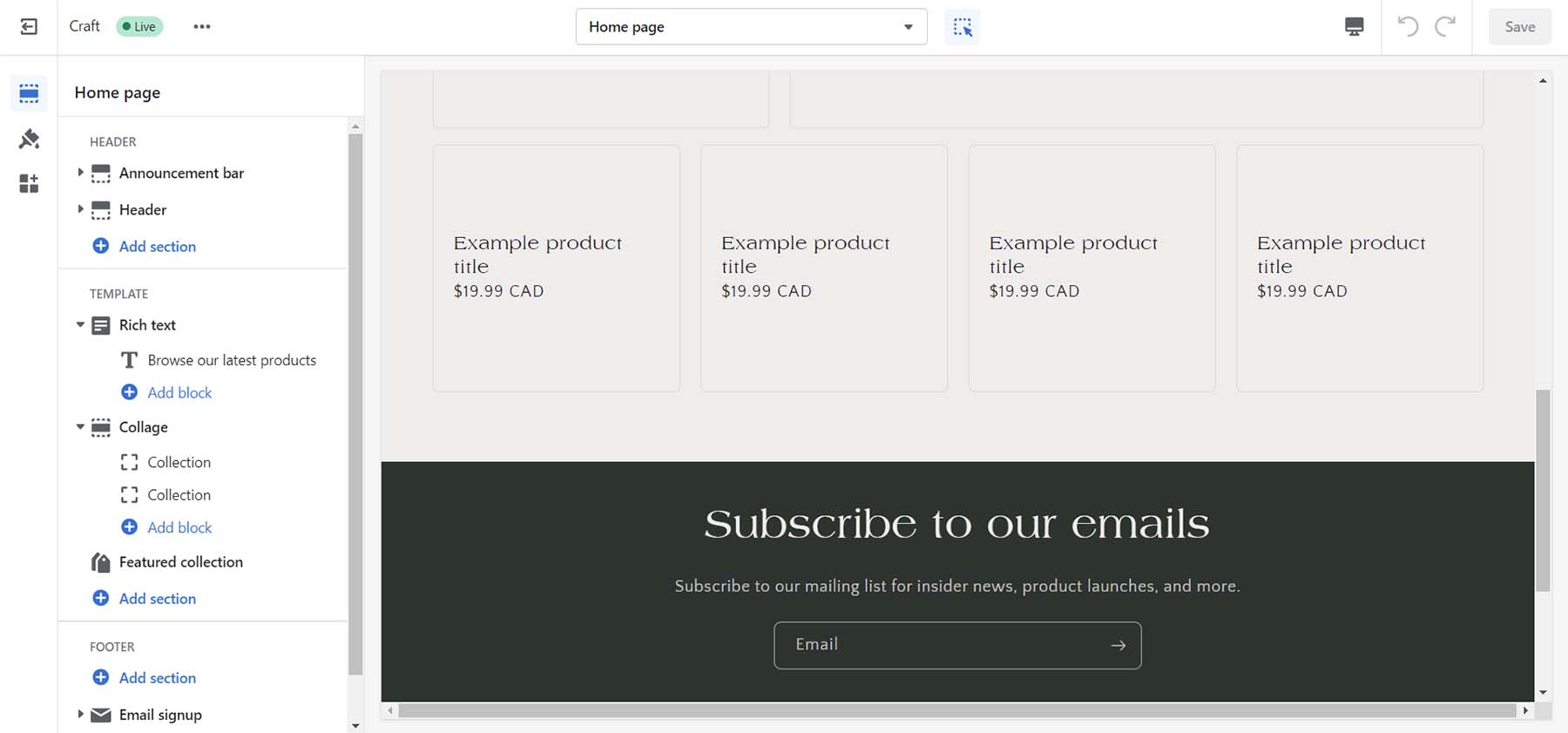
    Shopify page builder

    As an eCommerce platform, Shopify stands head and shoulders above the rest with native functionality for simple and complex eCommerce needs. Shipping, fulfillment, marketing, and analytics are built into the website builder allowing the smallest of companies and the biggest of brands to flourish.

    Key Features

    • Simple website builder with several feature blocks
    • Hundreds of free and premium themes
    • Payment processing with Shopify Payments or other payment gateways
    • Order management and inventory tracking
    • Analytics and reporting to track sales and customer behavior
    • App store with a wide range of add-ons and plugins

    Shopify, the eCommerce website builder and the Shopify app store

    You can further expand your store with the apps available on the Shopify app store. Third-party developers create free and premium apps that you can install to add extra features to your site. Shopify’s app store is a valuable resource for merchants looking to enhance their online store’s functionality and improve their eCommerce business.

    Pros

    • Drag-and-drop visual builder
    • Quickly set up an online store with no technical knowledge
    • Simple website management and design tools
    • Payment processing, order management, marketing tools, and analytics
    • Customizable templates

    Cons

    • It can be expensive compared to other eCommerce platforms
    • Limited native design blocks
    • Little control over core code, hosting, and domain name
    • App dependencies and compatibility issues may arise if not properly managed

    Best For:

    Businesses and brands looking to build a stable eCommerce website can benefit from this website builder.

    Pricing: Paid plans start at $37 per month

    Get Shopify

    5. Duda

    Duda Website Builder

    Duda is a professional website builder designed for businesses and agencies that want to create and manage multiple websites for their clients. Because Duda is a website builder geared towards agencies and designers, it offers a range of pricing plans to cover your needs.

    Unlike many builders featured, Duda allows users to create custom templates from scratch or import templates from other sources. This gives users a high degree of flexibility in designing their website and ensures it stands out.

    Duda Page Builder

    Duda’s builder has a library of pre-designed widgets you can edit as you see fit. This can help you quickly build and edit websites for you and your clients. The builder also allows you to set global colors and fonts and style content elements like images and buttons.

    Duda offers more robust SEO tools than most builders. Redirects, SSL, Google Analytics integration, and more are accessible and editable within the builder. You can enable local business schema and integration with the WooRank app to add more SEO features to your site.

    You can build various eCommerce stores with Duda, including memberships, physical products, etc. Products, shipping, and payments are easy to manage, and if you sell memberships, you have a separate interface to manage the nuances of building a membership site.


    Collect content from client

    A unique feature of Duda is its ability to allow users to collect content from their clients. Directly from their builder, you can gather, organize and insert content clients have sent you into your websites built by Duda.

    Key Features

    • Builder allows for pixel-perfect mobile-optimized design
    • Global styling across custom fonts, colors, and modules
    • Decent library of pre-made templates and content widgets
    • eCommerce functionality for online stores, appointments, digital products, and memberships
    • White-label agency and team collaboration features
    • Built-in website analytics and reporting tools

    Pros and Cons

    • Visually build pages and blogs posts in real-time
    • Hundreds of sleek website templates
    • Builder created with designers and agencies in mind
    • Built-in SEO tools and management
    • Native popup, notification, and announcement bar management

    Cons

    • Duda App Store is smaller than most
    • Pricing is per site, per month
    • Building multiple websites can get expensive
    • You can’t switch templates once the website is built

    Best For:

    Web design and marketing agencies looking to quickly build complex websites for their clients would benefit from using Duda. If you’re a freelancer, who wants an all-in-one platform for managing your clients, hosting, marketing, and web design needs, Duda is for you.

    Pricing: Paid plans start at $19 per month

    Get Duda

    6. Squarespace

    Squarespace Website Builder

    Squarespace is a website builder that allows users to create professional-looking websites without coding or technical expertise. The platform is known for its clean and modern designs, making it a popular choice for creatives, artists, and small businesses. Squarespace’s templates are highly customizable and easy to use. The platform is also known for its responsive design, ensuring that websites look great on any device.

    Its drag-and-drop interface allows you to place your elements with pixel-perfect precision. Design blocks included with Squarespace include your typical type, images, and galleries, but also exciting modules like scrolling text, CSS3 shapes, and three different types of charts.

    Squarespace builder

    You can also dip your toe into online selling with Squarespace. You can sell on social media, pull your products from Esty, and more. Additionally, Squarespace provides various analytics tools to track website performance and audience behavior. You can easily handle your online booking calendar with Squarespace’s Acuity Scheduler or run simple email marketing campaigns with its native email marketing solution.

    Squarespace and eCommerce

    Squarespace is known for its sleek and modern designs. However, regarding eCommerce, Squarespace allows you to sell almost any product online beautifully. Whether you want to offer digital downloads, a membership, or create a video-on-demand website, Squarespace gives you the tools to do this in a highly aesthetic way.

    Key Features

    • All Squarespace templates are mobile-responsive
    • Set up an online store with a variety of product and service types
    • Create and publish blog posts on your website
    • Native promotional popup builder, announcement bar, and email marketing solution
    • Includes marketing tools, such as email campaigns, social media integrations, and analytic
    • Integrates with a range of third-party services, including Google Analytics, Mailchimp, and Adobe Creative Suite

    Pros

    • Advanced design and styling options
    • The template library is expansive and uses eye-catching, trendy designs
    • Allows you to sell a variety of product types on your eCommerce store
    • Natively provides scheduling, email marketing, and analytics
    • Ability to password-protect pages and create members’ areas
    • Custom domain name registration and management

    Cons

    • It doesn’t have an app/plugin repository, so third-party integrations are limited.
    • While easy to learn, the builder has a learning curve that may dissuade beginners from website building.
    • Blogging functionality leaves much to be desired
    • Expensive options for some eCommerce functions and support

    Best For:

    Photographers, designers, and creatives who want to build a beautiful website will love Squarespace. If you’re a small business that wants to sell simple products online or take appointments will also enjoy how simple it is to do this with Squarespace.

    Pricing: Paid plans start at $16 per month

    Get Squarespace

    7. GoDaddy Builder

    GoDaddy Website Builder

    GoDaddy has been a significant player in the domain and web hosting industry for a long time. And their website builder is one of their most refreshing features, allowing users to start a new site quickly and easily. Their builder offers a user-friendly interface and a range of features to help users design and customize their websites. It comes with a drag-and-drop editor and various widgets for adding content. The platform offers pre-made templates for simple one-page sites and more complex multi-page sites with eCommerce functionality.

    GoDaddy Website Builder with AI

    GoDaddy’s InSight is an AI-powered tool that guides you as you build your website. Directly within the page builder, the device prompts you with ideas and steps to consider as you develop your site. InSight doesn’t just tell you what pages would be an excellent addition to your site. It also helps with marketing, suggesting integrations (like videos, email marketing, eCommerce, etc.) that can better your website as you are building it. This is good for those without knowledge of web design and who would like some hand-holding through the creative process.

    Key Features

    • A library of modern, professional templates
    • Sleek, responsive, mobile-friendly templates
    • AI-powered advice from GoDaddy InSight
    • Built-in tools for SEO, social media, and email marketing
    • Sites include free professional images that you can use freely
    • Build a full-featured online store

    Pros and Cons

    • No coding experience is necessary
    • Consists of a variety of pre-made templates to build your site
    • Easily integrate appointments, eCommerce, and email marketing
    • Integrates with other GoDaddy services, such as domain name registration, email hosting, and online marketing tools

    Cons

    • A limited number of templates, design features, font, and color options
    • Limited storage for media files, basic website analytics, and primitive SEO tools

    Best For:

    Godaddy’s website builder is best for beginners and small businesses looking to start a website quickly and have their domain and hosting managed all in one place. Godaddy has a lot of additional services that scale to your needs. However, the builder will have limited options compared to more advanced website builders.

    Pricing: Paid plans start at $14.99 per month

    Get GoDaddy Builder

    8. Webflow

    Webflow Website Builder

    Webflow is known for being a multi-faceted website builder, making it a popular choice for designers and developers. The platform offers eCommerce functionality, responsive templates, web hosting, and collaborative features. With Webflow, users can create fully responsive websites. The builder includes the ability to add custom CSS and HTML. This makes the builder attractive to those who are familiar with coding.

    Though Webflow is a drag-and-drop website builder, it is more geared toward advanced users with a good understanding of website design and development. Nevertheless, it also offers a good selection of free and paid templates to help users get started.

    Though other builders may have more eCommerce features, Webflow offers solid tools for building an online store. For example, you can use Stripe and PayPal as payment processors. And you can create a custom shopping cart and checkout page and even customize the emails and invoices sent to customers.

    webflow website builder tutorial

    As a website builder, Webflow provides much more flexibility than other website builders. But because of this, you may need more technical knowledge to create more complex designs. However, Webflow does simplify the building process for beginners with a 2-minutes walk-through when you start building your first site.

    Key Features

    • Powerful drag-and-drop website builder
    • Custom HTML and CSS
    • Integrates with Mailchimp, Google Shopping, Facebook, and Instagram
    • Has eCommerce and CMS functions
    • WebP support
    • Pre-built interactions and After Effects Lottie integration

    Pro

    • A powerful, flexible design tool
    • The ability to add custom code
    • All templates are mobile-responsive
    • Generates clean code
    • Robust and reliable hosting infrastructure to ensure that websites load quickly
    • Allows for custom templates and themes to be installed

    Cons

    • It has many restrictions when it comes to user seats, storage, eCommerce, and more
    • Coding knowledge can make your experience better
    • The drag-and-drop editor can be intimidating and complex
    • There are limits on the eCommerce plan that could pose a hindrance to those who plan to build large-scale eCommerce stores
    • eCommerce is limited to two payment processors: Stripe and PayPal

    Best For:

    Web designers and developers who want the comfort of no-code design with the option of adding clean code to their projects will love using Webflow.

    Pricing: Paid plans start at $18 per month

    Get Webflow

    9. IONOS

    IONOS Website Builder

    IONOS offers a web hosting and website builder service with various features for building and managing a website. With pre-made templates, a drag-and-drop editor, and content management features, it is easy to create a website using IONOS. The built-in blogging platform and social media integration features are also helpful. While the mobile-friendly templates are customizable, there is a limited selection of templates available compared to other website builders.

    However, where IONOS shines is in its SEO capabilities. The website builder provides clean, well-structured code that follows SEO best practices, including semantic HTML and customizable meta tags and descriptions for each page and post. IONOS also includes a site map generator and an SEO analyzer tool.

    For eCommerce, the website builder relies on WordPress’ WooCommerce and the Ecwid platform, which may not be ideal for those seeking a native eCommerce experience.

    IONOS Website builder's multilingual support

    A standout feature of the IONOS website builder is its multilingual support for creating websites in multiple languages. Visitors to your website can select their preferred language from a dropdown menu, and the website content will be translated accordingly. You can use automatic translation through Google or upload your translations through the builder. The IONOS website builder also provides an SEO-friendly architecture for multilingual websites, which allows search engines to understand the different language versions of a website and index them separately.

    Key Features

    • A wide range of widgets, including galleries, forms, and social media icons
    • Customizable headers and footers for consistent branding
    • Integration with Google Analytics for advanced tracking and reporting
    • Image editing tools for resizing, cropping, and optimizing images
    • Advanced customization options with CSS and JavaScript editing
    • Secure payment processing through PayPal and Stripe integrations

    Pros

    • Easy-to-use drag-and-drop builder with unique elements
    • Multilingual support
    • Display and design popups, banners, and announcements
    • Provides access to an extensive library of free images and icons
    • Built-in backup and restore features

    Cons

    • No free option or trial
    • A small selection of website templates
    • Does not have native eCommerce support
    • Limited third-party apps and integrations

    Best For:

    Small business owners who want a website available in multiple languages for an affordable price should consider using IONOS’ website builder.

    Pricing: Paid plans start at $9 per month

    Get IONOS

    10. Hostinger

    Hostzinger Website Builder

    Hostinger is a powerful hosting provider that has everything you need to create a website. Their website builder offers a wide range of customizable templates for users to create their websites. The templates cover a range of categories such as business, portfolio, eCommerce, and more. Each template can be customized with different colors, fonts, images, and other elements to create a unique website. Furthermore, the builder includes advanced design tools such as a color palette generator, a background image remover, and a shape divider tool.

    The website builder provided via the Hostinger platform differs from Zyro, Hostinger’s standalone website builder platform. The website builders are essentially the same, but they offer different features and serve different audiences.

    Regarding SEO, Hostinger’s website builder includes built-in SEO optimization tools that allow users to customize meta tags, descriptions, and other SEO elements. The platform also provides users access to Google Analytics and other SEO analytics tools to help them track their website’s performance.

    Hostinger AI writing tools

    Hostinger’s website builder includes AI tools to help users quickly and easily create a website. For example, the AI Writer tool can generate content for a website based on user input. In addition, the AI Heatmap tool can provide insights into how users interact with a website. Moreover, you can also create a logo in seconds with their AI logo maker.

    Key Features

    • Uncomplicated drag-and-drop builder with interesting modules
    • Simple eCommerce builder and features
    • Code editor for advanced customization and coding
    • Image editor for basic image editing and optimization
    • Blogging tools, including a built-in blog editor
    • Contact form builder for creating custom forms

    Pros

    • Simple to use and understand drag and drop builder
    • Global color generator to speed up the branding process
    • Integrated with Google Font library
    • AI-powered website design assistance
    • Includes AI-powered tools for writing, logo design, and heat maps
    • Websites can be migrated to WordPress or another CMS

    Cons

    • Feature set pales in comparison to sister platform Zyro
    • Does not have an app store or extension gallery for third-party integrations
    • Each blog post needs to be laid out individually

    Best For:

    Small business owners, consultants, and service providers who want to create a professional-looking website quickly and efficiently will like the features of Hostinger’s platform.

    Pricing: Paid plans start at $11.99 per month

    Get Hostinger

    11. Web.com

    Web.com Website Builder

    Web.com is a user-friendly and affordable website builder platform for those who want to create a website quickly and easily. The drag-and-drop interface allows users to customize templates fast, making it simple to match your website to your branding and style. The drag-and-drop website builder makes it easy to create a mobile-friendly website. With pre-designed building blocks, access to 2 million stock photos, and custom code blocks, you have everything needed to build your perfect website.

    Web.com’s responsive templates ensure that websites look great on any device. Web.com provides 24/7 customer support through phone, email, and chat, and users can also opt to have a personal website designer who can help them create a custom website.
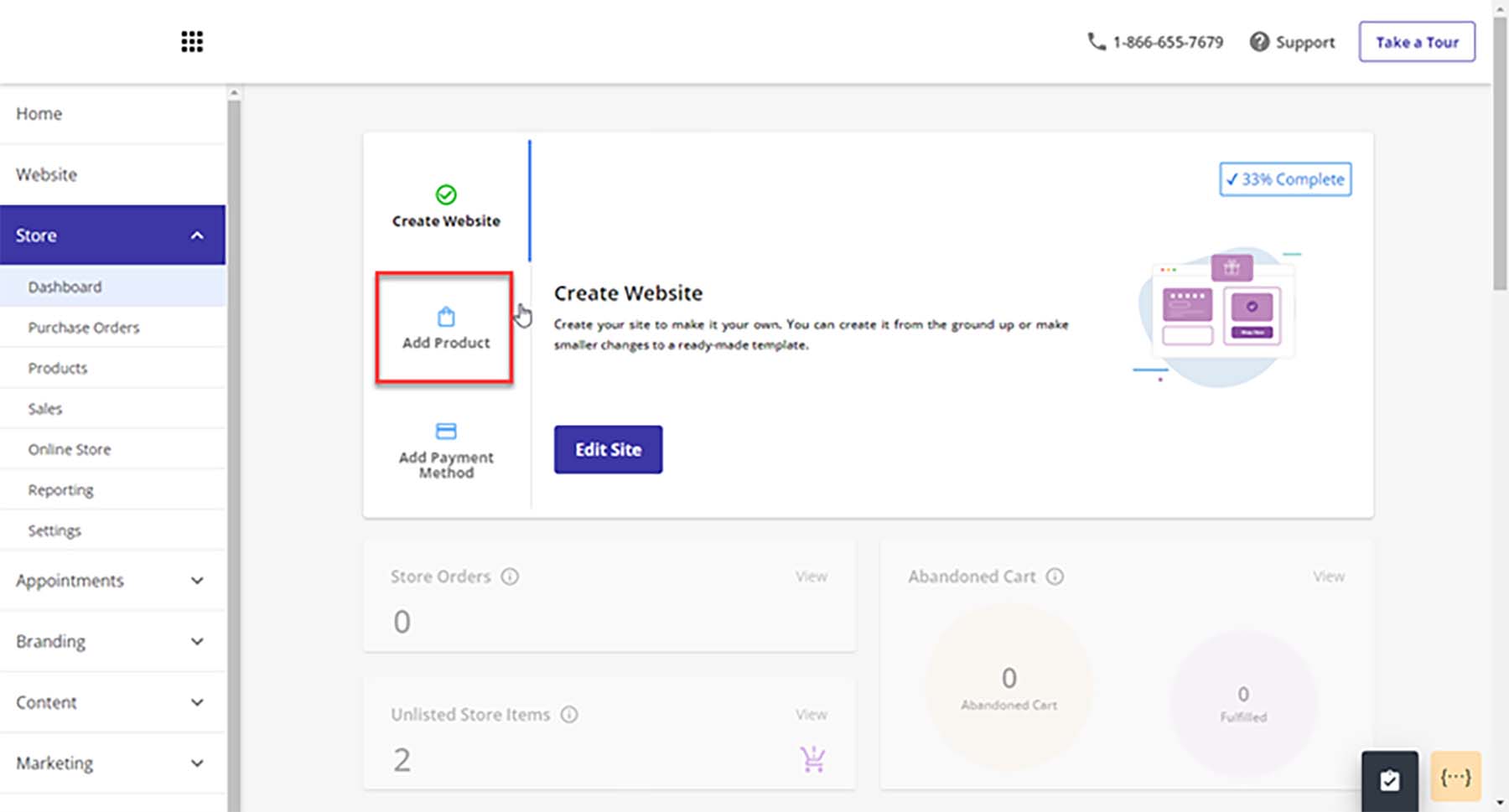
    Web.com eCommerce website builder

    Web.com also offers eCommerce features, which allow users to set up an online store with a shopping cart and checkout. This feature is handy for small businesses that want to start selling online without investing in a separate e-commerce platform.

    Key Features

    • Free Domain and SSL for one year
    • 150+ responsive templates
    • Advanced eCommerce features
    • Connect to Quickbooks and Xero
    • Sell on Facebook and Instagram
    • Simple Google site verification with monthly SEO checks and to-do lists
    • Built-in customer relationship management (CRM)

    Pros

    • eCommerce features are good value for the price paid
    • Templates are easy to use and mobile-friendly
    • Ability to manage email marketing, SEO, and pay-per-click from one place
    • Built-in SEO tools
    • Customizable forms to gather user data and feedback

    Cons

    • Pricing can increase significantly for additional features or support options.
    • Offers limited storage for your website and its associated media
    • Some customers have reported slow load times on websites
    • Limited blogging features

    Best For:

    Small businesses and individuals who want to build a website quickly. While Web.com’s website builder may offer fewer features than other website builders, it is an excellent option for those who want a simple and affordable platform that includes eCommerce functionality and SEO optimization tools.

    Pricing: Plans start at $14.99 per month

    Get Web.com

    12. Google Sites

    Google Sites

    Google Sites is a free website builder provided by Google that allows users to create basic websites and collaborate with others in real-time. The platform is designed to be user-friendly and straightforward, with a drag-and-drop interface that requires zero coding experience. You can use several elements on your sites: textboxes, images, image carousels, table of contents, social links, and spaces.

    A unique feature of Google Sites is its tight integration with Google’s suite of products. With Google Sites, you can quickly embed your Google Calendar, pull videos from YouTube and connect your site to your Google Analytics accounts.

    If you’re looking to build the most basic of websites, Google Sites is a good option. Creating a complex website with advanced customizations (like eCommerce) is not available with this tool. For building the most basic of sites, Google Sites is an excellent choice, but there are better, free options available, like Wix.

    Google Sites website builder and collaboration tools

    An exciting feature of Google Sites is its collaboration functionality. You and others can efficiently work on your website as quickly as editing documents in Google Workspace. Because Google Sites is a product of Google, the same robust version control you’re used to with Slides, Sheets, and Docs is also present in Google Sites.

    Key Features

    • Easily connect with Google Drive, Analytics, Slides, Docs, and other Google products.
    • Powerful collaboration features allow you and your team to work on your site in real time.
    • Build-in announcement banner builder
    • Build an unlimited amount of mobile responsive websites
    • Connect easily to Google Domains for custom domain names
    • Pull assets directly from your Google Drive, Google Photos

    Pros

    • Free
    • Very easy to build a site in a matter of minutes
    • Deeply integrated into the Google Workspace and Google suite of tools
    • Easy click-and-drop builder
    • Zero coding experience of knowledge required

    Cons

    • Less customizable than other builders
    • Limited themes and design elements
    • Limited access to fonts and colors
    • No eCommerce functionality
    • No ability to add custom scripts or plugins

    Best For:

    Google users and beginners who want a familiar way to create a simple website without all the bells and whistles.

    Pricing: Free, Paid plans start at $7.80 per month

    Get Google Sites

    Quick Overview of the Best Website Builders

    Plugin Price Free Option
    🥇 WordPress Free
    (additional costs required)
    ✔️ Visit
    🥈 Weebly $10/m ✔️ Visit
    🥉 Wix $15/m ✔️ Visit
    4 Shopify $37/m ✔️ Visit
    5 Duda $19/m ❌ Visit
    6 Squarespace $23/m ❌ Visit
    7 Godaddy Website Builder $11.99/m
    (paid yearly)
    ❌ Visit
    8 Webflow $18/m ✔️ Visit
    9 IONOS $9/m ❌ Visit
    10 Hostinger Website Builder $11.99/m ❌ Visit
    11 Web.com $14.99/m ❌ Visit
    12 Google Sites ✔️ Visit

    What is the Best Website Builder?

    For the most flexibility with your website, WordPress is an ideal choice for a website builder. Although it requires more work than other builders to get started, you won’t have to worry about limitations. With its easy-to-use block editor, themes, plugins, and countless integrations, WordPress is the best website builder for those who want complete control over their website. We also recommend using a powerful page builder like Divi, which takes visual, no-code design to a new level.

    For those looking for a hosted website builder solution that is easier to use and manage, you may consider Wix or Weebly to help you build your website. Weebly has impressive features for eCommerce, and Wix is surprisingly flexible to handle any website you may need.

    At the end of the day, the best website builder is the one that matches your needs. Who would you consider to be the best website builder? Did we miss anyone from the list? Let us know in the comments section down below!

    The post 12 Best Website Builders in 2023 (Reviewed and Compared) appeared first on Elegant Themes Blog.

  • The Best SEO Tools to Grow Organic Traffic in 2023

    In today’s digital landscape, driving consistent traffic to your website can be a daunting task. However, ranking at the top of search engine results pages (SERPs) can be a game-changer, allowing you to attract qualified visitors, increase sales, and establish yourself as an authority. To achieve this, you need the best Search Engine Optimization (SEO) tools at your disposal.

    In this article, we’ll cover the best SEO tools available today, both free and paid, and explain how you can use them to grow your organic traffic.

    Why is SEO so Important?

    Search is the leading lead-generation tactic for the whole web. 68% of online experiences start with a query in a search engine. That outpaces organic social, social ads, and email marketing combined!

    68% of online interactions begin with search - BrightEdge 2019 Channel Report

    BrightEdge 2019 Channel Report

    That is why SEO is more important than ever before. But getting to the top of the SERPs is no small feat. And your competitors are probably already using SEO tools, making this a more pressing need. But before you start choosing tools, you need to know how they work together because no one SEO tool does it all. Especially if you use free SEO tools, you will have some coverage gaps in your data gathering and workflows that you’ll need to fill with other tools—eventually.

    How SEO Tools Can Help

    SEO is a vast ocean of terms, tools, and techniques. Getting comfortable with all the basics takes a lot of immersion. Thankfully, using the right SEO tools can make it much easier to implement fundamental and advanced SEO techniques into your overall strategy.

    With these tools, you can execute an effective SEO strategy that will cover essential tasks within each of the various types of SEO. These SEO essentials often include:

    • SEO Research – This is all the groundwork you do before touching your website. Competitor Research, Keyword Research, and SERP Analysis fall into this category.
    • On-page SEO – Content-related tasks that start to employ your hard-won research. Creating quality SEO Content and optimizing page titles, meta descriptions, SEO links, and heading tags cover a good chunk of on-page work. But we have a more detailed checklist.
    • Off-page SEO – Optimization efforts outside of your website, like getting backlinks and social media mentions that improve your website’s visibility, reputation, and authority online. However, it is important to make sure to do it the right way.
    • Technical SEO – Improving a website’s technical elements, including site speed, mobile SEO, and Core Web Vitals. It also involves implementing Schema markup through your site, usually with the help of a plugin.
    • SEO Reporting – Accurately tracking progress and learning the proper lessons from the data you collect so you can iterate on all the above steps.

    Below, we’ve provided a comprehensive list of all the best SEO tools you can use to accomplish these tasks and more. We’ve also taken the time to let you know the tasks each SEO tool is best suited for, so you can effectively combine them for maximum SEO results.

    The Best SEO Tools

    1. Semrush

    Semrush Homepage March 2023

    Semrush is easily one of the most recognizable SEO tools on the market today. It has created an imposing suite of tools to help you understand what is happening on Google. They are one of the only SEO platforms that truly gets near to being an all-in-one SEO toolkit (no SEO Pro uses only one tool, even for the sake of principle). Some of the high-level features it provides search engine marketers are deep keyword research, routine rank tracking, content analysis, and competitor analysis. They even go above and beyond to impress us with their Semrush WordPress Plugin and the ever-popular SEOquake browser extension.

    Key Features of Semrush, the Best SEO Tool on the Market

    • A swiss-army knife built with periphery tools for content marketing, social media, and advertising
    • Expert ability to track and report on every aspect of your SEO campaigns
    • Content analysis that scores content on difficulty, voice, keywords/NPL, and how it stacks up with competing content

    With Position Tracking, you can see how all your keywords are performing on a day-to-day basis. Track up to 5 projects (unique websites) in the Pro plan and each one’s keywords positions. Know precisely which changes you push are moving the dial.

    Best for:
    Semrush is a powerful SEO platform best suited for those serious about their SEO campaigns and willing to invest time into learning how to use it effectively. This SEO software is ideal for SEO professionals and agencies needing an industry-leading SEO tool. While Semrush is not cheap, those with mid-sized to large budgets will find it a valuable investment.

    Pricing: Starting at $119.95/mo with free trials available for select tools

    Semrush
    Starting Price $119.95/mo
    Number of Sites 5
    Keywords Tracked 500
    Best For Competitor Research
    Backlinks
    Technical SEO
    Keyword Research
    Position Tracking
    Trustpilot Rating ⭐⭐⭐⭐
    Read the reviews
    Get Semrush

    2. SE Ranking

    SE Ranking Homepage March 2023

    SE Ranking is another all-in-one SEO tool designed to help website owners track and plan for their website’s search engine success. The tool is well-suited for newer SEO specialists or those on a smaller budget, as it offers affordable SEO features.

    SE Ranking provides a variety of keyword research and analysis tools. This includes a keyword research tool that supplies data on search volume, competition, and other metrics to help users select the best keywords to target for their content. Additionally, the platform features a keyword position tracking function that enables users to monitor their website’s performance in search results over time.

    The website audit tool provides users with an in-depth SEO audit analysis of their website’s performance in search engines. This includes analyzing factors such as on-page optimization, technical SEO, and backlinks to identify areas for improvement and give tailored suggestions for optimization.

    Key Features of SE Ranking

    • Website audit tool for analyzing on-page optimization, technical SEO, and backlinks.
    • Keyword research and analysis tools, including a keyword research tool and keyword position tracking feature.
    • Backlink analysis tool for identifying high-quality backlink opportunities for your website.

    Best for:
    SE Ranking is a budget-friendly and user-friendly SEO tool that’s ideal for small business owners, bloggers, and website owners seeking to enhance their site’s search engine optimization. It has an intuitive interface and comprehensive features, such as keyword research, site audits, and competitor analysis, making it an excellent choice for those new to SEO or with limited technical experience.

    Pricing: $49/mo with a free trial. Try it out now

    SE Ranking
    Starting Price $49/mo
    Number of Sites 10
    Keywords Tracked 250
    Best For Position Tracking
    Site Monitoring
    Backlink Checker
    Competitor Research
    Trustpilot Rating ⭐⭐⭐⭐
    Read the reviews
    Get SE Ranking

    3. BrightLocal

    brightlocal Homepage March 2023

    BrightLocal is a bright spot on this list of best SEO tools if you run a small business and market to a local community. It takes all the guesswork out of Local SEO. BrightLocal is 100% geared to helping location-dependent businesses succeed with local search terms, map results, and “near-me” requests, along with managing your business’s reputation and citations (citations in local SEO are a good thing).

    The local rank tracking reports are top-notch. They track the most important keywords for your business and show you how they perform based on different locations searches can come from in your area. Search results may be different if someone uses your keyword at different parts of your city, for instance. It shows this information using a grid-like heatmap overtop a map of your service area/general location.

    Key Features of BrightLocal

    • Local rank tracking reports that keep you in the know about how your business is showing up in Local SERPs
    • Monitors reviews and provides tools to help showcase the best ones on your website
    • Build white-label reports if you offer local SEO services as an agency to your clients

    Best for:
    BrightLocal is an ideal tool for businesses that rely on local search results, including brick-and-mortar stores and service-based businesses serving a specific geographic region. It is designed to scale, with pricing plans available for businesses with a single location and those with multiple locations or franchises globally. With features like local search rankings, reputation management, and citation building, BrightLocal is a valuable tool for any business looking to improve its local search visibility and attract more customers.

    Pricing: Starting at $29/mo for up to 3 locations

    BrightLocal
    Starting Price $29/mo
    Number of Sites 3
    Keywords Tracked 10 per 5×5 Grid
    Best For Local SEO
    Citation Builder
    Reputation Reports
    Trustpilot Rating ⭐⭐⭐⭐⭐
    Read the reviews
    Get BrightLocal

    4. SEObility

    SEObility Homepage Marche 2023

    SEObility is excellent for every essential SEO task, including website auditing, keyword analysis, on-page optimization, and link building. It also offers features for analyzing and monitoring backlinks and tracking search engine rankings. It’s one of the best beginner SEO tools you can get (similar to Ubersuggest) in that it will help anyone learn the basics of SEO without busting budgets. It even has a generous free tier that we couldn’t recommend enough.

    Key Features of SEObility

    • The free plan will crawl up to 1000 pages of one tracked website and will track 10 keywords
    • Tracks mobile and desktop keywords, CPC, and competitors (paid)
    • Monitors backlinks and helps you know where to try your hand with link building (paid)
    • Will monitor the health of your pages through on-page checks (free)

    This tool has the basics down pat—especially for keyword tracking and number of pages crawled. Paid plans start at a very reasonable $50/mo, which is way below Semrush and Ahrefs.

    Best for:
    SEObility is an excellent tool for beginners just starting with SEO and web admins who have never optimized their websites for search engines. It has excellent tools for you to learn the trade.

    Pricing: Free plan with paid plans offering more websites and keyword tracking

    SEObility
    Starting Price Free
    Number of Sites 1
    Keywords Tracked 10
    Best For Position Tracking
    Site Monitoring
    Backlink Checker
    Trustpilot Rating ⭐⭐⭐⭐
    Read the reviews
    Get SEObility

    5. Rank Math Pro

    Rank Math SEO Homepage March 2023

    Rank Math is the most feature-rich WordPress SEO plugin that helps website owners with a wide range of SEO tasks—directly from their website’s dashboard. According to W3Techs, WordPress is used on 43.2% of all websites. This makes WordPress and a plugin like Rank Math something that SEO professionals should be familiar with. Rank Math is designed to be very user-friendly while bringing all sorts of tools into your content creation workflows.

    Rank Math SEO Backend Dashboard

    Rank Math is especially useful for two reasons. It analyzes content as you create it and gives you tools for optimizing your content directly. Many SEO plugins can analyze content and make SEO suggestions, but Rank Math also allows you to change your content directly. It can suggest specific changes (like titles) in real-time with Content AI. And it can make sure your site is appropriately formatted for SEO (like schema, sitemaps, internal link suggestions, redirects/404 monitoring, and so much more).

    For a complete overview of its incredible features, see our extensive review of the Rank Math plugin.

    Key Features of Rank Math Pro

    • Onboarding flow that quickly sets up a whole website with all the essential SEO configurations (including adequately setting up metadata, breadcrumbs, and analytics)
    • Automatically submits for indexing all new and updated content to major search engines
    • Creates a powerful SEO dashboard on your website backend that monitors search traffic, keywords, and how well your content is  optimized (sitewide)
    • Content AI that analyzes all the key aspects of content against SERP needs for a specific KW

    Best for:
    Rank Math is a must-have tool for anyone serious about SEO and uses WordPress as their CMS. It integrates seamlessly with Divi, the most powerful WordPress theme, enabling you to create custom websites with an optimal SEO structure. Additionally, Rank Math offers a free version of its plugin, making it an ideal choice for website owners who are just starting with SEO and want to get started right away. If you have a WordPress website but no SEO tool yet, you need to stop reading this and install it now.

    Pricing: Free plugin with paid Pro options

    Rank Math Pro
    Starting Price $59/yr
    Number of Sites Unlimited
    Keywords Tracked 500
    Best For Position Tracking
    Site Monitoring
    Schema Generator
    Get Rank Math Pro

    6. Surfer SEO

    Surfer SEO Homepage March 2023

    Surfer SEO is an AI content tool that helps you create high-ranking SEO content. Its whole purpose is to help content creators with SEO mindfulness so you aren’t spinning your wheels, creating content that no one sees. It does this in stages by helping you with keyword research, then analyzing the SERPs of those keywords. After that, you start building your content with its content planner. Writers can then start writing their content and auditing other content with it. They create a seamless process from research to publishing that will help you rank.

    Surfer SEO is all about creating a workable content creation workflow that has an SEO-first approach. We love that you can create content briefs (for editors assigning out a lot of work) and analyze all your content against vital SEO /keyword metrics.

    Key Features of Surfer SEO

    • Surfer SEO “Grow Flows” that break content creation up into smaller, automated/low-effort tasks (talk about an ROI boost!)
    • Content creation workflow from research to clicking on “Publish”
    • Reports on the success you’ve had from content created in SUrfer SEO
    • Integrates with Semrush, Jasper AI, WordPress, and Google Docs

    Best for:
    Surfer SEO is an ideal tool for websites that produce a large volume of content. It is designed to streamline the SEO workflow for content creation, making it a valuable time-saving tool for individuals and teams alike.

    Pricing: Starting at $49/mo with a 7-day free trial

    Surfer SEO
    Starting Price $59/mo
    Number of Sites 2
    Article Edits 10
    Best for: Content Optimization
    Keyword Research
    Get Surfer SEO

    7. Mangools

    KWFinder Homepage March 2023

    Mangools is a suite of branded SEO tools that have names that are almost more popular than the company that offers them all (KWFinder and SERPWatch come to mind). It’s another all-in-one SEO platform that helps users research, create, and track all SEO efforts.

    Mangools keyword research tool (KWFinder) provides users with data on search volume, domain authority, keyword difficulty, and other metrics to help them identify the best keywords to target for their content. It’s one of the easiest-to-look-at keyword tools out there and gives you everything you need to know. You can even see what keywords competitor websites are ranking for and what position they rank at.

    Key Features of Mangools

    • Daily keyword research allotment with suggestions and views of what competitors are using
    • SERP analysis to see what’s ranking for what and some of the data points that contribute to those positions
    • Ability to lookup competitor websites to see where they are at in their SEO implementation

    Best for:
    Mangools is a trusted platform among organic search strategists. Although not as well-known as Semrush or Ahrefs, Mangools offers a comprehensive set of tools that provides a great all-in-one solution for reliable SEO tools. With a price point comparable to other budget-friendly options like SE Ranking and SEObility, Mangools is an affordable option for beginners looking for reliable SEO tools.

    Pricing: Starting at $49/mo with a 10-day free trial

    Mangools
    Starting Price $49/mo
    Keywords Tracked 200
    Keyword Lookups 100/day
    Best For Keyword Research
    Keyword Tracking
    Trustpilot Reviews ⭐⭐⭐⭐
    Read the reviews
    Get Mangools

    8. Wincher

    Wincher Homepage March 2023

    Wincher is an SEO tool that specializes in keyword tracking and analysis to help increase your organic traffic. It makes it easy to find the right new keywords for your content. It makes it especially clear when it finds a keyword with decent search volume but low competition (the dream scenario). And you can use it to track the performance of those keywords using an intuitive interface.

    With features like keyword research, keyword gap analysis, position tracking, and site audits, Wincher helps improve search engine rankings and increases your qualitative traffic.

    Key Features of Wincher

    • Track your position rankings based on defined keywords
    • Discover keywords that you haven’t used so far
    • Reports and alerts to stay on top of keyword positions
    • WordPress plugin that integrates your website with Wincher

    Best for:
    Wincher is an excellent tool for beginner search engine marketers seeking a more comprehensive solution for analyzing keywords and tracking their content’s position. Its simple interface and focused feature set make it a great option for entry-level SEO or content marketers.

    Pricing: Starting at $39/mo with a free trial waiting for you

    Wincher
    Starting Price $39/mo
    Number of Sites 10
    Keywords Tracked 500
    Best For SERP Analysis
    Position Tracking
    Trustpilot Reviews ⭐⭐⭐⭐
    Read the reviews
    Get Wincher

    9. Link Whisper

    Link Whisper Homepage March 2023

    Link Whisper is a WordPress plugin and Shopify app for internal link building. Internal linking is an essential practice for SEO as it helps search engines crawl your website and understand what your content is about (by relating it with other linked content). But it is hard to stay on top of, especially for large websites with tons of content—we know the struggle! Link Whisper makes managing internal links much easier since it can automatically apply links to your old content based on new content you are publishing (this is a huge time saver if set up correctly).

    Key Features of Link Whisper

    • Provides advanced suggestions for internal links you can create while you are in a page/post editor
    • Can connect with Google Search Console to bring in basic performance stats (not needed if you’re using a Google Analytics plugin)
    • Create automated internal linking campaigns that find instances of specific keywords and link them to a pre-defined page of your choosing

    Best for:
    Link Whisper is ideal for large WordPress and Shopify websites, particularly those with a hub and spoke or pillar/cluster content strategy. It is beneficial for websites that publish a large volume of content and need to stay on top of internal linking. With features like automated link suggestions and in-content linking, Link Whisper is a valuable tool for improving search engine rankings and driving more traffic to your site.

    Pricing: WordPress – $77/year for 1 site | Shopify – $7/mo for 1 site

    Link Whisper
    Starting Price $77/yr
    Number of Sites 1
    Best For Internal Link Building
    Internal Link Reports
    WordPress + Shopify
    Get Link Whisper

    10. Moz Pro

    Moz Pro Homepage March 2023

    Moz Pro is another all-purpose SEO tool designed to help website owners and digital marketers increase their traffic from organic search results. It has long been celebrated as one of the best SEO tools out there and has been running since 2004! Moz has a tremendous reputation in the SEO world, making their Pro tool something you should consider. If you’re a local business, MozLocal is also worth checking out, even though we are not directly reviewing its features here.

    Moz Pro is excellent at tracking page positions inside SERPs for defined keywords. It helps you know what is contributing to SERP boosts or fallen positions with tailored SEO Insights. And its competitor research tools (including MozBar) help you keep up with competitor changes.

    Key Features of Moz Pro

    • Offers comprehensive keyword research and analysis to optimize website content
    • It has a site audit tool that identifies technical SEO issues, such as broken links and missing meta-tags
    • Includes a backlink analysis tool to monitor backlinks and helps you disavow low-quality backlinks
    • Users can track their search engine rankings for specific keywords over time to monitor SEO efforts and improvements

    Best for:

    Moz Pro is an all-in-one SEO tool that’s ideal for any serious SEO professional looking to streamline their SEO workflow. It provides a comprehensive solution for improving search engine rankings and increasing traffic. Use it for keyword research, site audits, backlink analysis, and more. While the monthly pricing is higher than many budget SEO tools, it’s comparable to other industry leaders like Semrush and Ahrefs.

    Pricing: $99/mo for three campaigns/websites

    Moz Pro
    Starting Price $99/mo
    Number of Locations 3
    Keywords Tracked 300
    Best For Keyword Research
    Local SEO
    Competitor Research
    Get Moz Pro

    11. WooRank

    WooRank Homepage March 2023

    WooRank is an SEO tool that offers a range of features to help website owners and digital marketers improve their search engine rankings and drive more traffic to their sites. It’s a mid-tier total-SEO platform that does a whole lot well.

    WooRank’s competitor analysis tracks competitor keywords, technical specs, and position changes. All these help you better understand your competitors and how to outrank them.

    Key Features of WooRank

    • Users can track keywords with WooRank’s keyword tracking tool to monitor their website’s search engine rankings for those keywords
    • WooRank’s site crawl tool can crawl site pages to identify technical SEO issues that may hurt a website’s rankings
    • Compare website performance against competitors to identify areas for improvement

    Best for:
    WooRank is an ideal tool for website owners and marketers who want to improve their website’s SEO quality and ranking position across multiple keywords. With features like site audits, keyword tracking, and competitor analysis, WooRank provides a comprehensive solution for improving search engine rankings and driving more traffic to your site. While it is priced a little higher than other tools in this article, it can be a great fit for those looking for more advanced features.

    Pricing: $79.99/mo for one website

    WooRank
    Starting Price $79.99/mo
    Number of Sites 1
    Keywords Tracked 50
    Best For Keyword Tracker
    Page Technical Auditor
    Competitor Research
    Get WooRank

    12. Clearscope

    Clearscope Homepage March 2023

    Clearscope is an SEO content optimization tool that uses AI and natural language processing (NPL) to help content creators optimize content for search engines. Search engines attempt to catalog the whole internet and rely on NPL to understand its content semantically. Clearscope analyzes your content with similar methods to make sure that it is in line with what search engines expect (based on keywords and search intent). This all can happen in the SaaS application or for those with WordPress websites, on your site via the use of their plugin.

    Its content analysis is very actionable, often giving you explicit grades, comparison metrics, and other scores to let you know where your content is across several essential areas.

    Key Features of Clearscope

    • Analyzes the top-ranking pages for a given search term
    • Identifies the keywords, phrases, and topics most relevant to that search
    • Gives content suggestions based on the above findings

    Best for:
    Clearscope is an ideal tool for content-focused SEO professionals who are writing or editing content that needs to rank. While its price tag may be hefty for some, Clearscope is a valuable tool for optimizing content for search engines and driving more traffic to your site. Other tools like Scalenut, Dashword, and ContentPace may also be worth considering for those seeking more affordable alternatives.

    Pricing: Starting at $170/mo

    Clearscope
    Starting Price $170/mo
    Number of Users 1
    Content Reports 10
    Best For Content Optimizer
    Content Brief Creator
    Keyword Research
    Get Clearscope

    13. Ahrefs

    Ahrefs Homepage March 2023

    Ahrefs is last on our list but certainly far from the least. It is a premium all-in-one SEO tool that has been a market leader for many years. Ahrefs gives SEO experts every instrument needed to succeed in SEO. It can be daunting to new users, but that is because there is so much data inside the platform.

    Ahref covers every type of SEO task, including backlink audits, URL position ranking, competitor research, keyword research, site audits, and more.

    Ahrefs backlink profile is one of the best out there. It shows you a histo-graph of your backlinks and how many you’ve gotten in specific look-back timeframes (1 day, 7 days, etc.). The profile also includes the number of referring domains (with a breakdown of crucial info about those domains). And it also gives you high-level stats like URL rank, Domain Rank, and the number of organic keywords your site ranks for.

    Key Features of Ahrefs

    • Unlimited projects if they are verified with a site tag and five unverified projects (Lite plan)
    • Track page rankings across defined keywords broken into desktop and mobile searches (and see ranking history)
    • Keyword research through Ahrefs exquisite database using Keywords Explorer
    • You can add plan add-ons if you rely on specific tools more than others

    Best for:
    Ahrefs is a go-to tool for SEO experts. It offers reliable data and excellent filtering options to drill down to the data you need to rank for competitive topics. It’s a valuable investment for those looking to improve their SEO game. Along with Semrush, Ahrefs is a tried and tested solution that is widely used by SEO professionals.

    Pricing: $99/mo

    Ahrefs
    Starting Price $99/mo
    Number of Sites Unlimited Verified
    Keywords Tracked 750
    Best For Position Tracking
    Competitor Research
    Keyword Research
    Site Auditor
    Get Ahrefs

    SEO Tools FAQ

    What are the best SEO Tools for WordPress websites?

    Link Whisper, Semrush, Rank Math, and Surfer SEO are all great SEO tools for using with WordPress since they have plugins providing users with a range of features to optimize their website’s SEO. Their plugins bring the wide range of tools these platforms offer directly into your WordPress environment and consolidate where you have to go for performing SEO tasks.

    Can you do SEO for free?

    SEO is much harder but still possible to do with free tools and resources. When using free SEO tools, it is all about finding the right mix of tools that each cover an essential task. Start with a keyword research tool like SEObility or Ubersuggest’s free accounts. See all our recommended free SEO tools.

    Who uses SEO tools?

    • Business owners and marketers: SEO tools can help businesses and marketers improve their website’s visibility in search results, attract more visitors, and generate more leads and sales.
    • Website developers: SEO tools can help website developers identify and fix technical SEO issues, such as broken links and missing meta tags.
    • SEO professionals: SEO professionals use SEO tools for auditing websites, analyzing keywords, optimizing pages, building links, and more.

    Anyone who is looking to improve their website’s visibility in search results can benefit from using SEO tools.

    Why do SEO tools cost so much?

    SEO tools can cost a significant amount due to the resources required to develop, maintain, and update the software. They involve large data sets and are crawling millions of pages a day. Also, the value that SEO tools provide in terms of improving a website’s search engine rankings and driving more traffic and conversions can justify the cost for businesses that rely on organic search traffic to drive revenue.

    What are the Best SEO Tools?

    Semrush is the best all-in-one SEO tool. It offers all the essential features like keyword research, site audits, backlink analysis, rank tracking, on-page optimization, and competitive analysis. So it is a safe bet to start with if you want to get serious about SEO.

    SE Ranking is ideal for beginners looking for a more budget-friendly solution that packs a similar punch as SEMrush.

    BrightLocal is the best solution for Local SEO. It includes local search rank tracking, citation management, review monitoring, and more.

    Plugin Starting Price Free Option
    🥇 Semrush $119.95/mo ✔️ Visit
    🥈 SE Ranking $49/mo ❌ Visit
    🥉 BrightLocal $29/mo ❌ Visit
    #4 SEObility Free ✔️ Visit
    #5 Rank Math Pro Free, Pro $59/yr ✔️ Visit
    #6 Surfer SEO $59/mo ❌ Visit
    #7 Mangools $49/mo ❌ Visit
    #8 Wincher $39/mo ❌ Visit
    #9 Link Shisper $77/yr ❌ Visit
    #10 Moz Pro $99/mo ❌ Visit
    #11 WooRank $79.99/mo ❌ Visit
    #12 Clearscope $170/mo ❌ Visit
    #13 Ahrefs $99/mo ✔️ Visit

    Using the right combination of these tools can significantly improve website search performance and drive more traffic and qualified conversions.

    Need SEO tools you can use directly on your website? Check out the best SEO plugins for WordPress.


    Featured Image via Sammby / shutterstock.com

    The post The Best SEO Tools to Grow Organic Traffic in 2023 appeared first on Elegant Themes Blog.