EDITS.WS

Tag: Best WordPress Plugins

  • 7 Best WordPress Directory Plugins (2023)

    If you want to build an online directory website in WordPress, you’ll need the best plugin for the job. Online directories are basically public listings to help visitors find businesses, services, products, and more. But building one from scratch in WordPress is difficult without a plugin. Thankfully, there are some great directory plugins out there to make that process much easier. But finding the right one for your needs can be challenging. In this post, we’ll share our list of the best WordPress directory plugins to help you make the right choice for your business.

    How to Choose the Right Directory Plugin for You (What to Look For)

    Directory plugins have been around for a long time. Most solutions take into account 90% of what’s needed to create a decent directory. But, the best directory plugins go above and beyond by offering:

    • Simple directory creation: The best WordPress directory plugins make it easy to create a directory website, even if you don’t have coding skills. For an ideal solution, choose one that doesn’t take a lot of work to set up.
    • Flexible and customizable: They should allow you to customize everything from the layout of your directory pages to the (custom) fields included on each listing.
    • Advanced search and filtering: The ability to search and filter listings is vital for a directory website. The best directory plugins offer advanced search options to help visitors find what they’re looking for without any hassle.
    • Payment support: If you plan to make money off of your directory website, look for a plugin that supports popular payment gateways and eCommerce platforms like WooCommerce. This will allow you to charge for listings, create different subscription plans, and display sitewide ads.
    • Compatibility with other plugins and WordPress themes: To ensure your directory plugin works seamlessly with your other WordPress plugins and themes, look for a plugin that is compatible and updated often.

    If you want the best chance for your directory to gain traction, getting a feature-rich tool will do wonders for you.

    The Best WordPress Directory Plugins

    If you’re looking to create a directory website using WordPress, you’re in luck! There are a variety of plugins available to help you get started, each with its own strengths and features. Whether you need a simple address book, a classified ads section, or a business directory, there’s a plugin on this list that will fit your needs. First up is a crowd-pleaser—GeoDirectory.

    1. GeoDirectory

    GeoDirectory Directory Plugin

    GeoDirectory is a versatile WordPress plugin that allows you to create a location-based business directory similar to popular sites such as Yelp or YellowPages. For example, users can easily submit for approval, search for businesses and other entities, and have them all nicely displayed on an interactive map. By using GeoDirectory, you can transform any WordPress website into a useful business directory.

    Learn how to build a business directory with GeoDirectory

    Key Features for GeoDirectory:

    • Transfer directory data using CSV import and export options
    • Drag-and-drop interface for building your directory listings
    • Easy to style directory using available themes.
    • Location management system.
    • Customize the look of search results and single listing pages
    • Search results based on a specific location
    • Allows users to rate listings
    • Integrates with Ninja Forms to connect with other CRMs and
    • Integrates with page builders like Divi
    • Integrates with popular SEO Plugins like RankMath.
    • Supports WooCommerce.
    • Premium Add-ons to monetize your site, set up recurring payments, and allow business owners to claim listings.
    • Multisite compatible to create a network of directories

    BuddyPress integration with GeoDirecory

    GeoDirectory handles every aspect of creating a directory site. But, with its smart compatibility with other top plugins, GeoDirectory starts to shine. For instance, its BuddyPress integration can connect BuddyPress to your directory, giving your directory a social edge. This makes your directory more personal—giving your directory more of a chance to stand out in a crowded market.

    GeoDirectory is for you if you…

    • Need to build a high-quality directory site based on location
    • Want the ability to create a simple or complex online directory
    • Want an extendable solution with powerful premium add-ons like (recurring payments, enhanced search, and multi-location directories)

    GeoDirectory Pricing: Free, Premium $199 a year

    Get GeoDirectory

    2. Business Directory Plugin

    Business Directory Plugin

    The Business Directory Plugin is an easy-to-use WordPress plugin that enables you to create and manage a variety of directory types for any kind of directory website. It includes everything you need to get started, regardless of the type of directory you want to create. Plus, it allows visitors to submit listings without needing to code a thing.

    Key Features for Business Directory Plugin:

    • Monetize your directory via Authorize.net, PayPal, or Stripe
    • Supports WPML for multilingual directories
    • SEO friendly and integrated with Yoast SEO
    • Users can filter business listings by location
    • Enable rating and reviews with proper schema markup
    • Enable users to be able to upload files and control the file types that they can add to listings

    Create pricing plans and plan levels for your users

    Easily make money with your directory by creating different pricing plans. You can choose to have a directory with only free plans, or you can attach certain features to different plans and charge a fee. Additionally, you can set plan time limits or create recurring payment plans.

    Business Directory Plugin is for you if you…

    • Need a free and comprehensive directory plugin, with the option to upgrade to more advanced functionality via an extensive add-on directory
    • Are looking for payment support, with the ability to create listing-based monetization

    Pricing: Free, $99 a year

    Get Business Directory Plugin

    3. AWP Classified

    AWP Classified Plugin Homepage Feb 2023

    AWP Classifieds is another easy-to-use plugin that allows users or visitors to create classified ad listings on your WordPress website. From the makers of Formidable Forms, this plugin is perfect for anyone looking to add a classified ads section to their site quickly with little fuss.

    Key Features for AWP Classified:

    • Automatic creation of required pages streamlines the setup process
    • Non-registered users can post ads with simple email verification
    • Monetization support with customized subscription plans, enabling the creation of a classifieds site to make money easily
    • Integration with 4 major payment gateways for easy monetization through paid listings and charging for banner ads on classified pages

    AWP Classified Example Directory Website with Ads

    AWP Classified lets you limit the number of submissions, reviews, or listings a user can make depending on their plan. This allows you to easily create pricing tiers for monetizing your new classified section. You can even display external ads (such as Google Adsense) across your website’s classified sections for additional monetization potential (without having to use an advertising plugin).

    AWP Classified is for you if you…

    • One of the simplest classified plugins on the market (and built by a trusted developer at that)
    • Have a high focus on monetization

    AWP Classified Pricing: Free, $49.50 a year

    Get AWP Classified

    4. Directorist

    Directorist Directory Plugin

    Directorist is a freemium WordPress directory plugin that is suitable for a variety of websites, from business directories to property listings, classified ads, and job portals. With a wide range of features, Directorist aims to be the only WordPress directory plugin you will ever need. The same company has built (but doesn’t require) its own classified themes that can also be of help to budding directory owners.

    Key Features for Directorist:

    • Easily build your listings pages with Directionist’s custom drag-and-drop form builder
    • Custom form fields are searchable for exact search results
    • Includes search widgets with 10+ different filters
    • Use Google Maps or OpenStreetMap for geo-based listings
    • Compatible with WooCommerce’s Multivendor plugin for creating a multi-vendor marketplace

    Advanced fields listing within the Directorist search form

    Customize all the fields with Directorist! Its truly powerful (and beautiful) filterable listings make your directory-based website easy to go through. You’ll have the ability to add searchable custom fields or use standard directory fields like price, tags, text, location, and more.

    Directorist is for you if you…

    Pricing: $139 a year

    Get Directorist

    5. Toolset

    Toolset WordPress Professionals ToolkitToolset is a powerful WordPress plugin with a suite of tools that simplifies the process of creating advanced websites. You can use it for custom eCommerce, real estate, membership, and Directory sites. However, it’s not the easiest thing to learn on this list because it feels like its own ecosystem of related tools. But it can help you create a directory website from scratch.

    Key Features for Toolset:

    • Create custom post types, unlimited custom fields, and taxonomies that you can display on your site frontend
    • Create custom frontend forms for users to use and interact with your directory
    • Restrict certain website features and sections for paying customers
    • Comes with an in-depth course and an onboarding program
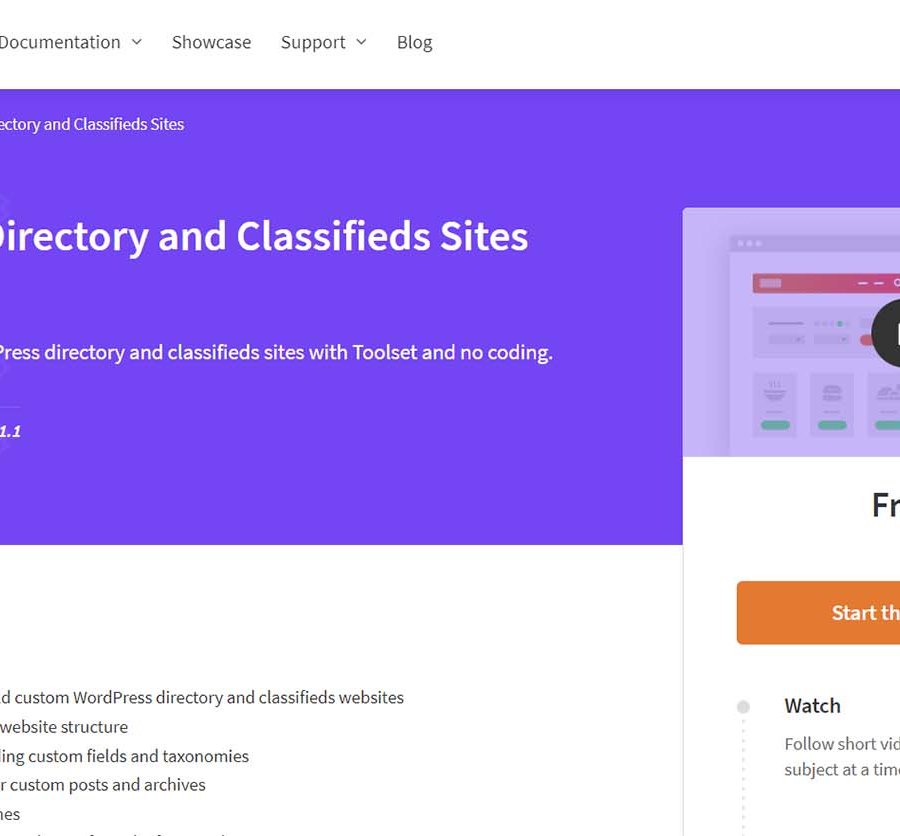
    Toolset WordPress Directory course

    Toolset is not made solely to build directory websites. However, it gives you the tools to build just about anything on WordPress. Toolset even has created special training for how to build a directory website. Plus, it can be used with Divi and other page builders to create more beautiful directories.

    Toolset is for you if you…

    • Are you an advanced WordPress user looking for a suite of tools for managing all sorts of custom post types and how they are shown
    • Want to create a directory site from scratch without knowing code.

    Pricing: From $69 a year (renews at $51)

    Get Toolset

    6. Connections Business Directory

    Connections Business Directory

    Looking for a simple, yet powerful business directory plugin? Connections Business Directory has you covered. While not the most appealing plugin on our list, you can create directories of all types and host thousands of worldwide listings. And, the plugin is completely free.

    Key Features for Connections Business Directory:

    • Supports the Block Editor with four directory blocks
    • Privacy controls for listings and directory entries
    • Allows you to control the fields shown on your listings
    • Support for nested categories
    • Face Detect add-on to properly center the display of profile pictures automatically

    Connections Directory Plugin with Face DetectThe plugin has an optional free add-on to create directories for displaying people (like Alumni, staff, and volunteer directories). For example, its Face Detect add-on can properly render images (of various sizes) so that a user’s face is always front and center.

    Connections Business Directory is for you if you…

    • Need a free option with solid core features
    • Want free and affordable add-ons to extend the functionality of your directories

    Pricing: Free, with add-ons (Free – $14.99)

    Get Connections Business Directory

    7. HivePress

    HivePress Multipurpose WordPress plugin

    HivePress has created a fantastic and free WordPress directory plugin that truly covers all the bases. And, it has more products including beautiful directory themes and extensions that bring even more power to the core plugin.

    Key Features for HivePress:

      • Can charge users to feature their listing
      • You can allow users can rate listings as well as leave reviews on listings
      • Users can send private messages to listing owners
      • Can allow users to “favorite” listings making them easy to find again in the future
      • Users have private, frontend dashboards to manage their listings

    Frontend favorite's screen

    HivePress comes built-in with a clean and modern user interface that allows users to manage their listings without logging into your WordPress backend. You can easily create a Favorites page for users that have marked listings with a heart. This allows users of your site to save and keep an eye on their favorite listings.

    HivePress is for you if you…

    • Want a free plugin that has plenty of room to grow as you start making money
    • Crave a beautiful directory with plenty of features included

    HivePress Pricing: Free, with paid add-ons (Free – $39)

    Get HivePress

    What is the Best WordPress Directory Plugin?

    The best WordPress directory plugins balance deep feature sets, and multiple plugin integrations, and are easy for users and admins alike. We hope that with the help of this list, you were able to find the right plugin for your next project.

    For the best overall directory plugin, we suggest GeoDirectory because it has powerful features and extensions, it is easy to use, and integrates well with other plugins. Business Directory also is a great choice, especially if you are looking to monetize your directory.

    Advanced WordPress users should look at using Toolset along with Divi. This powerful combo will provide all the tools you need to create a directory specific to your needs. Whatever you choose, make sure that it balances your business needs with your budget—that way you’ll be on the right track in building out your directory.

    Plugin Price Free Option
    🥇 GeoDirectory $199/yr ✔️ Visit
    🥈 Business Directory Plugin $99/yr ✔️ Visit
    🥉 AWP Classified $49.50/yr ✔️ Visit
    4 Directorist $139/yr ✔️ Visit
    5 Toolset $69 ❌ Visit
    6 Connections Business Directory Free ✔️ Visit
    7 HivePress Free ✔️ Visit

    Looking for more great plugins? Check out our top free plugins for businesses and our collection of the best plugins for WordPress.

    Featured Image vis Andrew Krasovitckii / shutterstock.com

    The post 7 Best WordPress Directory Plugins (2023) appeared first on Elegant Themes Blog.

  • 4 Best WooCommerce 2Checkout Plugins 🥇 2023 (Free & Pro)

    Set up your WooCommerce store quickly and securely with the top 2Checkout plugins available. Get the most out of your payments today!

    The post 4 Best WooCommerce 2Checkout Plugins 🥇 2023 (Free & Pro) appeared first on BetterStudio.

  • 4 Best WordPress Paddle Plugins 🥇 2023 (Free & Pro)

    Are you looking for the best WordPress paddle plugins for your website? Take your website to the next level with these easy-to-install paddle plugins!

    The post 4 Best WordPress Paddle Plugins 🥇 2023 (Free & Pro) appeared first on BetterStudio.

  • 8 Best Form Plugins for Elementor 📝 2023 (Free & Pro)

    Discover the best form plugins for Elementor and take your site to the next level. Quickly and easily create stunning forms with great functionality now.

    The post 8 Best Form Plugins for Elementor 📝 2023 (Free & Pro) appeared first on BetterStudio.

  • 9 Best WordPress Restaurant Plugins for 2023

    Getting your restaurant business online can help you boost sales, grow your brand recognition and gain loyal fans. When looking for the best WordPress restaurant plugins, you are in search of the right tools to help you get the job done. Whether you need online ordering, WooCommerce integration, menu editors, or social proof, our list of the best WordPress restaurant plugins will help you make the right decision for your food business. Set up your website for success by checking out these plugins before building your next restaurant website.

    Why You May Need a Restaurant Plugin

    Restaurant needs are a lot more robust than the average small business website. They take just a little bit more work but that work is well worth it. Being able to leverage technology that the average person in 2023 expects is a must if you want to stay relevant (and busy). Here are some things that your website may need to have to be at its best:

    • Online Reservations: Restaurants may want a way for customers to make reservations online, whether it’s through a third-party service or a restaurant reservation plugin on the website.
    • Mobile Ordering: With more and more customers using their smartphones to order food, restaurants should have a mobile ordering system that has a fully responsive design for mobile devices.
    • Displaying Menus: A restaurant should showcase its menu in an easy-to-read format that entices customers to come in and dine. This can be done through a custom plugin or simply by formatting the food items in a clear and concise manner. This is very important if you use QR codes in your physical location in lieu of printed menus.
    • Showcasing Locations: If a restaurant has multiple locations, it should make it easy for customers to find the nearest one. This can be done through a custom plugin that integrates with Google Maps or through a simple “Locations” page on the website.
    • High-Quality Images: Restaurants should use high-quality images of their food, locations, and staff to entice customers and give them a sense of what the dining experience will be like. The more mouth-watering the better! Just make sure those images are optimized for performance.
    • Customer Reviews: Displaying customer reviews on the website can really help restaurants build trust with potential customers and encourage them to pay you a visit.

    9 Best WordPress Restaurant Plugins

    As we explored above, WordPress restaurant plugins can have a multitude of functionalities. We’ve made sure to gather some of the best plugins on the market that cover many different use cases. Here are our top picks for restaurant plugins on WordPress:

    1. WooCommerce Restaurant Ordering

    WooCommerce Food Ordering plugin Homepage Feb 2023

    The WooCommerce Restaurant Ordering plugin by the excellent folks over at Barn2, is a fantastic solution for restaurants and food outlets looking to take their business operations online. It turns a typical WooCommerce store setup into a restaurant’s dream for online ordering.

    Key Features for WooCommerce Restaurant Ordering:

    • Fully integrates with WooCommerce and other WooCommerce plugins
    • Designed to be as familiar as the DoorDash and Uber Eats UIs
    • Layouts for lightbox or on-page ordering
    • Set open/close times so orders don’t come in when you are closed
    • Works with WooCommerce product variations and options (“options” require an additional plugin)
    • Pulls in and works with WooCommerce delivery settings (ex. “delivery” or “collect in person”)

    WooCommerce-Restaurant Ordering Plugin

    WooCommerce Restaurant Ordering makes displaying your menu items and checking out very easy. By default, the plugin’s UI is amazing and very intuitive. Extra functionality can be achieved with other Barn2 plugins such as WooCommerce Product Options and WooCommerce Fast Cart. In fact, all of these Barn2 plugins

    WooCommerce Restaurant Ordering is for you if you…

    • Need the ability to create online orders
    • Enjoy the flexibility of WooCommerce and other extensions

    Pricing: $129 a year

    Get WooCommerce Restaurant Ordering

    2. Food Menu

    Food Menu WordPress Restaurant Plugin

    Food Menu is an effective plugin for restaurants and food industry businesses that makes it easy to create online menu boards. You can add images, descriptions, and prices—everything you need to share your menu with the world. Most of the standout features come in the premium version but you can also try out their free to see if it is a good fit beforehand.

    Key Features of Food Menu:

    • Use WooCommerce product data for easy menu creation (Premium version)
    • Allows for clicking open expanded views of products in a lightbox
    • Drag and drop menu builder
    • Display ingredients and nutrition information
    • Multiple layouts powered by Ajax category filtering and pagination
    • Shortcode generator for embedding unlimited menus

    This is a very simple plugin that majors on the majors. It creates very attractive menus with the functionality that is absolutely required. The Ajax filtering makes menus created with Food Menu incredibly easy to use.

    Food Menu Example of Ajax Category Filter

    Food Menu is for you if you…

    • Want a simple way to present your restaurant menus
    • Need a menu that can work in conjunction with WooCommerce
    • Want an easy way to add, categorize, and display menu items

    Pricing: Free, Pro Version from $24 a year

    Get Food Menu

    3. WPCafe

    WPCafe – Restaurant Menu, Online Ordering for WooCommerce, Pickup/Delivery, and Table Reservation

    WPCafe is a complete restaurant solution that offers a full range of features to help manage virtually every aspect of a food business. With its combination of reservation management, menu creation, online ordering, and pickup/delivery capabilities, this plugin is a must-have for any restaurant or cafe that wants to fill up the order queue for their kitchen.

    Key Features for WPCafe

    • Comes with customizable menu styles and layouts
    • Customizable mini cart module when checking out and browsing
    • Advanced search and filter for menus
    • Customers can visually see open tables ready for reservation
    • Google Maps integration for store location and customer address auto-complete
    • Manage discounts, keep track of payments, and turn on tipping
    • Customizable reservation forms
    • Integrates with Gutenberg blocks to help build website content.

    The beauty of WPCafe is that it turns a great eCommerce solution (WooCommerce) into an industry-leading restaurant management system. Its ability to use Google Maps in the checkout process is very streamlined. We especially like that it simplifies WooCOmmerce’s standard checkout process with what they call “Mini Cart” checkout. It brings in a quick side pane, instead of loading a new page, when a customer is ready to checkout.

    WPCafe MiniCart for Restaurant Management System

    WPCafe is for you if you…

    • Need a total solution without a bunch of patchworked plugins
    • Want a reliable plugin that “gets” restaurants and their needs

    Pricing: Free version with Pro at $59 a year (Lifetime pricing available)

    Get WPCafe

    4. ProveSource

    ProveSource Homepage Feb 2023

    ProveSource is a social proof plugin for WordPress that pulls recent orders to display them as social proof to site visitors. This creates a positive signal for visitors that will help boost sales and increase your conversions. ProveSource is commonly used in traditional eCommerce stores but can be used to great effect for WooCommerce-powered restaurants.

    Key Features for ProveSource:

    • Showing recent orders and the current number of site visitors
    • Customize order popups with position, timing, colors, and images
    • Supports over 22 languages with Localization and translation
    • Use a nudge style that is friendly to your brand and store design instead of obtrusive popups
    • Integrations with popular payment gateways and email marketing platforms

    ProveSource is specially designed to show high-converting social proof on mobile devices. The truth is that most of your customers who are submitting mobile orders are doing so on their phones. This plugin and service help you make the most use of your mobile website and capture interest using data that your store already is generating. You can create multiple types of banners and display each based on specific rules. Additionally, you have a good amount of control over how they look.

    ProveSource Banner Creation and Deployment Rules

    ProveSourceis for you if you…

    • Use WooCommerce to power your mobile order system (deliveries or pick-up orders)
    • Have low website conversion rates and want to increase sales

    Pricing: Free plan, Paid plans starting at $24 a month

    Get ProveSource

    5. WooCommerce Location Picker

    Location Picker at Checkout Plugin for WooCommerce

    Location Picker for WooCommerce offers WooCommerce store owners a more precise location of customer locations. This is useful for delivery offered by local restaurants. With this plugin, customers can intuitively select their exact location using Google Maps during the checkout process, without the need for additional contact.

    Key Features for WooCommerce Location Picker:

    • Geolocation feature to accurately detect user’s location during the checkout
    • Autofill Address Details to save time and reduce input errors
    • Translation Ready for use in multiple languages
    • View on Map Button for Admin to visually track and confirm delivery locations

    Location Picker Drawn Boundaries Overlay Google Map

    Location Picker can be set up to automatically detect the customer’s location on the checkout page load while also allowing customers to make any necessary corrections. This feature helps to ensure that the delivery is accurate, providing a smoother and more efficient transaction for both the customer and store owner. Delivery boundaries may also be set up to ensure that you aren’t delivering orders to customers well outside your delivery range.

    WooCommerce Location Picker is for you if you…

    • Offer delivery services from your website
    • Have had bad experiences being able to find the exact locations of customers who may be in public places like libraries, workplaces, and parking lots

    Pricing: Free plan, Pro starting at $39.99 a year (Lifetime options available)

    Get WP Store Locator

    6. Five Star Restaurant Menu

    Five Star Restaurant Menu Plugin

    The Five Star Restaurant Menu plugin is a block editor-based WordPress plugin that allows restaurants to quickly and easily set up responsive restaurant menus. It provides everything you need to set up your restaurant menu and beautifully showcases it on your website. The “Ultimate” version also comes with its own ordering system and app.

    Key Features for Five Star Restaurant Menu:

    • Advanced menu Layouts and styling
    • Sorting and filtering options for your menu
    • Display dietary icons within your menu
    • Accept orders directly from your menu page
    • Display sale/promotional pricing

    Five Star Restaurant Menu Plugin Custom Fields Dashboard

    Five Star Restaurant Menu lets you create and use custom fields for your menu items so you can display detailed information. Use these custom fields for info like nutrition, ingredients, and guidelines, and use them to set up templates for your menu items.

    Five Star Restaurant Menu is for you if you…

    • Primarily want an easy and good-looking way of displaying menu items
    • Already use or are planning to use other Fiver Star products like Reservations and Reviews

    Pricing: Free version, $67 Lifetime for Premium, and $297 a year for Ultimate

    Get Five Star Restaurant Menu

    7. Divi Restro Menu

    Divi Resto Menu

    Divi Restro Menu has one purpose—to make creating attractive online menus on Divi as easy as possible. Users of Divi’s WordPress theme or plugin will have no trouble using this plugin as they better showcase their menus digitally.

    Key Features for Divi Resto Menu:

    • Has 2 customizable menu layouts
    • Creates a menu custom post type for easy menu item management
    • Ajax-powered pagination, categories, and filtering
    • Easily show ingredient list and item description
    • Display menu item images

    Divi Restro Menu expertly handles your menus and menu items. The frontend experience for site visitors is especially pleasing since they can adjust the view of the menu based on filter options. Simply click a menu category and all that is visible are the items in the category.

    Divi Restro Menu Filterable Categories

    Divi Resto Menu is for you if you…

    • Use Divi for your restaurant website
    • Want the easiest way to display menus and menu items

    Pricing: $39 a year

    Get Divi Resto Menu

    8. WooCommerce Food

    WooCommerce Food - Restaurant Menu & Food ordering

    Like WPCafe, mentioned above, WooCommerce Food is a highly recommended WordPress plugin that creates and manages an entire ordering system for your website. The plugin makes it easy for restaurants, cafes, and food service businesses to display menus but also accept online orders through its WooCommerce-powered backend.

    Key Features for WooCommerce Food:

    • 10+ food and menu display styles
    • Users can choose an order method: pickup, delivery, or dine-in
    • Set and limit delivery zone with Google maps
    • Supports multiple locations with differing menus
    • Set custom opening and closing times
    • Compatible with WPML

    WooCommerce Food - Restaurant Menu & Food Ordering - Order Calendar

    WooCommerce food gives you a preview of all your orders and their status, date, time, and order number from one convenient calendar. Filter through orders placed on your website by “day” or look at your past and future views using the “week” or “month” views.

    WooCommerce Food is for you if you…

    • Need a cheap online ordering system
    • Want a solution that is built on top of and extends WooCommerce

    Pricing: $49 Lifetime (6 months of support)

    Get WooCommerce Food

    9.  DoorDash for WP

    DoorDash WP Plugin Landing page Feb 2023

    DoorDash is a major provider that connects local restaurants with customers. It offers a reliable app that allows customers to find restaurants, place orders, and tracks the status of food delivery. Restaurant owners in the past had to signup as a vendor through their app in order to tap into the customer base that DoorDash has created. The DoorDash plugin for WordPress lets restaurants provide the option for delivery via DoorDash and then does all the heavy lifting of moving the order into DoorDash. Just a simple delivery fee is charged to the restaurant owner (no other fees for using DoorDash!).

    Key Features for DoorDash for WP:

    • Provide a convenient and reliable delivery experience to your customers
    • Eliminate in-house delivery costs and pay only per delivery
    • Get status updates and live tracking URLs for every delivery
    • Own the end-to-end customer shopping and checkout experience
    • Offer delivery from multiple store locations

    DoorDash Pickup Locations for Dashers

    DoorDash’s WordPress plugin can completely manage your delivery operation for your restaurant. Without needing to worry about a delivery workforce (and all the headaches that come with one) you can easily focus on making quality food and getting it out the door. It can even manage multiple locations so their Dashers (what they call delivery drivers) know where to pick up the order.

    DoorDash for WP is for you if you…

    • Are looking for a way to outsource delivery
    • Already use WooCommerce on WordPress

    Pricing: Free, Service fees apply per order

    Get DoorDash for WP

    Bonus: Restaurant Menu by MotoPress

    The WordPress Restaurant Menu by MotoPress is a free and easy-to-use food menu plugin. Create and manage all of your menu offerings on the backend and showcase menus anywhere on your WordPress theme. It includes built-in functionality for pizza ordering, fast food ordering, and more. Sell food and drinks with Paypal and cash on delivery methods for free. Additional add-ons are available at a reasonable price.

    Pricing: Free, Paid add-ons available

    Get Restaurant Menu by MotoPress

    Which is the Best WordPress Restaurant Plugin?

    Overall, when it comes to total online order management, both WPCafe and WooCommerce Restaurant Ordering are the clear winners. These plugins offer everything a restaurant needs to manage online orders, from taking reservations to managing menus and delivery options. Make sure to get them today so you can start building your online ordering platform.

    However, if you’re simply looking to create and display online food and drink menus, both Divi Restro Menu and Food Menu are excellent options, each with their own set of unique features and customization options. No matter which plugin you choose, incorporating one of these tools with your website is going to set you up for success.

    Plugin Price Free Option
    🥇 WooCommerce Restaurant Ordering $129/yr ❌ Visit
    🥈 Food Menu $24/yr ✔️ Visit
    🥉 WPCafe $59/yr ✔️ Visit
    4 ProveSource $288 ✔️ Visit
    5 WooCommerce Location Picker $39.99 ✔️ Visit
    6 Five Star Restaurant Menu $67 Lifetime ✔️ Visit
    7 Divi Restro Menu $39/yr ❌ Visit
    8 WooCommerce Food $49 Lifetime ❌ Visit
    9 DoorDash for WP Free ✔️ Visit
    10 Restaurant Menu (MotoPress) Free ✔️ Visit

    The plugin recommendations don’t stop there. All local businesses, including restaurants, need to be leveraging Schema Markup. Check out the best WordPress schema plugins we were able to find that can improve your local SEO.

    Featured Image via graficriver_icons_logo / shutterstock.com

    The post 9 Best WordPress Restaurant Plugins for 2023 appeared first on Elegant Themes Blog.

  • 9 Best WordPress Forum Plugins in 2023

    Forums are a great tool to foster discussion and connection on the internet. With some of the best WordPress Forum plugins out there, it is easier than ever to create your own online community.

    In this post, we’ll provide you with our list of the most helpful WordPress forum plugins to help you get a forum up and running on your site.

    Key Features of the Best Forum Plugins (What to Look For)

    For those looking to create an online community, WordPress is a great platform to build on. When looking for a forum plugin, it needs to be able to do the job well. Look for these features of the best forum plugins:

    • User Accounts and Dashboards: User registration and management should be simple and efficient so users can register an account with ease and you can track user activity, receive real-time updates, and engage with the community.
    • Customization of Styles and Layouts: Look for a forum plugin with a wide range of customization options to help you create a forum that matches your brand’s style and layout, from color schemes to custom fonts.
    • Advanced Moderation Tools: To keep forums clean and spam-free, look for plugins with a variety of moderation tools that allow administrators to manage the content of their forums, including features like moderation queues, flags, and automatic spam filters.
    • Simple to Use: You want a simple forum that does not inhibit a community from growing, with a user-friendly interface and clear navigation to help users find what they’re looking for and participate in the community with ease.
    • Option to Subscribe to Topics and Receive Notifications: Subscribing to topic notifications is an essential feature for keeping users engaged with the forum. Participation is key in keeping the forum interesting and worth visiting.
    • Compatibility: Make sure your forum plugin is compatible with essential plugins and themes you will use on your site.

    The Best WordPress Forum Plugins

    Most would agree that the two most popular WordPress forum plugins are bbPress and BuddyPress. Although these plugins are free and provide a core foundation for building forums, they are often used with other themes and plugins to get a more polished design and user experience. Some of the best membership plugins and LMS plugins have built-in forums using bbPress and BuddyPress integration. So, we’ve expanded our list to include other plugins and themes that can help you build online communities with the tools you need.

    Here they are:

    1. Answers by Creative Minds (CM Answers)

    CM Answer Q&A Plugin for WordPress

    Answers by Creative Minds (a.k.a. CM Answers)  is a Q&A-style WordPress forum plugin designed to help you build engaging communities around answering questions. Its forum-like layout and functions focus on questions versus topics—making it perfect for creating a Stack Exchange/Quora-style forum. The basic free version has enough features to start, but the pro version is what makes Answers a great choice for building forums.

    Key Features for CM Answers:

    • Forum topic views and answer counters
    • Forum-related email notifications for administrators and users
    • Sorting options in the question and answer pages
    • The forum template can be easily customized
    • Ability to monetize forums with PayPal/Stripe integrations

    CM Answers Monetization

    Not only is CM Answers a great tool for building a Q&A-style forum, but it also offers unique features that set it apart from other forum plugins. For instance, website owners can use it to replace the commenting system on regular blog posts (without the need for a comment plugin). And, the forums can be monetized which is an ideal choice for thought leaders and bloggers who want to create a paid community around their offerings.

    CM Answers is for you if you…

    • Need a total Q&A forum solution
    • Have been kicking around the idea of creating a paid community (similar to a paid Facebook Group or Discord server)

    CM Answers Pricing: $39 per year

    Get CM Answers

    2. ForumEngine

    ForumEngine WordPress Forum Theme

    ForumEngine is a WordPress theme that makes it easy to turn your site into a discussion forum. Yes, theme. We’ve included it for those who may want a complete forum solution (or website) without having to build and design one yourself. A theme may be of particular interest to those who want to run a community forum on a separate WordPress installation on a sub-domain or in a root folder (eg. community.example.com or example.com/community).

    Key Features of ForumEngine:

    • Frontend style customizer with other frontend controls
    • Adaptive design for mobile use
    • User badges and achievements
    • Live notification system
    • Translation support

    ForumEngine Frontend User Styling

    One of its standout features is its detailed styling function, which gives you complete control over the look and feel of your forum. That, and individual users can customize styling their way with a front-end styler.

    ForumEngine is for you if you…

    • Have the flexibility to use a theme versus a plugin for your forum solution
    • Want to pay a low Lifetime (LTD) price for the software
    • Like an active developer who listens to feedback and posts updates regularly

    ForumEngine Pricing: $49 per year

    Get ForumEngine

    3. bbPress

    bbPress WordPress Forum Plugin

    bbPress is an incredibly popular WordPress plugin that makes it easy to add a forum to your site. Developed by some of the same team behind WordPress.org (the open-source project)—bbPress has an air of familiarity that is classically WordPress. We like that it seamlessly integrates with membership plugins like MemberPress and Paid Memberships Pro so that you can easily add a forum to your membership site. It even integrates with Lifter LMS to create a community forum for your online course as well.

    Key Features for bbPress:

    • Ability to create multisite forums
    • Customizable forum templates
    • Forum spam protection through Akismet
    • Fast, light, and built to WordPress standards
    • Extend your forum with numerous free, third-party plugins
    • Allow users to subscribe to topics and specific forums

    bbPress showcase of Free plugin user groups

    The key feature and advantage of bbPress are that it is completely free and open-source. This means that you can go to the website and download the plugin without having to worry about any upsells or hidden costs. And since it is developed to the highest standards, free and open source feels pretty good.

    bbPress is for you if you…

    • Want a lightweight and reliable forum plugin
    • Want a free solution that works without a lot of design options
    • Use a membership or LMS plugin that already has built-in integration for it.

    bbPress Pricing: Free

    Get bbpress

    4. Asgaros Forum

    Asgaros Free WP Forum Plugin

    Asgaros Forum is a lightweight and straightforward WordPress plugin that makes it easy to add a forum to existing websites. It’s designed to provide all the basic features of a forum without getting bogged down in unnecessary features and bloat, making it an ideal choice for websites that need a small and simple forum.

    Key Features of Asgaros Forum:

    • Users create profiles that come with notifications and personal feeds
    • Users have access to media uploads within the forum
    • Forum statistics and analytics
    • Guests can guest-post within forums
    • Moderation system for approval processes and forum banning
    • Compatible with Multisite

    Asgaros Forum Moderation Reports

    One of the great features of Asgaros Forum is its moderation tools. Moderators have deep visibility about who is online (in real-time), which makes it easy to keep an eye on what’s happening in the forum. Additionally, the plugin offers a simple admin page with topic/user monitoring, usage reporting, and moderation tools.

    Asgaros Forum is for you if you…

    • Need a forum solution that can be added to an existing website
    • Want just enough features to open up a forum but not too many to manage

    Asgaros Forum Pricing: Free

    Get Asgaros Forum

    5. wpForo

    wpForo free WP Forum Plugin

    wpForo is a comprehensive and user-friendly forum plugin for WordPress. It allows site owners to easily create modern forums where their users can participate, ask questions, answer, up-vote, and subscribe to topics. This plugin brings everything you need to run an efficient and professional community, including a powerful and beautiful forum with unique features. The core features of the plugin are free, but if you need more, some affordable add-ons allow you to integrate WooCommerce memberships, GIPHY, private messaging, and many more.

    Key Features for wpForo:

    • Easy drag-and-drop forum management system for admins
    • Member ratings and badges
    • Built-in forum sitemap, forum SEO tools, and caching system
    • Six end-user forum styles, including dark mode
    • Four forum layouts and designs
    • Built-in topic and forum subscription

    wpForo Forum Quality Sytyles and Design

    One of the reasons why many users prefer wpForo over other forum plugins is its modern design. Other forum solutions can tend to look dated (plus forums are hard to style anyways). It includes four major layout styles for site admins to use and six styles (sometimes called skins) that individual users can use to customize their experience (including dark mode!).

    Engage your community even more with gamification and reward points to users for getting likes and up-votes using MyCred plugin integration.

    wpForo is for you if you…

    • want a modern-looking forum option out of the box
    • Enjoy the core features and don’t mind paying for the occasion extension/add-on

    wpForo Pricing: Free with Paid add-ons available

    Get wpForo

    6. WP Discussion Board

    Discussion Board Forum Plugin

    WP Discussion Board – WordPress Forum Plugin is a user-friendly and practical solution for those looking to add a forum to their WordPress site. With a simple setup and a form-driven front-end design, this plugin is accessible to users with no prior WordPress knowledge.

    Key Features of Discussion Board:

    • User management for forum administrators
    • Frontend user self-serve and management
    • Spam reduction tools
    • Shortcode library to show forum on other pages and posts
    • Designed to look beautiful and work with any theme

    Discussion Forum Minimalistic Design

    The Discussion Board offers a minimalist and modern forum that can be placed anywhere on your WordPress website. The user registration process is streamlined and effortless. Overall, Discussion Board is easy to look at which isn’t the case with every forum plugin out there.

    Discussion Board is for you if you…

    • Like the idea of using form submissions as part of the forum experience
    • Need dedicated moderation and spam protection tools built-in

    WP Discussion Board Pricing: Free; Paid plans start at $49 per year

    Get WP Discussion Board

    7. BuddyPress

    BuddyPress WordPress Community Plugin

    BuddyPress is a powerful plugin developed by the same team behind bbPress and WordPress. It goes in a slightly different direction than bbPress in that it can transform your website into a social media network. BuddyPress can work with any WordPress theme to help you create an online community complete with user profiles, messaging, and networking options. It’s ideal for business owners and bloggers who want to build a community around their content and product.

    Key Features for BuddyPress:

    • Users can control profile visibility
    • Admins can create custom profile fields
    • Friendships and friend connections
    • Public and private messaging
    • Customizable emails

    BuddyPress Personal Profile and Friend Requests

    Forums are often great for creating community. BuddyPress goes the extra mile and brings social networking functionality directly into a WordPress website. It offers an exciting alternative to traditional forums and comment plugins with less emphasis on “staying on topic” and more emphasis on community engagement.

    BuddyPress is for you if you…

    • Like the idea of building a social network for your users directly on your site
    • Want community engagement that goes beyond forums
    • Don’t mind the extra setup that is entailed in creating social features

    BuddyPress Pricing: Free

    Get BuddyPress

    8. Sabai Discuss

    Sabai Discuss WordPress Forum Plugin

    Sabai Discuss is a premium WordPress plugin that offers a unique take on forums. It combines the best of both worlds by offering both a discussion stream and a question-and-answer tool, making it ideal for those who want to create a community-driven Q&A website, a discussion forum, a knowledge base, or even a helpdesk portal.

    Key Features for Sabai Discuss:

    • Discussion Stream makes it easy to stay on top of new activities with a streamlined information feed
    • Voting engine for threads within the forum
    • Upvote or downvote questions
    • Moderation system with user reporting
    • Forum users can use the frontend markdown editor

    Sabai Discuss Attractive Forum Layouts

    One of the standout features of Sabai Discuss is its attractive and easy-to-read interface. It’s designed to look like a Q&A platform like Quora or Stack Overflow, and it does so in a way that’s both functional and visually appealing. This makes it a great choice for those who want a forum that feels modern and engaging.

    Sabai Discuss is for you if you…

    • Enjoy purchasing products from Envato Marketplace
    • Need a Q&A-based forum setup

    Sabai Discuss Pricing: $24 (LTD) with 6 months of support

    Get Sabai Discuss

    9. Simple:Press

    Simple:Press Ultimate Forum Plugin

    Simple:Press is a feature-packed WordPress forum plugin that offers a sleek and customizable interface. Its threads are clean and have simple colors that complement your website’s content. The free version is fairly basic, but you can enhance its functionalities by purchasing a premium plan. Ideal for businesses that are planning for very large and complicated communities.

    Key Features for Simple:Press:

    • Sub-forum support
    • Forum ranking and badges
    • User-defined signatures
    • Upload avatars or use Gravatar or WordPress avatar
    • Forum statistics for the admin
    • Member profile options for users
    • Monetization potential

    SimplePress Clean and Advanced Forums

    Simple:Press touts itself as an enterprise solution. If you are looking for a robust and complex community forum, Simple:Press aims to be the ideal plugin for your needs.

    Simple:Press is for you if you…

    • Have enterprise-level dreams for your community
    • Don’t mind paying a pretty penny for advanced features
    • Want a modern-looking forum

    Simple:Press Pricing: Free; Paid plans start at $199 per year

    Get Simple:Press

    What are the Best WordPress Forum Plugins?

    Our list of the best WordPress forum plugins provides you with a glance into what’s available to you as you build your online forum. Should you want to monetize your community, you can consider using bbPress with a membership plugin like MemberPress or Paid Memberships Pro. Or you can use CM Answers or Simple:Press .

    If you are after a forum theme, check out Forum Engine as it is a complete forum built into a theme instead of a plugin.

    Plugin Price Free Option
    🥇 CM Answers $39/yr ✔️ Visit
    🥈 ForumEngine $49/yr ❌ Visit
    🥉 bbPress Free ✔️ Visit
    4 Asgaros Forum Free ✔️ Visit
    5 wpForo Free (Paid Add-ons) ✔️ Visit
    6 Discussion Board $49/yr ❌ Visit
    7 BuddyPress Free ✔️ Visit
    8 Sabai Discuss $24 (6 months support) ❌ Visit
    9 Simple:Press $199/yr ✔️ Visit

    When choosing any plugin on WordPress, it is important to look at features and pricing carefully. This means paying very careful attention to what is (and isn’t) offered with each pricing tier. WordPress offers many great free and cheap options for forum plugins. Enjoy building your community.

    Featured Image via M. Ageng sumantri / shutterstock.com

    The post 9 Best WordPress Forum Plugins in 2023 appeared first on Elegant Themes Blog.

  • 6 Superb WordPress Recipe Plugins Compared for 2023

    The post 6 Superb WordPress Recipe Plugins Compared for 2023 is written by Tom Rankin and appeared first on WPKube.

    Forget music being the food of love, WordPress has a love for food. You can see this from some of the stock images within default themes of the past. There are also lots of tools to help you showcase food-related content on your site. In fact, there are lots of WordPress recipe plugins on the market, so many that you…. Continue Reading

  • 10 Best WordPress Schema Plugins in 2023

    Schema markup is essential to SEO, providing search engines with data about your website and its content that is structured appropriately for search engines. With the right schema plugin, you can help search engines understand your content better, which can improve your website’s visibility in search results. In this post, we’ll be looking at some of the best WordPress schema plugins on the market, to help you find the right solution for your website.

    Whether you’re looking for a comprehensive SEO solution or just want to add schema markup to a couple of pages, we’ve got you covered.

    Quick Overview of Schema Markup and Rich Snippets

    Schema markup is a type of structured data that helps search engines better understand the content on a website. It provides additional information about the website, such as its type, its content, and its structure, to help search engines display this information in a rich snippet. Using Schema markup on your site is one of the best SEO techniques to improve rankings in the SERPs.

    Example of Schema Markup Code

    Image by BestForBest / shutterstock.com

    A Rich Snippet is a search result listing in the SERPs that provides more useful information to the user. This snippet can include things like images, ratings, deep links, and prices. By using schema markup, website owners can help search engines display their website’s content as a rich snippet, making it stand out and potentially increasing click-through rates. Rich snippets appear on page one, making them very effective.

    Example Diagram of SERP Featured Snippet

    Image by BestForBest / shutterstock.com

    The 10 Best Schema Markup Plugins for WordPress

    There are a lot of schema markup and structured data plugins for WordPress out there. We’ve done the hard work to narrow it down to these top plugins.

    If you are looking for more SEO solutions beyond schema, check out these best WordPress SEO plugins.

    1. Schema Pro

    Schema Pro Homepage Feb 2023

    Schema Pro is a powerful WordPress plugin that makes it easy to add schema markup to your website. With Schema Pro, you can add the right structured data for videos, phone numbers, recipes, or anything else. The best part about Schema Pro is that you don’t need to know how to code to use it. The plugin takes care of adding the correct code across your site, so you can focus on creating great content.

    With Schema Pro, you can be sure that you’re using the correct schema for your website. Whether you’re a blogger or marketer, this plugin makes it easy to add schema markup to your site so that it is indexed for search engines like Google.

    Schema Pro Onboarding Workflow

    Key Features for Schema Pro:

    • Makes it easy to map default data like page title, featured image, and author
    • Has a custom schema markup tool for custom post types
    • Integrates with the Google Structured Data Testing Tool and has built-in field validation
    • Provides 16 types of schema markup to use on your WordPress website
    • Adds code in the backend with no impact on frontend design

    schema pro automatic target

    The plugin generates schema structured data automatically. And this can have a significant impact on your search engine rankings for pages across your site. It will even map repeatable data such as page titles, featured images, content author, and date, which you can manually edit for each page/post if needed. This can lead to higher clickthrough rates in search engine results pages (SERPs).

    Schema Pro is for you if you…

    • Create consistent types of content with consistent schema applications
    • Need automated systems for markup
    • Can only rely on one of the best plugins on the market

    Pricing: Plans start at $79 per year.

    Get Schema Pro

    2. Rank Math

    Rank Math Homepage Feb 2023

    Rank Math Rank Math is at top of our list of all-around best SEO plugins for WordPress. It has a powerful suite of features for all your website SEO needs, including Schema. We like Rank Math (especially Pro) because of the number of schema types it can help you create. The fact that you can input a competitor’s URL and use their schema as a starting point is also brilliant.

    Rank Math automates the process of adding schema markup for you behind the scenes. This makes your website easy for search bots to index your content with little effort. As a result, your listing in the SERPs will rank higher as a Rich Snippet. This is done by adding assets like star ratings, business info cards, or video detail markup.

    Whether you’re running a WooCommerce store, a review site, or a blog, Rank Math can create the schema markup needed for optimal results.

    Key Features for Rank Math:

    • Extensive schema support with 32 types in Pro and 21 in Free
    • Effortless schema analysis using competitor URL import
    • Speakable schema for voice assistant support (Alexa, Siri)
    • Speedy JSON LD validation with Google’s Rich Results tool
    • Supports WooCommerce SEO
    • All-in-one SEO solution covering schema input and all other SEO facets
    • Seamless integration with Divi

    Rank Math Global Schema Setup by Post Type


    Rank Math is for you if you…

    • Need SEO + Schema optimization across your entire website
    • Want hard-to-create schema types like “fact check”
    • Want to experiment with Speakable schema optimization
    • Need an SEO plugin that integrates with Divi for real-time SEO on the front end using the visual builder.
    • Need an SEO plugin for WooCommerce.

    Pricing: Free; Paid plans start at $129 per year,

    Get Rank Math

    Check out our introduction to Rank Math to help you get started and our tutorial on how to use Rank Math with Divi.

    3. AIOSEO

    AIOSEO Homepage Feb 2023

    AIOSEO is a comprehensive SEO plugin for WordPress that also takes care of all your schema needs. It allows you to quickly and easily establish your website’s schema, enabling search engines to access and show your content to the right people. You establish the proper SEO + Schema foundations for your website in less than 10 minutes. Plus, it includes all the SEO features you may need to climb in the rankings.

    Key Features for AIOSEO:

    • Full support for Google Knowledge Graph and local business Schema.org markup
    • A customizable setup wizard with personalized SEO settings and checklists
    • Built-in validation for Schema markup to ensure your website is correctly optimized
    • Comes with a full suite of SEO features in addition to schema tools.

    AIOSEO Schema Generator

    Website owners want to know that every aspect of their on-page SEO is being handled. Having a complete SEO solution with schema markup ensures your SEO content is set up for success with all the tools they need in one place.  It reduces the need for additional plugins to get the best results.

    AIOSEO is for you if you…

    • Only have time to learn one plugin
    • Need the schema plugin to analyze the markup on your site’s backend (instead of using an external tool)
    • Want advanced SEO features outside of just schema

    Pricing: Free; Paid plans start at $124 per year

    Get AIOSEO

    4. Schema & Structured Data for WP & AMP

    schema and structured data for wp and amp

    Schema & Structured Data for WP & AMP is one of the most comprehensive freemium schema plugins for WordPress. It supports more than 35 schema types that meet Schema.org guidelines. Use it to create Google rich snippet markup for any type of content on your site with easy-to-use settings. There are a ton of great features out of the box. It supports Google review schema in the free version but a premium version lets you fetch reviews from over 75 platforms. And some of the schema types (like WooCommerce and Classifieds) are paid add-ons that you can purchase individually or in a  premium bundle.

    Key Features:

    • Over 35 schema types (Blog Posting, Local Business, Recipe, Product, and more)
    • Easy to set up with an installation wizard
    • Conditional display options for where schema markup is placed throughout your site
    • AMP compatible
    • Compatible with other plugins such as bbPress and kk Star Ratings
    • Advanced schema options for displaying reviews from 75+ platforms
    • Built-in Gutenberg schema blocks for adding schema markup to your own content
    • Priority support available to premium users

    schema installation wizard

    The installation wizard is a nice touch. It makes the onboarding process super simple to add the right schema markup throughout your site in minutes.

    Plus you can add new schema types and assign their placement using conditional logic. This is great for adding site-wide schema markup to the pages and posts you want with a few clicks.

    Schema & Structured Data for WP & AMP is for you if you…

    • Have a blog or small business that needs an affordable schema plugin to boost SEO.
    • Want an easy way to display multiple schema types in SERPs according to Schema.org guidelines.
    • Would like the option to add reviews from multiple platforms
    • Want built-in AMP or AMP for WP schema support

    Pricing: Free; Premium bundles start at $99 per year (or purchase add-ons separately at a lower price)

    Get Schema & Structured Data for WP & AMP

    5. WP SEO Structured Data Schema

    WP SEO Structured Data Schema plugin

    WP SEO Structured Data Schema is a freemium WordPress plugin that provides comprehensive support for schema markup and rich snippets. This plugin has over 40,000 active installs and 45 5-star ratings, making it a popular choice for WordPress users.

    If you’re looking for more control over your schema markup, WP SEO Structured Data Schema is a great option. This plugin is flexible and allows for more manual adjustments. For example, you can add schema in JSON-LD format on a per-page basis. While it does require a bit more setup, it gives you the freedom to fine-tune your schema and make it truly unique to your website.

    The plugin contains all the basics you need for schema markup and rich snippets and offers some site-wide settings. However, if you’re more familiar with schema markup, it will give you the flexibility you need.

    Key Features for WP SEO Structured Data Schema:

    • Dedicated Schema plugin with a standalone focus
    • 11 supported Schema types
    • User-friendly interface for ease of use
    • Additional Schema types available in the Pro version

    WP SEO Structured Data Schema Generator

    We like this plugin because it allows website owners to add schema markup no matter what other SEO plugins they may or may not be using. It supports the minimum number of needed schema types in the free version with more options in their paid plans.

    WP SEO Structured Data Schema is for you if you…

    • Have an SEO plugin that does not have schema capabilities
    • Need a solution that focuses on page-by-page schema creation (sites with vastly varying content types)
    • Want more control over the schema markup.

    Pricing: Free; Paid plans start at $49 per year.

    Get WP SEO Structured Data Schema

    6. WordPress Review and Structured Data Schema Plugin

    Review and Schema Homepage Feb 2023

    WordPress Review & Structure Data Schema Plugin is a comprehensive review schema plugin that offers a structured data schema solution for WordPress sites. It is included in our list because it expertly handles schema with sites focused on reviews.

    With this plugin, you can collect user ratings for custom post types, pages, and posts, as well as manage your WooCommerce ratings and reviews with ease. The plugin provides a flexible and user-friendly panel for managing all your ratings and reviews.

    Key Features for WordPress Review and Structured Data Schema Plugin:

    • Pro and con review system
    • Flexible review and rating options for pages, posts, and WooCommerce products
    • Automatic (Pro) or manual structured data schema generation using JSON-LD
    • Shortcode support for affiliate marketing and product reviews

    WordPress Review and Structured Data Schema Plugin Review Types

    With this WordPress review plugin, you can collect and showcase your customer reviews and ratings for maximum impact. The plugin offers sorting options for reviews. Criteria include highest-rated, most recent, reviews with images, and text-only reviews. This helps you show off the best feedback from your customers.

    WordPress Review and Structured Data Schema Plugin is for you if you…

    • Need a powerful review schema plugin that works with WooCommerce
    • Promote affiliate products in your own review content

    Pricing: Free; Paid plans start at $29 per year.

    Get WordPress Review and Structured Data Schema Plugin

    7. WP Review Pro

    WP Review Product Page Feb 2023

    WP Review is a versatile plugin designed to help you showcase your outstanding reviews in a structured and eye-catching way. It is perfect for review websites, eCommerce sites, and even bloggers.

    It allows you to increase consumer interaction with product and service ratings and reviews by presenting your review data in a structured box with the correct schema. This encourages search engines to include the information in their search results, improving your website’s visibility and click-through rates. Whether you’re selling digital downloads, physical products, or delivering services online, WP Review makes it easy to create rich snippets with review schema for your website.

    Key Features for WP Review:

    • Multiple rating options: Star, Point, Percentage, Circle, and Thumbs
    • Support for 19 types of rich snippets
    • Seamless integration with popular review platforms: Google, Yelp, and Facebook
    • Comparison table feature for easy comparison of products or services
    • Up to 16 content templates for creating schema markup content

    WP Review Review Builder

    One of the best parts of WP Review is that it is for content creators and eCommerce store owners. It gives tools for collecting user reviews and then displaying them effortlessly. It also lets content creators create beautiful content that is sure to rank with proper schema.

    WP Review is for you if …

    • You run an eCommerce website and want user reviews
    • You are a content creator looking to create rich content
    • You want a trusted plugin by a trusted WordPress company

    Pricing: Free; Pro version is $77 per year.

    Get WP Review Pro

    Interested in more review plugins, check out these top review plugins for WordPress.

    8. WPSSO Core

    WPSSO Core Search and Social Schema plugin

    WPSSO Core is a comprehensive plugin that offers a comprehensive solution for your SEO and schema markup needs. The free version is available on WordPress.org and is the perfect solution for website owners looking to improve their SEO and social media presence.

    Key Features for WPSSO Core:

    • Supports 500 schema types and sub-types
    • Provides structured data markup for social media sites
    • Integrates with popular SEO plugins
    • Reads data from remote service APIs

    WPSSO supports an impressive 500 schema types and sub-types, making it one of the most comprehensive schema plugins available. In addition to helping you get rich snippets in Google search results, it also provides structured data markup for social media sites like Facebook, Pinterest, LinkedIn, Twitter, and WhatsApp.

    WPSSO Core Schema Generator

    WPSSO Core is for you if you…

    • Need advanced access to hundreds of schema sub-types
    • Are focusing as much on Social Schema as Search
    • Want to buy one license and use it forever

    Pricing: Free; Paid plans start at $59 (lifetime).

    Get WPSSO Core

    9. Five Star Business Profile and Schema

    Five Star Business Profile Product Page Feb 2023

    Five-Star Business Profile and Schema is a WordPress plugin specifically designed for local businesses. It allows you to add your business information with schema markup, including a Google Maps, hours of operation, phone numbers, and more.

    Key Features for Five-Star Business Profile and Schema:

    • Create an SEO-friendly contact card with ease
    • Option to add via WordPress block or shortcode
    • Automatically adds a dropdown menu for multiple locations
    • Can be added to any page, post, or widget-ready area

    Five Star Business Profile Contact Card

    Five-Star Business Profile and Schema is for you if…

    • You are a local business owner trying to gain visibility
    • You want an easy yet properly marked-up way to add essential business details to contact and about pages
    • You need something that does not conflict with your SEO plugin of choice

    Pricing: Free; Paid plan starts at $39 (lifetime).

    Get Five Star Business Profile and Schema

    10. Divi Schema Plugin

    Divi Schema Plugin Page Feb 2023

    The Divi Schema Plugin is a robust tool that can help boost your website’s search engine ranking. This plugin can enhance your website’s search visibility by rapidly incorporating JSON-LD schema into new Divi modules while using the robust Divi page builder to design your website.

    Key Features for Divi Schema Plugin:

    • Sitewide article and organization schema implementation
    • Reusable FAQ and How to Post Types

    schema settings for divi schema plugin

    The Divi Schema Plugin supports a variety of content types, including FAQs, special announcements, how-to guides, local business information, store locators, and more. It does this through a mixed use of custom post types and new Divi modules.

    Divi Schema Plugin is for you if you…

    • Use the Divi Theme
    • Want to add Schema in a familiar editing environment
    • Want sitewide and page-by-page schema tools

    Divi Schema Plugin Pricing: $99 per year

    Get Divi Schema Plugin

    Bonus: WP Rich Snippets

    WP Rich Snippets is a premium schema plugin for WordPress that offers a unique set of core features for adding multiple schema types to your site. What makes this plugin unique is the option for creating custom reviews. It has different ways to rate and review your content including rating, percentage, votes, and user aggregate rating. Additional add-ons, like their WooCommerce Reviews, are particularly useful for companies looking to boost product reviews and create rich snippets at the same time.

    Pricing: Plans start at $69 per year

    Get WP Rich Snippets

    Bonus: RankRanger Schema Markup Generator

    RankRanger Schema Markup Generator is a free tool that makes it simple to create structured data that follows Schema.org standards. It offers support for a variety of schema types, including FAQ pages, articles, job postings, local businesses, products, events, and people. You can copy the generated schema markup and add it to your site manually.

    What Is the Best Schema Plugin for WordPress?

    There are many great WordPress schema plugins available to help you improve your SEO. Here is a list of all the plugins we covered, along with their prices for easy comparison.

    Plugin Price Free Option
    🥇 Schema Pro $79/yr ✔️ Visit
    🥈 Rank Math $129/yr ✔️ Visit
    🥉 AIOSEO $124/yr ✔️ Visit
    4 WP SEO Structured Data Schema $49/yr ✔️ Visit
    5 WordPress Review and Structured Data Schema Plugin $29/yr ✔️ Visit
    6 WP Review Pro $77/yr ✔️ Visit
    7 WPSSO Core $59 lifetime ✔️ Visit
    8 Five Star Business Profile and Schema $39 lifetime ✔️ Visit
    9 Divi Schema Plugin $99/yr ✔️ Visit

    If you’re looking for a tool that combines both SEO and schema functionality, then Rank Math is a fantastic option. With its user-friendly interface and support for 11 different schema types, it’s the perfect choice for anyone looking to improve their website’s visibility in search results.

    Additionally, for those looking for a standalone schema plugin, Schema Pro and Schema & Structured Data for WP & AMP are the best options on the list. They support a wide range of schema types and both have an easy-to-use interface. Hopefully, they are an ideal solution for generating a schema for your WordPress website.

    Featured Image via BestForBest / shutterstock.com

    The post 10 Best WordPress Schema Plugins in 2023 appeared first on Elegant Themes Blog.

  • 8 Best WordPress Form Plugins in 2023

    Form plugins are crucial for website owners to easily collect and organize visitor data. Without them, gathering leads and improving front-end strategies can be hindered. With many form plugins available for WordPress, choosing the right one can be difficult. That’s why we’ve listed the best options to help you find the perfect fit for your needs. But, make sure to consider your specific requirements before making a choice. In this article, we’ll give a detailed analysis of each plugin so you can pick the best one for your WordPress website.

    Best Form Builder Plugins for WordPress

    When it comes to forms, there are some excellent contact form plugins to consider. So this time we’re focusing on what forms bring the most value and features to meet the needs of any user.  Regardless of your choice, don’t forget to test your form to make sure it is performing as expected. You don’t want to miss any new contacts or leads.

    Here is our list of the best form plugins for WordPress:

    1. WPForms – Best Form Builder for Beginners

    WPForms Home Page Feb 2023

    WPForms is a beginner-friendly WordPress form builder plugin with over 5 million active installations. It offers a drag-and-drop interface to design unlimited forms, including contact, registration, login, order, and other custom forms.

    WPForms is also compatible with popular WordPress themes and comes with features like smart conditional logic, detailed user journeys, geolocation, and payment integrations with PayPal, Authorize.Net, Stripe, and Zapier.

    WPForms User Journeys Addon

    The WPForms Lite version is free and comes with basic contact form features, while the paid version offers more advanced features, including multi-page forms, surveys, user registration, payment forms, and local submission saving.

    Key Features of WPForms

    • Drag-and-drop form builder
    • 500+ pre-built form templates
    • Smart conditional logic for high-performance forms
    • Integrates with Divi
    • Instant notifications and spam protection
    • Advanced features such as surveys, polls, and user registration are available as add-ons

    The 500+ pre-built templates offered by WPForms really stand out and could save lots of time for website owners. It offers plenty of integrations in the free tier as well as tons in its paid tiers. Of note is that it integrates with Divi and other popular page builders. For these reasons, it is considered to be

    WPForms 500+ Available Templates

    WPForms is for you if…

    … you’re looking for a reliable, flexible, and powerful WordPress contact form plugin. It can be used on everything from basic start-up sites to complex e-commerce sites. Perfect for beginners and agencies alike (with good yearly prices).

    WPForms Pricing: Free; paid plans start at $49.50 per year.

    Get WPForms

    2. Gravity Forms

    Gravity Forms Home Page Feb 2023

    Gravity Forms is a premium form builder for WordPress that offers a visual form editor with advanced features for both beginners and advanced users. It has a drag-and-drop form builder that allows you to create forms without any programming knowledge and includes features such as conditional logic, numeric calculations, and file uploads.

    Gravity Forms Conditional Logic

    With Gravity Forms, you can create multi-page and mobile-responsive forms, limit the number of submissions, schedule forms, and create posts from filled-out forms. The plugin also offers spam protection, email marketing integrations with popular platforms like Mailchimp and Constant Contact, and the ability to accept payments. Each integration or additional feature, however, is packaged as an add-on making getting the right mix of capabilities a chore.

    Key Features of Gravity Forms

    • Drag-and-drop form builder with over 30 form field types
    • Advanced forms for quizzes, surveys, subscriptions, web directories, and more
    • Powerful eCommerce capabilities (Pro and up)
    • Built-in conditional logic, entry limitations, and scheduling
    • Integrates with Divi for advanced styling and customization forms using Divi Gravity Forms.

    Gravity forms can be used to build multiple types of forms. Plus, it can handle eCommerce-powered forms very well. We enjoy Gravity Form’s clean and simple UI for the backend editor which other options (like WPForms) sometimes lack.

    Gravity Forms is for you if…

    … you’re looking for a premium and sophisticated and extendable WordPress contact form plugin. Also, as pricing tiers go up, the number of available add-ons and the number of site licenses both increase making it a solid option for agencies.

    Gravity Forms Pricing: No free version. Paid plans start at $59 per year.

    Get Gravity Forms

    3. Formidable Forms – Best Advanced Form Builder

    Formidable Forms Home Page Feb 2023

    Formidable Forms is a powerful online form builder plugin for WordPress that offers both free and premium versions. The plugin is versatile and can be used to create complex forms such as quizzes, surveys, payment forms, registration forms, real estate forms, and much more.

    Formidable Forms is aimed at advanced users and developers, but its drag-and-drop builder makes it easy to use even without coding skills. It offers a comprehensive and versatile form-building platform that can scale with any business’s needs.

    Key Features of Formidable Forms

    • Drag-and-drop builder that is WCAG and A11Y compliant
    • Advanced forms with calculations, quizzes, polls, and registration
    • User tracking and signature-enabled forms
    • Spam protection on all paid plans

    The plugin provides a simple drag-and-drop builder for creating complex forms for data-driven web apps, such as directories, listings, and event registration. There are plenty of ways to tweak forms with custom code and use webhooks to get the most out of the form plugin for developers too.

    Formidable Drag and Drop Builder

    The plugin works great for surveys as well. Check out how we used it to create a survey on WordPress

    Formidable Forms is for you if…

    … you’re looking for an advanced, premium WordPress contact form plugin that can seemingly do it all. While the free version is suitable for creating simple forms, the real value of Formidable Forms is in its premium tool, which is ideal for creating complex forms of all kinds. Therefore, if you’re looking for a beginner-friendly option, this may not be the best choice. The starting paid tier, for instance, has no integrations available but the highest tiers have a lot to offer enterprise and business users.

    Formidable Forms Pricing: Free; paid plans start at $39.50 per year.

    Get Formidable Forms

    4. Ninja Forms – Best Pricing for Web Agencies

    Ninja Forms Home Page Feb 2023

    Ninja Forms is a popular WordPress form plugin that offers a range of features to help you create custom forms for your website. The core plugin is free and available in the WordPress plugin repository. In addition to the free version, Ninja Forms offers a premium version with even more features. The plugin is beginner-friendly, with a drag-and-drop builder and a range of pre-built form templates to choose from. With Ninja Forms, you can customize your forms using custom CSS and add dedicated fields, a success message, and spam management.

    Ninja Forms works with some of the most popular email automation & CRM software, such as Zoho CRM, Mailchimp, AWeber, Campaign Monitor, and many more. The benefit of their extensive integration capabilities is that you can streamline your marketing efforts. The plugin also has a user analytics tool to help you see data regarding form submissions.

    Key Features of Ninja Forms

    Ninja Forms is for you if you…

    • Drag-and-drop interface and unlimited forms, fields, and submissions
    • Filters and custom fields
    • Conditional logic add-on and multi-part forms
    • Integrations with email service providers like Mailchimp, AWeber, and Zoho; Plus various payment processors
    • Manage and export submissions, save form fields for future use, and plenty of support documentation

    Ninja Forms supports Ajax form submission (like others on the list), so there’s no need for a page reload when a form is submitted. You can extend the plugin’s functionality by purchasing various add-ons, including conditional logic, file uploads, and multi-step forms. There’s also integration support for payment forms via PayPal and Stripe. The premium version offers additional layouts and styles for even more customization options.

    Ninja Forms Visual Form Builder

    Ninja Forms is for you if…

    … you’re looking for a freemium option that lets you create unlimited forms. You can use the free version on as many sites as you wish, while the premium tool lets you access advanced features and paid add-ons.

    Ninja Forms Pricing: Free plan; paid plans start at $49 per year.

    Get Ninja Forms

    5. Fluent Forms – Best Form + CRM Combo

    Fluent Forms Home Page Feb 2023

    Fluent Forms is a powerful and user-friendly WordPress form builder plugin that offers a range of features to help you create dynamic and visually stunning online forms. It may just be the most underrated WordPress form plugin on this list. It has a drag-and-drop editor, 60+ pre-built form templates, and a conversational form workflow. The plugin is cost-effective and integrates with its ever-popular sister product, FluentCRM.

    Fluent Forms Conversational Form Workflow Builder

    Key Features of Fluent Forms

    Fluent Forms is for you if you…

    • Conversational Forms, Classic Form Builder, Drag & Drop Contact Form Builder, Multi-column Contact Form Layout, Smart Conditional Logic Form Fields, 30+ Form Field Types
    • Responsive and Mobile Friendly Design, Reusable Templates
    • In-Depth Performance Analytics
    • Export/Import Forms, Export Data with Advanced Data Filtering
    • Integrations including Mailchimp and Slack

    It comes with a drag-and-drop form builder, 60+ pre-built form templates, 30+ form field types, and 15+ third-party integrations. With the built-in data analysis tool and multi-column form layout, you can easily analyze your form data and create stunning forms. The plugin is also GDPR compliant and secured by reCAPTCHA to protect against spam submissions.

    WP Fluent Forms offers standard form features like Conditional Logic, Ajax form submission, and time-restricted submissions. Since it is built by the creators of FluentCRM, it offers a truly seamless experience from lead/subscriber/user form submission to customer lifecycle and sales functions that can be attended to in the CRM.

    FluentCRM Dashboard Shoing Fluent Form Subscriber Growth

    Fluent Forms is for you if…

    … you’re looking for an underdog product that has lifetime pricing available. You can use the free version with no domain count restrictions, while you get a few more robust perks with the Pro version.

    Fluent Forms Pricing: Free; paid plans start at $49 per year.

    Get Fluent Forms

    6. Jetpack Forms

    Jetpack Home Page Feb 2023

    Jetpack is a multi-purpose WordPress plugin that includes various performance, site management, and security modules, both free and premium. The free version includes a contact form module, which can be used to create simple forms on both the Classic and Block editors. This plugin makes it easy to add new forms to your website and lets you leverage WordPress in-built settings to alert you via email when someone submits a form.

    With Jetpack’s built-in contact form, users can add a form to any post or page with just a few clicks. The plugin has a drag-and-drop editor that allows users to insert, organize, and freely edit form fields, and it comes with some decent template options. The forms can be configured to send custom email notifications to multiple people, and there is also spam filtering with Akismet. The plugin provides detailed documentation and support, and it ensures that users won’t have to worry about site speed or performance issues.

    Key Features of Jetpack Forms

    • Ability to add contact forms directly in pages and posts
    • Customizable email notifications
    • Anti-spam and caching support with a paid subscription (monthly)
    • Comes packaged with other tools that WordPress beginners appreciate such as analytics and site speed improvement

    Integrates well with WordPress.com and WordPress.org websites. If you are a user of WordPress’s native block editor, Jetpack jumps right into the tools you use every day.

    Jetpack Form Builder Plugin

    Jetpack Forms is for you if…

    … you’re looking for a plugin that can also help you improve your site in other ways. In addition to creating user-friendly forms, you can also use this tool to enhance your site’s performance and security. However, if you’re looking for a highly customizable-form builder, this probably isn’t the plugin for you. It brings in other features that experienced webmasters might have covered with dedicated plugins (like security plugins, caching plugins, and advertisement management plugins).

    Jetpack Forms Pricing: Free; paid plans start at $10 per month.

    Get Jetpack Forms

    7. Contact Form 7 – Best Free Option

    Contact Form 7 Plugin Download Page Feb 2023

    Contact Form 7 is a free WordPress contact form plugin that has been one of the most popular on the market. It offers the basic functionality of creating simple WordPress forms with checkboxes and dropdown menus, integrates with anti-spam tools, and is completely free. Because it is so light and built with a good core foundation, developers can easily customize it with a little HTML/CSS magic.

    However, it has some limitations, such as not having a visual form builder and requiring basic HTML knowledge to create or customize the forms. So it can be difficult to match the style of your form with your site. The code syntax in Contact Form 7 is not very user-friendly, making it difficult for beginners to set up. Additionally, there is limited support available for this free plugin, and finding add-ons to extend its functionality can be challenging due to the lack of an add-ons directory.

    Despite these drawbacks, Contact Form 7 has a lot of free add-ons available in the WordPress plugin directory that can enhance its functionality. However, it may not be the best choice for those who are looking for a more user-friendly solution.

    Key Features of Contact Form 7

    • Completely free
    • Support forums with years of activity
    • Lots of free add-ons by the community
    • Unlimited forms

    There are plenty of other options on this list but there are still features that make CF7 attractive to some people. The fact that is completely free and well-supported is enough for some people.

    Contact Form 7 Text Based Form Builder

    Contact Form 7 is for you if…

    … you’re looking for a free plugin and don’t mind learning the syntax for creating forms. It’s a very flexible tool that is perfect for those with a bit of web DIY skills wanting to create standard contact forms on their WordPress sites. Contact Form 7 may be for you if you use the Divi Theme since Divi helps you style and build Contact Form 7 with ease using an essential marketplace product.

    Contact Form 7 Pricing: Free to use.

    Get Contact Form 7

    8. Typeform – Best for Engagement

    Typeform is a leading online platform for creating stunning, interactive forms. The form questions appear one at a time making the experience more conversational. And you can easily include images and videos in your form to keep your audience engaged.

    Key Features of Typeform

    • Easy to embed on any WordPress Website
    • Forms are full-page, interactive, engaging, and conversational
    • Add images and videos to your form as possible answers.
    • Large collection of templates and form content types to choose from.
    • Integrates with popular services like Mailchimp, Slack, and HubSpot.
    • Powerful conditional logic functionality.
    • Tools to collect and analyze data from surveys and forms, including charts, graphs, and data exports

    With a user-friendly drag-and-drop builder and pre-built elements, Typeform offers a superior experience compared to many of its competitors. There are dozens of form templates and a wide variety of form content types that make it easy to get started.

    Typeform is for you if…

    … you’re looking for a more engaging way to capture leads. The plugin is built entirely outside of WordPress but is easy to embed anywhere you want it or have it open in fullscreen. If you want a simple form you can manage within WordPress, you are better off going with one of the other options in this post.

    Typeform Pricing: Limited free plan, Paid plans start at $25 per month.

    Get Typeform

    What is the Best Form Plugin for WordPress?

    There are many excellent WordPress form plugins available, each offering unique features and benefits. Here is a list of all the plugins we covered, along with their prices for easy comparison. 👇

    Plugin Price Free Option
    🥇 WPForms $49.50 ✔️ Visit
    🥈 Gravity Forms $59 ❌ Visit
    🥉 Formidable Forms $39.50 ✔️ Visit
    4 Ninja Forms $49 ✔️ Visit
    5 Fluent Forms $41 ✔️ Visit
    6 Jetpack Forms $120 ✔️ Visit
    7 Contact Form 7 Free ✔️ Visit
    8 Typeform $300 ✔️ Visit

    WPForms is the best for bloggers or small businesses that need a user-friendly form for their site that has all the basic features one would expect. If you are looking for a more advanced form solution, then you can’t go wrong with Formidable Forms or Gravity Forms. Both offer a user-friendly drag-and-drop form builder, a wide range of form fields and templates, and advanced features such as conditional logic and file uploads. They also integrate with popular email marketing platforms and payment processors.

    Looking for an email opt-in form to grow your subscriber list? Check out these top WordPress Newsletter Form Plugins.

    Featured Image via Chilly design / shutterstock.com

    The post 8 Best WordPress Form Plugins in 2023 appeared first on Elegant Themes Blog.

  • 5 World-Class WordPress Comments Plugins to Help Your Site’s Engagement

    The post 5 World-Class WordPress Comments Plugins to Help Your Site’s Engagement is written by Tom Rankin and appeared first on WPKube.

    If you run a site where traffic is a priority, or you value engagement and community, a commenting system is the way to go. You can give your user base a direct voice on whatever content you produce. While the strategy is not plain sailing, selecting one of the available WordPress comments plugins can help. A dedicated plugin can give…. Continue Reading