EDITS.WS

Tag: Community

  • Press This: Are Your WordPress Plugins GPL-compatible?

    Welcome to Press This, the WordPress community podcast from WMR. Each episode features guests from around the community and discussions of the largest issues facing WordPress developers. The following is a transcription of the original recording.

    Powered by RedCircle

    Doc Pop: You’re listening to Press This, a WordPress community podcast on WMR. Each week we spotlight members of the WordPress community. I’m your host, Doc Pop. I support the WordPress community through my role at WP Engine and my contributions on TorqueMag.io. You can subscribe to Press This on RedCircle, iTunes, Spotify, or your favorite podcasting app, or you can download episodes directly from WMR.fm

    If you’ve ever contributed to an open-source project, you know that it’s all about collaboration and innovation, but there’s a little-known challenge that many developers might face in ensuring their plugins stay on the right side of the GPL, GNU, General Public License. It’s not just a matter of compliance. It’s about preserving the spirit of open source. 

    So today we have a special guest, Jeff Paul, the director of open source at 10up, who will share a game-changing solution he presented at WordCamp US this year. Imagine having a tool that scans your codebase automatically to guarantee your plugin’s GPL compatibility, even as you add new features and dependencies.

    That’s what we’re going to be talking about today. But before we dive into it, Jeff, can you tell us your WordPress origin story?

    Jeff Paul: Sure. I don’t know that I have the exact year. It was probably early 2000s. I had a personal site that was on a former CMS, I think it was called Geeklog. And between that and my hosting provider at the time, and who knows how many other factors, there was, you know, a collapse of content in CMS. 

    And so I was just searching for something to replace that with at the time. I found, WordPress and it worked for what I needed. You know, didn’t go down the path of building a CMS myself, which seems to be a good origin story for a lot of folks. But that was, call it, I don’t know, ‘04 to ‘07, somewhere in that range, but I didn’t, kind of cross the divide to contributing until the WordPress 4.7 release when I joined the release squad there with Helen Hou-Sandí and Aaron Jorbin. So, I spent many years being a consumer of the project, and it wasn’t until quite some time down the road that I became a contributor and have been, you know, continuing on that path since then. Well, you know, dual consumer and contributor at this point.

    DP: And you’ve been a very active contributor to WordPress core as well. 10up maintains dozens of plugins in the plugin repository, including ElasticPress, Distributor, ClassifAI. These are all available on the wordpress.org repository, and they’re maintained on GitHub, publicly and using open-source practices. 

    You are very familiar with the topic we’re going to dive into. Why don’t we just start off with the WordPress repository, like, the WordPress plugin repository? Tell us quickly, what is the WordPress repository and what are the rules to be able to upload anything to it?

    JP: Sure. So the WordPress repository is hosted by WordPress.org, the open source project, separate from WordPress.com, separate from any other host in the ecosystem, separate from, third-party plugin companies or distributors. And it is what is directly linked or tied into every WordPress install out there. When somebody is in the WordPress admin, is searching for a plugin or theme, those searches are through that WordPress.org plugin repository, and theme repository, available in the WordPress admin. And similarly on WordPress.org. Effectively the same search, same content, is available there. 

    In terms of getting something listed there, the wordpress.org plugin review team has a set of, detailed guidelines of do’s and don’ts for plugin developers. And then there is an actual submission workflow to go through to do that initial submission to the wordpress.org plugin repository. Once that is approved, there is an SVN repo that is created for your plugin. And, you know, any updates, releases, etc. are pushed there to SVN. And that’s kind of where everything currently lives and breathes for things that are available for search on WordPress.org or within the WordPress admin.

    DP: One of the first rules I believe is that whatever you put into the WordPress repository needs to be compliant with the GPL, including fonts and images, not just the code. Is that correct?

    JP: Correct. Right. So quite literally, the first rule of the plugin team is that the plugins in their entirety must be GPL-compatible. That is the same license that WordPress follows, and as you mentioned, code, images, and third-party libraries, all have to be GPL-compatible. It doesn’t have to necessarily be the actual, you know, GPLv2 license, there are others that are GPL compatible, but yeah, fonts, images, third-party libraries, dependencies, all that has to be GPL compatible and not just the code that a plugin developer writes, right? All those other things also need to be GPL-compatible.

    DP: And just so we don’t keep listeners waiting, like, we could just jump into it. Your talk was about how to be able to check for GPL compatibility using GitHub actions. Can you walk us through that process?

    JP: Yeah, so this stems a bit from my role as the director of open source at 10Up. It’s perhaps not something that an everyday plugin author of, you know, a single plugin or even multiple ones might be aware of, or, bother them. But I think at some point I had almost quite literally that wake up in the middle of the night thinking, “I don’t know if I know for certain that you know, all the images, all the third party dependencies, all the fonts, et cetera, are GPL-compatible and trying to figure out a way at scale for us at 10up where we’ve got, like you mentioned, dozens of plugins that are available on the wordpress.org repository or on GitHub as well. The source there. 

    I didn’t want to have to go through all of that with a fine-toothed comb and have to check any upstream dependencies that we were using for the plugins and figure out, you know, how are these licensed. That could be a pain in the butt for a single plugin, let alone multiple. And through some, searching online, I identified that there were some tools, some GitHub actions that could be used to help effectively automate that process so that, you know, not just a single one-time scan of a repository to say, yes, you’re compatible or no, you’re not, but continued scans so that any future bug fixes, enhancements, et cetera, that might either add a new dependency or perhaps bump a dependency in your plugin that perhaps happened to change how something was licensed, being able to check that ongoing, and do that kind of first-time pass through was something I was trying to figure out so that it wouldn’t become just a manual, intensive process and kind of like an ongoing nightmare to ensure that, that compatibility. 

    So yeah, I mean, I think the initial concern that I had was, I didn’t know that—I had no way to know that some feature we add, if we’re including a new dependency, that that was GPL-compatible, and then realized there could have been an even worse scenario where we had plugins that had been released, iterated upon that already had incompatibilities within their software.

    And so that was kind of the first problem I wanted to try and solve. That first initial scan, right? Are our, you know, individual plugins, and are all the ones that 10up supports, truly compatible with the license we declared? And hopefully, cross our fingers they were. And then, you know, from there, that continued check of making sure that future PRs, be they from my team and the open source practice at 10up, broadly with other 10upers contributing to the projects, or just really anybody in the community, ensuring that those maintained the licensing that we stated in the plugins themselves.

    DP: And just to clarify here, if you didn’t, if you found through this, that there was, uh, some existing dependency or something in there that, that was not compliant, is the ramification just sort of, shaming from the community or is there possibly punitive damage that you could suffer for not following the rules?

    JP: So I’m not a lawyer, right? So, you know, I do not have a lawyer hat on giving this comment, so, you know, not valid legal advice, but the approach that I took as I was running these scans on our plugins, because again, I didn’t know, I was actually quite nervous running all of these, what the results were going to be.

    My plan was if I found that there was a plugin that was using something that wasn’t GPL-compatible, that the best approach would be to either remove that dependency, swap it out for something else, effectively clear through that, whatever the issue was and quickly release a new version, right?

    There wasn’t much that I felt could be done for what had already been published and released. From my perspective, none of it would have been done in a manner of purposely trying to circumvent licensing. it would have just been, you know, at some point along the line, human error, somewhat akin to a security issue that gets reported to a plugin author. Like, the best approach there is to work on a remediation and quickly get a release out so that folks that are staying current on plugins are in that safer state, be it a security issue or in this case, a licensing concern. Certainly, if there happened to be a plugin that was significantly revenue generating, and if there perhaps could be, reasons to show that it was a known mistake to have something off-licensed, aside, I don’t believe that anybody in the space is doing that on purpose, but I think the only ones that would potentially be at legal risk would be ones that are significantly revenue generating, that would be a target for licensing.

    So yeah, I think long story short, if somebody runs a scan and finds an issue in their existing code base, I think the best approach is really that issue a release, an updated version, you know, call out in the change log, call out in the release notes what was changed and why, be transparent about that. But at that point, that’s really, I think the best that a plugin author can do in that case. Fortunately for 10up’s plugins, we didn’t run into that scenario. Everything was, fortunately, compatible, and I would hope that the large majority of folks going down this path, setting up some automation to give them that level of comfort, would have a similar experience. 

    It may be a little bit of a nervous, anxious wait for a couple of seconds or a minute for the GitHub actions to run. But, you know, once it shows that everything passes, I think most people would probably end up in that state.

    DP: Speaking of getting comfortable, we’re going to take a short break. So sit back and relax, and we’ll be back after the short commercial break with more of our interview with Jeff Paul, the director of open-source initiatives at 10up about keeping your plugins GPL-compliant. Stay tuned for more after this short break.

    DP: Welcome back to Press This, a WordPress Community Podcast. I’m Doc. I’m talking to Jeff Paul about, using GitHub actions to make sure that your code, your plugins are GPL-compliant. Before the break, we kind of dived into this a little bit and we talked about the ramifications if you aren’t fully compliant. And I guess I wanted to get back to this specific thing. There are GitHub actions that anyone can create. But Jeff, you mentioned in your WordCamp talk that you use the official GitHub action, I think, with, some small changes. Can you tell us what is the name of the action that people should be looking for to be able to do this?

    JP: Sure. That’s it’s a dependency review action. So GitHub.com, slash actions, slash dependency, hyphen review, hyphen action. Hopefully, the transcript gets that correctly. If there’s any problem finding that I do have notes about this up on my site, on a post that covers the talk. So, there are links available, but if you search for dependency review action in the GitHub action marketplace, you will hopefully find the official one that I used, and it does more than just check plugin dependencies. It will check more than just the licenses. It can also check for vulnerabilities and other things in your plugin dependencies. But the only thing that I use it for, the core thing I use it for, is checking for invalid licenses in the dependencies within our plugins.

    DP: And this is an action that you can set up what type of GPL you want to be following. You can include a license and it checks against that. And there’s also the possibility if you maintain, let’s say, dozens of plugins, that you can still source to that same thing. You can have all of those, plugins that you maintain still coming to that one directory, so you don’t have to go and, and update that each time, right?

    JP: Correct. Yeah. I see you sat through my talk at WordCamp US, kudos to you for being in the audience and awake and listening, or you caught it on YouTube or WordPress.tv, but yes, there are kind of two standard flows that I would expect folks to follow here.

    One, a plugin author that is responsible for one or a very small number of plugins, or somebody who has more on the one-to-n scale, they have that many plugins they are supporting. So for folks that just have a single one, the GitHub action, as you have it defined, can effectively within that workflow file where you effectively are calling that dependency review action, and having it scan through your repository, there are two, environmental variables or parameters that you can provide. That action one is allow licenses and, the corollary to that is deny licenses. You can’t do both at the same time. and the approach that I took was to go with the allow licenses as opposed to the deny licenses. The thinking there was… I would rather have a case where I forgot to include a GPL-compatible license in the allow license list and get effectively a false positive, right? Like get a dependency flagged as not compatible with my licenses because its license was just something I forgot to add in the list, versus if I use the deny licenses list and I forgot to deny a license that I don’t want, then that could have meant a dependency would get through, would not be caught by this check.

    So, my extremely strong recommendation is to go with that allow licenses list. And in the case where somebody is maintaining a single plugin, is to just use that parameter and that list of licenses in your workflow files. So, for 10up, for our plugins, that’s the dot GitHub directory, and then the workflows subdirectory there. And then we have the dependency review workflow that calls that dependency review action, has the allow licenses list, you can pull up my presentation either on my site or find the talk online and see the list of licenses that we have. You can also explore any of 10up’s repositories on GitHub and see the licenses we explore. 

    Our workflow files are fairly well documented and kind of explain how we got to identifying what we felt were compatible licenses with our plugins. So folks would be welcome to use the list that we have, would be welcome to use a subset of that list, would be welcome to do their own research, perhaps to feel that level of comfort. But we did do fairly lengthy research to make sure that what we were using in our allow licenses list actually is compatible with what we declare. And pretty much by default for 10up, we use, GPLv2 or later, and so all of the licenses that we list are GPLv2-compatible, specifically.

    So that’s the case for, again, the plugin author with a single plugin they’re maintaining. As you mentioned, for the case where somebody has more than one, multiple ones, you can have a separate license policy file that effectively has all of those licenses declared in it. And then you reference that config file, that license policy file, in the workflow in your plugins, so that, as you mentioned, you really at that point only have one place you need to maintain the list of compatible licenses. If there happens to be, you know, a new open-source, initiative-approved license that happens to be GPLv2-compatible for us, right? If a new one comes on the scene, then that could be added to the list, or perhaps if one needs to be removed for whatever reasons, you don’t have to do that in dozens of locations. You do it in one location, and then all of your workflow files that are referencing that config are updated immediately, using that new list of licenses.

    DP: This is all automated, so if someone does a pull request, it does that just for you. Right?

    JP: Correct, correct. So, as we create our workflow files in our repositories, we do have a trigger on a pull request. So, you could also perhaps have it set up to run on a CRON schedule, you could have it run weekly or monthly, but really, once you do that first run, you scan the entire code base of the dependencies, and it’s really going forward, you really only need to check those pull requests that are coming in, You could probably also check individual commits if you’re not using a fairly strict system of requiring PRs on whatever your default or stable branches are for your plugins.

    So, there could be additional triggers that people might want to use. For 10up, we tend to fairly strictly require PRs to develop and trunk branches so that we can use this action reliably and know that any changes to dependencies that introduce a new one or bump a version that happens to change the license will get caught by this. So yeah, we use, we pivot or trigger off of pull requests, but depending on how strict folks are, you might, perhaps have that check individual commits to a specific branch, or even run on a schedule daily, weekly, monthly, just to have that comfort knowing that your code is still passing, that there aren’t any licenses that are incompatible with, in this case, GPLv2 for 10up.

    DP: We’re going to take another short break here. When we come back, we’ll wrap up our conversation with Jeff Paul about GPL licenses and maybe pick up on anything we didn’t touch upon earlier. So stay tuned for more after this short break.

    DP: Welcome back to Press This, a WordPress Community Podcast. We are wrapping up the show and we’re going to switch gears up a little bit. There has been some talk lately about the review process on the plugin repository and, just basically stating this fact that it’s, it’s a little slower than it’s been in the past.

    Some people are saying they know that it’s taking, you know, months to get something reviewed where I think I’ve seen it peak at maybe four weeks in most of my years in WordPress. So, Jeff, I know that they’ve talked about maybe some changes they’re going to make to that. Can you tell us what the team is working on now?

    JP: Sure. Yeah. And I’ve, you know, I amplify what you said. I think historically, I’ve seen all the things that I’ve submitted have been under two weeks and have been much faster than what is usually reported. And it’s up at around 88 days or something unfortunate for everybody involved. 

    I think there’s been some turnover on that team. Some very experienced senior knowledge was lost. And the folks that have graciously stepped in to help fill that void, I think are still getting to the point where they can have that same sort of throughput on processing plugins and reviewing those initial submissions. And there is work they’re doing to try and automate some of that. So some of the things that, you know, computers are better at that humans perhaps aren’t, perhaps like running WordPress coding standards and honing in where there are really critical errors reported, right? Instead of a human having to go through and process those things, having a plugin checker that runs and checks for things that can be automated and helping that plugin review team just get a quick initial pause of like, are things that are automated passing? If so, then, okay, dive into your human review and speed things along. If things have been reported, being automated in nature that are not passing, then it’s, I think, a quicker response to that plugin developer of, hey, we’ve identified these initial things in our scan, you know, please, resolve those and then submit an updated zip file, to get things back on course. 

    So I know that they are working to add some automation in, I think the more they can do to help them on that path, the better, just because at this point, well up over a thousand plugins, the backlog is lengthy, and again, not helping anybody there. So yes, they are working on automations. I know they want to do more, and I think if that’s an area where somebody is particularly gifted at automations and wants to contribute, I think the plugin review team would love to have some help on that front. So certainly reach out in Slack if that’s the case.

    DP: And speaking of reaching out, if folks have questions, about your talk that you gave at WordCampUS, or just some of the projects that 10uP is working on in the open source space, what’s the best way for people to reach out to you?

    JP: Sure. So my website is jeffpaul.com. I’ve got my presentation up there, if you just search for GPL, it’s probably going to be one of the first posts in any case. Otherwise, my email is jeff.paul@10up.com, my work email, um, and then pretty much every social network. WordPress.org, GitHub, Twitter, slash X, and I am @Jeff Paul, and y’all can find me on the social networks that way.

    DP: Similarly, if listeners want to find examples of maybe the 10uP work on GitHub, I’m assuming that’s just 10up on GitHub?

    JP: Correct, yeah, github.com/10up. All of the repositories for our plugins are up there in public. Our team tracks new issues and PRs closely. Those all get piped into our Slack channel, so anything, any questions folks have, any discussions, they open there. Our team should be fairly responsive to those, but if not, you know, hitting me up on, on WordPress Slack, on Twitter via email, any of those work. I’m always happy to chat open source with folks in the community.

    DP: Well, thank you so much for joining us today, Jeff, it has been really great talking to you and I learned a lot about the actions that GitHub has for pull requests and automating that experience. That’s very helpful. 

    If you missed it last week’s episode of Press This, we talked to Carmen Johnson about steps that you can take to prepare your site for the end of life of MySQL 5.7 and how to get ready for MySQL 8. So that’s a really good episode you can check out, and we have plenty more. You can find those on TorqueMag.io if you want to find transcribed versions. Thanks for listening to Press This, a WordPress community podcast on WMR. You can follow our adventures on Twitter, at the Torque Mag

    You can subscribe to Press This on RedCircle, iTunes, Spotify, or your favorite podcasting app, or you can download episodes directly from WMR.fm. I’m your host, Dr. Popular. I support the WordPress community through my role at WP Engine, and I love spotlighting members of that community each and every week on PressThis.

    The post Press This: Are Your WordPress Plugins GPL-compatible? appeared first on Torque.

  • 12 Tactics for WordPress Speed Optimization Without Plugins

    Why attempt speed optimization of your WordPress website without plugins? A sluggish website is more than just a minor inconvenience—it’s a significant roadblock when you’re trying to build online success. In fact, according to a 2022 study by Portent, in the first five seconds of loading a page, every additional second reduces website conversion rates by an average of 4.5%.

    While WordPress performance plugins might seem like the go-to solution to address this problem, they’re not always your best bet. Sure, they offer quick fixes, but they can also introduce a host of additional issues, from security vulnerabilities to code bloat. 

    If that sounds unpleasant, no need to fret, you can absolutely rev up your WordPress site’s speed without installing a single plugin. That’s exactly what we’ll discuss here today by showing you a multitude of ways to boost WordPress site speed without plugins.

    Why Consider Plugin-Free Optimization?

    optimize wordpress speed without plugins

    Let’s get one thing straight: plugins, including performance plugins, aren’t inherently bad. They can add valuable functionality to your website and make your life as a site owner a whole lot easier. However, the more you lean on them for every little thing, the more you expose yourself to a range of potential problems, like: 

    1. Excessive code — Each plugin you add to your website introduces additional code to it. Over time, this can accumulate and make your site sluggish. Plus, oftentimes plugins include functionality you don’t really need, adding features and code to your site you are not even using.
    2. Security Risks — Not all plugins are of the same quality. Some come with poorly written markup or outdated security measures, making them a ripe target for hackers. The more plugins you have, the more potential entry points for cybercriminals.
    3. Incompatibility Issues — Plugins can clash with each other or with your WordPress theme, causing functionality to break. This can lead to a troubleshooting nightmare, as you try to figure out which plugin is the culprit.
    4. Maintenance Overhead — Each plugin requires regular updates to stay secure and functional. The more plugins you have, the more time you’ll spend on maintenance, taking you away from other important tasks.

    So, that’s a fair amount of pitfalls to using plugins, and they hopefully make it clear why opting for a plugin-free approach to improving site speed can be a a smart move.

    Making a Diagnosis: What’s Slowing Down Your Site?

    Jumping straight into solutions without analyzing the problem first isn’t the best approach. You might get lucky and figure it out right away, but in most cases, it’ll be a lot of trial and error. 

    That’s why it’s crucial to first identify what’s causing your WordPress site to slow down. By pinpointing the issues, you can apply targeted solutions that will have the most impact on your site’s performance.

    How to Run a Speed Audit

    pagespeed insights free website speed testing tool

    Running a speed audit is your first step in the diagnostic process. This will give you a snapshot of your site’s current efficiency and highlight areas that need improvement. Here’s how to go about it:

    1. Choose a Speed Testing Tool — There are several reliable tools available for this purpose. GTmetrix, Pingdom, and Google PageSpeed Insights are among the most popular ones.
    2. Run the Test — Input your website URL and start the test. Wait for the results to populate.
    3. Analyze the Results — Look for key metrics like load time, the number of requests, and page size. Pay attention to any warnings or suggestions the tool provides.
    4. Identify Bottlenecks — Common issues could range from server response time, non-optimized images, too many external HTTP requests, or even a lack of caching facilities.
    5. Document Findings — Keep a record of your initial test results. This will serve as a benchmark to measure the effectiveness of the optimizations you’ll later apply.

    Conducting a thorough speed audit helps you set the stage for effective optimization. You’ll know exactly what issues to tackle, saving you time and effort in the long run.

    How to Optimize Your WordPress Site’s Performance Without Plugins

    Once you have analyzed the problem, it’s time to tackle it. Let’s look at some of the steps you can take to speed up your WordPress site without resorting to performance plugins.

    1. Choose Hosting Wisely

    Web hosting plays a pivotal role in your website’s speed and overall performance. Think of it as the foundation of your digital house. If the basis is shaky, the entire structure is at risk. Your hosting provider’s server speed, the type of storage they offer, and their data center locations can all impact how quickly your website loads.

    row of servers in a data center

    When it comes to storage types, you’ll often encounter two options: Solid State Drives (SSD) and Hard Disk Drives (HDD). Here’s a quick comparison:

    • SSD — Faster read/write speeds, less prone to mechanical failure, and generally more reliable. Ideal for websites that require quick data access.
    • HDD — Slower compared to SSD, more prone to mechanical failure, but usually cheaper. Not recommended for performance-critical websites.

    Choosing SSD over HDD can significantly improve your website’s speed, as SSDs can handle more data requests per second and offer faster data transfer rates. So, when you’re shopping for web hosting services, look for information on the type of storage they offer. Many modern hosting services have moved to SSDs, but it’s always good to double-check.

    2. Opt for HTTPS vs HTTP

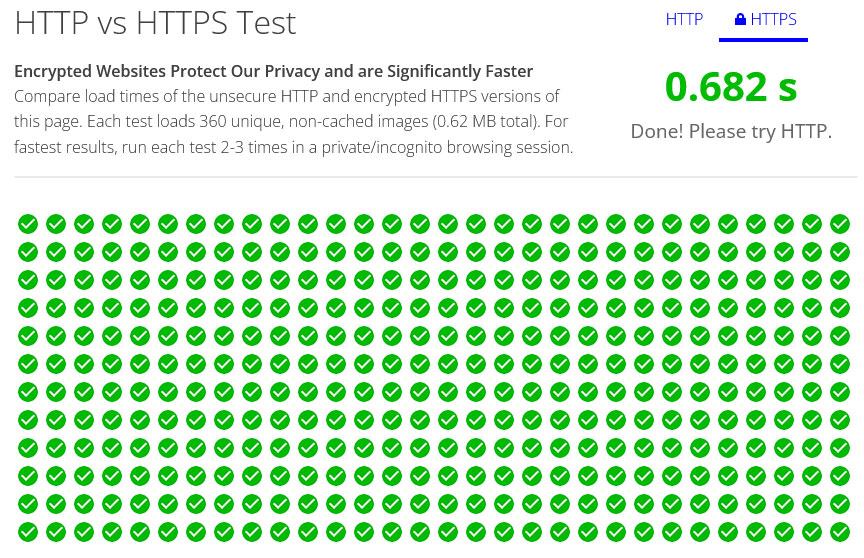
    HTTPS (HyperText Transfer Protocol Secure) is essentially HTTP with an added layer of security, thanks to SSL/TLS encryption. Not only does this make your website more secure, but it also instills trust among visitors. Google even considers HTTPS as a ranking factor, so it’s a win-win situation.

    However, in addition to security improvements, using HTTPS is also good for site performance. That’s because it uses HTTP/2, which includes several speed improvements compared to its predecessor. You can even try it out for yourself here.

    http vs https test results

    For that reason, switching to HTTP2 can significantly speed up your website loading times, making for a smoother user experience.

    3. Consider Core Web Vitals

    Core Web Vitals serve as a collection of metrics designed to gauge the user experience on your website. These metrics have risen to prominence due to Google’s emphasis on this area, and they’re now central factors in search engine rankings.

    A satisfying user experience on your website isn’t a one-off event, it’s an ongoing process. Core Web Vitals act as your guide through this process, spotlighting key moments in a user’s engagement with your site. They also point out real-world performance bottlenecks, which you can use to fine-tune your website accordingly.

    To gauge these performance indicators, you generally have two methods to pursue:

    • Lab Data — This is data gathered in a controlled setting, which is great for troubleshooting and yields consistent results.
    • Field Data — Information collected from actual user interactions, offering a genuine snapshot of your user experience, albeit with less capacity for debugging.

    For measuring these vitals, tools like PageSpeed Insights and Chrome Dev Tools are indispensable resources. They can provide insights on all Core Web Vitals metrics, namely Largest Contentful Paint, First Input Delay, and Cumulative Layout Shift.

    4. Update to the Latest PHP Version

    PHP is the scripting language that powers WordPress, but different versions of PHP can have a significant impact on your WordPress site’s performance. 

    For instance, a report put together by Cloudways showed that PHP 8 loaded three times faster than PHP 5.6.

    php versions speed comparison
    Image source:
    Cloudways

    The latest PHP versions also come with improved security features and are more likely to be supported by plugin and theme developers. So, if your site is running on an outdated PHP version, upgrading to the latest version can bring about a noticeable improvement. 

    5. Use a CDN

    A Content Delivery Network (CDN) is a global network of servers designed to distribute your WordPress site’s static content—like images, CSS, and JavaScript—and sometimes even dynamic content. The goal is to minimize latency by delivering this content from servers geographically closer to the person visiting your website. 

    content delivery network cdn diagram
    Image source: Kanoha, CC BY-SA 3.0, via Wikimedia Commons

    For instance, a user in Europe will access your content from a European server, while a US visitor will be served from a server within the United States.

    But CDNs bring more to the table than just speed enhancements. They also come equipped with a suite of security features. Many CDN services include advanced firewall configurations, protection against DDoS attacks, and even complimentary SSL certificates. 

    These added layers of security are especially valuable for WordPress sites, which are frequent targets for a variety of cyber threats.

    6. Carefully Consider WordPress Themes

    neve theme demo

    Though there are thousands of WordPress themes available, they’re not all the same in terms of quality. Some themes come with built-in speed optimization features that can significantly improve your site’s performance or simply use speed-optimized code. Some well-known examples are:

    1. Astra — Known for its lightweight design and SEO-friendly structure. 
    2. GeneratePress — Intuitive design and performance-oriented features make it a perfect choice for users with minimal coding experience. 
    3. Neve — Its fast loading times and SEO optimization work well for those looking to increase their visibility. 

    No matter what theme you choose, be sure to check its ratings and read user reviews before committing. This is a good way to make sure you’re picking up the best option for your website’s needs.

    7. Optimize Images

    tinypng best seo tools

    Images can really make or break a website by adding visual appeal and context to your content. However, they can also drag down your site’s performance if not optimized properly. Large, unoptimized images can slow down your site, eat up bandwidth, and even affect your SEO rankings.

    Image compression is a way to reduce the size of your images and make them load faster. Here, you generally have two options:

    • Lossless — This method compresses the image without losing any quality. It’s ideal for images that require high detail.
    • Lossy — This method reduces the file size by removing some data from the image. It’s more effective in reducing file size but can result in a slight loss of image quality.

    There are several external tools available for image optimization and while some have plugin versions available, too, you can just as easily use them on their own. A few popular options include:

    • TinyPNG — This tool uses smart lossy compression techniques to reduce the file size of your PNG and JPEG images.
    • Squoosh — An open-source tool that allows you to compress and resize images using various formats and settings.

    8. Enable Gzip Compression

    You can not only use compression for your images but also for your site as a whole. That way, the files that make up your website are shrunk, which makes them faster to download and display.

    Pretty much every WordPress performance plugin includes the option to switch on compression. However, if you want to avoid using plugins (as we are doing here), you can also switch it on manually by adding the following markup to your website’s .htaccess file.

    <IfModule mod_deflate.c>
      # Compress HTML, CSS, JavaScript, Text, XML and fonts
      AddOutputFilterByType DEFLATE application/javascript
      AddOutputFilterByType DEFLATE application/rss+xml
      AddOutputFilterByType DEFLATE application/vnd.ms-fontobject
      AddOutputFilterByType DEFLATE application/x-font
      AddOutputFilterByType DEFLATE application/x-font-opentype
      AddOutputFilterByType DEFLATE application/x-font-otf
      AddOutputFilterByType DEFLATE application/x-font-truetype
      AddOutputFilterByType DEFLATE application/x-font-ttf
      AddOutputFilterByType DEFLATE application/x-javascript
      AddOutputFilterByType DEFLATE application/xhtml+xml
      AddOutputFilterByType DEFLATE application/xml
      AddOutputFilterByType DEFLATE font/opentype
      AddOutputFilterByType DEFLATE font/otf
      AddOutputFilterByType DEFLATE font/ttf
      AddOutputFilterByType DEFLATE image/svg+xml
      AddOutputFilterByType DEFLATE image/x-icon
      AddOutputFilterByType DEFLATE text/css
      AddOutputFilterByType DEFLATE text/html
      AddOutputFilterByType DEFLATE text/javascript
      AddOutputFilterByType DEFLATE text/plain
      AddOutputFilterByType DEFLATE text/xml
    
      # Remove browser bugs (only needed for really old browsers)
      BrowserMatch ^Mozilla/4 gzip-only-text/html
      BrowserMatch ^Mozilla/4\.0[678] no-gzip
      BrowserMatch \bMSIE !no-gzip !gzip-only-text/html
      Header append Vary User-Agent
    </IfModule>

    For detailed instructions on how to do this this, check our Gzip compression tutorial.

    9. Activate Browser Caching

    While you are inside .htaccess, you might as well switch on browser caching. Browser caching is like a memory bank for your website. It stores static files like images, CSS, and JavaScript on the visitor’s device. That way, the next time they come to your site, these files load from their hard drive instead of being downloaded again from the server. As you can imagine, that is a much faster.

    Below is the code you can use to make that happen. Place it inside .htaccess before the # END WordPress line (code source: GTMetrix).

    <IfModule mod_expires.c>
      ExpiresActive On
    
     # Images
      ExpiresByType image/jpeg "access plus 1 year"
      ExpiresByType image/gif "access plus 1 year"
      ExpiresByType image/png "access plus 1 year"
      ExpiresByType image/webp "access plus 1 year"
      ExpiresByType image/svg+xml "access plus 1 year"
      ExpiresByType image/x-icon "access plus 1 year"
    
      # Video
      ExpiresByType video/webm "access plus 1 year"
      ExpiresByType video/mp4 "access plus 1 year"
      ExpiresByType video/mpeg "access plus 1 year"
    
      # Fonts
      ExpiresByType font/ttf "access plus 1 year"
      ExpiresByType font/otf "access plus 1 year"
      ExpiresByType font/woff "access plus 1 year"
      ExpiresByType font/woff2 "access plus 1 year"
      ExpiresByType application/font-woff "access plus 1 year"
    
      # CSS, JavaScript
      ExpiresByType text/css "access plus 1 year"
      ExpiresByType text/javascript "access plus 1 year"
      ExpiresByType application/javascript "access plus 1 year"
    
      # Others
      ExpiresByType application/pdf "access plus 1 year"
      ExpiresByType image/vnd.microsoft.icon "access plus 1 year"
    </IfModule>

    10. Remove Unused Plugins

    Unused plugins aren’t just taking up space on your web host’s server—they’re also potential liabilities. The truth is, every plugin you install adds code to your WordPress installation. Even if you’re not actively using a plugin, its code can still load and affect your site’s performance.

    wordpress plugin menu

    Unused plugins also create security vulnerabilities. Hackers often exploit vulnerabilities in poorly maintained plugins to gain unauthorized access to websites.

    And they can even cause conflicts with other plugins or themes you’re actively using. The more plugins you have, the higher the likelihood of them conflicting with each other or with your active theme. This can lead to all sorts of issues, from broken features to complete site crashes.

    That’s why removing unused plugins is a smart idea. Regularly audit your plugin collection to see if you actually need everything active on your site or if you can remove or replace plugins with leaner solutions.

    11. Move JavaScript to the Footer

    JavaScript files can be resource-heavy and slow down your website if they’re not managed properly. By moving JavaScript files to the footer, you allow the browser to render the page without waiting for these scripts to load.

    render blocking resources in pagespeed insights

    This also improves the user experience, as site visitors can start interacting with the page sooner, which can lead to better engagement and lower bounce rates. Learn more about this in our article about render-blocking resources.

    12. Use Google Tag Manager

    Google Tag Manager is a game-changer when it comes to managing multiple tracking codes on your website. Instead of manually adding tracking codes for Google Analytics, Google Ads, and other third-party services separately, you can manage them all in one place.

    The tag manager is also asynchronous, meaning it doesn’t block the rendering of other elements on your page. This ensures that your site loads quickly, even when you’re using multiple tracking tags. Plus, Google Tag Manager allows you to deploy tags based on triggers, giving you more control over when and how they fire.

    Final Thoughts: Optimizing WordPress Speed Without Plugins

    As we’ve established here, a slow website is more than just a nuisance—it’s a business liability that can cost you visitors, conversions, and revenue. While plugins may seem like a quick fix, they often bring their own set of problems. That’s why it’s crucial to take a more holistic approach to WordPress optimization. 

    From conducting an initial speed audit and making informed choices on hosting and themes, to fine-tuning images and taking advantage of compression and caching, every detail matters. So don’t wait—take control of your WordPress site’s performance now.

    And remember, optimization is not a one-time setup but an ongoing process. Keep monitoring, keep tweaking, and most importantly, keep optimizing for a faster, more efficient website.

    How do you optimize your WordPress site’s performance without plugins? Any additional tips and measures? Feel free to share your thoughts in the comments below!

    The post 12 Tactics for WordPress Speed Optimization Without Plugins appeared first on Torque.

  • Press This: Is Your Site Ready For MySQL 5.7’s EoL?

    Welcome to Press This, the WordPress community podcast from WMR. Each episode features guests from around the community and discussions of the largest issues facing WordPress developers. The following is a transcription of the original recording.

    Powered by RedCircle

    Doc Pop: You’re listening to Press This, a WordPress community podcast on WMR. Each week we spotlight members of the WordPress community. I’m your host, Doc Pop. I support the WordPress community through my role at WP Engine and my contributions at Torquemag.io. You can subscribe to Press This on RedCircle, iTunes, Spotify, or your favorite podcasting app. You can also download the episodes directly from WMR.fm.  

    Now, on October 31st, MySQL will end support for MySQL version 5.7, and although this date happens to fall on Halloween, there’s no reason for WordPress users to be…scared of this upgrade. It is a big upgrade, and as I understand, 75 percent of WordPress sites are still using MySQL version 5.7. 

    Today we’re going to be talking to Carmen Johnson, a platform product manager at WP Engine, about everything you need to know to upgrade your MySQL database, Carmen, how are you doing today?

    Carmen Johnson: I am doing fantastic, Doc, thanks for asking.

    DP: Awesome, let’s kick this off. I’d like to hear your WordPress origin story before we get into MySQL.

    CJ: Definitely, happy to share it. I have to say it’s not super interesting or fascinating, but, my WordPress origin story actually began at WP Engine. So, I had a background in tech. I worked at several different tech companies in Texas, and WP Engine landed on my radar through just folks in my network who I trusted and I’ve worked with previously who just had nothing but the best things to say about WP Engine and our leadership in the WordPress community. So I just wanted to come on over and taste the Kool-Aid, as you can say. And I’ve been doing that for almost five years now.

    DP: Awesome, well, congrats. We’re happy to have you in the space and on the show to tell us about WordPress’s upcoming database switch. Is there like a name for this? Is it, I don’t want to be overly dramatic, but it’s not like MySQL 5.7-ageddon or something, right?

    CJ: No, no, no, nothing, nothing that, intense. No, it’s just, you know, part of the standard end-of-life upgrade process that many different WordPress technologies have, and it just so happens to be the time for MySQL version 5.7 to have its own end-of-life process.

    DP: I’m not sure if all my stats were correct. So feel free to correct me if I got anything wrong. But as I’m looking around, it looks like about 75 percent of WordPress sites are still running MySQL version 5.7. I guess one of the things I wanted to know was—is a MySQL database sort of like WordPress in that I should just normally be keeping it up to date? Like, I always tell people, be on the current version of WordPress, if you can. Is a database something different where people are less likely to be switching all the time?

    CJ: Not at all, and if anything, I’d say it’s probably even more critical that you keep your database versions up to date. You know, you’re hosting all of your critical site, housing, rather, all of your critical site information there. So it’s very important that you keep your database versions up to date, whether it’s through, a managed host or D-I-Y, it doesn’t really matter, you know, the, the method, but definitely ensuring that your database is going to be secure and that your information that you’re storing there is going to be secure is super-critical.

    DP: And with that, why is MySQL end of life-ing an older version like 5.7?

    CJ: Essentially, as I alluded to earlier, it’s, it’s just a part of the lifecycle of technologies like these. So as new technology enhancements are coming out, as we’re discovering more ways that people can, bad actors, rather, can try and infiltrate systems. You know, security remains top of mind and a top priority with different technologies like MySQL. So, with the end of life of 5.7, the newer version, MySQL 8, which has been out for a few years now, definitely incorporates a lot of those different security and feature enhancements that are just going to ensure that your sites are secure and are functioning as optimally as they can.

    DP: You mentioned MySQL 8 has been out for a few years. MySQL 8.1 is even out now, is that still like a bleeding edge release, or is that like a stable release that people should be going to?

    CJ: Yeah, great question. MySQL 8.1 was released back in July of this year, and as you called it, a bleeding edge release, it is still very, very early in its life cycle. It has not yet reached long-term support, and what long-term support generally means is that any bugs or fixes that need to be addressed have, for the most part, done that. The version has been out for a while. It’s been fairly widely adopted and is stable. MySQL 8.1, with it having just been released a few months ago, hasn’t quite reached that status. So, for that reason, MySQL 8 is the only version that’s fully supported and is in that long-term support status.

    DP: So if a WordPress user is going to be upgrading from 5.7 or whatever version they’re on to 8, what steps should they be taking? Like what can you lay out for them for a path to MySQL 8?

    CJ: Yeah, so, first thing, you’re definitely gonna want to spin up some sort of dev environment, to test your sites and your database against that new version of MySQL 8.0. And there are many ways you could do this. With WP Engine specifically, you can leverage our Local dev testing environment, and we have lots of documentation available in our support center that can help walk you through exactly how to test your site, the key things you should be looking out for, specific errors and different things that can trigger, how to debug your different PHP and other file types to find errors or different things that may indicate incompatibility with the new version.

    Thank you. so that, you know, you could address those and ensure that your sites are ready to go. But even with that testing, whether you’re with a host or not that is, that is a managed host that is providing those capabilities for you, it’s gonna be really critical that you ensure that your sites are gonna be happy and are gonna perform well on the new version before performing an upgrade, just to prevent breakage or any sort of critical site failures, due to not testing.

    DP: You mentioned if you’re a WP Engine customer there’s Local support, but Local is available outside of WP Engine. And as I understand it, it’s still like the go-to for local dev testing, right? Like whether or not you’re a WP Engine customer, you probably are going to spin up a local instance to test out the new database.

    CJ: 100%, great call out. Yeah, regardless if you’re with WP Engine or not, Local does remain the standard for dev testing, and you don’t have to be a WP Engine customer to leverage that.

    DP: And so does that also kind of imply that—this is a newbie question, as we were saying before the show, I know enough to know not to upgrade my own database on WordPress—but is a local environment the most convenient way to test it? Is it the best way or I guess what I’m getting at is, I would sometimes just spin up a new online staging environment maybe, and try something like that, which I assume is bad practice, but I was hoping you could just kind of tell me why.

    CJ: Yeah, that’s a great clarification, and I guess, to be clear here when we say, you know, a local testing environment, you know, for many folks, you know, being able to pull down your site into your machine and, and test it out, um, locally, you know, literally, uh, locally on your machine, is a safer way to test. You’re just ensuring that there’s no impact on your site, to your prod environments, you’re able to test a wide variety of different scenarios without any potential impacts to your live production environments. But that said, if you wanted to really ensure that your sites are going to behave well in those live prod environments, you may have the option to spin up an actual test server, that’s kind of a production environment, but you’ve got your staging and your dev sites there that you could test against. And that just gives you a little bit more, confidence, I guess, that you’re going to have more of that one-to-one experience versus with Local, there is the potential that there may be certain results within a local environment that aren’t replicated in a production environment.

    So it really just depends on the user and your site and what you’re needing to accomplish. So whether that be testing on a production server within a staging or dev environment, or testing locally on your machine, the main goal there is just to ensure that you are following some testing steps ahead of making that switch to a newer version.

    DP: You know, with that, Carmen, I think we are going to take a short break and when we come back, we’re going to pick up this conversation on what devs need to know after they’ve done their testing to get ready for MySQL 8, as well as maybe some other factors about improvements that they might get from this new version, and some other general questions. So stay tuned. We’re going to take a short break and we’ll be right back.

    DP: Welcome back to Press This, a WordPress Community Podcast. I’m your host, Doc Pop. I’m talking to Carmen Johnson, a platform product manager at WP Engine about MySQL end-of-life-ing, MySQL v5.7, and what developers need to know. I think right before the break, we were saying that if you are getting ready to upgrade, the first thing you should do is spin up another environment and test out the v5.8 or whichever version you’re going to switch to. Test it out. Make sure everything’s working. I guess we didn’t mention it, but a little spoiler, that includes making sure your plugins are working, you know, not just visually, the site’s loading, but sort of testing out everything. Once people have tested out their functionality, Carmen, what should they be doing next?

    CJ: Yeah, great question. So once you’ve completed your testing cycles and you’re confident that your sites are ready for the upgrade, then it’s just preparing for the upgrade itself, and that could look very different depending on how you’re hosting your sites. 

    So, for instance, if you’re a WP Engine customer, you’re hosting your sites with WP Engine, we’re handling that upgrade process on your behalf. If you are a customer of ours, you’ve probably already received communications from us about this upgrade wave, and, that’s already underway, and we are actually handling getting your sites from MySQL 5.7 on to 8. 0, for you. If you are not hosting with us and you’re leveraging a D-I-Y do-it-yourself solution, you’ll of course need to handle that upgrade yourself to avoid putting yourself at risk of security breaches—and there is public documentation available from MySQL to help you through that process.But in either case, it’s something that you’re going to need to do to avoid being on a version that’s no longer officially supported. 

    If you are not doing DIY, but you’re just on a different managed host outside of WP Engine, I’d highly recommend that you check in with your host as soon as possible to learn about their plans for this upgrade, as it is impacting all WordPress users regardless of hosting provider.

    DP: I know that downtime, you should be prepared for downtime if you’re doing an upgrade like this. And I guess part of that kind of factors in, even if you did your testing, maybe something still happens. So just be, you know, be ready for downtime. But if I’m a WP Engine customer or another host that will do a similar upgrade for me in the back, kind of like invisibly, right? 

    And they’re handling it for me. Is there a chance that I’ll still have the downtime?

    CJ: Yeah, that’s a really great question, and it is definitely something to prepare for, as you will certainly have downtime—with the upgrade comes a database restart. So regardless of your host or DIY or what have you, you are going to experience downtime on your sites as your databases are going down on 5.7 and coming back up on the the newer version. 

    The good thing for WP Engine customers is that we are timing these upgrade cycles with your standard maintenance window. So, depending on where you’re located, the upgrade itself would be happening during your already communicated maintenance window. So, it wouldn’t be any, unexpected downtime outside of those maintenance windows. But if you’re not with a host and you don’t have that set up, you could expect to need to put up some sort of maintenance paid or something for your customers to ensure that they’re not having a bad experience as those databases are restarting.

    DP: So let’s talk about the good news here. Assuming this gets a whole bunch of people, 75 percent of WordPressers, hopefully, will move over to version 8.0 or higher. What benefits can they get out of a database upgrade like this?

    CJ: Yeah, there’s definitely some good news there, as there are some noted advantages with MySQL 8 specifically—specifically some performance and functionality enhancements like enhanced security with OpenSSL improvements, a new default authentication method, the introduction of SQL roles, breaking up the super privileged password strength enhancements, a lot of technical jargon that basically just equates to really enhanced security, with MySQL 8.0, as well as improved performance. There are enhancements to NODB, which deliver better read, write, workload performance, IO bound workloads, basically ensuring that the NODB buffer is performing well. And including things that devs love, like improved SQL code organization and readability, with the introduction of some new features, like SQL window functions and common table expressions. There’s also some enhanced JSON capability in there, and just overall reliability, that comes with MySQL 8 specifically.

    So definitely some good things to come along with just knowing that you’re going to be on the most secure version of MySQL.

    DP: Yeah, I feel like largely what I’m hearing here is security. You did briefly mention that there’s gonna be a couple new ways that coders are working. And so this kind of standardizes towards those new ways so that, developers will have an easier time using MySQL, but largely what I’m hearing is SSL upgrades and changing how permissions are broken up for users.

    I didn’t know about the super-user thing. That sounds a little sketch. Like, if that gets hacked, that sounds scary. But, anyway, it sounds largely like what we’re talking about, aren’t your typical speed improvements, although there might be some, it sounds largely like this is a big security upgrade for MySQL.

    CJ: Definitely, definitely. All signs are pointing to that. This is mainly a lot of security enhancements that are coming with this new version.

    DP: I was kind of wondering, I don’t know if you’ll be able to tell me this, but as I’m kind of learning about this, cause this is not, I don’t talk about MySQL databases often. I just keep staring at this number that makes no sense to me. And Carmen, I hope you can explain it to me. We’re, we’re just seeing like all these releases, 5.1, 5.2, 5.7, and then just this gap to 8.0, and then 8.1, and it’s all so different than how WordPress works. The releases seem like years apart. And I don’t know, do you understand the naming convention and the numbering convention and why we went from 5.7 to 8?

    CJ: Yeah, that’s a great question, and it’s actually a common one that we at WP Engine do get a lot. Unfortunately, I’m going to have to disappoint you and tell you that I don’t have a good answer for it, other than MySQL just didn’t release any new versions between 5.7 and 8.0. Obviously there are sub-versions, so 5.7.x, but there were no other major versions of releases between 5.7 and 8.0. If anyone does know the answer to that question of why they skipped so many levels before eight, I’d love to hear it.

    DP: We’d have to look into the Oracle. But if it was, that was a pun by the way. 

    CJ: Yeah

    DP: At least they’re not doing like what Apple’s doing where it’s like, iPhone nine, iPhone X, iPhone XR, right?

    CJ: Yeah. There’s at least some rhyme and reason.

    DP: Yeah. Okay, so we are going to take one more short break and when we come back, we’re going to pick up our conversation with Carmen about MySQL 8 and the end of life of 5.7, so stay tuned for more after this short break.

    DP: Welcome back to Press This, a WordPress Community Podcast. I’m your host, Doc Pop, talking today to Carmen Johnson, a platform product manager at WP Engine, about MySQL end of life for 5.7 and the advantages of moving to MySQL 8. And also, if you happen to be, because I’m sure there’s someone out there that’s just, every time we say MySQL, it could be also “M Y S Q L” right? Or My-S-Q-L. Apparently, that’s what Oracle says on their site is the standardized pronunciation, but after saying my-sequel for so long, it’s hard for me to get used to any other way to say it.

    CJ: I have the same problem.

    DP: Kind of along those lines, I was actually wondering Carmen, we’ve talked about your advice for people who are going to be upgrading and about the benefits of the new version. And I mentioned earlier in the show that I’m kind of used to the way WordPress does things, and I forgot to look it up before the show, but I know that WordPress supports practically all versions of WordPress, like there’s a big brouhaha when they’re talking about stopping support for WordPress 3 or something for like really old versions. And MySQL does it totally the opposite way. We’re talking about, the last major version before 8.0 was 5. 7, and they’re getting ready to end-of-life that last version. So they’re not supporting multiple major versions, like WordPress is.

    And I guess, to get to my question, Carmen, I was just wondering if you had any thoughts on how you thought they handled this, you know, did they communicate it to the users well? And what you think about their decision to end of life the previous version, which was admittedly seven years old?

    CJ: So, you know, in my personal opinion, I don’t feel that they were as vocal, to be frank, about the upcoming end of life as they could have been. But to be fair, there are many implementations of MySQL outside of Oracle’s officially supported version. So, you know, to be able to capture that broad of a swath and run that program essentially, efficiently. It may have just been something that they weren’t able to do. But speaking specifically of Oracle, I do think they could have been a bit more vocal. Granted, you did mention that this version, 8.0, has been out for quite some time now, but with an end-of-life, especially one that comes with potential security risk, significant security risk, for people remaining on this older version, I do think that there, there was an opportunity for them to be a bit more vocal in encouraging users to adopt MySQL 8, earlier.

    DP: And this would go towards, I guess, people who are hosting kind of on like not managed hosts and they just maybe have this kind of long-running site that maybe they’re keeping their WordPress version up to date all the time, but they haven’t updated, you know, anything else. anything external, like their database, they haven’t updated it, let’s say in, you know, six or seven years.

    So these would be the sort of people that, if they didn’t hear about it, and their host isn’t upgrading them as a kind of a privilege of being on that hosted, managed server, then they might run into security issues. Maybe not right away, not like November 1st, but you know, next year, they still probably don’t know that there’s a new version and that MySQL 5.7 is no longer supported. So these are the users that you’re saying maybe would be at risk because they didn’t hear about it.

    CJ: Yeah, absolutely. and I’m actually gonna let you in on a little secret here since you did mention it. you know, There may be people that are using versions of MySQL even older than 5.7. Versions that have already been end of life, and they just don’t realize it because they’re not working with the host or some provider that’s able to help them keep those versions up to date.

    So yeah, this is definitely a risk that is present if you’re hosting on your own or D-I-Y and, you know, just aren’t tied into the MySQL community in that way.

    DP: Well, I think on that note, Carmen, that’s all the questions I had. If someone listening to this has another question about the upgrade or just how WP Engine is handling it, is there a place that you recommend that they reach out or look for more thoughts?

    CJ: Absolutely. So we’ve definitely curated a lot of content in our support center in helping prepare people for this switch to MySQL 8. So you could go to wpengine.com backslash support backslash prepare for MySQL 8. And we have a plethora of information there around what exactly this end of life is, what it means for you, how to test your site, and as always, as a customer, you can definitely reach out to our support team if you have any specific questions about your site or need assistance with testing, or just want to know about the upgrade itself.

    DP: Well, I really appreciate you joining us today, Carmen. if you enjoyed this episode, I wanted to recommend that you check out more episodes on torquemag.io. We do our best to put up transcribed versions of each episode, so you can dive in there.

    You can also subscribe to Press This on your favorite podcasting app. Mine is Overcast. Thanks for listening to Press This, a WordPress community podcast on WMR. You can follow our adventures on Twitter at the Torque mag, or you can go to torquemag.io, as I mentioned earlier, to find previous episodes.

    You can subscribe on RedCircle, iTunes, Spotify, or download directly from WMR.fm. I’m your host, Dr. Popular. I support the WordPress community through my role at WP Engine, and I love spotlighting members of that community each and every week on Press This.

    The post Press This: Is Your Site Ready For MySQL 5.7’s EoL? appeared first on Torque.

  • Press This: Word Around the Campfire September 2023

    Welcome to Press This, the WordPress community podcast from WMR. Each episode features guests from around the community and discussions of the largest issues facing WordPress developers. The following is a transcription of the original recording.

    Powered by RedCircle

    Doc Pop: You’re listening to Press This, a WordPress Community Podcast on WMR. Each week we spotlight members of the WordPress community. I’m your host, Doc Pop. I support the WordPress community through my role at WP Engine, and my contributions over on TorqueMag.Io where I get to do podcasts and draw cartoons and tutorial videos. Check that out.

    You can subscribe to Press This on Red Circle, iTunes, Spotify, your favorite podcasting app or you can download episodes directly at wmr.fm. 

    Now each month on Press This, we do this thing called Word Around the Campfire where we grab some marshmallows, chocolate, graham crackers, light a campfire, and we get around and we talk about this month’s news. And there’s a lot of news to talk about this month.

    I’ll just go on and let you know we’re going to start talking about events, and WordCamp US, we’re also going to cover MySQL. We’re going to talk about what’s coming in WordPress 6.4. We’ve got a lot of other stuff to cover in here, so stay tuned. But to help me out with this episode, I’ve got two special guests joining us.

    I’ve got Mike Davey, a Senior Editor from Delicious Brains. Howdy, Mike.

    Mike: Hi, Doc.

    Doc: And Damon Cook, a Developer Advocate at WP Engine. Damon, thanks for joining us.

    Damon: Hi Doc, glad to be here.

    Doc: All right. And let’s kick this off with talking about WordCamp US, which, gosh, I think just wrapped up two weeks ago as we’re recording and, there were 2000 attendees gathered at the Gaylord National Resort and Convention Center just outside of DC.

    This was the largest WordCamp US ever. Damon, did you have any highlights from this year’s WordCamp that you wanted to bring up?

    Damon: I think the common takeaway for me was the hallway track of just interacting with folks, getting to meet face to face. It had been a long time for myself and that was actually the first flagship WordCamp US event I’d been to, besides small local ones and it was a great experience.

    It was really great to meet a lot of the community and get some face time.

    Doc: You know, what you’re bringing up, I think, was kind of what made this unique. Last year, WordCamp US was capped at 650 attendees, and this year they didn’t have a cap. We had around 2,000 attendees. So it was kind of back to pre-pandemic levels. And I actually appreciated last year as kind of a way to ramp back up to being social and doing these things again.

    One of the things that I noticed that had changed just even between this year and last year was social media, like where people were communicating and how they were organizing. And I did a series of interviews with people at WordCamp US. I asked them all sorts of questions, but the one question I asked everybody was about are you still using Twitter or have you found something else?

    And there’s a lot of strong opinions about it and there is no consensus on what’s happening. But I think the one thing that I heard from a lot of people was that this event felt large and kind of back to normal. But one thing that they felt was they were like on Mastodon or they were looking on Instagram. They were kind of all other places. 

    Damon, you’re using Twitter. Did you notice any sort of difference between this year’s event and any others you’ve been to?

    Damon: Yeah, that’s interesting. Yeah. I think there’s still a bit of community on Twitter X. I have not tried Mastodon myself, so, I’m missing out on probably a large part of the community in that aspect. So I can’t really speak to that, but yeah, I can see how there is definitely a complexity and diversity in the social media realms these days.

    Doc: One of the other things that I was kind of looking for themes this year, and if we were talking about our predictions for WordCamp US in January, I think we would all be talking about AI. Is AI going to have fizzled out or is it going to be all everyone can talk about? And when I went to WordCamp US, what I noticed was it was neither of the two. AI is so common that it’s mundane. 

    Everybody had a new AI product, but I don’t think anybody was trying to make it their differentiator because everybody else also had some sort of AI onboarding or AI to help you write emails or to write your metadata. They all kind of had it in just a very mundane way.

    Not like it’s changing everything, although I guess it has changed everything, but in a way that’s just like, okay, yeah, we’re all using this feature a little bit, and we’re not figuring out how to do this yet. Did you, did you notice anything kind of along that lines about like AI and WordPress?

    Damon: At WordCamp US? No, I think just in general though, it’s pretty early certainly there’s some products out there in the WordPress Ecosystem. And I think it’s the early days. I mean, yeah, it’s easy to say, right? I think that the first round, first batch and first inflection point for AI and WordPress is quieting down and still taking shape, I guess in a way, but I didn’t notice any highlights of AI permeating in WordCamp US.

    Doc: What I was kind of thinking was just like every company of a certain size has to have an SEO person. I feel like there’s going to be something like that. Every company is just going to have to have that AI person and it’s going to be just sort of there. And we’re still maybe figuring out how it’s going to revolutionize everything and SEO is very important, but like in the same way, I think we haven’t quite upended an industry yet, but it’s getting integrated and almost, kind of, I’m not saying SEO is mundane, but I think y’all know what I’m saying. Where it’s just like, yeah, we have an AI guy and they’re doing this thing and we’re on top of it.

    That’s sort of what I got this year.

    Damon: Yeah. The use cases though should be interesting. 

    Doc: And next year, we should see a much different iteration at WordCamp US. Let’s talk about some of the other upcoming WordPress events. WordPress Accessibility Day is coming up. 

    This is gonna be a free virtual 24 hour conference on WordPress accessibility. And Mike, you were just saying before the show that you signed up for this event, right?

    Mike: Yeah, I did. It’s actually something I’m personally fairly interested in, but I’ve only become interested in it, to my shame, in the last couple of years. But one of the presentations I’m really looking forward to is Allie Nimmons is giving a presentation on Accessibility Beyond Blindness. And just the abstract notes that when we speak of web accessibility, our minds can immediately go to optimizing for the visually impaired. 

    And that’s actually just something that I’ve been thinking over for the last couple of weeks, that that’s how I usually think of accessibility as well, and I think that’s probably a trap, and I need to get beyond that. So I’m really looking forward to that. 

    And I mean, there’s probably a lot of practical value in it. Seminars like, Is My WordPress Site Accessible? How to Perform Accessibility and Usability Tests. Because a lot of us just don’t know how to test for it. So, I’m looking forward to that one as well. And the nice thing about this conference is, of course, that it is both free and online.

    Doc: When I was first hearing about WordPress Accessibility Day, I thought this was a contributor day type event.

    But as far as I see, it’s actually more of like a kind of a WordCamp, an online WordCamp about accessibility. Right?

    Mike: Exactly.

    Doc: Well, cool. I’m excited about that. And the next event that was going to be coming up was WordCamp Rochester, which Mike, you were saying that you had hoped to go to before, right?

    Mike: No, I was hoping to go to WordCamp Niagara Falls.

    Doc: Niagara. Yes. And okay. And I think this kind of brings us to, oh right, Damon’s going to be going to, but WordCamp Niagara Falls in Canada was one of the events that recently announced or quietly announced that it got canceled along with WordCamp Omaha. So these are two events that are coming up soon or were coming up soon.

    And I think this is just kind of an interesting thing. I don’t know if I have any theories as to what’s happening, but it does seem like some of the smaller events are having a hard time getting going this year. Damon you were planning on going, you were going to speak at WordCamp Omaha.

    Can you tell us about what you know about what happened to that event?

    Damon: Yeah, I think some of the local WordCamps are having a hard time starting back up post COVID. Having organized WordCamp pre-covid back in the day, it is a large effort and takes a team to organize and a lot of moving pieces sponsors, attendees, speakers, filling all those populations is pretty hard to do.

    And so I think that’s kind of what has been the case for Omaha. I know that there are several speakers already on the bill and I’m not sure if the organizers had a difficulty getting enough attendees or a full roster of speakers, but it’s unfortunate that they had to cancel. But I think WordCamp Atlanta is happening that same weekend so, that should be another one to keep eyes on.

    Doc: Since you were planning on going to Omaha, are you going to pivot and go to Atlanta instead?

    Damon: I did submit a speaker application for Atlanta, but I think I had missed the deadline, so I would not be surprised if I don’t even hear back. But another one that’s coming up that I had reach out to me was WordCamp Montreal. And I don’t know that it’s on WordCamp Central yet as an announcement, but they were looking for some preliminary reach out for speakers.

    Ao I did submit a talk for them. WordCamps are slowly popping up.But again, I think it’s hard to get all the ducks in a row and get all the interest in everything going again, so we’ll see what happens.

    Doc: WordCamp Montreal is going to be online November 8th.

    Damon: Okay it is, great.

    Doc: At least according to this current update, and that could change. And just as a reminder to anyone listening, you can find these events on central.wordcamp.org. If it’s something kind of unique, like WordPress Accessibility Day, you’re probably just going to want to use Google for that. 

    And so there are lots of events happening. We’re not trying to say they’re all getting canceled, but it does seem like organizers are having a hard time figuring out, between the large events, like the continental events, like WordCamp Asia and Europe and, uh, and US and some of the others, t seems like we’re having a hard time getting back just to our roots of like small meetups, even in San Francisco, we haven’t had, or in the Bay area, like Oakland used to have WordPress meetups once a month and those haven’t happened.

    It’s kind of tough for everybody. I don’t know if it’s lack of marketing or money that helped keep these events going. Or it’s lack of volunteers to help run them. I’m not going to try to make any guesses. It’s just interesting seeing what the space is like right now. 

    Well, we are going to take a quick break. And when we come back, we’re going to pick up our word around the campfire with Damon and Mike. We’re going to talk about MySQL. We’re going to talk about what’s coming in WordPress 6.4 and a new Advanced Custom Fields survey that just got finished. So stay tuned for more after the short break.

    Doc: Welcome back to Press This, our Word Around the Campfire edition, where we catch up with our friends, Damon Cook and Mike Davey. And we are talking about what’s happening in WordPress. We spent the beginning of the show talking about meetups. We just got done with WordCamp US and there’s a lot of other meetups happening and some that aren’t.

    Now we’re going to move a little bit to the meat and potatoes of WordPress. Let’s get started with just kind of talking about WordPress 6. 4 updates. Damon, why don’t you tell us about what we can expect from the next version of WordPress as far as what we know so far?

    Damon: Yeah, it’s pretty early on, the first beta isn’t even out yet, but there are certainly some features that look like they’ll land for 6.4. 

    One of the things is the Twenty Twenty-Four theme, which is getting lots of activity. I think it has about 40 plus contributors at this point, and that’s pretty amazing for one of the default themes, and I think it might even be a new record to just see that many contributors on a default theme this early on.

    That theme should be neat. It’s got a few different verticals that it’s kind of focused on like a portfolio, a blog, and a photographer, well, I guess that’s the portfolio. But that theme should be a neat result in 6.4. 

    Another one is the font library, which is still in the early stages, but you can test it out if you get the Nightly of Gutenberg and download that.

    But right now they’re focusing on just a small feature set for the font library, so basically, it’s just kind of like a media library, but you’re uploading fonts. And they’re all stored in a fonts directory. So it’s very parallel to the media library. You just drag and drop some fonts into a modal, they’re uploaded and then you can find them in the fonts directory and access them there.

    Doc: So if I have an unusual font that I want to use on my site, I can very easily just go in and add it myself to my site. Is that kind of how that works?

    Damon: Yes, that’s the idea.

    Doc: Neat. That’s cool. Because that’s something I’ve been wanting to do and it’s not hard to do currently, but it’s just one step more difficult than I’ve been able to do. So if it was just like a font library that I could go to, that’s pretty interesting. 

    And you mentioned the Twenty Twenty-Four Theme, one of the things I was hearing there. Usually they kind of have a target, Twenty Twenty-Three could be just focusing on blocks and how you can kind of like make themes with these sub themes to them. But this one, instead of having something very specific, it sounds like they’re going for everything.

    This is going to be a theme that could be used for enterprise or for small businesses. It could be used for writers or artists. There’s a lot going on and it is interesting that they have a lot of people contributing to it. I’m actually on Twenty Twenty-Three for my personal blog and maybe I’ll switch over to Twenty Twenty-Four because it sounds like it would be a fun one to play with too.

    Damon: Yeah, test it out early. It’s on GitHub right now. It’s not available yet in the theme directory, but you can certainly test it out, install it, and there’s lots of activity and contribution back to it, so.

    Doc: So 6.4 is scheduled for November 7th, and it’s going to be led by an underrepresented, gender release squad. It’s got a lot of exciting stuff going on with it. We will keep you updated as we know more about that, but let’s switch over a little bit to MySQL or MySQL’s End of Life for 5.7. Mike, why don’t you tell us about that?

    You had a great write up on it on Delicious Brains. I’d love you to recap here.

    Mike: Thanks, Doc. I won’t be able to solve if it’s MySQL or MySQL, I mean, just as an example, I walked around, uh, calling URLs, URLs for years and not one person corrected me, so I’m not a good guide to how things are pronounced. 

    But I do know there are some changes you need to watch out for if you’re updating a WordPress site, from MySQL 5.7 to MySQL 8.0. And part of the reason for that is because 5.7 is reaching its end of life in October 2023 so it won’t be supported anymore. So a lot of people are going to be having to upgrade their sites. Just a few things to watch out for, like 5.7 supports some data types that became obsolete actually in previous versions, but they are simply no longer supported in 8.0.

    In a similar vein, support for partition tables using a storage engine without native partitioning support was deprecated in 5.7, but it’s completely removed in 8.0. The only supported storage engines in 8.0 are, that have native partitioning handlers are NODB and NDB, and partition tables using other storage engines won’t be available after you update.

    You need to either convert the table or remove the partitioning before you make the update, or you won’t be able to use the table for anything. Like, I won’t be able to access it. 

    There’s a few other things you need to watch out for. There’s some new reserved keywords. They weren’t previously reserved but they are now, which could cause keywords that you’d previously used as identifiers to become illegal. There is a list of reserved keywords that they’ve got. But on the other hand, you also get improved security, like the Default Authentication plugin provides more secure password hashing than the previous one.

    According to the test results I’ve seen, there is actually quite a bit of enhanced performance and it’s more scalable. Like test results were showing fairly significant speed increases. The example query was to retrieve column names for all NODB tables. The tests ended up executing hundreds of times faster on 8.0 compared to 5.7, um, and I’ll pop in a link at some point to see if I can find those test results. 

    Doc: I have a dumb question here. So we don’t know how it’s pronounced, but I’m going to keep saying MySQL, is an open source,database management system. When I go to their site, when I go to mysql.com, it feels kind of like corporate, like there’s buy it here and stuff like that.

    I just kind of don’t quite understand this organization. And I guess the thing that’s sticking out to me is they are really good about saying, Hey, we’re going to stop supporting this or whatever, where WordPress has kind of infinite back support, maybe not infinite. I’m sure Damon knows how far we go back, but it is kind of interesting kind of comparing this other open source projects and just kind of seeing how different it feels and how transparent they are for better or worse with like, Hey, we’re going to stop supporting this. So you need to, you need to move and they give you six months notice, or I’m not sure how far, maybe even a year notice.

    That’s just kind of interesting to compare WordPress to MySQL, which are two different things, but they’re both open source projects and seeing how they manage themselves is interesting.

    Mike: Yeah. Well, I mean MySQL became a part of Oracle in 2010, I believe. So I think Oracle probably has had a fair amount of influence on how it presents itself to the world and just how they conduct everything.

    Doc: That does explain a lot. That explains that it’s still open source, but it’s part of Oracle and I can get that Oracle vibe on here. So, we are going to wrap up this segment and we’re going to take a short break. And when we come back, we’re going to wrap up the show with a bit of a survey that ACF took.

    So stay tuned for more after this short break.

    Doc: Welcome back to the Word Around the Campfire edition of Press This. As you can see, the campfire is slowly starting to fizzle. It means it’s time for us to pack up, but before we do, Mike, why don’t you tell us about the recent ACF survey that happened?

    Mike: Sure thing, Doc. We started this fairly early in 2023, but we’ve only recently published the results now. It surveyed about a little over 2,000 ACF users, and just from the results of the survey, we know over 80 percent of those folks were developers far outweighing any other category.

    The next highest was designer at a little under 8 percent, so almost 10 times as many developers as any other category. And it’s actually probably a bit higher than the figure we give on the website of 81 percent because we had a little under 3 percent answer Other, and when we unpacked those answers, we found a lot of them were combinations of the other categories, very often with developer in there, such as developer/business owner or designer/developer.

    That really does show that most of the people, not only is ACF a developer’s tool, which we all knew, but most of the people taking this survey are, in fact, working developers. Some of the more interesting things, you can hit up all the results on the ACF website.

    There’s a lovely infographic that sort of lays out a lot of the top line stuff, and then we get into a bit of the analysis down below. But there’s some things that aren’t there, necessarily. For example we had a question about how often to use the following ACF fields.

    And I’m really sure this was a bit of a slog for all the folks who completed it in the survey, because we asked them to rank how often they used each and every single field. Never, sometimes, frequently, or always. And the results on the ACF site, only show the rankings of the always column.

    And it’s pretty much what you’d expect. The top three are text, text area, and image. But when we unpack some of those results, though, it really highlights just how tremendously flexible ACF is, and how people are using it in a lot of diverse ways. We have fields like password. That a little over 56 percent of respondents say they never use it. And about five and a half percent who use it on every build. OEmbed is another one. Like, I think 36 percent or so people never use it. And yet 8.9 percent of people always use it. Those percentages are pretty far apart. But there’s a lot of other fields with closer spreads.

    We’ve got the gallery field. 22 and a half people never use it. 15 percent always use it. Tab fields. 16.9 percent, never. 25.16, always. When we look at that sometimes column, remember it’s Never, Sometimes, Frequently, and Always. So Sometimes is only the second one. You sometimes use it.

    The only fields that scored less than 10 percent of the respondents saying they sometimes use it are ones with absolutely enormous numbers in the Always column. There were just three that actually had less than 10 percent text, text area, and image. And the repeater field, which by the way is an ACF Pro field. The repeater field only got 10.53 percent of Sometimes use it. But on the other hand, it’s Always ranking is 52.98 percent. And there’s a cluster of a few fields that got 15 to 19 percent in the Sometimes, and all of those have always rankings between 35 and 50. It’s really interesting just because it shows that all of those fields are being used.

    There is no field in ACF’s over 30 fields that someone, like a fairly significant portion of developers, don’t consider essential. 

    Doc: Well, I think that’s a good spot for us to stop there, but it sounds like there’s a lot more to cover on that. If people want to learn more about the ACF survey or Mike, what you’re writing about in general, where would you send them?

    Mike: Well, for the ACF survey, I would hit up WP_ACF on Twitter, and follow there. I you want you can follow me on Twitter. And of course, you can always go to advancedcustomfields.com and the survey results should be fairly easy to locate.

    Doc: Well thanks for joining us and Damon, I know that we still didn’t get around to talking about 6.4’s block hooks. And I know you have a lot to say about that, but luckily people can catch you at WordCamp Rochester, right? To hear more about that.

    Damon: Yeah, that’s September 30th. I’ll be presenting on the 6.4 features. So yeah, I’ll be talking about Blockhooks

    Doc: where else can people find you online?

    Damon: Follow me on Twitter. That’s the best place to keep track.

    Doc: Well, that’s it for this week’s episode of Press This, our Word Around the Campfire edition. I want to say thanks again to Damon Cook and Mike Davey for joining me today. Next week we’ll be talking to Carmen Johnson about what developers need to know about MySQL’s end of life. And how they need to be prepared for it. And maybe the benefits even of upgrading as well. So stay tuned for that episode coming next week.

    Doc Pop: Thanks for listening to Press This, a WordPress community podcast on WMR. Once again, my name’s Doc and you can follow my adventures with Torque magazine over on Twitter @thetorquemag or you can go to torquemag.io where we contribute tutorials and videos and interviews like this every day. So check out torquemag.io or follow us on Twitter. You can subscribe to Press This on Red Circle, iTunes, Spotify, or you can download it directly at wmr.fm each week. I’m your host Doctor Popular I support the WordPress community through my role at WP Engine. And I love to spotlight members of the community each and every week on Press This.

    The post Press This: Word Around the Campfire September 2023 appeared first on Torque.

  • The WordPress Core Performance Team: What Do They Do?

    The WordPress Core Performance Team is a relatively new addition to the roster of WordPress teams. Just like the Sustainability Team, it hasn’t been around for that long.

    Partially, that’s because performance used to be a high priority for the WordPress community to address. Performance was mostly outsourced to hosting providers and plugins. Plus, there are so many things that users can do themselves to speed up WordPress websites.

    However, reports started piling up that WordPress was being left in the dust by competitors. As a consequence, the community decided that it was time to make WordPress core performance a stronger priority. Josepha Haden-Chomphosy also mentioned this at WordCamp Europe 2023

    So, in order to better understand who the Core Performance Team are and what they do, in this article we want to shine a line on them and their work. We will talk about why the team was created, what their goal is, and pinpoint some of their work product and results. Finally, we’ll tell you how you can get involved in the team and help improve WordPress performance as well.

    The WordPress Performance Team: A Detailed Overview

    wordpress core performance team

    If you are relatively new to WordPress, you might not know that the project splits different responsibilities up into teams, all with their own channels in Make WordPress.

    teams on make wordpress

    There is a Design Team, Accessibility Team, Themes and Plugins Teams, Training Team, Marketing Team, and so on. Since upon its inception in 2021, the Core Performance Team has taken its place among them including their own channel and blog.

    wordpress core performance team blog on make wordpress

    The team was initially proposed and spearheaded by community members of several organizations in the WordPress space, including Google, 10up, XWP, and Yoast. These organizations are also among those who contribute personnel and time to it.

    Why did they think it was necessary to form such a team? Let’s talk about that next.

    Why Does WordPress Need a Core Performance Team?

    The main reason for having a WordPress Core Performance Team is simple: users prefer fast websites. It is a well-established fact that website performance influences everything from user experience to conversions, engagement, and SEO, as well as makes for more eco-friendly websites.

    mobile site speed and conversion rate increases google
    Source: Google

    However, there were also more specific reasons for why it was necessary to make performance a priority for WordPress Core.

    WordPress Has Been Falling Behind

    As already alluded to in the introduction, the ultimate decision to start the Core Performance Team was because WordPress was starting to be outclassed in this area by other website platforms. Felix Arntz gave a talk on this topic at WCEU 2022 that goes into a lot of detail about this.

    If you are not planning to watch the entire thing, here are some of the main findings.

    The Core Web Vitals technology report showed WordPress and WooCommerce websites coming in dead last for sites with good Core Web Vitals scores in comparison to proprietary platforms like Wix, Squarespace, or Shopify. This is especially visible on desktop.

    core web vitals report comparison

    In addition, WordPress sites improved more slowly than those other platforms, even though the share of sites with good scores almost doubled. What’s more, websites built with open-source CMSs as a whole were also faster than for WordPress alone. That means, other content management systems like Drupal or Joomla were performing better than WordPress as well, not just the paid websites builders and CMSs.

    wordpress performance vs drupal joomla wix etc

    Why does this matter? Because, to reiterate an earlier point, users care about this. As WordPress’ competitors invested in performance improvements, their user numbers started growing faster than their open-source alternatives.

    fastest growing cms comparison

    Performance Is an Important Feature

    What’s important to keep in mind here is that performance improvement is not a level playing field. Proprietary CMSs have a much easier time optimizing their products because they own the entire ecosystem and technology stack.

    However, the above still doesn’t paint a pretty picture. It’s obvious that performance is an important factor for the success and longevity of the WordPress platform. That’s what the community members who proposed the formation of a performance dedicated team realized and also laid out in their initial proposal.

    wordpress core performance team original proposal

    In order to stay competitive, continue to build market share, and also simply allow users to build websites for the modern web environment, performance has to be a cornerstone of what WordPress offers out of the box. How to achieve that? Well, that’s a whole other question.

    What Does the Core Performance Team Do?

    So, the goal is clear. Now, how does the WordPress Core Performance Team hope to get there? To quote the team page:

    The core performance team is dedicated to monitoring, enhancing, and promoting performance in WordPress core and its surrounding ecosystem.

    To understand better what that entails, it helps to take a look at their roadmap for 2023:

    • Improve WordPress load time — The team aims to improve both and client-side (meaning browser) as well as server-side performance. Specifically, they are targeting improvements in Largest Contentful Paint (LCP), which is a metric that WordPress sites appear to struggle with the most.
    • Measure performance — Create and improve ways for developers to measure and benchmark performance. Doing so will allow the community to create strategies to improve performance based on reliable data.
    • Support plugin and theme developers — Provide better documentation and tools for WordPress developers to improve the performance of their work and products. Helping developers improve load time of their themes and plugins will have a positive impract on the WordPress ecosystem as a whole.

    Those are the broad strokes. To give you a better impression, here are some of the concrete measures the team is trying to implement:

    How did they land on these? They were proposed by the community after issuing a call for input.

    wordpress core performance team call for priorities on github

    As you can see, the team approaches the topic of improving WordPress Core performance from several different angles. This is necessary because it depends on a number of different factors. It’s also why the team doesn’t post too much on the Core Performance blog itself. Instead, you can find their posts tagged under “performance” in the Core, Themes, and Plugins channels.

    The Performance Lab Plugin

    One of the main work products of the the Core Performance Team is the Performance Lab plugin. It’s a feature plugin, or rather, a collection of feature plugins aimed to eventually find their way into Core. It’s also a way to test out different performance improvements in the wild. The plugin consists of different modules that can be used separately or in combination.

    performance lab plugin menu and modules

    At the time of this writing, that includes:

    • Dominant Color Images — Adds support to store the dominant color of newly uploaded images and create a placeholder background of that color until the image loads. This mainly aims to improve the user experience while waiting for images to appear.
    • Fetchpriority — Adds fetchpriority markup for the primary content image on the page. This tells browsers to load it first in order for it to show up quickly.
    • WebP Support Health Check — Checks whether your server supports creating WebP images and displays this information in the Site Health menu.
    • WebP Uploads — Automatically creates WebP versions for new JPEG image uploads to the WordPress media library if supported by your server. WebP is a next-generation image format with a smaller footprint, which results in faster-loading images. The plugin only does this if the WebP image would be smaller than the existing JPEG.
    • Enqueued Assets Health Check — Adds a check to Site Health about the amount of CSS and JavaScript files loaded on your site so you can reduce them.
    • Autoloaded Options Health Check — Examines the number of options autoloaded from the website database and displays feedback in Site Health as well.

    As you can see, the improvements in the plugin focus mainly on JavaScript and image issues. That’s because those are the main problems that keep WordPress sites from performing well, as Felix pointed out in his presentation.

    wordpress main performance issues

    However, it’s important to note that the modules in the plugin will change over time as features will become part of Core and new projects will take their place. In the meantime, feel free to install and try it out.

    Other Visible Performance Achievements

    Besides the Performance Lab Plugin, we can already see the fruit of the Core Performance Team’s labor paying off in other forms. With every new release, WordPress now gets a little bit faster. WordPress 6.2 increased loading time by 14-18% for block themes and 2-5% for classic themes. It also improved server-side performance by 17-23% and 3-5% for those theme types respectively.

    performance improvements in wordpress 6.2

    This mainly happened through improvements in theme.json APIs, improving lazy loading for block themes, as well as better performance tracking tools.

    WordPress 6.3 did even better. It further improved loading speed by 27% for block themes and 18% for classic themes. Server response time for block themes decreased an additional 19%.

    This update mostly focused on client-side (meaning browser) performance. WordPress 6.3 streamlined the performance of the emoji-loader.js script, added fetchpriority for above-the-fold images, and also made low-level changes to server and database performance.

    The team also introduced automated performance monitoring as a means to better measure loading speed and identify issues. This helps create a continuous track record of how WordPress Core performs and creates a benchmark to compare new improvements against.

    Finally, they are also working on making WordPress translations faster. Apparently localized versions of WordPress perform much worse than WordPress versions in just one language. They are testing a solution to this in the Performant Translations plugin.

    How to Contribute to the Core Performance Team

    The beauty of WordPress as an open source project is that anyone can contribute to it. That includes the Core Performance Team. If you want to lend a hand in making WordPress as a whole faster, you can get involved in the following ways:

    • Join the #core-performance channel on Slack and join the weekly meetings (you need a WordPress.org account). They happen on Tuesdays and you can find them in the meetings calendar. For summaries of past meetings, check the Core Performance Team blog. Here, you can join the discussion and even make your own proposals for features and feature plugins.
    • Test and report bugs for the Performance Lab plugin in Github or on the official support forum. If you are a developer, you can also contribute to the plugin. As a non-techie, you can still help translate it or lend a hand in the support forum. Find details for both in the plugin handbook.

    You can find more ways to contribute in the team handbook. If you do get involved, don’t forget to get your contributor badge!

    wordpress core performance team contributor badges

    Final Thoughts: WordPress Core Performance Team

    The Core Performance Team is relatively new to the WordPress ecosystem. However, they have taken on a very important responsibility. Performance is an area in which WordPress has fallen behind, which also shows in user numbers trend.

    By having a central team for it and making it priority, the goal is to not only play catch-up but eventually surpass other platforms. It also aims to make performance and the resulting increase in user experience and website speed a central feature of the WordPress platform.

    In this post, you have found an overview of how the Core Performance Team is planning to achieve this and their main points of focus. Use the Performance Lab plugin to test drive their work. If you want to support them in what they do (and the WordPress platform as a whole), there are plenty of ways you can do so.

    What do you hope to see come out of the work of the Core Performance Team? Share your insights in the comments section!

    The post The WordPress Core Performance Team: What Do They Do? appeared first on Torque.

  • Don’t Miss WordCamp Rochester 2023

    WordCamps and local meetups are back! After a tough few years, we are finally able to get back together and celebrate all things WordPress under one roof. This year, we have covered WordCamp Europe and WCUS, but local and regional WordCamps are still just as important.

    That’s why we are excited for WordCamp Rochester 2023. This one day event is perfect for anyone looking to level up their website on Saturday and get back to work on Monday.

    WordCamp Rochester 2023

    Held on September 30 at the Rochester School of the Arts, this conference is jam-packed with talks from experts ranging from page builders, the community, the future of WordPress, and much more.

    Grab your ticket today!

    Let’s dive into everything you can expect from WordCamp Rochester 2023.

    What to Expect from WordCamp Rochester 2023

    As we stated above, this is a one-day event. Talks kick off at 8:45 am EST on Saturday, September 30. There are two tracks that run until 6:15 pm.

    When you’re not attending sessions, make sure you check out the Arts District of Rochester. Take in some culture at the Memorial Art Gallery across the street from the venue or catch a play at the Rochester Theater League’s Auditorium.

    Don’t miss the after party at Jeremiah’s Tavern starting at 7 pm. A perfect way to unwind and network after a full day of learning.

    Check Out These Sessions

    WordCamp organizers have worked tirelessly to find the very best speakers. There are 18 incredible talks but there are a few we wouldn’t want to miss.

    Kicking off the entire event is the Opening Remarks with Senator Jeremy A Cooney. Senator Cooney came into office in 2020 as the first Asian American elected to office from upstate New York. This is an excellent way to set the tone for the weekend.

    Next up, catch Nyasha Green’s talk, Charity Beings at Home, Why Communities are Stronger Together. This talk looks at the way diversity and inclusion make the WordPress community a stronger place. Through examples and stories from around the world, Green will talk about how to impart empathy and and unity into the community.

    Finally, you won’t want to miss WP Engine’s Damon Cook look at what’s to come in WordPress 6.4. The release is set to drop November of this year, so this is the perfect time to prepare yourself for what’s to come. Join Cook as he explores the beta of 6.4.

    This is just a taste of the amazing sessions at the conference.

    See You at WordCamp Rochester!

    Make sure you snag your tickets for this weekend’s WordCamp. You won’t want to miss the opportunity to learn and network in beautiful upstate New York. Take in the changing leaves and learn about website development all in one place.

    If you can’t attend in person, all sessions will be on WordPress.TV after the event.

    The post Don’t Miss WordCamp Rochester 2023 appeared first on Torque.

  • Press This: How to Translate Your Website with Weglot

    Welcome to Press This, the WordPress community podcast from WMR. Each episode features guests from around the community and discussions of the largest issues facing WordPress developers. The following is a transcription of the original recording.

    Powered by RedCircle

    Doc Pop: You’re listening to Press This, a WordPress Community Podcast on WMR. Each week we spotlight members of the WordPress community. I’m your host, Doc Pop. I support the WordPress community through my role at WP Engine, and my contributions over on TorqueMag.Io where I get to do podcasts and draw cartoons and tutorial videos. Check that out.

    You can subscribe to Press This on Red Circle, iTunes, Spotify, your favorite podcasting app or you can download episodes directly at wmr.fm. 

    I often tend to think of the web and WordPress in a US-centric way because that’s where I live. Luckily, through many of my interviews, though, here on Press This, I’m reminded that the world is much bigger than what I tend to think of. As a matter of fact, I’d say at least half of our guests are not in the US, and that’s just a good reminder sometimes that when I’m building a website in English that I might not be involving all the possible people who I want to see it. 

    I read this morning that six out of 10 people over the age of five speak English, so that’s a pretty good reach. But there’s still lots of people that I might not be reaching or that might not really feel that comfortable reading English on my site. 

    So today I’m talking to Thomas Fanchon, the partnership manager at Weglot, a translation service that is compatible with all major CMSs.

    We’ll be talking about the advantages of translation from an accessibility perspective, as well as SEO and other benefits. Plus we’ll be going through the step by step process of how to set up your own multilingual site using Weglot. But let’s kick this off, Thomas. Why don’t you just tell us how you got into WordPress?

    Thomas: It’s a funny story because back in the day, I was trying to launch my business and that’s how I discovered WordPress because I wanted to build a website. It was a pet sitting business, so I created my website using WordPress. That’s how I actually discovered WordPress, which is basically how it went.

    Afterwards, I started to dig a little bit more around plugins, themes, to understand how the ecosystem works. And more about the community itself. 

    It’s something that came to me afterwards because at first I didn’t know that there was a WordPress community. I was just a lonely business owner who was trying to launch a business and make it grow. Then I discovered Weglot, and I started to work there. And that’s when our CEO told me about the community, about meetups, WordCamps, and all the amazing things that the community is doing. And that’s when I dug a little bit more in WordPress and in the ecosystem.

    Doc: And I mentioned at the top of the show that most of my guests recently have been overseas, a lot of Europe. You’re out of Paris right now in the Weglot office. 

    Thomas: We are in the HQ today, and we are in Paris, France. Most of the Weglot team is based around Paris.

    Doc: So why don’t you tell us what is Weglot and how does it work?

    Thomas: Weglot simply a translation plugin that will allow you to translate your website in multiple languages. 

    How does it work? When you first install it on WordPress, like all of the plugins that are available there. So you add it from the directory. And then you are asked to add the API key that you have when you create a Weglot account, you add it on WordPress. Your original language is already selected, and then you have to choose your destination language. After that, you are redirected to your website and you have a language feature and then you can switch between English and whatever language that you actually pick.

    All of your translations are stored outside of your WordPress dashboard. They are stored outside on the Weglot dashboard and you can have access to them. Then you can edit it and use all the tools that we have to fine tune your translation.

    Doc: Is it creating a multi-site? Is it like english.torquemag.io or is it just like a little switch that changes?

    Thomas: So basically we use sub directories on WordPress. So it will be yourwebsite/FR, for example, for the French version of your website.

    Doc: Okay. And are you using large language models to do that transcription?

    Thomas: So we have different translation solutions that we use for the translation. We use the best available on the market currently, which is DeepL. Google also, and Microsoft Bing, I think. And depending on your language pair, we will select one of them. And you can even ask our support team if you, for example, prefer DeepL or Google and to have this translation solution for your website.

    Doc: If I have a site that has maybe my product name looks like a regular word, but it’s slightly like intentionally misspelled or something, and I need that to stay the same, but I need everything else around it translated. Is there a way to be able to train Weglot to recognize when I want a word in English?

    Thomas: Yep, it’s part of our editing option that you can have access to. So you can actually add the translation rules. Which would say never translate my business name and we will never detect it and translate it.

    Doc: And so what are some of the advantages of having a multilingual site? Like what would you list as some of the big reasons for why someone would wanna do that?

    Thomas: The first thing that I have in mind is increasing your traffic because by adding more languages, you are allowing more people to have access to your pages. 

    If you’re doing it correctly, which means that SEO wise, you’re respecting all of Google Multilingual SEO best practices and your pages are properly indexed, then you should acquire more people coming from different languages.

    And if you adapt your marketing likewise, you should also be able to increase your conversion rate on the website and drive more sales, which is always nice when you have a business and you want to generate more revenue. 

    And of course, also, it’s all about website customization. Everyone wants to have this perfect custom website, so we go and we pay a lot of money to have this crazy design and all of these cool effects on the website. And we often forget about the languages because a lot of people are actually interested in your topic, but they just don’t understand it. You can have like a really, really fancy website, but if let’s say I only speak French, I come to your website and I don’t understand anything, then it’s going to be difficult for me to purchase your services or your product.

    So, translation can also be a major key in the customization world.

    Doc: As a user I might be a little nervous about translating. Are there any disadvantages like just a couple of them that I have fears of? Maybe that I’ll be maintaining multiple sites instead of just maintaining one or maybe that it will affect my you know PageSpeed, or just in general, like that it’ll be more work.

    Can you, can you talk about like, are there any downsides like that for translating your site?

    Thomas: There’s one thing that you mentioned that is quite interesting.. You can have one site and subdirectories. For example, it’s what we do at Weglot. And you can also have a multi-site, which means that you’ll have one website for, let’s say, each of your regions or the countries that you’re targeting. So you have one website for French, one website for English, Spanish, and so on. 

    So even with these two approaches, there are pros and cons. For example, if you take one site, it’s easier to maintain, it’s also faster for you. So, I think that’s quicker. When it comes to having one site, it takes you more time, and you’re going to have a lot of manual process involved, if you do everything manually, for example. 

    Sometimes when you’re thinking about translation software, you’re thinking about speed. Does it impact your page speed? That will depend on the translation software itself and are the developers aware of that? Are they making sure that it has a low minimal impact on your page? And one other thing is people tend to think about the quality of the translation. And is the software going to be fully compliant to their workflow.

    Doc: Hmm.

    Thomas: I would say these aren’t disadvantages but it’s just like things that people think about when it comes to translation software.

    Doc: I think that’s a good spot for us to take a quick break, Thomas. I appreciate you answering those questions. And when we come back, we are gonna get back into it talking about how to build a multilingual website. I think we’ll be kind of assuming we’re talking about a multilingual WordPress website using Weglot.

    So stay tuned after this short break, and we’ll be right back to talk more with Fanchon about Weglot and multilingual websites. 

    Doc: Welcome back to Press This, a WordPress community podcast. I’m your host, Doc. Today, I’m talking to Thomas Fanchan, the partnership manager at Weglot. We are talking about Weglot translation software. The first half of the show, you probably heard, we talked about the advantages and disadvantages of having multiple languages supported on your website? I think at this point, let’s just get into, assuming I have a website, a WordPress website, whatever the modern version is. I’m running blocks and have full site editing and stuff like that.

    I’m on a modern WordPress website. I’m ready to translate it. I’ve got it all set up and I really like the way it is in English. What’s the next thing that I would need to do using Weglot?

    Thomas: Okay. So I think the first thing that you are going to have in mind is what are the languages that you’re going to select? So in order for you to do that, there is a really simple way you can simply go at your Google Analytics and double check in which languages your users use.

    Once you have that information, you can select the top two languages and start to translate it and see if it has an impact or not. After that, you want to think about, are you going to use machine translation, human translation or a mix of both? Which is something we provide at Weglot. You have a first layer of automatic translation and then you can edit everything. 

    Another point would be to always have in mind what are the cultural differences of the countries or the regions that you are targeting because words don’t have the same meaning depending on which country you are targeting. And once you have those three in mind, then you can move to selecting your language.

    You can start with machine translation, which is super fast and cheaper than human translation. But with human translation, you have a higher quality translation. And once you define this, you can move to the more technical stuff, which is your SEO settings. Oh, and one more thing thatI always forget is the images. Because you’re also going to want to adapt your images depending on which regions are you targeting. So make sure to translate your images.

    Doc: When you say translate your image, are you talking about translating like the alt description? Orimage title?

    Thomas: I’m talking about the alt images. Also if you have words on the image. Let’s say you’re based in Europe and you’re also targeting the US. Maybe you’re running some sales. You don’t want to have the same image in both of the languages. So then maybe you’re going to want to change those images and adapt them to your marketing. 

    Once you select your language, you choose a software that is going to be able to manage machine or human translation. Then you’re going to do your SEO settings. Next you want to have unique and dedicated URLs. So you can have sub domains, sub directories, or country specific domains. At Weglot, we do sub directories with WordPress. Then you’re going to want to add SharePoint tags to the website to make sure that Google is aware your website is being translated in the specific languages that you selected.

    If you’re doing it by yourself, you’re going to have to add it manually, which can be a pain. If you have translation software, that will get added automatically. It’s done by default. 

    And once you have the SharePoint tags on your website, you’re going to think about your metadata. Make sure that your content is properly indexed and people can understand what they are about to click on.

    And another tip we had from an agency who is working with us is about the language switcher visibility. So we found out that the more that the language feature is visible, the better it is to rank on a search engine. 

    Doc: I feel like I’ve been talking this whole show as if like, you know, just support all the languages, but you’re talking about maybe supporting some, and I guess that probably does make more sense, like if I have a site that’s, maybe there’s a lot of people in India that visit our site, and so I want to kind of translate towards languages there, rather than just like selecting all. I would probably be a little bit more intentional when I’m translating a site, right?

    Thomas: And I think it’s just also thinking about the cost, because obviously, even if you’re doing it by yourself, you don’t use a translation software or a translation plugin like Welgot and you’re doing it by yourself, it’s going to cost you some money. You already have a market, and then you just double check if you have a return on investment or not.

    If you don’t have it, then maybe you need to improve your translation, make some changes to the page to make it convert better. But if it’s working, then you can also invest more in the translation. 

    You could also just select a couple of pages. Let’s say you have a product website. You have like three or four products that are working quite well. So you choose to translate these pages. And you see there is some attraction there, and if there is, then you can invest more and have your entire website translated. So it depends on your approach, but yeah, it’s just making sure that all your marketing efforts should be perfectly matched with what you’re doing when you’re approaching translation.

    Doc: Well, I think that’s a good spot for us, Thomas, to take our final break, and when we come back, I think we’re just going to talk about the advantages that WordPress offers for this type of thing. So stay tuned, and when we come back, we’re going to continue our conversation with Thomas Franchon, the Partnership Manager at Weglot.

    Stay tuned for more.

    Doc: Welcome back to this episode of Press This. I’m your host, Doc Pop, talking to Thomas about translation software. We are specifically talking about Weglot, and we just went into a deep dive. Thank you, Thomas, for that, of how to set up your SEO and translating images and things like that. And all this got me thinking. At the top of the show, we said that Weglot supports all major CMSs, which is a claim made on the site, but it seems to check out. 

    I’m looking here, I see WordPress, Wix, Squarespace, Ghost, everything. I even asked, I didn’t see Joomla on here, but you were saying there’s a PHP snippet that people can add to enable this on Joomla. 

    Thomas, the question I wanna know is just an expert on all CMSs, which you are now officially dubbed an expert on all CMSs. What is the advantage maybe of just working with WordPress in this ecosystem? When you have a plugin that works with so many other different things?

    Thomas: Yeah, so, originally, we launched Weglot on WordPress, and we always had a special bond with the ecosystem. What I really like is that there are multiple options on WordPress and it’s a fast growing technology. Obviously there are a lot and a lot of users on WordPress. There are a huge amount of potential customers, which is interesting. 

    There are a lot of plugins available on the market. A lot of cool things that we can do regarding partnerships. There are tons of themes, plugins, and cool things that we can do with people from the ecosystem.

    It’s fast growing, the technology is always moving, there are a lot of contributors, a lot of people, and a huge community too. Like for WorldCamp US, I’m sure maybe you attended, and I wasn’t there this time, but I’m sure it was amazing, but I’ve attended a couple of WorldCamp Europe and meetups, and it’s just a super nice ecosystem to make your product grow. And I find that WordPress users in general are really easy to give you feedback about your product. And at Weglot that’s something that we value a lot. We are able to improve the product and make sure that it fits the needs of our customers.

    Doc: Well, I really appreciate your time here today, Thomas. If people wanna follow you or learn more about Weglot, what’s a good way to do that online?

    Thomas: You can go on our website, where you’ll be able to find all of the information about Weglot and if you want to reach out to me, like you can do it on LinkedIn or Twitter.

    Doc: Right on. And I really appreciate you joining us today. And you mentioned WordCamp US, and I’ll just go on and say, I just got back from WordCamp US 2023 in Washington, DC. If you’re looking for more great content about WordPress, I shot 12 interviews with WordPressers on location there. So you can check those out on Torque’s YouTube channel or go to TorqueMag.

    Doc Pop: Thanks for listening to Press This, a WordPress community podcast on WMR. Once again, my name’s Doc and you can follow my adventures with Torque magazine over on Twitter @thetorquemag or you can go to torquemag.io where we contribute tutorials and videos and interviews like this every day. So check out torquemag.io or follow us on Twitter. You can subscribe to Press This on Red Circle, iTunes, Spotify, or you can download it directly at wmr.fm each week. I’m your host Doctor Popular I support the WordPress community through my role at WP Engine. And I love to spotlight members of the community each and every week on Press This.

    The post Press This: How to Translate Your Website with Weglot appeared first on Torque.

  • Partnership > First Win >Talk About It

    A large part of what we do over on Do the Woo is help builders with product growth. Now I am no expert in the field, but by osmosis, through our partners, our podcast guests, and yes, our show’s co-hosts, there is a wealth of knowledge that I facilitate and bring to the table.

    Partnerships are a big thing

    Since I have been in business, even before WordPress, I valued every partnership I grew. And when it comes to partnerships and product growth, a lot of us hear tips and insights that are helpful, but seldom do they take a twist on things. That is what I am always looking for.

    My friend and colleague, Jonathan Wold, is instrumental in helping me get Do the Woo where it is at today. I could go on and on about Jonathan, but another trait I really value from him is his unique and powerful insights that he brings to the Woo and WordPress ecosystem. And recently I was revisiting a post from last year about the challenges founders face with product businesses being undervalued in the WordPress ecosystem, my ears perked up. It’s titled, Using the Loop To Grow a WordPress Product Company.

    The post resonated with me initially as it applies to my own partnerships and how I can help my partners get the most out of it.

    I really felt Jonathan hit the nail on the head. With as many of these product companies who are struggling with growth, they can take his thoughts and actually step back with an approach that is more refined and strategic.

    Now I don’t want to give away the whole post, but I wanted to tease you with these three elements of what he calls the “loop”.


    From Jonathan’s blog

    Here is a small part of the post:

    Partnerships

    Our ecosystem is warming up to the idea of growing through strategic partnerships. I spoke about it at WordCamp Europe and published a framework for strategic partnerships that’s served as a starting point for founders.

    Within the context of our growth strategy, the idea is that you start with a partnership. Identify another business within the WordPress ecosystem aligned with the audience you’re serving and the problem you’re focused on solving and form a partnership.

    Early on, you can’t know whether a partnership will work out or to what extent. Accordingly, it’s critical to focus on your..

    First Win

    Work with your new partner to identify a first win. Given our emphasis on customer centricity, the ideal first win is going to be helping a mutual customer succeed.

    This is where I often see partnerships go wrong. They “partner up”, and wait around for wins to happen. Stay focused on the partnership until you have a win that has all involved succeeding.

    A first win is also a great way to gauge the quality of the partnership and decide how much further each of you are willing to invest.

    Talk About It

    Take the win and keep the customer in focus; it’s about them, not you. With the customer’s blessing, tell the story. Work with your partner to share the mutual win within your spheres of influence.

    Talking about the win and keeping the customer in focus gives you an opportunity to both anchor and continuously refine your positioning.


    The Loop

    Of course the loop is the part that is as simple as this, rinse and repeat.

    Now, as I said before, this was just a teaser as there is a lot more to the post that will be helpful to any product company looking to grow, whether it’s a product for WooCommerce or the bigger WordPress ecosystem. He goes more into his thoughts around this strategy including some solid guidance. Check out Jonathan’s post here

    The post Partnership > First Win >Talk About It appeared first on BobWP.

  • WordPress Accessibility Day 2023 Registration Open

    Come one, come all to the third annual WordPress Accessibility Day happening Sept. 27 and 28. The 24-hour free event covers all of the best practices to make your site as accessible as possible. Talks range from data visualization, audio descriptions, user tests, and more.

    WordPress Accessibility Day 2023

    The event was originally started by the Website Core Accessibility Team back in 2020 and has been carried on by volunteer organizers since.

    According to the website, “Our mission is to demystify website accessibility for WordPress developers, designers, content creators, and users so that they can more easily build websites that work for everyone, regardless of ability.”

    Registration is free and still open. The conference kicks off at 14:45 UTC and run for a full 24-hours hitting every time zone. Each talk will have live captioning and ASL (American Sign Language) interpreters for those who need them.

    Can’t make the event? Everything will be posted afterward on the YouTube channel.

    Why Web Accessibility Matters

    Over 1 billion people in the world have a disability that affects the way they view the web. If a portion of the population can’t access your content, you are missing out on a potential fan, reader, or customer. Simple improvements can greatly benefit a wide number of people. Not only those who report a disability, but people who speak a different language or want to read your site on a phone in the park.

    Simply put, any improvements you make to your website will make it easier to use for anyone. And making your site as accessible as possible is just the right thing to do.

    The event site lists the people who will benefit from a more accessible web:

    • blindness or visual impairments,
    • deafness or hearing loss,
    • motor challenges ranging from loss of a limb to quadriplegia to the tremors and arthritis that are common as people age,
    • cognitive disabilities related to conditions people are born with or traumatic brain injuries that happen later in life,
    • epilepsy,
    • motion sickness,
    • reading difficulties such as dyslexia,
    • and more!

    Why Attend Accessibility Day

    Though it is true every site owner needs to make accessibly a priority, it can be hard to know where to start, especially if your site is already complete. No matter what stage your site is in, these experts will help you optimize it.

    Don’t Miss These Sessions

    The Keynote is a conversation with Global Accessibility Awareness Day co-founder, Jennison Asuncion. He will discuss how events like this can spread awareness, the state of online accessibility, and how WordPress is doing. Should be a fascinating conversation.

    If you’re struggling with how to make sure your site is accessible stop by Gaby Gandica’s talk Is My WordPress Site Accessible? How to Perform Accessibility and Usability Tests. Learn simple tests to point to exactly what needs to be improved using data.

    A great way to ensure an accessible site is to start with your theme. Join Gen Harris at her talk Building an Accessible Theme for Accessible First Sites and learn about accessible design.

    You won’t want to miss out on these amazing expert-led talks.

    Register for WordPress Accessibility Day Now

    If you are looking to get a better understanding of accessibility and find ways to make actionable changes on your site, register for Accessibility Day. It’s free, it spans all time zones, and it is incredibly educational. You don’t want to miss out on this invaluable information!

    The post WordPress Accessibility Day 2023 Registration Open appeared first on Torque.

  • Press This: Affiliate Marketing Insights with Dustin Howes

    Welcome to Press This, the WordPress community podcast from WMR. Each episode features guests from around the community and discussions of the largest issues facing WordPress developers. The following is a transcription of the original recording.

    Powered by RedCircle

    Doc Pop: You’re listening to Press This, a WordPress Community Podcast on WMR. Each week we spotlight members of the WordPress community. I’m your host, Doc Pop. I support the WordPress community through my role at WP Engine, and my contributions over on TorqueMag.Io where I get to do podcasts and draw cartoons and tutorial videos. Check that out.

    You can subscribe to Press This on Red Circle, iTunes, Spotify, your favorite podcasting app or you can download episodes directly at wmr.fm. 

    Today, we’re going to dive headfirst into the world of affiliate marketing, where clicks can turn into cash and partnerships can pave the way for growing your brand, business, and website. Our guest today is Dustin Howes, the chief coach at performancemarketingmanager.com, and he’s going to tell us how bloggers, influencers, and savvy entrepreneurs can turn their passion into profit by promoting products they love. Boy that’s a good alliteration there.

    Dustin, how are you doing today?

    Dustin: Great. Doctor Popular, so good to be hanging out with you again. I miss our days at WP Engine, man.

    Doc: Right on, let’s kick this off. Why don’t you tell us how you got into WordPress?

    Dustin: Oh, absolutely. It’s been a good, I don’t know, 12 years since I started my own site, like I went to a meetup in Austin and they were talking about starting your own blog and people were teaching you how to do it and I remember it being pretty difficult to create and spin up your own WordPress site. And since then, I feel like WordPress has just gotten so much easier through the years.

    But that was my first foray in digital marketing world. And eventually, I became an affiliate manager over at WP Engine, and really engulfed myself into the WordPress community, going to the WordCamps and hanging out with that kind of folk, and really enjoyed the camaraderie of the WordPress community itself. 

    Doc: When you got into WordPress, you were saying you went to a meetup in Austin about building a website. Was that to get into marketing, or is that just you were kind of doing it for just your own personal blog, and then marketing kind of came out of that?

    Dustin: Well, I’d already got my start in affiliate marketing and I’d watched all these folks making millions of dollars on their blogs and absolutely killing it, just making a living starting it. And I said, well, I mean, why can’t I just go and do that? So that’s what I started to go and do. And what it turned out to be is getting the groundwork to understand what affiliates actually go through and how hard it is to create an affiliate website and be an entrepreneur in that space. 

    So I grew a lot of empathy for the affiliate partners that I work with today by learning what they have to go through in building a site. And so that first framework of creating my first blog turned into me creating five other sites at this point and getting better and better at WordPress and being the entrepreneur that I am today.

    Doc: For our listeners, let’s go ahead and describe what affiliate marketing is, and what are some of the basic models of affiliate marketing?

    Dustin: So in its essence, affiliate marketing is click and sales based traffic. Going from one website to another and then crediting the affiliate partner with a commission for that end sale. 

    So let’s take, for example, you have a website that has traffic and that subject is electronics, right? You say this is the best computer, and why, and here’s where you can go and buy it. And that link goes to Amazon or a Best Buy or something of that nature, a place that actually has these things for sale. And that end user that read your blog and clicked through your link goes to that website, makes a purchase, and then that website kicks you back a commission of the sale.

    So you might earn 5 to 20 percent of whatever the sale actually brought that company.

    Doc: And that could be pay per sale, or you might get paid per click, or you might get paid per lead that you generate.

    Dustin: Yeah, absolutely. All of the above are possibilities in affiliate programs. I highly suggest you pay per acquisition, a CPA, for the sale. Leads and clicks can get a little hairy if you’re creating affiliate programs that pay out on leads and clicks. It could get a little bit sketch in terms of fraud because there can be a lot of sites that join your affiliate program, bring you a whole bunch of clicks and leads that are fake and get paid and then leave you high and dry.

    So when sales actually happen, that’s a much more dependable route for you as a company to be paying out just when you actually make money.

    Doc: And I think for the point of today’s conversation, we’re going to focus on the affiliate side, the blog that’s sending the traffic to the larger companies. Is there a type of size that affiliates usually need to be? Is there such a thing as oh, you’re too big to be in affiliate marketing, or you’re too small to be in affiliate marketing?

    Dustin: I don’t think there’s ever a too small, the too big is debatable. So let’s start on the small side. When you’re just starting as an entrepreneur in affiliate marketing, affiliate marketing might be your key to getting your first earnings on your website. Your website might have low traffic and you’re trying to rank for certain keywords that you’re writing about. And so when you do that, affiliate marketing can be a great revenue source while you continue to build content. And eventually you get to a point where your traffic is in the hundreds of thousands of visits per year or even per month. And then you can start considering other avenues of traffic or ways to utilize the traffic that is coming in.

    And that’s where things like AdSense come in, where you can earn just on images being up on your site and impressions, and you get paid on that. It’s much more minimal than affiliate marketing. And if you’re good at affiliate marketing on your website, then you really never go back to anything else. 

    But then at the super level, when you’re getting hundreds of thousands of visitors per month and maybe even to the millions, now you have the availability to name your own prices for the pages that you’re promoting companies, and you can take on sponsorships for being on your website for extended periods of times, thousands of dollars to be sponsors on this page that is getting all this kind of traffic.

    It’s really an evolution. But affiliate marketing is a great starting point and there are many companies out there, huge publications like CNET that are still using affiliate marketing today as their main source of revenue.

    Doc: And I do want to let people know, we are going to dive into the WordPress side of things. After this break, we’re going to talk about plugins and benefits of WordPress. But before we do, just one more question, just kind of on broad affiliate marketing definitions and things like that. If someone listening were to get into affiliate marketing, if they’re interested in that, what sort of objectives or goals should they try starting off with or setting for themselves?

    Dustin: I think the best advice I could give anybody that’s getting into creating content and developing their website is try to rank on Google first before becoming an affiliate. So, Adam Enfroy has an incredible journey around this where he would build a piece of content, let it rank for three months with organic links, and then go back and optimize it with affiliate links.

    And that way, you give Google a chance to index your site and recognize you as an authoritative figure before you go and try to make money off of that site. And this is a really good strategy for those starting out. You don’t need to go and try to make every penny on every blog post that you create.

    Create the content first, let it rank, and then come back to it at a later time when you have the time to optimize it for commissions.

    Doc: Well, I think that’s a good spot for us to take a quick break. And when we come back, we’re going to continue our conversation with Dustin Howes, and we’re going to dive into the tools and benefits of using WordPress for affiliate marketing. So stay tuned for more after the short break.

    Doc: Welcome back to Press This, a WordPress community podcast. I’m your host, Doc Pop, chatting today with Dustin Howes. Howdy, Dustin.

    Dustin: What’s up, Doc?

    Doc: And we are back to talk about the WordPress side of things. We’ve been talking about affiliate marketing. We’ve been setting kind of the definitions for people like myself who maybe don’t know much about it.

    And Dustin’s been explaining kind of the different models and the different practices you kind of want to do. And we definitely want to dive into what benefits WordPressers might have from affiliate marketing. So let’s start with that. Is WordPress a good platform for this type of thing?

    Dustin: I would say it’s not the only solution, but like the major go to solution for affiliate marketers out there. So there are other Content Management Systems that could work with affiliate, but in my experience, it has been the easiest route to getting a website up, getting it ranking on Google and making your life easier in the long run when you’re building out new content, just because of the ease of what posts and whatever solution you have internally for maximizing the value of SEO, whether it be using RankMath or Yoast or whatever plugins. WordPress is just so simple in terms of making an affiliate’s life easy.

    Doc: And my first hunch was going to be, you were going to say, yeah, there’s lots of plugins for this sort of thing, but you’re actually just mentioning the benefits of WordPress in general. It’s easier to spin up and it’s great for getting that SEO tuned. There’s a lot of tools for that, but let’s talk about the plugin side.

    Is there like a plugin ecosystem for affiliate marketing or is that not really how this, this kind of a business works?

    Dustin: There are definitely plugins that you should be utilizing. Obviously you have your optimization plugins, right, your WP Rocket or whatever you may be using to optimize the speed of your site, always beneficial because affiliate sites are going to rank higher on Google if they’re running faster.

    So you need your good WordPress hosting, you need plugins that are maximizing the value of your site speed. But as far as affiliate plugins, one of my most, well, one of my most used in favor is Pretty Links. Thirsty Affiliates is also a good solution here, but Pretty Links allows me to make a link and then share it anywhere on the internet and redirect it through my affiliate link. And it makes it look a lot cleaner. It makes my work easier if I’m spreading the word about one product. And then they change the landing page and give me something else. I don’t have to go throughout the entire internet and change that URL. I just have to do it one time in Pretty Links, and it just makes my life so much easier changing it in one place on my site, and it changes it throughout my entire site. So Pretty Links is one of those must haves for me as an affiliate marketer.

    Doc: I want to say I use Pretty Links on all my sites actually. And it’s super handy. I’m not using it for affiliate marketing. It’s very versatile. It’s free in the plugin repository, and it’s great for if you are on Instagram and you wanna create a very short link, you could say like, torque mag.io/newsletter.

    And the newsletter could go to that longer form, even sending it off to like a MailChimp signup page or something. So Pretty Links is great. And I can totally see, I don’t use it for affiliate marketing, but I’m sure that’s very easy to see how going from just using it for link shortening, to using it for tracking links and shortening URLs and being able to manage those links after you’ve already shared them without having to, as you said, go through the internet and find every mention of it.

    You could just change that, that one pretty link. And you don’t have to worry about the, you know, if the URL has changed, your URL can be just switched to forward to the new one.

    Dustin: Yeah, it’s super easy. So Pretty Links is an absolute must. Another suite of my favorites are Syed Balkhi’s suite of plugins out there that he uses. He’s the best affiliate in the WordPress community. He started WP Beginner 10 plus years ago and became a monster affiliate for all these programs.

    And then he started absorbing up a lot of plugins like WPForms and he created Monster Insights and the PopIt plugin. I can’t think of the name real quick. Doc, you got it?

    Doc: The pop it plugin.

    Dustin: OptinMonster, excuse me.

    Doc: Oh OptinMonster. Yeah.

    Dustin: All those are really great tools for affiliates to be recognizing how their site is, is doing, what traffic is the most valuable. And like WP Forms is great for opt-in situations and getting more into in-depth of where you get the initial sign up so that people come back is super important for the affiliate. You need to be building up your email list today so that you can optimize that traffic at a later time. 

    Those kinds of plugins are great for building up your list so that you can promote something that you really believe in 10 emails down the line. Even when they leave your site, well after that, they’re gonna be coming back to you as an authority figure. And if you have their email address captured by one of those awesome plugins, it just makes your life so much easier.

    Doc: And you touched on something that I think we could talk about here. There’s no rule saying that you have to be genuinely interested in what you’re setting up a blog for if your goal is to get into affiliate marketing, but I do imagine a lot of folks are really into horses, and they already have a blog that’s maybe doing well, and they want to just write about that, and then kind of start adding in affiliate links.

    Is that sort of the normal progression of things, or do you find that people just find a hole in the market and say oh I think I can own that and try to spin up a blog around that?

    Dustin: Two theories here, or two routes about this. One is you can blog as a business, like you can start blogging and creating a new site today and start blogging about something you really believe in or you don’t believe in. Like if you just see a niche in the market that you really want to get into that is untapped, then go for it.

    But the best blogs and the best content out there is from people that have a passion about something and really want to be a part of that community and vertical. So yes, if you’re starting a blog about horses because you love horses, that is a great starting point. And then you can go and monetize it later with affiliate marketing.

    But the best way to be looking for those partners that you could be working with that are based around horses is go and join an affiliate network, go join a big affiliate network like ShareSale or Impact, become an affiliate on their platform, and then you can search for all the merchants, advertisers that are out there that have a product that you could sell on your website easily. 

    So for your horse folks, it might be saddles. Go and look for the best saddles out there and find a website that you want to send people to that has an affiliate program. Now, yeah, you could go search the ShareSales and the Impacts and the CJs of the world for advertisers in that space, or you can go directly to the brands that you really like.

    Go down to the footer of their page and look for an affiliate program or ask customer support if they have an affiliate program if you can’t find it there on the footer. And then go and join those, those programs for the products that you really believe in. And if you don’t have to believe in the product to be a good affiliate, but it helps, if that makes sense.

    Doc: On that note, we’re going to take one more short break, and when we come back we’re going to wrap up our conversation with Dustin Howes, and we’re going to talk about how to manage these tools using WordPress, so stay tuned for more right after the short break.

    Doc: Welcome back to Press This. We are talking to Dustin Howes about affiliate marketing and WordPress. Dustin, we’ve talked a lot about affiliate management. Can you tell us what is affiliate management? Tell us a little bit more about that.

    Dustin: Yeah, you got it. So affiliate management is the other side of the equation. All the companies that you’re out there promoting as an affiliate need somebody to manage the partnerships that are coming in. So for example, WP Engine, I was running their affiliate program for a few years there. And I was working with all the affiliates that were driving traffic to WP Engine to create the sales that have built it up to what it is today.

    So affiliate management there aren’t a lot of courses out there for brands to go and take and learn how to effectively run an affiliate program, but I’ve created one out there. There are literally hundreds of courses that you can take as an affiliate to learn how to be a good affiliate.

    But when it comes to the affiliate management side of things, and being a good affiliate manager, you either have to go to a conference or learn this on your own, working for an agency or somebody else. So my particular skill set is running affiliate programs, and it just so happens that being that I’m an affiliate myself, and I’ve worked with so many affiliates in the past, that’s why I could talk about being an affiliate and how to be a good affiliate.

    Doc: Yeah, how best to manage Dustin and other Dustins out there.

    Dustin: That’s right.

    Doc: Yeah, and we did kind of specify earlier that parts of the conversation were about the affiliate side of things, being the people sending the traffic. So it is kind of interesting that you said there’s not necessarily those resources out there for people who are like receiving the traffic on how to deal with those affiliates.

    So that’s kind of cool that you have a program out there just for that kind of specific thing.

    Dustin: Absolutely, and it’s a do it yourself course that I sell at performancemarketingmanager.com, and this goes soup to nuts of like creating an affiliate program, launching it, and then scaling it up. So one of those things that a lot of companies do is they don’t come up with a good strategy before they start an affiliate program and that is a recipe for disaster because if you think you can just create an affiliate program and all these affiliates are going to show up at your doorstep, you’re absolutely wrong.

    So, it is hard work, creating an affiliate program that people actually want to join. So, there’s a lot of intricate details that go into developing that affiliate program the right way.

    Doc: Let’s wrap this up. How can people find you online?

    Dustin: You can go to dustinhowes.com. Find me at me@dustinhowes.com. And if you’d like. Any advice, being an affiliate or an affiliate manager, or you’re thinking about creating an affiliate program, go to dustinhowes.com/pod15, and I will give you 15 minutes of my time for free to point you in the right direction and help you on this journey.

    Because that’s what I like to do. I like to hang out with new people and help them in any way I can.

    Doc: Right on. Well, thank you so much for joining us today, Dustin. It’s been really interesting learning about this side of things.

    Doc Pop: Thanks for listening to Press This, a WordPress community podcast on WMR. Once again, my name’s Doc and you can follow my adventures with Torque magazine over on Twitter @thetorquemag or you can go to torquemag.io where we contribute tutorials and videos and interviews like this every day. So check out torquemag.io or follow us on Twitter. You can subscribe to Press This on Red Circle, iTunes, Spotify, or you can download it directly at wmr.fm each week. I’m your host Doctor Popular I support the WordPress community through my role at WP Engine. And I love to spotlight members of the community each and every week on Press This.

    The post Press This: Affiliate Marketing Insights with Dustin Howes appeared first on Torque.