Dedicating time to publish content on all your social media platforms can be tedious and time-consuming. That’s why Jetpack has been working hard to create robust tools to help you automatically share more content across more platforms, with less effort. Now you can connect your Instagram Business & Mastodon accounts to Jetpack Social, and your content will be shared the moment you hit publish.
Jetpack Social now allows you to auto-share your WordPress content to Instagram, Mastodon, Facebook,
LinkedIn, and Tumblr!
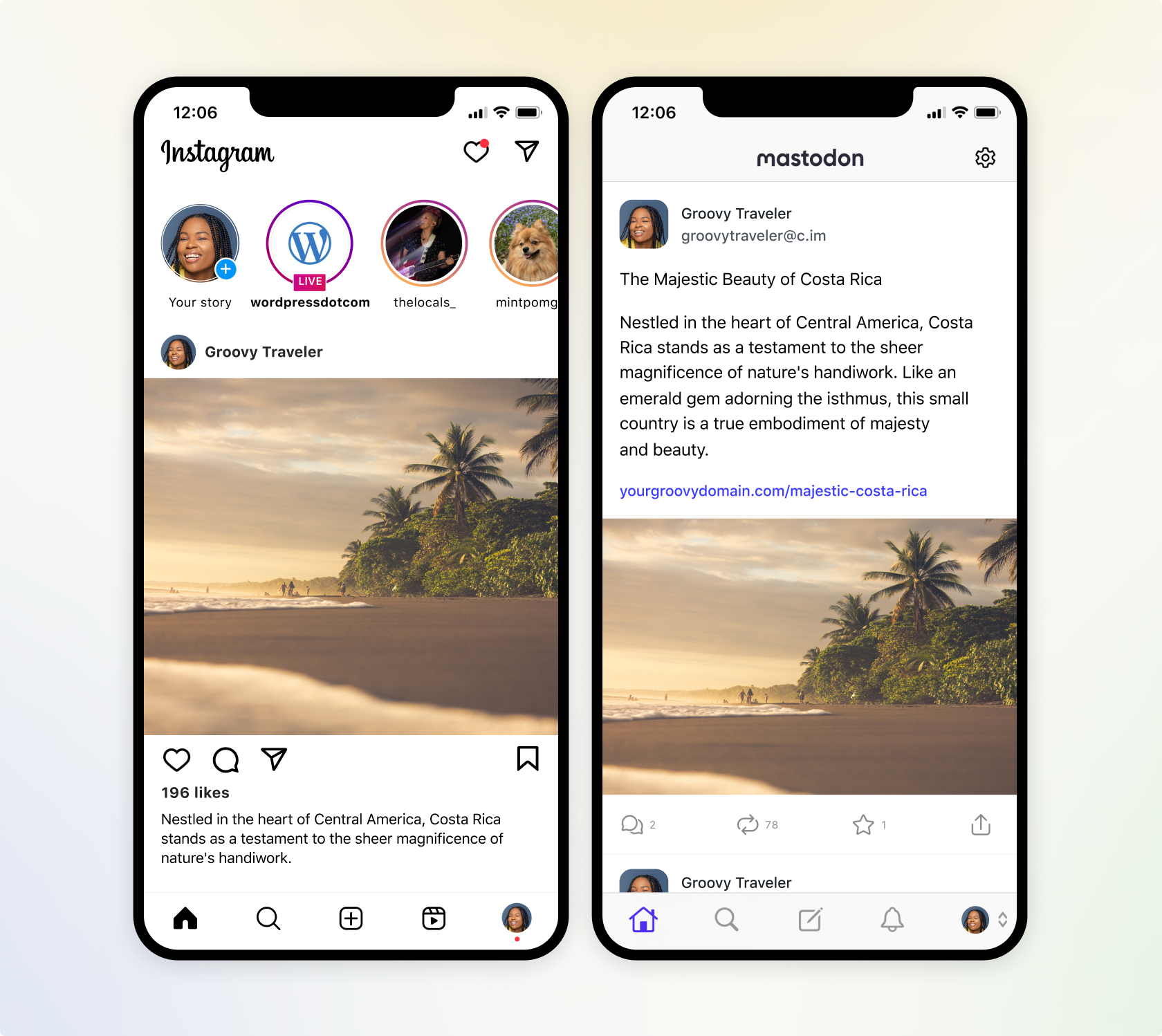
Instantly share to Instagram
Instagram has a greater reach than any other social media platform and it is now available within Jetpack Social. Engage your target audience by sharing your post featured image to your Instagram Business account, directly from the WordPress editor. Learn how to connect Jetpack to Instagram.
We’re also working on adding automatic video sharing capability, which will allow you to share the videos you’ve uploaded to your WordPress site, directly to Instagram Video Reels. That premium feature is coming soon to Jetpack Social Advanced.
Multiply your reach with Mastodon
Now you can also extend your influence to the newly popular social platform, Mastodon. Similar to Twitter, Mastodon allows you to share media and text content. Learn how to connect Jetpack to Mastodon.
Mastodon is part of a larger ecosystem known as the “Fediverse.” This interconnected network allows users on Mastodon to interact with users on other compatible platforms, such as PixelFed (for image sharing). This allows you to connect with a broader audience.

Flexibility with every post
- Select where you share with every post: Easily toggle which social media networks you want your content to automatically go to, with every WordPress post. Got some photos that you want to share on Instagram, but not LinkedIn? No problem.
- Preview before you publish: We’ve improved the social preview tool, which allows you to see how your post will appear on all the social platforms you’re connected to, without ever leaving the WordPress editor.
- Control your message: If you have long-form content, you can easily overwrite the default message and create your own custom messages to be shared amongst your social networks, alongside your media. This is also great for social media platforms that restrict character counts.
Drive more engagement with Jetpack Social Advanced
- Save time creating images with our social image generator: Social image generator automatically creates a composite image from your blog title and featured image, or create your own custom image in a few clicks. Learn more about our Social Image Generator.
- Automate sharing with style: Ditch the default featured image, and make your auto-shared posts truly one-of-a-kind by selecting your own images or videos and crafting engaging custom messages.
- Unlimited shares: With Jetpack Social Advanced, you can auto share unlimited content to your favorite social networks and engage your followers without limits.


