EDITS.WS

Tag: social media

  • The 10 Best Social Media Management Tools for Businesses

    93% of internet users have at least one social media account, which makes social media an excellent opportunity to connect with your audience, no matter what type of business you run.

    But when you need to manage social media accounts while also writing content, marketing across other platforms, and running every other aspect of your company, it can be a bit like trying to juggle a dozen balls in the air. 

    Thankfully, there’s a wide range of social media management tools for business that can help you run your social media, so you can focus on what’s most important.

    In this helpful guide, we’ll help you decide on the best social media management tool for your business. We’ll explore ten of the best options, look at the key features you should keep in mind, and answer your burning questions about social media management software. 

    Jetpack Social homepage

    1. Jetpack Social

    Jetpack Social is one of the best social media management tools for WordPress website owners, allowing you to easily share your content on various channels. This social media management plugin is trusted by tens of thousands of WordPress site owners, who collectively share over one million posts a day.

    Jetpack Social has easy-to-use tools that allow you to schedule posts to publish at the date and time your audience is most engaged on a particular platform. Plus, it enhances your content strategy by making it easy to reshare posts for the perfect stream of evergreen media on your feed.

    Social media posts with images create up to 2.3x higher engagement than those without. Jetpack Social’s image generator enables you to always include the perfect graphics with your posts. It will automatically look at the images in the post and select the ones in the best dimensions for each social media platform. If your post includes a video, Jetpack Social will also allow you to share this directly on your social media post.

    Simply sharing links to a post on your site likely won’t get much attention. But when you upload a curated image and take the time to add a bit of written context, suddenly that post is much more alluring to followers. 

    Jetpack’s tools mimic this curated approach to social media while streamlining processes so social media managers (or small business owners) can work much more efficiently. 

    Jetpack Social also works perfectly alongside the social sharing tools in the Jetpack plugin, which automatically add buttons for visitors to share their favorite content on their own profiles with just a few clicks.

    settings for Jetpack Social

    Created by the team behind WordPress.com, Jetpack Social is a safe, robust, solution for WordPress sites. It integrates seamlessly with the latest version of WordPress and is supported by true WordPress experts.

    Key features of Jetpack Social:

    • The ability to post and share your WordPress site’s content to Facebook, Tumblr, LinkedIn, Instagram, and Mastodon
    • Tools to customize the content of your posts
    • Options to reshare existing content
    • A scheduler for auto-posting 24/7
    • Unlimited shares (paid plans)
    • An image generator (advanced plan)
    • Multi-image sharing (advanced plan)
    • Video sharing (advanced plan)
    example of images shared with Jetpack Social

    Pros of Jetpack Social:

    • Jetpack Social makes it easy to share your WordPress website’s content on social media, enabling you to expand the audience for your content beyond your site visitors.
    • You can manage your social media sharing from within your WordPress dashboard.
    • The plugin’s scheduling feature enables you to post your content at the time that’s best for your audience, without having to be online.
    • Jetpack Social allows you to share the best images or videos from your post along with custom text, which creates the illusion of manually-created social media posts. 

    Cons of Jetpack Social:

    • Jetpack Social is designed to make sharing your website’s content with followers simple, but it won’t share posts with content that’s not already on your site.  

    Ease of use

    Jetpack Social is user-friendly. It guides you through the process of connecting your social accounts, so you can begin using the plugin and sharing your posts within minutes of installation. You can also take advantage of documentation, along with email and live chat support from Jetpack’s Happiness Engineers.

    Pricing

    Jetpack Social’s free plan allows you to share up to 30 posts per month. The Basic plan allows unlimited sharing for just $3.99 a month, and the Advanced plan unlocks all features, including image sharing, for only $12.99 a month. 

    Hootsuite homepage

    2. Hootsuite

    Hootsuite is a popular social media management tool that helps you coordinate your social media profiles from one centralized dashboard. 

    It offers a wide range of features, including post scheduling, which helps ensure your content lands in your audience’s social media feeds at the most effective times. Hootsuite also provides tools to curate content from across the web, which you can then share on your social media profiles. 

    From your Hootsuite dashboard, you can edit and create images for your posts that follow the best practices and required sizes for each platform, and then preview how each one will appear. You can also use Hootsuite for social media monitoring through a centralized feed, and it enhances social media ‘listening’ by alerting you to mentions of your brand or chosen keywords.

    Key features of Hootsuite:

    • A tool to post and schedule content across multiple social media platforms
    • Previews of how your posts will look on each social media platform
    • Support for a range of platforms, including Facebook and LinkedIn
    • The ability to curate content from across the web to use in your posts
    • Built-in image editing
    • Video upload and sharing tools
    • Social media tracking and analysis

    Pros of Hootsuite:

    • Hootsuite provides detailed analytics on your social media activity, so you can see how your content is performing across different platforms, helping you make data-driven decisions and refine your social media strategy.
    • Hootsuite allows you to monitor and post to all of your social media accounts from one platform.

    Cons of Hootsuite:

    • While Hootsuite has a plugin that allows you to post to WordPress from your Hootsuite dashboard, you can’t auto-share your WordPress posts to your social media profiles, meaning you have to create a manual post in Hootsuite for each new piece of content you add to your site or use a limited third-party plugin.
    • You can’t manage your social media posts from within your WordPress website.

    Ease of use:

    Hootsuite has a large number of features that can be daunting at first. However, a comprehensive help center is provided, as well as email and live chat support so you, or your social media manager, can get up to speed quickly. 

    Pricing:

    The Hootsuite Professional plan allows you to manage up to ten social media accounts and costs $99 a month.

    Buffer homepage

    3. Buffer

    Buffer is a well-known social media management software tool that offers a range of features to help individuals and businesses manage their social media accounts.

    Buffer was initially created to allow users to write and schedule posts across various social media platforms, and this functionality remains at the platform’s core. Buffer’s paid accounts now also allow users to interact with their audiences from directly within the platform and analyze their posts and their followers’ engagement with them on social media. 

    Buffer has also recently launched a set of AI features that help you grow your social media audience across a range of platforms by repurposing your existing content. 

    Key features of Buffer:

    • Social media post scheduling
    • The ability to share the same posts across multiple platforms
    • Social media analytics (paid accounts)
    • Hashtag management (paid accounts)
    • Tool to view social media comments, engagements, and mentions (paid accounts)
    • AI features for post creation and repurposing 

    Pros of Buffer:

    • Buffer has a streamlined interface that makes creating and scheduling posts simple. 
    • Buffer’s AI features allow you to automatically repurpose high-performing posts to create new content.

    Cons of Buffer:

    • You aren’t able to automatically share your website’s posts from within Buffer, meaning you have to either use a third-party workaround or create separate posts to share your content. 

    Ease of use

    Buffer has a simple interface that’s easy to use. A detailed knowledge base is available, as well as email support for all users.

    Pricing

    Buffer has a limited free plan that allows you to plan and publish posts to 3 social media platforms. Its essential plan unlocks more features, including engagement tools and analytics, for $6 per month per social media account. 

    Tailwind homepage

    4. Tailwind 

    Tailwind is a unique social media management platform specializing in sharing visual content on Pinterest, Instagram, and Facebook. As well as support for manual scheduling, Tailwind can help take the guesswork out of posting by automatically scheduling your posts when your audience is most likely to be engaged.

    The platform also helps you create on-brand social media posts using its built-in editor — you can add text, images, and videos, and Tailwind will then automatically resize your content to fit the dimensions of each social media platform. 

    Tailwind also provides detailed analytics, allowing you to track impressions, clicks, saves, and other metrics to see how your visual content performs. 

    Key features of Tailwind:

    • Post planning and idea generation
    • Instagram, Pinterest, and Facebook post scheduling 
    • Auto-scheduling to engage your audience at peak times
    • Image and post-creation tools
    • Hashtag suggestions
    • Post analytics
    • AI tools to write copy that accompanies your images
    • Email marketing features 

    Pros of Tailwind:

    • Tailwind includes advanced post-creation tools that allow you to build optimized image-based posts for each platform by uploading images, videos, and text.
    • Tailwind features advanced analytics, which allows you to track your Pinterest, Facebook, and Instagram posts and discover which types of posts gain the highest level of engagement. 

    Cons of Tailwind:

    • As Tailwind focuses only on image-based posts on Pinterest, Instagram, and Facebook, it may not be suitable for those looking to share text-based posts and content from their website on their social media channels. 
    • Tailwind does not support automatic posting from WordPress websites, meaning you need to create a social media post in Tailwind for everything you want to share.    

    Ease of use

    Tailwind’s social media management platform is user-centric and intuitive, making creating and scheduling image-based posts simple. There’s also a comprehensive help center, and email support is offered to all users.

    Pricing

    Tailwind’s Pro plan, which allows you to connect one Pinterest, Instagram, and Facebook account, costs $12.99 per month. The Advanced Plan includes more resources and additional accounts for $19.99 a month.

    Revive Old Posts plugin

    5. Revive Old Posts

    Revive Old Posts is designed to help you automatically share your website content with social media followers.

    Revive Old Posts helps you share and bring visitors to your old content by automatically resharing posts at your chosen interval. The premium versions of the plugin can also help you automate the scheduling and sharing of posts from the WordPress dashboard. 

    Key features of Revive Old Posts:

    • Support for a range of social media accounts, like Facebook, LinkedIn, and more
    • Automatic sharing of posts, pages, and custom post types at set intervals
    • The ability to add categories or tags as hashtags
    • Custom post scheduling (premium)
    • A URL shortener with click tracking (premium)
    • Custom post variations (premium)

    Pros of Revive Old Posts:

    • Revive Old Posts allows you to drive traffic to your older blog content by automatically resharing links, which can help keep a consistent social media presence.

    Cons of Revive Old Posts:

    • Scheduling of social media posts is not available with the free or basic premium subscription, meaning you’re restricted to sharing posts when they’re published and then at a set interval.
    • Revive Old Posts does not allow you to customize your social media posts completely. While the premium plans allow you to create custom messages for your posts, these are always used in rotation with your default post structure.
    • Revive Old Posts does not automatically select the best image from your posts to share.

    Ease of use

    Revive Old Posts is simple to use. Once you have connected your social media accounts, the plugin will automatically start sharing your old posts. Some of the advanced features of the plugin require additional configuration, but a knowledge base is available. The plugin authors also offer email support to premium users.

    Pricing

    Revive Old Posts is a freemium plugin. The basic free version is available from the WordPress plugin directory. Premium plans start at $75 a year, and plans that incorporate custom scheduling start at $149 a year.

    Later homepage

    6. Later

    Later began life as an Instagram-only social media management tool for small businesses, but has evolved over time and now supports a wider range of social media platforms, including Facebook and TikTok. Later allows you to create, schedule, and publish social media posts through its mobile app and web platform using an intuitive visual content calendar to drag and drop images and posts to schedule them.

    Later also features a range of built-in content creation tools, which help you create compelling posts for each platform, as well as tools that allow you to source, repurpose and share relevant user-generated content for your brand.

    Key features of Later:

    • The ability to plan, schedule, and publish posts across a range of platforms, including Instagram, Facebook, and Pinterest
    • A visual social media content calendar
    • Content creation tools
    • User generated content (UGC) curation tools
    • Social media analytics
    • A ‘link in bio’ tool, which allows you to provide a collection of links or a shoppable Instagram feed in your social media account bios

     Pros of Later:

    • Later’s visual content calendar offers a clear view of your scheduled content and allows you to drag and drop posts to reschedule or re-use them.
    • Later’s content creation tools allow you to take an image and turn it into an effective Instagram, Facebook, or Pinterest post in a couple of clicks. 

    Cons of Later:

    • While Later now offers support for a wider range of platforms, its tools are still geared towards businesses who primarily want to share image-focused content with their followers.
    • Later limits the number of posts that you can publish per month to each platform.
    • Later doesn’t support auto-publishing of your WordPress website’s posts and pages, meaning you’ll need to manually create a post and upload your images in Later to share your website’s content.

    Ease of use

    Later offers an easy-to-navigate interface centered around a visual calendar, which makes fairly intuitive. Email support is offered to all users.

    Pricing

    Later’s Starter plan costs $18 a month and allows you to connect a single account per platform and allows for 30 posts a month for each one. Their advanced plan costs $40 a month for up to three accounts per platform and 150 posts a month.
    Social Engine branding illustration

    7. Social Engine

    Social Engine is a WordPress social media management tool that allows you to create, schedule, and manage your social media posts from within your WordPress website. 

    Social Engine allows you to automatically schedule and publish new posts and pages that you’ve created on your site, as well as re-post older content to help fill the gaps in your social media schedule. 

    The plugin also has a fully-featured social media calendar which allows you to create and schedule all of your social media posts — even those with content other than existing posts or pages on your site — in a single location.

    Key features of Social Engine:

    • Social media post creation and scheduling
    • Support for a range of social media networks, including Facebook and Instagram
    • The ability to automatically post your website content
    • Tools to customize your social media post content
    • The ability to automatically reshare old posts and pages (premium)
    • LinkedIn and Pinterest support (premium)
    • Social media statistics (premium)

    Pros of Social Engine:

    • Beyond support for promoting what’s already on your WordPress site, Social Engine also allows you to create, schedule, and publish separate content. So it can function as a complete social media management tool.
    • Social Engine enables the automatic resharing of old posts and pages to help you drive traffic to your site.

    Cons of Social Engine:

    • Social Engine requires you to create your own free developer accounts with each social media network, which it then uses to post on your behalf.
    • While Social Engine offers support for images, it won’t automatically select the best image from your WordPress posts or pages when sharing them.

    Ease of use

    Once configured, Social Engine is easy to use. However, some users may find the process of creating social network developer accounts and entering API keys into the plugin confusing. Email support is offered for paid plans, and the plugin developer is active on the WordPress support forum.

    Pricing

    There’s a free version of Social Engine available from the WordPress plugin directory. The premium plan costs $29 a year for a single site and offers support for additional social networks, as well as analytics and automatic post re-sharing.
    Blog2Social homepage

    8. Blog2Social

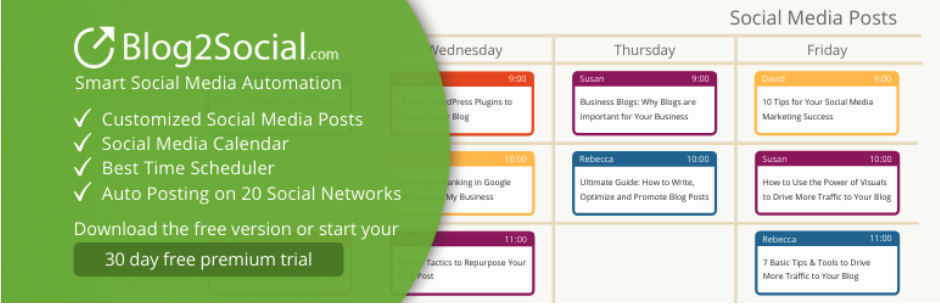
    Blog2Social is a popular WordPress social media management software tool that allows you to turn your website’s posts and pages into social media posts. Blog2Social lets you select individual posts or enable auto-posting, which will automatically share your posts once they’ve been published.

    Blog2Social also includes a scheduling tool that allows you to schedule posts in advance, and its ‘Best Time Manager’ will automatically analyze your social media accounts and select the optimum time for each one. 

    Social media managers can also easily cross-post content between different social media networks by creating customized templates that follow the best practices for each network.  

    Key features of Blog2Social:

    • The ability to share your WordPress posts and pages on social media
    • Automatic sharing of posts and pages when they’re published (premium)
    • Support for a range of networks, including Facebook and LinkedIn
    • The ability to automatically reshare posts (premium)
    • The option to create posts from any text, image, or link 
    • Auto-resharing of old posts (premium)
    • Post scheduling (premium)
    • Customizable post formats for each social media account (premium)

    Pros of Blog2Social:

    • Blog2Social allows you to schedule and share any text, link, or image, which means it can be used to manage all your posts from within your WordPress site.

    Cons of Blog2Social:

    • While Blog2Social supports the inclusion of images in your social media posts, it won’t automatically select the best image for each network. 
    • Sharing videos with Blog2Social requires an additional paid add-on, even for premium users.

    Ease of use

    Blog2Social guides you through the process of connecting your social media profiles, which makes getting started with the plugin easy. Some features, including setting customized post templates for different networks and automatically sharing old posts, require additional configuration that some users may find confusing. A knowledge base is provided for all users, along with email support for all premium plans.

    Pricing

    Blog2Social has a limited free version available from the WordPress plugin directory. Premium plans start at $11 a month for the ‘smart’ plan, which includes post-scheduling. The ‘Pro’ plan costs $16 a month and adds additional features, including sharing images and support for additional social media networks.

    Sprout Social homepage

    9. Sprout Social

    Sprout Social is a popular social media management platform that combines a range of post creation tools with powerful analytics.

    Sprout Social allows you to create a unified inbox that combines posts, comments, and interactions from all of your social media accounts. You can also schedule posts and re-use them across different accounts and Sprout Social will suggest the best time to post them on each one.

    Sprout Social’s analytics tools allow you to track engagement, conduct social media monitoring for brand mentions, analyze social media performance, and generate detailed reports about your social media strategy and engagement.

    Key features of Sprout Social:

    • Support for Facebook, Pinterest, LinkedIn, and other popular networks
    • A unified social media inbox
    • Social media post scheduling
    • WooCommerce integration
    • Post creation and optimization tools
    • AI-powered engagement tools
    • Advanced social media analytics

    Pros of Sprout Social:

    • Sprout Social offers a set of AI-powered engagement tools that help you automate tasks such as replying to followers and sharing user-generated content.
    • Sprout Social’s WooCommerce integration allows you to add product links, images, and information to your social media posts.
    • The analytics and reporting features within Sprout Social allow you to monitor the impact of your social media strategy. 

    Cons of Sprout Social:

    • Sprout Social is considerably more expensive than the other tools in this guide, making it only suitable for companies with large social media marketing budgets.
    • While Sprout Social allows you to share WooCommerce product information, it cannot automatically share your WordPress website’s posts and pages.

    Ease of use

    Sprout Social offers a range of advanced features that can make it overwhelming to simply share your website’s content and posts with your followers. To help users adjust to the platform, Sprout Social offers a comprehensive resource center, knowledge base guides, and email support to all users.

    Pricing

    Sprout Social’s standard plan, which allows you to connect to five social media accounts, starts at $249 a month. The professional plan starts at $349 a month and adds advanced analytics and an unlimited number of social accounts.
    CoSchedule homepage

    10. CoSchedule

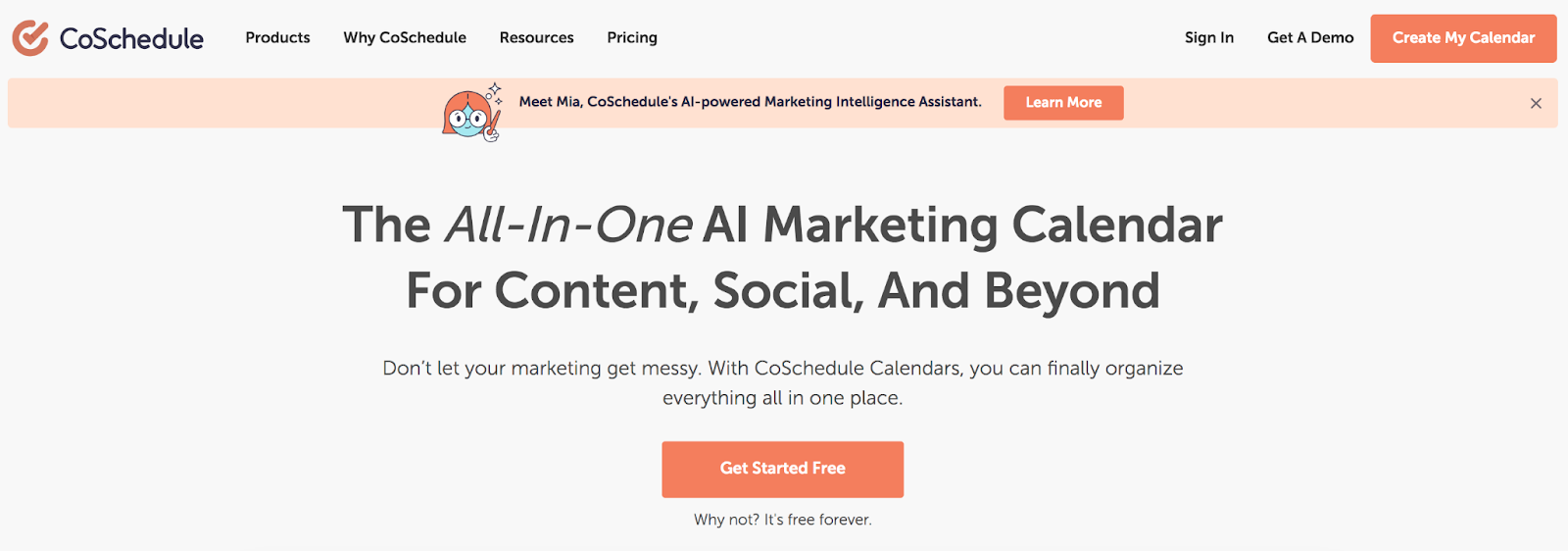
    CoSchedule is a popular social media management platform that’s based around a marketing calendar that allows you to see all of your social media and website posts in one place. 

    Using the calendar, you can schedule content across multiple social media channels, as well as see when you have new posts scheduled to go live on your WordPress website.

    CoSchedule allows you to create social media content from within the WordPress editor, so you can schedule posts to share your website content on Facebook, LinkedIn, and other popular social media channels. CoSchedule also offers a ‘ReQueue’ feature which automatically fills any gaps in your social media schedule by republishing previous posts.

    Key features of CoSchedule:

    • A calendar overview of scheduled social media posts and website content
    • Unlimited posting to Facebook, LinkedIn, Pinterest, and other major social media platforms
    • Team collaboration tools (paid accounts only)
    • An AI writing assistant
    • Basic social analytics (paid accounts only)

    Pros of CoSchedule:

    • CoSchedule integrates with a range of content management systems, including WordPress, which allows you to see your scheduled website posts and create social media posts to share them with your followers.
    • CoSchedule will analyze your social media accounts to help you determine the best times to post your content.

    Cons of CoSchedule:

    • CoSchedule’s social media analytics features are limited compared to other similarly-priced options.
    • While CoSchedule’s ReQueue feature can help fill gaps in your social media schedule, it does this by re-posting previous posts without changing them, which could result in your social media accounts becoming stale and repetitive.

    Ease of use

    CoSchedule’s calendar-based approach makes it simple to schedule content, but some of the advanced features require a significant amount of configuration. CoSchedule offers a knowledge base and email support to all users.

    Pricing

    CoSchedule offers a limited free plan, which allows for the scheduling of five posts at a time. Unlimited posts and additional features are available in the ‘Pro’ plan, which starts at $29 per user per month.

    A comparison of the best social media management tools

      Jetpack Social Hootsuite Buffer Tailwind Revive Old Posts Later Social Engine Blog 2 Social Sprout Social CoSchedule
    Built for WordPress? Yes No No No Yes No Yes Yes No No
    Automatically share your website’s posts and pages? Yes No No No Yes No Yes Yes No Yes
    Schedule social media posts? Yes Yes Yes Yes Yes Yes Yes On some pro plans Yes Yes
    Re-share old posts with one click? Yes No No No Yes No Yes Yes No Yes
    Customize social media post content? Yes Yes Yes Yes Yes Yes Yes Limited Yes Yes
    Share your post’s images on social media? Yes – automatically when sharing Manually Manually Manually Yes Manually Manually Yes Manually Yes
    Cost Limited free version. Premium plans start at $3.99 a month. From $99 a month. Limited free version. Premium plans start at $6 a month per social media account From $12.99 a month Limited free version. Premium version starts from $75 a year. Premium plans start at $18 per month. Limited free version. Premium plan is $29 a year. Limited free version. Premium plans start from $11 a month From $249 a month. Limited free version. Premium plans start from $29 a month

    Frequently asked questions about social media management tools

    What features should I look for in a social media tool for my business? 

    When looking for a social media sharing tool for your WordPress website, it’s important to make sure that it’s affordable and easy to use. You should also consider if it was built specifically for WordPress and check out the options for support. Finally, and perhaps most importantly, compare it against a list of your most critical features and make sure it checks all the boxes.

    Affordability 

    Social media management tools have a wide range of price points, with some costing as much as $249 a month per user. Jetpack Social, on the other hand, offers a range of affordable plans starting at just $3.99 a month.

    Ease of use

    It’s important that your social media management tool is easy to use. Some services offer many different features that are only used by a small section of users but which can make the platforms more challenging to navigate and use. 

    However, other social media management services, such as Jetpack Social, offer all the features most businesses need to share their website content on social media with a user-friendly interface that takes the hassle out of the process.

    Built for WordPress

    If your website is built on WordPress, then you’ll want to ensure that your social media management tool is built specifically with the needs of WordPress site owners in mind. For example, Jetpack Social was created specifically for WordPress by Automattic, the team behind WordPress.com.

    Great support

    When choosing which social media management tool to use, it’s important to consider the level of support offered. For example, Jetpack Social users can connect to Jetpack’s team of expert Happiness Engineers by email or live chat for help with the plugin.

    Delivers the features you need

    With so many different features offered by social media management services, you must ensure the tool you choose delivers all the features you need to manage your social media without complicating your life with things you’ll never use. 

    For example, most WordPress website owners will find that Jetpack Social offers the perfect set of features to help them boost the reach of their posts on social media. 

    How do I choose the right social media management tool for my business?

    After reading through the popular options in this article, it’s probably clear that companies using WordPress for their website will want to choose Jetpack Social. It offers everything a business needs to share their website’s content on social media.

    If your business doesn’t use WordPress, the best social media management tool will depend on the features your business is looking for and what platform or content-management system your website is built on. 

    How do I integrate a social media management tool with my website or blog?

    Some social media management tools, such as Jetpack Social, are made specifically for WordPress and will integrate smoothly with your WordPress site. When you install Jetpack Social, you’re guided through connecting your social media profiles, and then the plugin will get to work automatically. 

    Can social media management tools help me manage multiple social media accounts?

    Yes, social media management services can help you manage multiple accounts. For example, the leading service in our review, Jetpack Social, will automatically share your website’s posts in the best formats for Facebook, LinkedIn, Tumbler, and Mastodon.

    Which social media platforms do social media management tools generally support?

    Each social media management tool supports its own set of social media software, but most integrate with Facebook. Some tools, such as Jetpack Social, also support other platforms, including LinkedIn, Tumblr, and Mastodon, whereas other tools focus primarily on visual platforms, such as Pinterest and Instagram. 

    Can a social media management tool help me automate my social media posting process?

    Yes, some social media management tools allow you to automate your social media posting process. For example, Jetpack Social can post new site content when it’s published or automatically post pre-scheduled posts at the time of your choosing. 

    Can I customize my messaging when using an automated social media management tool?

    Some social media sharing tools only allow you to share links to your content. However, other tools such as Jetpack Social allow you to customize content included within posts, so you can speak more directly to followers and boost engagement.  

    Jetpack Social: The leading social media management tool for WordPress

    With its perfect combination of affordability, ease of use, and seamless WordPress integration, Jetpack Social is the leading social media management tool for WordPress. It’s poised to become a powerful partner for your business.

    Jetpack Social provides all the important features your WordPress website needs to reach the world. Sign up for your Jetpack Social account today!

  • The 6 Best Social Media Platforms for Business Growth in 2023

    The world of business is continuously in motion, ever evolving, always changing, and it’s essential for us to adapt and grow with it. The way we perceive social media today, as a quintessential tool for business growth, was not even a blip on the radar two decades ago. Now, it’s almost unimaginable to run a business without some kind of social media presence.

    Today, we’re going to explore the six best social media platforms that can effectively contribute to business growth in 2023. We’ll explain each of these platforms and their potential, and provide you with strategies and best practices to guide your success. Finally, we’ll show you how the Jetpack Social WordPress plugin can streamline your efforts.

    Jetpack for WordPress on Facebook - use Jetpack Social for WordPress Plugin

    1. Facebook

    Facebook: As relevant as ever in 2023

    Despite new platforms taking their share of the spotlight, Facebook remains the most popular global social network with nearly three million active users each month. It has continued to evolve over time to hold relevance and — despite many flashy, new platforms — remains the standard go-to for many people’s social media identity. 

    The benefits of using Facebook for business growth

    1. A large user base and diverse demographic reach

    Facebook’s vast user base is like a treasure trove for businesses. It’s a melting pot of diverse demographics, giving companies the opportunity to reach a broad spectrum of potential customers.

    2. Advanced targeting options for advertising

    Facebook’s ad targeting options are a marketer’s dream. Target customers based on demographics, interests, behavior, and more, taking the guessing game out of advertising.

    3. Facebook Pages and Groups for brand visibility and engagement

    Creating a Facebook Page or Group for your business provides a place where customers can engage, ask questions, and form a community.

    4. Messenger for customer service and communication

    Messenger isn’t just for chatting with friends. It’s become a valuable customer service tool where businesses can provide immediate assistance and communicate directly with shoppers.

    Best practices and strategies for leveraging Facebook’s potential

    1. Create engaging content that resonates with your audience

    Content is the key to Facebook engagement. When crafting posts, ensure that they spark conversations and connect with your followers.

    2. Use Facebook Ads Manager for effective advertising campaigns

    The Ads Manager is a sophisticated tool that can help you create targeted ad campaigns. Learn to navigate its complexities, and it can provide an incredible ROI and opportunities for smaller brands to test campaigns with small budgets.

    3. Leverage Facebook Insights for data-driven decision-making

    Facebook Insights provides a wealth of data about your page’s performance. Use it to analyze trends and behaviors and to make winning business decisions.

    WooCommerce Instagram - A popular choice for business growth

    2. Instagram

    Instagram: A popular choice for business growth

    In the world of social media, Instagram is like the chic, trendy celebrity that everyone wants to befriend. With its visual-centric approach and growing user base, it continues to be a lucrative platform for business growth.

    The benefits of using Instagram for business growth

    1. Visual storytelling and brand identity building

    Instagram’s visually-rich platform allows businesses to tell their stories, evoke emotions, and build a distinct brand identity using a variety of tools.

    2. The ability to engage with your audience through images, videos, and Stories

    The platform’s various formats like posts, Stories, and IGTV provide multiple avenues to engage with your audience and build a loyal following.

    3. Instagram Shopping and product tagging for ecommerce businesses

    The Instagram Shopping feature has transformed the platform into a digital storefront, making it a great opportunity for ecommerce businesses.

    4. Influencer marketing opportunities

    Instagram has birthed a new league of celebrities: influencers. They carry clout, and partnering with the right ones can give businesses the boost they need in visibility and credibility.

    Best practices and strategies for maximizing Instagram’s impact

    1. Craft an attractive and cohesive Instagram aesthetic

    Remember, on Instagram, visuals speak volumes. Take time to create an aesthetic that’s distinct and represents your brand effectively.

    2. Optimize hashtags and strategically use Instagram’s algorithm

    Instagram isn’t a dump-and-run platform. Master the art of using hashtags and understand the platform’s algorithm to ensure that your content is seen and engaged with.

    3. Collaborate with influencers and leverage user-generated content

    Engaging influencers for collaborations and encouraging user-generated content can have a ripple effect on your reach and engagement.

    4. Use Instagram analytics tools for measuring performance

    Utilize Instagram’s built-in analytics or third-party tools to gauge your performance and adjust your strategy accordingly.

    WordPress VIP on LinkedIn - the leading professional networking platform

    3. LinkedIn

    LinkedIn: The leading professional networking platform

    We all know LinkedIn as the go-to platform for professional networking, but it’s more than a digital resume or job-hunting site. It’s a vibrant community where professionals connect, learn, and grow.

    The benefits of using LinkedIn for business growth

    1. Professional connections and networking opportunities

    LinkedIn is a gold mine for forging professional connections that can lead to mutually beneficial collaborations and opportunities.

    2. Opportunities to demonstrate thought leadership and industry expertise

    By sharing insightful content, businesses can assert their industry expertise, build credibility, and establish themselves as thought leaders.

    3. Targeted advertising options for B2B businesses

    LinkedIn’s advertising options are especially potent for B2B businesses, allowing them to directly reach decision makers.

    4. Recruitment and talent acquisition capabilities

    In need of talent? LinkedIn’s recruitment features make it a leading choice for businesses looking to onboard skilled professionals.

    Best practices and strategies for effective LinkedIn utilization

    1. Optimize personal and company profiles for maximum impact

    An incomplete profile on LinkedIn is a missed opportunity. Ensure that your personal and company profiles are fully optimized and professional.

    2. Share valuable content and engage in relevant discussions

    LinkedIn’s community thrives on insightful discussions and valuable content. Make it a point to share content that sparks conversations and showcases your industry knowledge.

    3. Use LinkedIn Groups and Pulse articles for exposure

    LinkedIn Groups and publishing on LinkedIn Pulse can amplify your visibility and establish your brand as an industry authority.

    4. Leverage LinkedIn Ads for targeted marketing campaigns

    LinkedIn Ads can be a strong tool for targeted marketing campaigns. With detailed targeting options, you can reach the right people at the right time.

    Jetpack on Tumblr - a unique, fan-first platform and user base

    4. Tumblr

    Tumblr: a unique, fan-first platform and user base

    Tumblr is the unsung hero of social media platforms. It might not have the same name recognition as others, but it shines bright with its fan-first culture and active user base.

    The benefits of using Tumblr for business growth

    1. The ability to engage with a creative and niche community

    Tumblr houses a hotbed of creativity and niche communities. Businesses can engage these passionate groups with thoughtful content and genuine interactions.

    2. The opportunity to build brand personality and authenticity

    Tumblr’s laid-back vibe provides businesses with an opportunity to let their hair down, showcase personality, and build authenticity.

    3. The chance to take advantage of visual storytelling through multimedia posts

    Whether it’s GIFs, images, or short video clips, Tumblr’s multimedia options offer opportunities for dynamic storytelling.

    4. A fair shot at viral content and community interactions

    The right content on Tumblr can spread quickly across the platform, offering vast exposure.

    Best practices and strategies for leveraging Tumblr’s potential

    1. Understand Tumblr’s user culture and etiquette

    Each social media platform has its culture, and Tumblr is no different. To thrive, brands need to understand and respect the platform’s unique culture and etiquette.

    2. Create visually appealing and shareable content

    Tumblr is all about the visuals. Stand out by creating content that’s not just attractive, but also shareable.

    3. Utilize tags and explore relevant communities

    Tags are the lifelines of Tumblr. Use them wisely to get discovered, and don’t forget to interact with relevant communities to boost your presence.

    4. Engage with Tumblr users through reblogs, likes, and comments

    Interaction is key on Tumblr. Engage with your audience by reblogging their content, liking their posts, and replying to their comments.

    TikTok: rapid growth and popularity

    5. TikTok

    TikTok: rapid growth and popularity

    There’s a new kid on the block, and they’re disrupting the social media scene. TikTok offers businesses a unique and exciting platform for their social media strategy.

    The benefits of using TikTok for business growth

    1. The opportunity to reach younger demographics and capture Gen Z’s attention

    If your business wants to connect with younger audiences, particularly Gen Z, there’s no better platform than TikTok.

    2. The potential for rapid content discovery

    With the right content, you can go viral on TikTok overnight. Its unique algorithm allows for rapid content discovery.

    3. The ability to utilize influencer marketing and brand collaborations

    TikTok houses its own set of influencers. Collaborating with these powerful individuals can skyrocket your reach and visibility.

    4. Creative opportunities for showcasing products and services

    TikTok’s short-form video format and creative tools provide businesses with unique ways to showcase their products and services.

    Best practices and strategies for leveraging TikTok’s power

    1. Understand TikTok’s algorithm and trends

    To get ahead on TikTok, you need to understand its algorithm and stay on top of the trends. 

    2. Create entertaining and authentic content that aligns with the platform’s culture

    TikTok’s culture thrives on authenticity and entertainment. Make sure your content mirrors this culture.

    3. Engage with the TikTok community through challenges and duets

    Engage with the TikTok community by participating in trends, challenges, and duets.

    4. Collaborate with TikTok influencers to expand reach and credibility

    Collaborating with TikTok influencers can give your brand a significant boost in credibility and reach.

    WordPress.com on YouTube - dominance in video content consumption

    6. YouTube

    YouTube: dominance in video content consumption

    YouTube is the leader of video content consumption. With billions of logged-in users per month, it’s a platform that businesses can’t afford to ignore.

    The benefits of using YouTube for business growth

    1. High engagement and reach through video content

    Video is one of the most engaging forms of content, and YouTube is the leading platform for video consumption. The engagement and reach potential is massive.

    2. Monetization opportunities through the YouTube Partner Program

    With the YouTube Partner Program, businesses can monetize their content and earn revenue directly from the platform.

    3. The ability to establish brand authority through tutorials, demos, and vlogs

    YouTube is a fantastic platform for businesses to establish their brand authority through tutorials, demos, and vlogs.

    4. The opportunity to leverage YouTube SEO and discoverability

    YouTube is the second largest search engine, making YouTube SEO an important consideration for businesses.

    Best practices and strategies for YouTube success

    1. Create high-quality and valuable video content

    The key to success on YouTube is creating high-quality, valuable video content that resonates with your audience.

    2. Optimize video titles, descriptions, and tags for search rankings

    Just like Google SEO, YouTube SEO involves optimizing your video titles, descriptions, and tags to improve your search rankings.

    3. Encourage user interaction and engagement through comments and subscriptions

    Encourage your viewers to interact with your videos by liking, commenting, and subscribing to your channel. These actions not only increase engagement but also signal to YouTube that your content is valuable.

    4. Review YouTube analytics to optimize your content strategy

    YouTube analytics provides invaluable insights into your content’s performance. Use this data to optimize your content strategy.

    How to choose the right social media platforms for your business

    1. Assess your target audience. Which platforms do they prefer?

    Not all social media platforms are created equal. Each one serves a different purpose and attracts a unique audience demographic. To choose the right social media platforms for your business, start by assessing your target audience.

    Who are they? How old are they? Where are they located? What are their interests? And crucially, which social media platforms do they prefer? By understanding your target audience, you can make an informed decision about the platforms to pursue.

    2. Understand your objectives. Do they align with the platform features?

    Next, clarify your social media objectives. What do you want to achieve? Are you looking to increase brand awareness? Generate leads? Drive website traffic? Your objectives will influence your choice of social media platforms.

    If you want to drive website traffic, a platform like Facebook, which allows clickable links in posts, might be a good choice. On the other hand, if you’re aiming to build brand awareness through visual storytelling, Instagram and Pinterest could be your best bet.

    3. Analyze your competitors. Which platforms are working for them?

    A competitive analysis can provide valuable insights into which platforms could work best for your business. Look at what platforms your competitors are using and how they’re engaging with their audience. 

    How to make the most of your social media growth strategy

    1. Focus on consistency 

    Consistency breeds familiarity, familiarity breeds trust, and trust breeds loyalty. Being consistent in your social media presence not only increases your brand’s visibility but also strengthens your relationship with your audience.

    2. Create a content calendar and schedule posts in advance

    Planning and organizing your content in advance can significantly improve your social media management. A social media content calendar helps you maintain consistency, ensure a diverse mix of content, and stay on top of important dates and events.

    3. Tailor content to specific platforms and audience preferences

    Each social media platform is unique in its user behavior, culture, and content formats. Therefore, it’s crucial to tailor your content to suit each specific platform and audience preferences. 

    4. Recycle and repurpose content from one platform to another

    While you should create unique content for each platform, you may not have the bandwidth to do this every single time. One way to maximize your content’s reach and lifespan is by recycling and repurposing it across different platforms between publishing uniquely-created posts.

    How Jetpack Social helps you manage your social media accounts

    With multiple social media platforms to manage, it’s easy to feel overwhelmed. That’s where Jetpack Social comes in. It’s a social media sharing plugin for WordPress that helps you manage your accounts effectively and efficiently.

    1. Save time by scheduling your posts in advance

    With Jetpack Social, you can schedule your social media posts in advance. This not only saves you time, but also helps with consistency in your social media presence.

    2. Automatically post your content on social media

    Jetpack Social allows you to automatically post your content on social media. Whether it’s a new blog post or a product update, you can share it with your audience instantly.

    3. Manage multiple platforms from one place

    Managing multiple social media platforms can be a daunting task. But with Jetpack Social, you can manage all your platforms from one place, simplifying your social media management process.

    In conclusion, social media is an indispensable tool for businesses of all sizes. It can help increase brand awareness, drive website traffic, generate leads, and much more. But managing social media effectively can be challenging, especially for small and medium-sized businesses with limited resources.

    Tools like Jetpack Social can make the process much easier. By providing simplified scheduling, automatic sharing, and convenient management, Jetpack Social can help you get the most out of your social media strategy.

    In just a few minutes, you can make a massive leap forward in your marketing program. Get started with Jetpack Social today.

  • What is a Social Media Kit? Definition and How to Build Yours

    On the internet, it’s increasingly difficult to make a lasting impression. But for business owners, it’s absolutely critical to turn passersby into regular followers and, eventually, loyal customers.

    You can’t just create a bunch of stale social media profiles and expect success. You have to cook up an entire experience to be remembered. One of the key elements to create this experience is a social media kit. 

    So let’s roll up our sleeves and delve into the world of social media kits together.

    Crowd of people using mobile devices.

    What is a social media kit?

    A social media kit is your brand’s superhero costume. It’s what makes you recognizable in the sea of digital noise. More specifically, it’s a collection of brand assets, guidelines, and tools that define how your brand should appear and communicate on social media.

    It’s the blueprint for your online identity. It contributes to consistency, clarity, and cohesion across all social media platforms — and in the digital world — that’s no small feat. 

    What does a social media kit include?

    Think of your social media kit as a well-stocked toolbox. It holds everything necessary to build and maintain your online brand image. It includes items like your brand story, visual identity (logos, colors, fonts), social media bio templates, content guidelines, and so much more.

    But it’s not just a static collection of brand elements. It also includes guidelines for engagement, content planning tools, and key performance indicators. It’s a dynamic system that evolves with your brand and keeps your online presence sharp and engaging.

    Google Drive is a great solution for compiling assets and sharing them with the right people. You can determine permissions ideal for your organization — such as granting “read only” access to contractors, but allowing edit permissions for your main team.

    A social media kit can include, but isn’t limited to: 

    • Stats about your company, stakeholders, and leadership team
    • Quotes from leadership or endorsements 
    • Approved logo and graphic files in every possible format
    • Approved photos and videos (raw and edited) that can be shared at will by the social team
    • Pre-made graphic templates for each social platform 
    • Instructions for engagement with comments 
    • Brand voice and editorial guidelines  
    • Examples of successful posts and ideal language
    • Your social media and marketing editorial calendar
    • KPIs (key performance indicators) by which success can be measured

    What are the benefits of having a social media kit?

    1. Brand uniformity and consistency

    Your social media kit is the thread that ties your online presence together. With it, your brand can project a united front, a consistent image across various platforms. 

    Imagine your brand as a choir. Without direction, each singer might still sound good, but they’re all singing different tunes. With your social media kit as the conductor, each platform is singing in harmony, creating a melodious brand symphony.

    2. Efficiency in content creation

    With a social media kit on hand, your content creation process becomes streamlined and efficient. You’re no longer starting from scratch each time, but building upon a well-structured foundation. This also saves you valuable time when training or working with new team members.

    Spontaneous photograph of food for Social Media.

    3. An enhanced business image

    A well-crafted social media kit helps you build a strong, professional business image. It shows that your brand is organized, forward-thinking, and attentive to detail. It sends the signal that you’re serious about your digital presence, and that you value the experience of your online community.

    4. Clear communication of brand values

    Your social media kit helps articulate your brand values, mission, and unique selling proposition. It tells your audience not just who you are, but also why you exist and why they should care. It gives your brand a voice and an identity that goes beyond logos and color schemes.

    5. Improved crisis management

    No brand is immune from a social media crisis. But with a social media kit, you’re better prepared to handle it. You have guidelines on how to respond, how to communicate with your audience, and how to maintain your brand integrity, even in the face of controversy.

    6. Enhanced content strategy

    Your social media kit is the compass that guides your content strategy. It helps you plan and develop content that aligns with your brand identity and resonates with your audience. It’s the roadmap that directs you towards content that not only drives engagement but also builds brand trust and loyalty.

    Your social media efforts should aid the ROI of your content marketing program by promoting new posts and reviving old, still-relevant content. The social media team should also be in tune with the broader marketing and editorial schedule so that posts can go out in a way that supports and adds value to the overall marketing team.

    7. Better team collaboration

    A social media kit isn’t just for your audience; it’s also a guide for your team. It ensures everyone is on the same page, working towards the same goals. It fosters effective communication and collaboration within your team, leading to a stronger, more unified brand presence.

    8. Effective measurement of success

    Your social media kit also helps you define key performance indicators (KPIs), setting benchmarks for success. Understanding this information helps you make strategy decisions moving forward, and ultimately helps you find more success.

    How to create a powerful social media kit in 15 steps

    1. Define your target audience

    Creating a social media kit starts with understanding your audience. Who are they? What are their interests, needs, and challenges? Where do they spend time online?

    Once you find your target audience, you can direct all of your social media content to meet their specific needs. You can use language and imagery that appeals to them. And you can focus your efforts on the platforms they actively use.

    Here’s a guide on how to find your audience

    2. Create memorable personas of your ideal customers

    Beyond demographics, it’s important to delve into the psychographics of your target audience. Create customer personas, detailed profiles of your ideal customers that help you visualize and empathize with them.

    This also helps keep your entire team informed about who they’re communicating with and directing their posts to. And use images in your personas, even if they’re just stock images — faces go a long way!

    3. List your company’s values, mission, and USP

    Your social media kit needs to reflect who you are as a brand. Your values, mission, and unique selling proposition (USP) should be clearly articulated. It’s the heart and soul of your brand, the core of your brand narrative. And, ultimately, it should be considered with each social media post.

    Spontaneous photograph of city mural.

    4. Ensure your brand positioning and audience are in sync

    The magic happens when your brand positioning aligns with your audience’s needs and wants. Your social media kit should reflect this alignment, creating a bridge between your brand and your audience.

    5. Build a captivating brand narrative for your bios

    Your bio is more than just a few lines about your brand. It’s a micro brand story that should captivate and connect with readers. It should be consistent across platforms, yet tailored to each one’s character limits and tone.

    6. Develop a recognizable visual identity

    Visual identity goes beyond logos. It involves colors, typography, graphic styles, profile pictures, cover images, post templates, and more. Visuals are a language that speaks volumes about your brand, even before a single word is read.

    In your social media kit, define these elements. Include specific HEX codes for your brand colors. Add examples of stock images and graphics that fit with your story. If you have existing social media posts, you can even include some of them as a guide for team members to go by.

    7. Establish a unique brand tone and voice

    Your brand tone and voice set the mood for your social media presence. They should reflect your brand personality, resonating with your audience and differentiating you from competitors.

    Include examples of phrases and words you do and do not use, to avoid any confusion.

    8. Build your social media copy templates

    Having ready-made copy templates saves you time and ensures consistency. They’re like the quick-start guides for your social media posts, giving you a base to build upon.

    For example, if you run an ecommerce store, you might have a template for new product announcements, one for customer testimonials, and one for flatlays of existing items. When you’re ready to post something from one of these categories, you can just pull the template, switch out the text and imagery, and you’re good to go! 

    9. Decide on social media management tools

    Navigating the social media landscape without the right tools can be daunting. Social media management tools help you schedule posts, engage with your audience, track analytics, and more.

    Jetpack Social provides you with a suite of tools that help you manage your social media presence.

    This is where Jetpack Social comes into play. Designed specifically for WordPress, Jetpack Social provides you with a suite of tools that help you manage your social media presence efficiently and effectively.

    Automatically share new content, send posts to multiple platforms at the same time, schedule posts in advance and more. 

    10. Assemble a list of relevant and important hashtags

    Hashtags are signposts that guide people to your content. A list of relevant hashtags is a must-have in your social media kit, helping you maximize your content’s reach. 

    However, you won’t use every hashtag every single time because each one’s relevancy will vary by post. Likely, though, there will be at least a few that work for almost every post. 

    You can research the best hashtags in a number of ways. Look at what competitors are using. Which hashtags are trending? What do your ideal influencer partners use? 

    You can start typing hashtags into platforms like Instagram and get some instant data on the number of times it’s been used. You want a variety of highly-used and moderately-used hashtags. The popularity is an indication of how often people use that term to find posts. 

    You want enough popularity that it stands the possibility of driving traffic, but not so much that your post is just a tiny blip on your audience’s radar. 

    11. Establish guidelines for user-generated content

    User-generated content (UGC) is a powerful tool for brand engagement and trust-building. Your social media kit should include guidelines on how to encourage, manage, and use UGC effectively.

    This might include photos of people using your products, testimonials from clients, or links to followers’ blog posts that were inspired by you.

    12. Decide on key performance indicators (KPIs)

    To know if your social media efforts are paying off, you need a yardstick. That’s where KPIs come in. They could range from engagement metrics — including likes and comments — to more complex ones, like conversion rates and customer lifetime value. Decide on the KPIs that matter to your brand and include them in your kit.

    13. Create a social media policy

    This is a blueprint for your team, partners, and contractors. It’s a clear policy on what to post, how to engage, and how to handle sensitive situations. This isn’t just a guideline; it’s your brand’s rule book for social media conduct.

    14. Explain how to handle negative comments and reviews

    Not every interaction on social media will be roses and rainbows. You need a plan on how to handle negative comments and reviews. How do you respond? When do you intervene? When do you step back? This is crisis management in action, and it needs a dedicated section in your social media kit.

    15. Append your content calendar to your media kit

    A content calendar is your social media strategy at a glance. It shows what, when, and where you’ll post, helping you maintain a consistent presence. Your content calendar should be a living document, continually evolving with your brand.

    Make your mark

    A social media kit isn’t just a document. It’s a statement that says you’re here to make a mark, to engage, to resonate, and to build a brand that’s loved and remembered. It’s a toolkit for training, consistency, and success. 

    So, get out there and start crafting your social media kit. And remember, Jetpack Social is here to make your journey smoother, easier, and more successful.

    Social Media image gallery on a mobile device.

    Frequently asked questions about social media kits

    1. Why is a social media kit important for my business?

    To win customers online, you must first gain attention. A social media kit helps you stand out. It ensures consistency, boosts efficiency, enhances your brand image, and allows for effective crisis management, to name a few benefits. 

    2. How often should I update my social media kit?

    Your social media kit isn’t a set-and-forget it tool. As your brand evolves, so should your social media kit. As a rule of thumb, revisit your kit every six months, or whenever there’s a significant change in your brand or market. 

    3. What is a social media content calendar, and how do I create one?

    A content calendar is your posting plan. It shows what content you’ll share, when, and on what platform. Creating one involves understanding your audience’s content preferences and behavior, defining content categories, choosing a posting frequency, and scheduling posts ahead of time. For a more in-depth understanding, see our detailed guide on how to create a winning social media content calendar.

    Create a social media content calendar.

    4. What types of content should I post on my social media accounts?

    Regardless of the type of social media content you create, the golden rule of content creation is this: offer value. 

    This could be in the form of information, entertainment, inspiration, or a combination of these. Your content should align with your brand identity, resonate with your audience, and spur engagement. If you’re looking for inspiration, here’s a collection of social media post ideas every business can use as a baseline.

    5. Can I use tools to streamline content scheduling and posting?

    Absolutely! Social media management tools like Jetpack Social can do the heavy lifting for you. They allow you to schedule posts, engage with your audience, and more. It’s your faithful companion in the bustling social media landscape.

    6. What is Jetpack Social, and how can it help my business?

    Jetpack Social is a WordPress plugin that offers a suite of social media management tools. It’s designed to streamline your social media efforts, saving you time and boosting your efficiency. Jetpack Social is your one-stop solution for effective social media management.

    Jetpack Social: Elevate your brand with automated social media posting

    Jetpack Social takes the guesswork out of social media management. With its scheduling feature, you can plan your posts ahead of time and publish them when your audience is most active. You can share your content across multiple platforms, broadening your reach without additional effort.

    More importantly, Jetpack Social integrates seamlessly with WordPress, making it an excellent choice for businesses running their websites on this platform. With Jetpack Social, you don’t need to jump between your website and multiple social media platforms; you can manage everything right from your WordPress dashboard.

    Jetpack Social integrates seamlessly with WordPress.

    Imagine you’ve just published a blog post. You’re thrilled about it and can’t wait to share it with your audience. Without a tool like Jetpack Social, you’d have to manually log in to each of your social media platforms, create a post, and hit publish — and do it all over again for every new piece of content.

    But with Jetpack Social, you can automate this process. It lets you share your new posts to your social media accounts simultaneously, right from your WordPress site. This means less time spent on repetitive tasks and more time creating amazing content and engaging with your audience.

    And that’s not all. Jetpack Social also comes with an auto-post feature that lets you automatically share your posts on social media whenever you publish new content. There’s no need to set reminders or worry about missing out on peak engagement times. Jetpack Social handles it all for you.

    In a nutshell, Jetpack Social is an all-in-one solution for your social media needs, designed to make your life easier and your social media efforts more effective. Learn more about Jetpack Social here: https://jetpack.com/social/

  • Social Media for Photographers: 8 Best Platforms and Content Ideas

    In an increasingly disjointed world, photographs are the currency of human connection. They invite us to see the world from a unique perspective. They share moments, create emotions, and let us tell our stories without a single uttered word. For photographers, each image is a work of art, an expression of creativity, a narrative waiting to be shared. 

    But what is art without an audience? 

    Social media platforms have opened a world of opportunities for photographers, democratizing the art and business of photography. They offer a stage to present to a global audience, garner instant feedback, and build a community.

    camera taking a photo of a busy, lit-up street

    At the same time, the vast landscape of social media can be overwhelming. From Instagram to Flickr, each platform has its own best practices and unspoken rules. Choosing the right platform and curating the right content can be daunting. 

    But this is where we step in to provide you with a detailed roadmap to navigate the journey — a roadmap tailored for photographers.

    The eight best social media sites for photographers

    Before diving into the platforms, let’s consider the key factors that should guide your choice of social media platforms. It’s not about being in every place; it’s about being in the right place. 

    You want to choose platforms where your target audience is most active, that align with your style of photography, and that cater to your business goals. Also consider the ease of use, the tools and features available, and how well you can integrate the platform into your existing workflows.

    1. Instagram

    Instagram and photography go together like the lens and the shutter. Born as a photo-sharing app, Instagram has become a go-to platform for photographers.

    Advantages for photographers

    Instagram’s visually-driven nature is ideal for photographers. It offers various features such as filters, stories, reels, and IGTV that are perfect for showcasing and experimenting with your work. Its user-friendly interface and vast user base provide an opportunity to reach a global audience.

    woman scrolling through her Instagram feed

    Best practices and strategies

    Use hashtags intentionally to increase your content’s discoverability. Engage with your followers by responding to comments and messages. Make the most of Instagram’s multiple post formats — photos, carousels, stories, reels, and IGTV. 

    Content ideas

    Post a mix of your best shots, behind-the-scenes glimpses, and your creative process. Use stories for interactive content such as polls and Q&As. Share a photo series on IGTV or reels to showcase your editing process.

    2. Tumblr

    Tumblr’s blogging format is a unique choice, and an effective one for photographers.

    Advantages for photographers

    Tumblr’s emphasis on community and sharing makes it a great platform to build a dedicated fan base. Its blog-like nature allows for more in-depth captions, offering you a chance to delve deeper into your creative process.

    Best practices and strategies

    Regularly interact with the community by reblogging other people’s posts, responding to messages, and participating in discussions. Customize your Tumblr page to reflect your photography style.

    Content ideas

    Share photo essays, series, or narratives. Use the platform to provide insight into your artistic process or to discuss photography techniques.

    3. Behance

    Behance is like a virtual exhibition for photographers, where you can showcase your work in a professional format.

    Advantages for photographers

    Behance’s focus on creative portfolios makes it a perfect platform for showcasing your best work. The network of professionals on Behance can provide valuable connections and feedback.

    Best practices and strategies

    Keep your portfolio updated with your latest and best work. Engage with the Behance community through comments and appreciations. Make sure your profile is complete and represents your personal brand.

    photographer setting up a shot on a mountain

    Content ideas

    Showcase your best work, highlight your creative processes, and share your experiences in your industry. 

    4. Pinterest

    Pinterest, the digital vision board, is an underexplored gem for photographers.

    Advantages for photographers

    The platform’s emphasis on visuals and discovery makes it a treasure trove for photographers. It’s a perfect place to not just showcase your work but also to discover new inspiration and trends.

    Best practices and strategies

    Use SEO-friendly descriptions and hashtags to enhance discoverability. Create various boards for different types of work or inspirations. 

    Content ideas

    Share your photography, behind-the-scenes, photography tips, mood boards, and inspirations. 

    5. Facebook

    Despite the rise of new platforms, Facebook remains a behemoth and a necessary platform for photographers.

    Jetpack's Facebook page

    Advantages for photographers

    Facebook’s vast user base and versatile post formats make it a must-have platform for photographers. It’s excellent for community building, client engagement, and event promotion.

    Best practices and strategies

    Make use of Facebook groups to connect with other photographers and potential clients. Regularly engage with your followers through likes, comments, and shares.

    Content ideas

    Share your latest work, behind-the-scenes, photography events, client testimonials, and promotions.

    6. YouTube

    In the era of visuals, YouTube’s focus on video content presents a unique opportunity for photographers.

    Advantages for photographers

    YouTube can enhance your brand through the power of video, enabling you to present your work, personality, and knowledge in a dynamic format. It’s also a great platform for monetization.

    Best practices and strategies

    Consistency is key on YouTube. Regularly upload videos, engage with comments, and promote your channel on other platforms. 

    Content ideas

    Share photography tutorials, gear reviews, vlogs, project walkthroughs, and time-lapse videos of your editing process.

    photographer taking nature pictures in a field

    7. TikTok

    The rising star, TikTok, is not just for dance routines and lip-syncing.

    Advantages for photographers

    TikTok’s emphasis on short, creative videos makes it a fun and refreshing platform for photographers. Its algorithm also provides a fair chance for your content to go viral.

    Best practices and strategies

    Keep videos short and entertaining. Make use of trending songs and hashtags. Engage with the community through challenges and duets.

    Content ideas

    Share quick photography tips, behind-the-scenes videos, the editing process, photo challenges, and humorous content related to photography.

    8. Flickr

    Flickr, the old faithful, continues to be a beloved platform among photographers.

    Advantages for photographers

    Flickr’s emphasis on high-quality images and its supportive community make it an excellent platform for serious photographers. 

    Best practices and strategies

    Regularly participate in groups and discussions. Make use of tags and descriptions for better discoverability.

    Content ideas

    Share your best work, participate in photo challenges, and engage in critique groups.

    Compelling content ideas for photographers on social media

    Having touched on some content ideas while discussing individual platforms, let’s delve deeper into what kind of content photographers can share on social media. Remember, content’s most important, but it can’t go very far without engagement. Your posts should not just showcase your work but also engage your audience, inspire conversation, and build community. 

    1. Showcase your portfolio and latest work

    Your social media platforms serve as a dynamic portfolio of your work. This is where you can show the world what you’re capable of and how your work evolves. 

    Behind-the-scenes content

    People love to see a peek into what goes on behind the camera. It adds a layer of authenticity and relatability to your work. From setting up the shot to post-processing, your audience will appreciate seeing what goes into making that perfect image.

    Before and after shots

    Before and after shots, especially of your editing process, can be quite engaging. It helps your audience appreciate the amount of work and skill that goes into each shot.

    several camera lenses on a table

    Photo series and projects

    Sharing a series of photos around a particular theme or a long-term project can make for compelling storytelling. It keeps your audience engaged and coming back for more.

    2. Share photography tips and tutorials

    Sharing knowledge not only positions you as an expert in your field, but also builds trust and engagement with your audience.

    Editing techniques and software recommendations

    Many aspiring photographers and hobbyists follow professionals for tips and learning resources. Sharing your favorite editing techniques and software can be immensely helpful for your followers.

    close-up of a camera lens

    Lighting and composition tips

    Lighting and composition are the backbone of a good photograph. Sharing your expertise in these areas can help others improve their photography and appreciate your work better.

    Gear reviews and recommendations

    Share your insights and experiences with various photography gear. This could range from detailed reviews of the latest camera models to tips on choosing the right lens for a particular type of photography.

    3. Feature client stories and testimonials

    Nothing speaks louder than the words of a happy client. Client stories and testimonials provide social proof, build trust, and can often lead to new client referrals.

    4. Highlight industry events and exhibitions

    Are you attending a photography workshop? Participating in an exhibition? Or just visiting a photography fair? Sharing these experiences keeps your content fresh and interesting while also showing your active participation and engagement in the industry.

    5. Explore photography-related topics and trends

    Stay relevant and engaging by discussing current topics and trends in photography. This could range from the ethical aspects of certain genres to the impact of smartphone cameras on professional photography.

    6. Incorporate visual storytelling through captions

    While a picture may be worth a thousand words, a well-crafted caption can add depth and context to your image. Use your captions to share the story behind the photo, the thoughts it evokes, or simply the technical details of the shot.

    photographer taking a photo in a street

    7. Engage with followers through interactive posts

    Engagement is key to building a loyal, active, and growing social media following. Content like polls, Q&As, and contests can boost engagement and make your followers feel part of your photography journey.

    Polls and surveys

    Use these tools to gather feedback, understand your audience’s preferences, or simply have fun and create engagement.

    Q&A sessions and live videos

    Regularly engage with your audience through Q&A sessions or live videos. This makes your followers feel valued and heard, and strengthens your connection with them.

    8. Collaborate with other creators for cross-promotion

    Collaboration is a powerful tool in the social media world. By collaborating with other creators, you can tap into their audience, bring fresh perspectives to your work, and add variety to your content.

    9. Collaborate with brands and clients for sponsored posts

    As your following grows, you may find opportunities to collaborate with brands and clients for sponsored posts. While this can be a great source of income, always ensure that the collaborations align with your brand and resonate with your audience.

    Frequently asked questions about social media for photographers

    As you start working with social media, you may have several questions and concerns. Let’s address some of the most common ones we’ve heard from photographers about social media.

    Does it help to have an official website for my photography business?

    Absolutely. While social media is great for visibility and engagement, an official website acts as a central hub for your online presence. It’s where potential clients can find detailed information about your services, browse your full portfolio, read client testimonials, and reach out to you for bookings. Having a website also adds credibility to your business. With the right tools, you can even sell your photographs or photography services online directly through your site.

    Which platform is easiest to set up and manage a photography website?

    This is subjective and depends on your specific needs and technical skills. However, WordPress has proven to be an excellent platform for photographers. It’s easy to use, highly customizable, and comes with a range of plugins, like WooCommerce for selling functionality and Jetpack to enhance security and performance.

    Can I schedule social media posts directly from my WordPress site?

    Yes, you certainly can, and it’s a real game changer! With Jetpack’s social media sharing plugin, Jetpack Social, you can schedule and share posts on your social media channels directly from your WordPress site. It saves you time and helps you maintain consistency in your social media posting.

    How often should I post on social media to maintain engagement with my audience?

    man taking a photo of a city at night

    Quality always trumps quantity. It’s better to post fewer high-quality posts than bombard your audience with sub-par content. That being said, consistency is still key.

    As a general guideline, aim for at least one to two posts per week on platforms like Facebook, Instagram, and LinkedIn, and regular pinning on Pinterest. However, these are just guidelines. Experiment, track your engagement, and find what works best for you.

    What are effective ways to incorporate video content into my social media strategy?

    Video content is highly engaging and versatile. You can use it to share photography tutorials, gear reviews, behind-the-scenes snippets, or time-lapse videos of your editing process. Live videos and Q&A sessions can be great for engagement. Platforms like YouTube, Instagram (IGTV and Stories), and TikTok are excellent for sharing video content.

    Jetpack Social: Automated social media posting for WordPress sites

    All the social media platforms and content ideas we’ve discussed might seem overwhelming. Managing multiple social media accounts while running a photography business is no walk in the park. But there are powerful tools, like Jetpack Social, that can help.

    Jetpack Social homepage

    Jetpack Social, part of the Jetpack suite of plugins for WordPress, lets you automate your social media posting. Imagine creating a new post on your WordPress site and having it shared across all your social media platforms, instantly or scheduled, without lifting another finger. Sounds like a dream, doesn’t it? 

    Jetpack Social supports many major social media platforms, including some of the ones we’ve discussed in this article. This ensures that your amazing photographs and the captivating stories behind them get the online exposure they deserve. 

    Not only does this feature save you time, but it also ensures consistency in your social media presence, which, as we’ve emphasized, is crucial for growing and maintaining your online following.

    What’s more, with Jetpack’s optional built-in performance and security tools, you can have peace of mind knowing your website is safe, secure, and performing at its best. So, while Jetpack takes care of your website and social media management, you can focus on what you do best — creating stunning photographs.

    A world of opportunities

    Social media has helped even the playing field for photographers across the globe. You can showcase your work, connect with an interested audience, and grow your photography business. With the right platforms, engaging content, and handy tools like Jetpack Social, your social media journey can be a truly rewarding one.

    Learn more about Jetpack Social today

  • Sharing is Caring. Elevating the Voices.

    There has been an interesting trend over the years. Not so obvious, but something I have experienced myself. And that is the fact that people are not sharing other content as much as they use to.

    Way back in the blogging days

    I remember 13 years plus going back in time. Everyone was creating content via a blog. You found interesting writers and as you grew your own social networks, it was easy to share content that you felt others had created and would be of interest to your readers and followers.

    Over time that has changed. And it’s not surprising. When people share content on a social platform, more often than not it’s their own. Or the conversations they drive on social are becoming more centric to themselves. On the flip site, there is very little external content shared.

    Then their are WordPress tutorial and media sites, who share the content of others on their site, which is select but also is cool and really their model. But most times they do not share other people’s content on social without driving them to their site first. Again, it’s the traditional model but I think there is room for exceptions.

    The same goes for newsletters. Plenty of sharing there, but you must subscribe. I do that but the things I share I have shared publicly on some social platform prior to the newsletter going out.

    Now I get this. I understand that we need to focus on our own businesses and ventures. We need to drive people to our sites and consume the content that in the end either makes them a new customer, client or someone who will help you generate advertising dollars. It’s the natural thing to do with you business.

    Others, who write more freely may tend to share other content, but again, in most of these cases it’s all about their content.

    I will admit this isn’t everyone, but I find those who share other content on the downslide.

    Quid pro quid

    As this trend grows, so does something that has been around forever, grow as well. You do me a favor, I’ll do you a favor.

    Even back in the blogging days people would often create “blogging buddies”. Those people who you traded sharing content with. Over the years as people grew their select “friends” this became obvious that the “buddy buddy system” was in play.

    I can recall several small cliques of WordPress people who blatantly only shared from their “special friends.”

    On the other hand, sharing has now become partnerships. You know those emails that ask you to share something of theirs (often using a backlink) and in turn they will share your content.

    And other’s come up with ideas of how to create these shared, smaller communities, but often they don’t walk the talk, and the concept fizzles out over time.

    Less and less people are doing it out of the goodness of their heart.

    Why care?

    You don’t have to. And I only write this as an observer. First off I am not making this a rant or a negative post. It’s just what is happening. But I feel I have always found a good balance between sharing my own content and sharing others.

    Recently, over on Do the Woo I realized that one of my “so-called super powers” is sharing. And I’ve bumped it up even more. Why? To help others find all this great content that I discovered, help keep them up-to-date on things I feel they should know, and most importantly, to elevate more voices in this ecosystem. All without simply writing a post with internal sharing.

    My criteria

    It’s not rocket science when it comes to me deciding what to share or not share. I want it to be good content that is helpful to those who follow me.

    What I don’t share is:

    Negative or content that is meant to mislead or stir things up.

    Or those tweets that have “call to actions” at the end of every thread they do. Sorry, not going to help you promote your newsletter over and over and over again.

    What’s the answer?

    For me I don’t care. I will share great content and never expect anything in return. I will also continue to share my own content. But I don’t want partnerships, or that “wink wink” syndrome that pushes out quid pro quid.

    Now there are people who do it, and I commend them. For the others, what you do is your choice. I’m not here to shame you or make you feel guilty. You do what works for you. But all I can say, is it hurts just a little bit when we transform ourselves into the “me” generation and sharing is no longer caring.

    Disclaimer: I know that social these days is viewed as a big shitshow. And I get it. A lot of the reasons may be that more and more people are less and less on social. But hey, there are still plenty who are active and a negative view of any social platform should not be the reason for not sharing.

    The post Sharing is Caring. Elevating the Voices. appeared first on BobWP.

  • Sharing is Caring. Elevating the Voices.

    There has been an interesting trend over the years. Not so obvious, but something I have experienced myself. And that is the fact that people are not sharing other content as much as they use to.

    Way back in the blogging days

    I remember 13 years plus going back in time. Everyone was creating content via a blog. You found interesting writers and as you grew your own social networks, it was easy to share content that you felt others had created and would be of interest to your readers and followers.

    Over time that has changed. And it’s not surprising. When people share content on a social platform, more often than not it’s their own. Or the conversations they drive on social are becoming more centric to themselves. On the flip site, there is very little external content shared.

    Then their are WordPress tutorial and media sites, who share the content of others on their site, which is select but also is cool and really their model. But most times they do not share other people’s content on social without driving them to their site first. Again, it’s the traditional model but I think there is room for exceptions.

    The same goes for newsletters. Plenty of sharing there, but you must subscribe. I do that but the things I share I have shared publicly on some social platform prior to the newsletter going out.

    Now I get this. I understand that we need to focus on our own businesses and ventures. We need to drive people to our sites and consume the content that in the end either makes them a new customer, client or someone who will help you generate advertising dollars. It’s the natural thing to do with you business.

    Others, who write more freely may tend to share other content, but again, in most of these cases it’s all about their content.

    I will admit this isn’t everyone, but I find those who share other content on the downslide.

    Quid pro quid

    As this trend grows, so does something that has been around forever, grow as well. You do me a favor, I’ll do you a favor.

    Even back in the blogging days people would often create “blogging buddies”. Those people who you traded sharing content with. Over the years as people grew their select “friends” this became obvious that the “buddy buddy system” was in play.

    I can recall several small cliques of WordPress people who blatantly only shared from their “special friends.”

    On the other hand, sharing has now become partnerships. You know those emails that ask you to share something of theirs (often using a backlink) and in turn they will share your content.

    And other’s come up with ideas of how to create these shared, smaller communities, but often they don’t walk the talk, and the concept fizzles out over time.

    Less and less people are doing it out of the goodness of their heart.

    Why care?

    You don’t have to. And I only write this as an observer. First off I am not making this a rant or a negative post. It’s just what is happening. But I feel I have always found a good balance between sharing my own content and sharing others.

    Recently, over on Do the Woo I realized that one of my “so-called super powers” is sharing. And I’ve bumped it up even more. Why? To help others find all this great content that I discovered, help keep them up-to-date on things I feel they should know, and most importantly, to elevate more voices in this ecosystem. All without simply writing a post with internal sharing.

    My criteria

    It’s not rocket science when it comes to me deciding what to share or not share. I want it to be good content that is helpful to those who follow me.

    What I don’t share is:

    Negative or content that is meant to mislead or stir things up.

    Or those tweets that have “call to actions” at the end of every thread they do. Sorry, not going to help you promote your newsletter over and over and over again.

    What’s the answer?

    For me I don’t care. I will share great content and never expect anything in return. I will also continue to share my own content. But I don’t want partnerships, or that “wink wink” syndrome that pushes out quid pro quid.

    Now there are people who do it, and I commend them. For the others, what you do is your choice. I’m not here to shame you or make you feel guilty. You do what works for you. But all I can say, is it hurts just a little bit when we transform ourselves into the “me” generation and sharing is no longer caring.

    Disclaimer: I know that social these days is viewed as a big shitshow. And I get it. A lot of the reasons may be that more and more people are less and less on social. But hey, there are still plenty who are active and a negative view of any social platform should not be the reason for not sharing.

    The post Sharing is Caring. Elevating the Voices. appeared first on BobWP.

  • How to Plan & Execute a Social Media Strategy for Your Business

    Picture this: you’re a small business owner, and you’ve just opened a bakery. On the counter, you’ve got a tray of the most scrumptious, mouth-watering, perfectly-glazed donuts. You want to share this marvelous creation with the masses, but how?

    Enter social media, the digital megaphone that can turn your delectable donut into the talk of the town. But your social media efforts might fall flat without a well-crafted plan. 

    A social media strategy will help you connect with your audience, amplify your brand, and ultimately, boost your bottom line. The question is, how do you create a social media strategy that will help your business stand out from the competition?

    In this post, we’ll walk you through everything you need to know to build a social media plan that will have your brand soaring to new heights.

    What is a social media strategy?

    A social media strategy is a comprehensive plan for how your business will leverage social media channels to achieve its objectives. Think of it as the master recipe for your digital “donut shop.” It outlines the ingredients (audience, platforms, content, etc.), the cooking method (execution), and the desired outcome (results).

    What are the benefits of creating a social media strategy?

    Creating a social media strategy offers a number of benefits for businesses, including:

    1. Streamlined efforts. A well-crafted strategy will ensure that your social media efforts are targeted, organized, and efficient, saving you time and resources. 
    2. Improved consistency. A strategy helps you maintain a consistent brand presence across all platforms, increasing brand recognition and trust. 
    3. Clearer goals. Having specific objectives for your social media efforts ensures that your actions are aligned with your overall business goals, allowing you to better measure success and make data-driven decisions.
    4. Increased engagement. By understanding your target audience and creating content that resonates with them, a social media strategy will help you build stronger relationships with your customers, turning them into loyal fans and advocates.
    5. Better ROI. A well-executed social media strategy will ultimately improve your return on investment (ROI), making your marketing efforts more profitable.

    How to create a social media strategy and put it into motion

    Creating, planning, and executing a social media strategy for your business is like embarking on a voyage through the vast digital ocean. You need a sturdy ship, a skilled crew, and a charted course to reach your destination. Let’s dive into the key components of a successful social media strategy.

    1. Define your social media objectives

    First, it’s essential to know what you’re aiming for. Here are some areas you may choose to focus on:

    • Brand awareness. If your goal is to make your brand famous, you’ll want to focus on creating content that showcases your unique brand identity and reaches a wider audience.
    • Leads or sales. Do you want to increase leads or sales? In that case, your social media strategy should focus on enticing content that drives followers to take action.
    • Customer engagement. Engaging with your customers requires regular, meaningful interactions that build long-lasting relationships. If your goal is to increase customer engagement, create content that encourages interaction, such as polls, quizzes, or open-ended questions.
    • Customer support. Social media is not only about promotion; it’s also a powerful customer support tool. If your goal is to provide top-notch customer support, consider creating a dedicated social media channel for support and sharing helpful tips, tricks, and tutorials.
    illustrations of buyer personas

    2. Identify your target audience

    To create a successful social media strategy, you need to know who you’re talking to. Identifying your target audience involves understanding:

    • Demographics. Dive deep into the age, gender, location, and income level of your ideal customers. This will help you craft content that resonates with them and ultimately increases engagement.
    • Psychographics. Understanding your audience’s interests, values, and lifestyle is crucial. The more you know about what makes them tick, the more effective your social media strategy will be.
    • Buyer personas. Create buyer personas — fictional characters that represent your ideal customers. This exercise helps you get inside their heads, understand their needs, and tailor your content accordingly.

    3. Select the right social media platforms

    It’s not about being everywhere; it’s about being where your audience is. To find success, be sure to: 

    • Align platforms with audience preferences. Research which platforms your target audience uses most and focus your efforts there. For instance, if you’re targeting a younger audience, you might prioritize Instagram and TikTok over Facebook and LinkedIn.
    • Assess platform-specific functionality. Different platforms offer unique features and functionalities. Evaluate which ones align with your objectives and can help you reach your goals more effectively.

    Learn more: how to select the right social media platforms for your business

    4. Establish a social media branding strategy

    Align brand positioning and audience preferences

    Your brand needs to align with your target audience’s preferences. Research your audience’s demographics, interests, and needs to ensure your brand’s positioning speaks to them. This means tailoring your messaging, visuals, and overall style to create a bond that will have them coming back for more.

    Establish a clearly identifiable brand voice and tone

    Define your brand’s personality — whether it’s witty, professional, or inspiring â€” and let that voice permeate all your social media content. This consistent tone will make your brand instantly recognizable.

    Be consistent with your messaging and content themes

    Consistency, though predictable, actually helps make your brand memorable. Stick to your core messaging and content themes to build a strong brand identity. Remember, social media is like a giant jigsaw puzzle, and each piece of content should fit together seamlessly to create a coherent and captivating picture.

    5. Build a social media content strategy

    Define your core messaging and content themes

    You wouldn’t bake a cake without a recipe, so why create content without a clear plan? Define your core messaging and content themes to ensure that every piece of content serves a purpose, whether it’s educating, entertaining, or inspiring your followers. This way, you’ll create content that resonates with your audience and helps build lasting connections.

    Conduct a competitor analysis to see what’s working for them

    Keeping tabs on the competition is essential for building a successful social media strategy. Analyze your competitors’ content to uncover what’s working, what’s not, and where you can fill in the gaps. 

    looking at a calendar on a tablet

    6. Develop a social media content calendar

    A content calendar brings structure and consistency to your social media efforts. 

    Define content types

    Like a master baker, you’ll want a variety of flavors in your content mix. Here are some of the types of content you should consider utilizing:

    • Blog posts. Share your expertise and tell stories that resonate with your audience. If your site’s built on WordPress, you’re already set up for publishing great blog content.
    • Images. Captivate followers with eye-catching visuals, whether it’s product shots or behind-the-scenes looks.
    • Videos. Engage viewers with entertaining or educational content.
    • Polls and surveys. Involve your audience and gather valuable insights.
    • User-generated content (UGC). Feature content created by your customers or fans.
    • Testimonials and reviews. Showcase social proof to build trust and credibility.

    Frequency and scheduling

    Consistency is key when it comes to social media. But it’s not about churning out content — it’s about finding the sweet spot between quality and quantity. Consider the following factors when determining your posting schedule:

    • Platform. Each platform has its own optimal posting frequency. Research and follow best practices for each.
    • Audience. Cater to your target audience’s preferences, adjusting your schedule to align with their online habits.
    • Resources. Be realistic about your capacity to produce high-quality content on a consistent basis.

    Seasonal and event-based planning

    Stay ahead of the game by planning content around holidays, seasons, and special events. It’s like baking seasonal treats: everyone loves pumpkin spice in the fall, but they’ll probably pass on it in the summer.

    Repurpose content across platforms

    Don’t let your content go stale. Give it a new lease on life by repurposing it for different platforms. Turn a blog post into an infographic, or a video into bite-sized clips. 

    Learn more: How to create a social media content calendar.

    7. Leverage automation to scale your social media strategy

    Automation is the secret sauce that helps you scale your social media efforts without losing your sanity. By leveraging automation, you can save time and improve efficiency. This is where a WordPress social media automation tool like Jetpack Social can really help.

    Jetpack Social homepage

    Auto-share and schedule your posts with Jetpack Social.

    Jetpack Social is the Alfred to your Batman, the R2-D2 to your Luke Skywalker. It’s an all-in-one social media sharing plugin for WordPress sites that helps you automate your social media tasks. With Jetpack Social, you can:

    • Automatically share new blog posts on multiple platforms.
    • Schedule social media posts in advance.
    • Customize your post previews.
    • Recycle content to get more fruit from your labor.

    8. Build collaborations and partnerships

    Influencer marketing

    By partnering with influencers in your niche, you can reach new audiences, boost your credibility, and increase your brand visibility.

    To find the right influencers:

    • Research your target audience and identify relevant influencers
    • Analyze their engagement rate, audience demographics, and content quality
    • Reach out with a personalized collaboration proposal

    Brand partnerships

    When done right, brand partnerships are a harmonious, mutually beneficial relationship. Partner with brands that share your values and target audience, and together, you can create co-branded content, run giveaways, or host events.

    Cross-promotions

    With cross-promotions, both of you get to enjoy something new, but it doesn’t cost a dime. Reach out to businesses in your niche or complementary industries and propose a cross-promotion where you share each other’s content, offer discounts, or exchange shout outs.

    Learn more about influencer marketing.

    Facebook post from WooCommerce
    Caption: WooCommerce shares recent blog posts on their Facebook account, a perfect example of using social media in combination with website content

    9. Integrate social media with other marketing channels

    Your social media strategy shouldn’t be created in isolation. Integrating it with your other marketing channels creates powerful marketing synergy to cover more ground and reach more potential customers. Consider tools like:

    • Email marketing. Include social media icons in your email newsletters and promote your social accounts in your email signature. Encourage subscribers to share your content on social media, and use social media to build your email list by promoting lead magnets, exclusive offers, and other newsletter signup calls to action.
    • Content marketing. Use social media to amplify your content’s reach and visibility. Share your blog posts, infographics, videos, and other content assets across your social channels. Don’t forget to repurpose and reshare evergreen content to keep it top-of-mind.
    • Search engine optimization (SEO). By optimizing your social media profiles and content for search engines, you’ll increase your visibility and attract more organic traffic. Incorporate relevant keywords in your social media bios, post captions, and hashtags to boost your search engine rankings.

    10. Leverage paid social media advertising

    Social media platforms offer a variety of advertising options that can help you reach a wider audience, target specific demographics, and boost your brand’s visibility. 

    Understand advertising options and bidding strategies

    Each platform has its unique set of rules, and understanding these rules is key to your success. Facebook, Instagram, LinkedIn, and Pinterest all offer various ad formats and bidding strategies designed to meet your business objectives.

    advertising options on Facebook

    From carousel ads to sponsored posts and video ads, choose the format that best showcases your products or services. When it comes to bidding, you can opt for cost-per-click (CPC), cost-per-impression (CPM), or cost-per-action (CPA), depending on your goals. 

    Establish a clear budget and target ROAS

    Establish a clear budget for your social media advertising campaigns. Determine your monthly or quarterly budget, and allocate it across your chosen platforms based on your goals and target audience.

    When setting your budget, consider your ideal return on ad spend (ROAS). This metric helps you evaluate the effectiveness of your advertising campaigns and ensures you’re getting the most bang for your buck. Remember, it’s not just about spending money, it’s about investing in your business’s growth.

    Design creatives and constantly A/B test

    The world of social media is a visual smorgasbord, and standing out from the crowd requires an eye-catching creative that causes your audience to pause their scroll. Collaborate with your design team or freelance designers to create visually compelling ads that showcase your brand’s personality and value proposition.

    To ensure your ads hit the mark, embrace the power of A/B testing. Experiment with different headlines, images, ad copy, and calls to action (CTAs) to determine which combinations drive the best results. 

    11. Measure, analyze, and refine your strategy

    The world of social media can be unpredictable. But by taking the following steps, you can stay on the right path and take advantage of valuable opportunities.

    Clearly identify platform-specific key performance indicators (KPIs)

    Just as the captain must know the characteristics of each ship in their fleet, you must understand the intricacies of each social media platform. Each one has its own unique features, and identifying platform-specific KPIs will help you chart your course effectively.

    For example, Facebook might focus on reach, while LinkedIn might prioritize comments and engagement. Learn the strengths and weaknesses of each platform and make decisions accordingly.

    Align these KPIs with your business objectives

    It’s essential to align your KPIs with your broader business objectives. After all, what’s the point of sailing if you’re not heading in the right direction?

    Whether you’re seeking to increase brand awareness, drive website traffic, or generate leads, your social media KPIs should support your overarching goals. By aligning your KPIs with your objectives, you’ll have a clearer understanding of your journey’s progress and can adjust your course if needed.

    reviewing analytics and data on a laptop

    Automate reporting and dashboards

    Captains rely on their navigational tools to stay on course. Today, you can harness the power of automation to create custom reporting and dashboards that monitor your social media strategy’s performance. With this digital compass in hand, you can ensure you’re sailing towards your goals with confidence.

    Automated reporting saves you time, reduces human error, and provides you with real-time data, empowering you to make informed decisions and quickly respond to changes in the digital seascape.

    Leverage data-driven decision-making to optimize your strategy

    A skilled captain uses their knowledge and experience to adapt to ever-changing ocean conditions. Similarly, using data-driven decision-making allows you to optimize your social media strategy based on the insights gleaned from your analytics.

    Whether it’s adjusting the type of content you share, the time of day you post, or even the platforms you focus on, data-driven decision-making can help you refine your strategy and find success.

    Frequently asked questions about planning a social media strategy

    Why is it important to create a social media strategy?

    Imagine you’re driving on a road trip without a map or GPS. You know your final destination, but you have no idea how to get there. Your journey would be long, winding, and probably filled with dead ends. That’s what marketing on social media without a well-defined strategy is like.

    A social media strategy is crucial for businesses of all sizes because it provides a roadmap to success. It outlines the goals you want to achieve, identifies the platforms and tactics that will help you reach those goals, and provides a plan to measure your success along the way.

    Without a strategy, your social media efforts can be scattered, inconsistent, and ultimately ineffective. But with a solid strategy in place, you can make informed decisions, allocate resources efficiently, and maximize your return on investment.

    What is a social media content strategy?

    A social media content strategy is a carefully-crafted plan that outlines the types of content you’ll create and share on social media, as well as when and how you’ll share it.

    Your content strategy should be informed by your overall social media strategy, which in turn should be driven by your broader marketing strategy and business goals. For example, if your primary goal is to increase brand awareness, your content strategy might focus on creating and sharing visually engaging and memorable content that reflects your brand’s personality and values.

    A well-thought-out content strategy should also take into consideration your target audience, your brand’s unique selling points, and the platforms you’ll be using. It’s important to strike a balance between promoting your products and services, providing value to your audience, and fostering a sense of community and connection.

    What is a social media branding strategy?

    A social media branding strategy is the way your brand presents itself and communicates with your audience — it should be consistent across all platforms.

    Your branding strategy encompasses everything from the tone of voice you use in your posts to the visual elements like colors, fonts, and graphics. It’s what sets you apart from the competition and helps you create a recognizable and memorable presence online.

    Instagram feed from WordPress.com
    Caption: All the images in WordPress.com’s Instagram feed have the same cohesive feel and feature their logo 

    A strong social media branding strategy starts with a clear understanding of your brand’s values, personality, and target audience. It’s about finding the right balance between showcasing your products or services and engaging with your audience in a way that feels authentic and genuine.

    Remember, people don’t connect with companies — they connect with other people. So, your branding strategy should be designed to humanize your brand and make it relatable, approachable, and memorable.

    What is a social media engagement strategy?

    A social media engagement strategy is like a well-crafted dish at your favorite restaurant. It’s a delightful concoction of ingredients, prepared with skill and care, that aims to delight your customers and keep them coming back for more. In the world of social media, it’s the plan you put in place to interact with your audience, grow your reach, and ultimately boost your business’s bottom line.

    To whip up a successful social media engagement strategy, you’ll need to carefully blend a few key ingredients like:

    1. Clear objectives. Like a chef, you need to know what you’re cooking before you start. Do you want to increase brand awareness? Drive website traffic? Engage with existing customers? Identify your goals to give your strategy a clear direction.
    2. Target audience. It’s important to know who you’re cooking for. Define your target audience by considering demographics, interests, and behaviors.
    3. Content mix. Now that you know your goals and audience, it’s time to craft a menu that tantalizes their taste buds. Determine the types of content you’ll share (e.g., blog posts, videos, images), and ensure they align with your audience’s interests.
    4. Channels. Choose the right platforms to serve your delectable creations. Consider where your target audience spends their time and focus your efforts there.
    5. Metrics. Measure the success of your social media engagement strategy like a master sommelier evaluating a fine wine. Track your progress by analyzing key performance indicators (KPIs) such as likes, shares, comments, and click-through rates.

    Jetpack Social: turbocharge your social media strategy and efficiency

    By now, you’ve learned the ins and outs of creating, planning, and executing a social media strategy for your business. But now you need to pull it all together to find success.

    And to do that, you’ll need the right tools. And the best place to start is with Jetpack Social. It’s the special ingredient that helps you get more done in less time and so you can leave everyone wondering how you possibly do it all. 

    settings for Jetpack Social

    So, what can Jetpack Social do for you?

    1. Automate social media sharing. With Jetpack Social, your content is automatically shared across all your connected social media platforms the moment you hit “Publish.” No more copy/pasting, no more manual posting — just pure efficiency.
    2. Centralize social media management. With Jetpack Social’s user-friendly dashboard, you can manage all your social media accounts in one place, making it easier than ever to keep your strategy on course.
    3. Schedule social media posts. Timing is everything, and Jetpack Social knows it. That’s why it offers a scheduling feature that allows you to plan and schedule your social media posts in advance, ensuring your content reaches your audience at the right time (even if you’re asleep). 

    Jetpack Social takes the hard work out of sharing your content across multiple platforms, allowing you to focus on what really matters — creating and nurturing relationships with your audience.

    Learn more about Jetpack Social or download Jetpack Social for free, right now, to start your journey to success.

  • Automatically share content to Instagram & Mastodon with Jetpack Social

    Dedicating time to publish content on all your social media platforms can be tedious and time-consuming. That’s why Jetpack has been working hard to create robust tools to help you automatically share more content across more platforms, with less effort. Now you can connect your Instagram Business & Mastodon accounts to Jetpack Social, and your content will be shared the moment you hit publish.

    Jetpack Social now allows you to auto-share your WordPress content to Instagram, Mastodon, Facebook,
    LinkedIn, and Tumblr!

    A screenshot of how Jetpack Social will send content to Instagram and Mastodon.

    Instantly share to Instagram

    Instagram has a greater reach than any other social media platform and it is now available within Jetpack Social. Engage your target audience by sharing your post featured image to your Instagram Business account, directly from the WordPress editor. Learn how to connect Jetpack to Instagram.

    We’re also working on adding automatic video sharing capability, which will allow you to share the videos you’ve uploaded to your WordPress site, directly to Instagram Video Reels. That premium feature is coming soon to Jetpack Social Advanced.

    Multiply your reach with Mastodon

    Now you can also extend your influence to the newly popular social platform, Mastodon. Similar to Twitter, Mastodon allows you to share media and text content. Learn how to connect Jetpack to Mastodon.

    Mastodon is part of a larger ecosystem known as the “Fediverse.” This interconnected network allows users on Mastodon to interact with users on other compatible platforms, such as PixelFed (for image sharing). This allows you to connect with a broader audience.

    A screenshot of Jetpack Social displaying social previews on each social media network it supports

    Flexibility with every post

    • Select where you share with every post: Easily toggle which social media networks you want your content to automatically go to, with every WordPress post. Got some photos that you want to share on Instagram, but not LinkedIn? No problem.
    • Preview before you publish: We’ve improved the social preview tool, which allows you to see how your post will appear on all the social platforms you’re connected to, without ever leaving the WordPress editor.
    • Control your message: If you have long-form content, you can easily overwrite the default message and create your own custom messages to be shared amongst your social networks, alongside your media. This is also great for social media platforms that restrict character counts.

    Drive more engagement with Jetpack Social Advanced

    • Save time creating images with our social image generator: Social image generator automatically creates a composite image from your blog title and featured image, or create your own custom image in a few clicks. Learn more about our Social Image Generator.
    • Automate sharing with style: Ditch the default featured image, and make your auto-shared posts truly one-of-a-kind by selecting your own images or videos and crafting engaging custom messages.
    • Unlimited shares: With Jetpack Social Advanced, you can auto share unlimited content to your favorite social networks and engage your followers without limits.
  • How to Add Social Media Icons to Your WordPress Site

    Imagine you’ve brought your young, new company to its first conference and it’s a smashing success. People are lined up at your booth, asking for your social media username, so they can connect with you when they get back home. 

    Adding social media icons to your site gives people this same opportunity to follow you on the social platforms they use the most. If you don’t include these icons on your site where visitors tend to find them — like your footer or header — it would be like refusing to give people at the conference a way to find you on social media. Unimaginable! 

    In this article, we’ll dive into the world of social media icons, explore their benefits, and walk you through how to add them to the sidebars, header, or footer of your site. 

    Plus, you’ll find out about Jetpack Social, a social media automation suite for WordPress. 

    What are the benefits of having social media icons on your WordPress site?

    Adding social media icons to your WordPress site opens the door to a whole new world of promotional possibilities. Let’s explore some of the benefits.

    1. Increased engagement. You have the opportunity to reach your site visitors in other places that they spend time, increasing their opportunity to connect with you. 
    2. Broader audience reach. When you gain social media followers, you have the opportunity to reach more people as they share and engage with your content.
    3. Social proof. When people see others sharing and engaging with your content, they’re more likely to trust your brand and join the party. People have lots of options for spending their time, energy, and money than ever, and they’re more skeptical than ever before. A social media recommendation from their friends instantly transfers credibility to your organization. 
    4. A streamlined user experience. Many website visitors simply expect to find social media icons on your site, hoping to connect with you on more than one platform. By providing them with an easy way to do so — rather than forcing them to click through page after page to find your social accounts — you provide a much better user experience.

    What is the Social Icons block on WordPress?

    If you want to add social icons to your WordPress site, you can quickly do so using the Social Icons block. This simple-but-powerful tool allows your visitors to quickly recognize your presence on certain social media platforms and visit your corresponding profiles. There, they can engage with your brand, ask questions, follow you, and keep up-to-date with your latest posts.

    Which icons are available on the Social Icons block for WordPress? 

    There are seemingly endless choices for where to spend your social media efforts. Choosing the right platforms is important because you want to go where an interested audience is most likely to engage. Spread yourself too thin, and you’re less likely to find success on any one platform. A tool like Jetpack Social can help, though. It allows you to spend more time creating great content and less time on the logistics. 

    Once you’ve decided where to focus your time, there are more than 40 icons available to represent any custom link you want to insert. They are: 

    • Amazon
    • BandCamp
    • Behance
    • CodePen 
    • DeviantArt
    • Dribble
    • Dropbox
    • Etsy
    • Facebook 
    • RSS Feed 
    • Flickr
    • Foursquare
    • Goodreads
    • Google 
    • GitHub 
    • Instagram
    • Last.FM
    • LinkedIn
    • Mail 
    • Mastodon
    • Meetup
    • Medium
    • Patreon
    • Pinterest
    • Pocket
    • Reddit
    • Skype
    • Snapchat
    • SoundCloud
    • Spotify
    • Telegram
    • TikTok
    • Tumblr
    • Twitch
    • Twitter
    • Vimeo
    • VK
    • WhatsApp?
    • WordPress
    • Yelp
    • YouTube

    How to add the Social Icons block to your WordPress site

    Here are several areas you can add the Social Icons block:

    1. Content like pages and posts, using the Block Editor
    2. Global site elements, like your header and footer, using the Site Editor (for block themes)
    3. Widgetized areas, like your sidebar (for classic themes)

    Let’s take a closer look at all three of these.

    Adding the Social Icons block to pages and posts

    There are a lot of reasons you might want to add social media icons to a page or blog post. Perhaps you want to add a call to action to a blog post, encouraging readers to follow you on social media. Or maybe you want to include social icons on your Contact page, so visitors have another way to connect with you.

    Your first step is to open up the page or post you’re working on and decide where you want to add your social media icons. Then, click the blue + icon at the top right to open the Block Inserter. Search for “Social Icons,” then drag and drop the block into your page.

    searching for the Social Icons block

    The block will be blank initially, and simply say, “Click plus to add.” Click the + icon at the right of the Social Icons block.

    plus icon to add social media platforms

    This will open up a new window that has several social media platforms listed, along with a search bar. You can add your social platforms here, or click the button that says Browse All to see a full list of options.

    browsing a list of social media icons

    Add any platforms that you’d like, simply by clicking on their name. They’ll appear horizontally across the Social Icons block. 

    three social media icons inside of the block editor

    Select one of the individual icons to add a link to your social media account. You can also use the toolbar above the block to move icons left or right, change their alignment, and more.

    adding a link to an Instagram profile

    For even more options, click the Social Icons block and open the Settings panel on the right. Here, you can adjust the icon colors, display their labels, change their shape, and more.

    settings for the Social Icons block

    Once you’re happy with the way your social icons look, simply save your page or post. And that’s it!

    Adding the Social Icons block to global site elements

    Including your social media icons in global site areas like your header, footer, and sidebar can be extremely beneficial. It means that visitors can easily find your accounts, and they’ll show up on the majority (or all) of your website pages.

    If you’re using a block theme, you can easily add the Social Icons block to global site areas (called “template parts”) using the Site Editor. In your WordPress dashboard, go to Appearance → Editor. Open Template Parts, and you’ll see a list of elements that you can edit. Choose the one you want to work with (in this example, the header). 

    template parts in WordPress

    Here, you can make any changes you’d like to your header using blocks, and those changes will be reflected across your entire site. When you click on the header, you’ll see a black + icon at the bottom right, which will open a list of blocks, along with a search bar. Here, choose the Social Icons block.

    adding the social icons block to a header template part

    This will add the Social Icons block to the right of your header. Now, you can click the + icon to add your social media accounts to the list. Click on each individual icon to add the link to your profile, then use the block settings to customize the look and functionality of your icons, just as you did in the section above. 

    three social media icons in a WordPress header

    If you want to move the icons somewhere else in your header, simply click on the Social Icons block and use the left and right arrows that appear in the toolbar to change their position.

    moving the social icons block

    Once you’re happy with how things look, click the blue Save button at the top right of the Site Editor. And you’re done!

    Adding the Social Icons block to widgetized areas

    If you’re using a classic theme rather than a block theme, you can add the Social Icons block to any widgetized area on your website. These will vary based on the theme you’re using, but typically include global site areas like the sidebar. 

    In your WordPress dashboard, go to Appearance → Widgets. Here, you’ll see a list of widgetized areas on your website, and you can expand the one you want to edit. In this example, we’ll be editing the Main Sidebar.

    widgets inside of WordPress

    Click the + icon at the bottom of the widgetized area to see a list of blocks, along with a search bar that will allow you to search for more. Click the Social Icons block. Now, you can add your social media icons, include your profile links, and style the Social Icons block just as you would in the previous two sections of this post. If you want to move the icons to another part of the sidebar, simply drag and drop the block.

    the social icons block underneath a recent posts widget

    When you’re done, click the blue Update button at the top right to save your changes.

    Need more social media features? Try Jetpack Social

    If you’re ready to level up your social media game and gain access to even more fantastic features, Jetpack Social is the answer. 

    It’s like upgrading from economy to first class on your favorite airline. Jetpack Social is a powerful plugin that offers a comprehensive social media sharing solution for WordPress. It’s developed by the same team behind WordPress.com and the multi-faceted, popular WordPress plugin — Jetpack. They’ve designed a suite of tools for WordPress security, performance, and growth

    Here’s what you can expect from Jetpack Social:

    1. Automatic sharing. Save time and effort by automatically sharing new posts to your social media profiles.
    2. Social media scheduling. Plan and schedule your social media posts in advance for better organization and consistency.
    3. Video sharing, engagement optimization, and more. Get more from each post by maximizing engagement and sharing craveable video content with your followers. 

    Jetpack Social offers a variety of plans, including a free option to help you get started.

    Spread the word while you sleep

    Adding social media icons to your WordPress site is a must for anyone who wants to grow their online presence. 

    Sometimes, finding success involves working longer hours or making temporary sacrifices for long-term gain. But other times? It’s just a matter of finding the right tools. With the Social Icons block and Jetpack Social, you have everything you need to supercharge your social media strategy and take your website to new heights. 

    Learn more about Jetpack Social here: https://jetpack.com/social/

  • Create custom visuals for your social media with the Jetpack Social Image Generator

    Traditionally, creating unique and engaging imagery for social media platforms often required a basic understanding of image editing tools. Adding text to images, changing photo orientation, and tinkering with different visual styles for each social network was tedious and frustrating. But not anymore.

    With Jetpack Social Advanced, you can overlay custom text onto your images and choose from a variety of styles to increase engagement on your social posts. Most importantly, you’ll save time by doing it all within the WordPress editor.

    Choose your image & add custom text

    Jetpack Social Advanced gives you the freedom to create social images with custom text applied to them. This is handy if you often have long blog post titles for SEO purposes, but prefer to use specific calls-to-action with your social media post images.

    A screenshot of the new Jetpack Social Image Generator working within the new WordPress Editor

    Sometimes the featured image of your blog post may not be the best fit to share on social platforms. With the Jetpack Social Image Generator, you can choose to share your featured image, select a different image from your media library, upload a new image, or select “no image” if you just want to create a text-based image for your socials.

    Pick a template to make it your own

    A screenshot of a user choosing a visual template to share on their social media accounts

    Tie everything together by exploring creative templates with various fonts and text placement around your image. Choose from full width images with text overlays or images with text aligned to either side.

    Preview before you share

    A screenshot of the social preview tool within Jetpack Social

    Finally, use the built-in Jetpack social preview tool to see exactly how your image will look on each of your connected social media platforms. Publish right away or schedule your posts to be shared when your audience is most active on social media.

    With Jetpack Social, it’s never been easier to share your WordPress content to social media.