WordPress began as a blogging platform nearly two decades ago and since then has evolved into a full content management system that rivals (if not surpasses) any web platform available. One of its strongest competitors in that arena is Squarespace, a sleek and polished website builder that offers professional-level design and function for those who have no web design or coding knowledge. In this article, we take a look at WordPress vs Squarespace head-to-head so that you can decide which would be the better fit for your website.
A Note on WordPress

For this comparison, we’re going to be considering the .org version of WordPress rather than the .com. We have a great, full-length article diving into the major differences between the two for you to check out if that’s something you’re considering. Despite the similarities between WordPress.com and Squarespace as hosted web platforms, we feel that .org is by far the stronger product and will be what most people are choosing between when looking at WordPress vs. Squarespace.
WordPress vs Squarespace: Who Are They For?
Before we dive into features and specifics, we want to discuss the differences in who the platforms are marketing their services toward. This alone can make a difference for users because of who new features and quality-of-life upgrades are made for.
WordPress, as a platform, offers a bit of everything for everyone. The Gutenberg block editor is a passable page-builder and excellent composer, developers can dive headfirst into the WP codebase and create plugins and themes with added functionality, and the third-party ecosystem means users of any expertise level can find the perfect themes, plugins, and features for their site with the right amount of research. Users do, however, have to find hosting and domain registration on their own and handle most of the configuration.

Squarespace, however, is a Software-as-a-Service (or SaaS) platform that includes hosting, design, domains, and support for a monthly fee. They market to site owners who want to use a page builder to easily design a site that looks as though a professional designer made it. (You don’t need any coding or design experience.) The style of Squarespace reminds me of the Tilda website builder, which we also reviewed. Within minutes of signing up, you can click a few times and have a working website online. You just need to then go through and adjust settings to make sure T’s are crossed, and I’s are dotted.
1. Pricing (Is Squarespace or WordPress More Affordable?)
One of the first and most important elements of choosing a website platform is the cost. How much is this thing going to run you in the long term and the short, and what features, bells, and whistles are included in that price?
The Real Price of WordPress
WordPress is open-source, downloadable software that you can install, host, and manage yourself. So, in theory, it’s free. But that’s not quite the case. Other recurring costs are necessary to keep a WordPress website online, such as the web host (like SiteGround or Pressable), the annual cost of a domain name, and theme/plugin licenses and memberships. WordPress is marketed as free, but it actually has a number of underlying costs that can hit your wallet deeply.
However, those costs are variable per site. Some theme and plugin licenses are for a single site for a single year. Others are memberships that offer lifetime plans for a one-time cost, like we do here at Elegant Themes. It’s piecemeal and variable. You might pay anywhere between $5 per month for hosting, $10 per year for a domain, and $29.99 once for a theme. Or you might spend $99 per month on managed hosting, $250 per year on security platforms, $79 per month for Shopify (or hundreds on WooCommerce extensions), and that same $10 per year for that same domain name.
But it’s definitely not free.
How much does Squarespace cost?
Squarespace, on the other hand, is a premium SaaS platform that users go into knowing it isn’t free. Much like WordPress.com, Squarespace is a premium, hosted web platform that helps people get sites up and running without technical expertise or design experience.

Because it is a SaaS platform, Squarespace is not free. While there are minimal costs for WordPress in terms of hosting and domain names, it’s possible users can get hosting for under $5 per month. With Squarespace, users can expect to pay at least $12 each month, if billed annually, and $40 to unlock each and every feature. Website owners choose from various tiers and pay based on what features they want to be enabled for their websites.
Admittedly, not every site needs every feature. It is a stark contrast to WordPress–which, as open-source software, created a massive third-party ecosystem–whereas all Squarespace users have access to everything from the very beginning in one dashboard. Squarespace, however, charges for the convenience of having things instantly at your fingertips with no added configuration.
 |
 |
|
|---|---|---|
| Pricing | 🥇 Winner
While it is technically free, you’ll eventually need to pay for hosting or services. The amount depends on what you want to spend. |
It’s a premium SaaS platform, so you pay monthly or yearly for the convenience with no additional configuration options. |
| Choose WordPress | Choose Squarespace |
2. WordPress vs Squarespace Design and Features
One of the biggest draws to both WordPress and Squarespace is that they both offer tools for anyone to make a beautiful website without coding or design knowledge. Page-builders and themes like Divi come with layouts made by design professionals that WordPress users can import, and Squarespace offers exactly that with their templates. The way the website platforms handle these features, however, makes a big difference in the user experience.
WordPress Themes

At the core of WordPress sit themes, plugins, and widgets. Each fills a specific role in the functionality of your site, and making the most of their individual strengths and quirks is what sets a WordPress site apart from a Squarespace one (or any other CMS, really).
Themes are the base of WordPress, being the visual foundation for the site as well as the functional one. Our own Divi provides a blank canvas for designers, onto which they can create anything they want using the packed-in page builder. Other themes may not offer a built-in page builder but instead have pre-designed pages that perform specific functions for certain types of users and look a certain way.
WordPress Widgets and Plugins
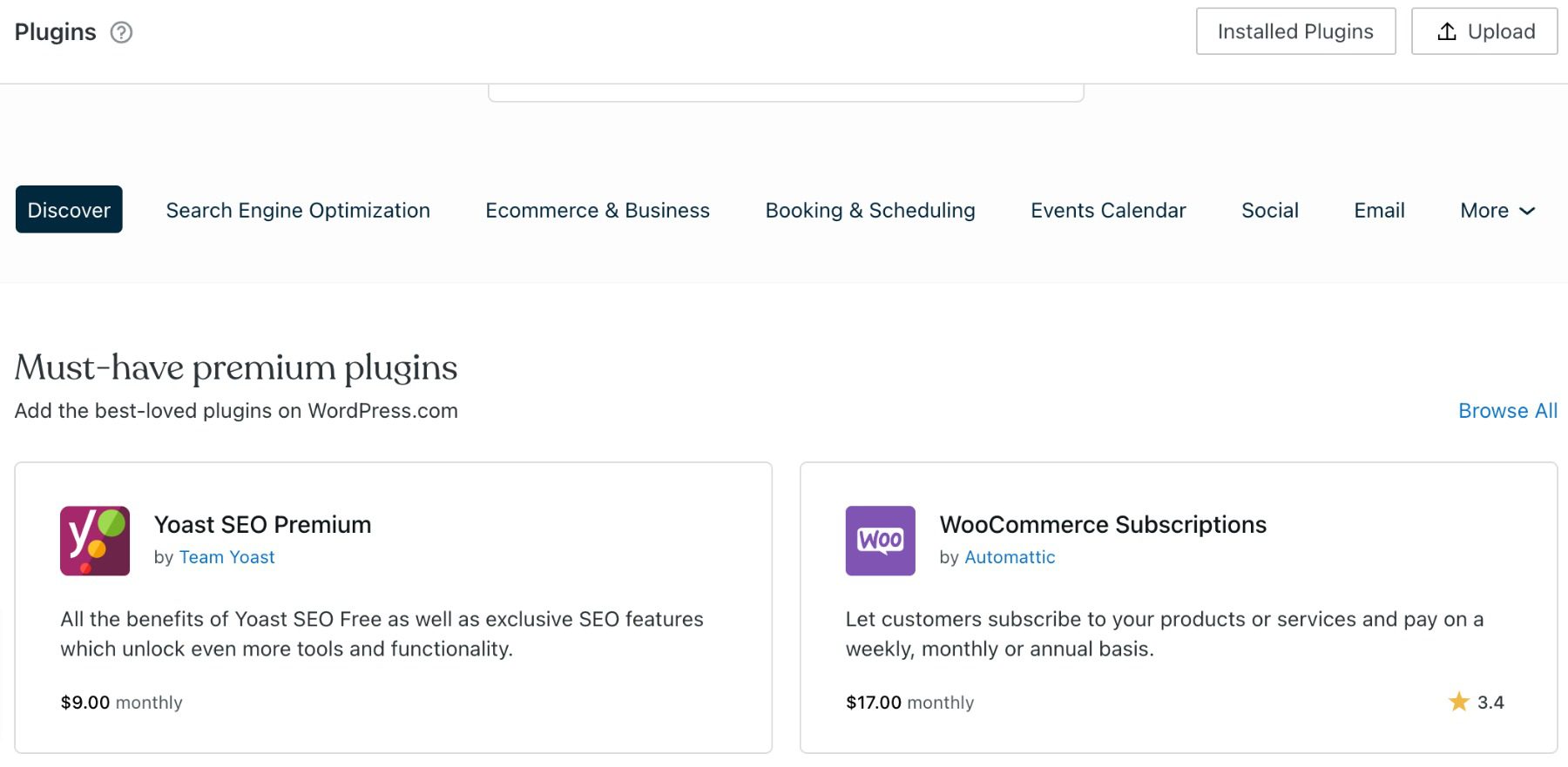
Plugins are simple apps and scripts that add new features to a site regardless of theme. WooCommerce adds an eCommerce shop to any WordPress site, and Yoast SEO helps any site, regardless of the theme, be able to track its search engine optimization. If there’s a feature that you want in WordPress, there’s a 99.9% chance a plugin exists for it.
Widgets are also a big part of WordPress, letting you access and display the various features of your site. Maybe it would be recent posts in a sidebar or the SEO score in real-time as you write a post. Widgetized areas are customizable parts of the WP site, front-end and back, that you can set to do whatever you want. From code to drag-and-drop to set features, widgets can make up a good portion of a WP site’s real estate.
These drag-and-drop plugins make your WordPress website editor similar to the basic web design tools that Squarespace uses:
If you’re looking for more suggested plugins, check out one of our articles here.
Squarespace Themes and Templates

Squarespace themes are different than WordPress themes. Where WP themes come with features and functionality for the site, themes on Squarespace are purely aesthetic. But that’s not a bad thing. That’s great. That’s the point.
The themes that you get with Squarespace are beautiful and made so that non-designers can find something that suits them and then get their content within that template without having to fuss with the specifics of design. That’s handled already. Squarespace offers significantly fewer theme templates vs WordPress. But the ones you can choose from have been curated and designed specifically for the platform and to work with specific kinds of sites (e-commerce, blogging, portfolio, etc.).
In terms of plugin and widget corollaries, Squarespace differs quite a bit. You can’t fiddle with every gizmo like you can with WordPress, but Squarespace does that on purpose. They designed the platform so that you don’t have to. Instead of having to install and configure WooCommerce, there’s an e-commerce shop set up already in your Squarespace dashboard. You don’t have to find and configure analytics plugins or SEO because Squarespace has those integrated into the dashboard, too.
The Squarespace Builder
We do want to mention the Squarespace site builder is very similar to WordPress page builder plugins, and the default WP Gutenberg block editor. You can add sections and modules with ease, just by pressing a + button. However, the amount of customization that you get on the site at this point is severely limited. You can’t really adjust positioning or colors to fully custom levels. You may only have options such as Title and Caption and Color Palette.
This is intentional on Squarespace’s part, as they design the themes and templates, and modules for specific looks and features. This design is a major draw for many people to Squarespace, but we do want to point out that you are pretty much locked into these designs without true customization.
|
|
|
|---|---|---|
| Design and Features | 🥇 Winner
The biggest draw to WordPress is the thousands of plugins, themes, and widgets you can use to customize your website. |
Squarespace gives users the chance to create aesthetically pleasing websites with ease, but doesn’t offer very many customization options. |
| Choose WordPress | Choose Squarespace |
3. Learning Curve and Ease of Use
If the number of themes and plugins and amount of customization options in WordPress overwhelms you, you’re not alone. Loading into the admin dashboard for the first time can be a shock. Hopping into the Squarespace backend might also feel a bit overwhelming, with every tool for your site immediately available in the sidebar.
Setting up any new website tools will come with a learning curve, but we want to take a close look at WordPress vs Squarespace to see how steep that curve goes and how quickly it evens out.
WordPress Offers Full-Site Customization

This is, in our eyes, the biggest draw for WordPress vs Squarespace: the ability to poke, prod, tweak, and turn each and every line of code to be exactly what you need it to be. If you’re a developer or designer, you can make WordPress do anything you want by digging into the codebase.
However, those aren’t skills everyone has. If you don’t happen to fall into the category of folks who are comfortable tweaking PHP and JavaScript, WordPress can have a pretty steep learning curve.
Admittedly, the theme/plugin/widget system helps ease the steepness of the curve, it still takes external research and effort to find the right suite of add-ons as a base for your site. If you come to WordPress as a fresh user with no prior knowledge of the ecosystem, it’s incredibly easy to get taken in by too-good-to-be-true claims from some third-party developers.
If you do your due diligence, however, a WordPress site with a good theme and plugin combo will run smoothly and efficiently without trouble. You just have to put in the time to learn how to get to that point because to be quite honest, the UI and messaging to get started are nowhere near what they should be for new users.
Squarespace Offers Curated Customizations

When it comes to starting out with Squarespace, the left side of the screen is a list of every part of your site, and the right side has a pop-up that directs you to begin customizing immediately. From site title and logo to fonts, colors, and media, the Squarespace introductory tutorial trumps WordPress in every way.

This kind of initial walkthrough significantly lowers the learning curve of the software because you don’t have to find anything on your own or worry about missing something fundamental. The platform takes you through it step by step.
Because of that hand-holding and guidance, though, the breadth of customization options are rather limited. Depending on the chosen template (the Squarespace equivalent of a WordPress theme), you will have different on-page options to adjust and fill with your own content.

To edit individual pages on the site, Squarespace has a basic page builder. You won’t get the customization options from top-end WordPress page-builder plugins like Divi, but you will get to introduce or remove elements from the page, as well as adjust spacing and another basic formatting. In lots of ways, the Squarespace site builder is roughly equivalent to the Gutenberg block editor in capability and learning curve.
Dashboard vs Dashboard
Briefly, we also want to point out that the learning curve for the Squarespace dashboard is relatively flat. While it can be overwhelming to see everything all at once, the list of features doesn’t grow often, if at all. It’s fast, it’s intuitive, and it doesn’t take a BS in computer science to know what the options do. Users can edit and change everything they want on the same page quickly and without page loading. For users who want a no-nonsense, understandable, easy-to-use place for all their features, Squarespace is it.

In direct comparison, the WordPress admin dashboard leaves a lot to be desired. This isn’t to say that the dashboard isn’t effective or usable. It absolutely is. And you can dig in and customize it however you need. But as your site grows, so does the dashboard.

When you install new plugins, they add their features to the dashboard somehow. This means that everything is ready and waiting for you at all times. But it also means that you have to learn a new configuration that’s not always intuitive regularly, too.
|
|
|
|---|---|---|
| Ease of Use | WordPress can be daunting when your first getting started. It takes a bit of research and know-how to get comfortable with the platform. | 🥇 Winner
Squarespace offers a handy tutorial that can get you acclimated quickly. It’s simple, basic, and effective. |
| Choose WordPress | Choose Squarespace |
4. Content Ownership and Your Data
Data is one of the hottest commodities in the world, so making sure that you’re in control of yours is paramount to running a successful site. With that in mind, you have to know how your data is going to be used and stored by the companies you trust with your website. Let’s compare WordPress vs Squarespace.
Your Content and Data on WordPress
WordPress installations are yours, always have been yours, and always will be yours. Content that you put on that website can be exported and used anywhere (within its licensing and copyright, that is) without the worry of interference.
This goes for your domain name and web address, too. If you register it separately from your web host (which we recommend that you always do), no one can say that you can’t sell that URL or move it to a different host. It’s yours to do with what you want.
Not all platforms are like that, and some will fight you tooth and nail to keep you on their platform through some pretty shady means (but not Squarespace, actually). With WordPress, that’s not even a concern, and we feel that is a very important point to make.
You do need to make sure, however, that your host is trustworthy with your data, too, as they’re the ones ultimately in charge of what happens to it.
Your Content and Data on Squarespace
You can export your content from Squarespace and move it elsewhere if you want. You do own the content and images (again, as per licensing). Squarespace has a series of import/export tools for content and details that you include on your site, and their Terms of Service (as far as we’ve been able to read) don’t include any hidden clauses that anything you put on their platform belongs to them.
You can even transfer a domain name registered through them to any other registrar. This is important because the URL you choose is one of the most important parts of owning a website. The main issue we’ve found with their domain service is that even if you use their “free” domain registration, it renews at $20 to $70 from then on out, depending on your TLD (.com, .org, .tv, etc.). For a typical .com, that’s a lot. There is certainly an upcharge here. But again, that’s part of a SaaS platform that handles these things on your behalf.
In general, the main part of your Squarespace account that you don’t own and have control over is the design and templates that you use. Those belong to Squarespace, so if you move to another platform, then you must do a redesign using a different theme. This is normal. The same thing happens if you were to move to Squarespace from WP. You couldn’t use your Elegant Themes membership to bring Divi along with you, for instance.
|
|
|
|---|---|---|
| Content & Data Ownership | 🳠Draw
WordPress has and will always let you keep your data and content and has tools to be exported should you leave the platform. |
🳠Draw
Squarespace let’s you keep all of your data and content, but keeps access to it’s templates, which is a standard practice. |
| Choose WordPress | Choose Squarespace |
5. E-commerce
For many sites, the make-it-or-break-it feature is being able to run a fast, reliable, and efficient storefront through the website. Both WordPress and Squarespace are great options for this. But they do have their own idiosyncrasies when it comes to how that is handled and what features are available.
WooCommerce on WordPress
You have a number of options for e-commerce on WordPress, but by and large, you will probably be using WooCommerce. It’s the biggest player on the field. And for good reason. Like WordPress itself, WooCommerce is free software that you can download, install, and configure relatively quickly.
Upon installation, WooCommerce walks you through the process of setting up your store. You just follow along, making sure all the details are right before you even get taken to the shop and products.
In terms of aesthetics, the shops and products that you can make with WooCommerce look great, and you can download plugins that adjust pretty much every aspect of the shop. Even Divi has a series of modules dedicated to tweaking your WooCommerce store’s design until it’s perfect.
Like the rest of WordPress, though, WooCommerce has a series of hidden fees in terms of most non-base extensions and features having an extra cost. We also have to mention that the learning curve for the UI is pretty steep.

Even so, the power and extensibility you get with WooCommerce are worth the effort and the potential additional costs of extensions and add-ons. But at its base, the only fees and costs are from the payment processors. In reality, though, you will have a range of small costs as you figure out what features you need.
Squarespace Commerce
The Squarespace e-commerce solution is in the dashboard under the heading Commerce. Clicking it the first time will bring up a wizard not unlike the one that WooCommerce uses, taking you through the process of setting up physical goods, payments, digital options, and other details.
You will choose a store template for your site. However, the options are rather limited. In most cases, your store will be a grid of product images, and you will be able to customize elements such as text alignment, aspect ratio, width, and spacing. This is similar to the default WooCommerce shop, with which you don’t get customization, either. However, you have options to extend that in Woo but not on Squarespace.

Squarespace e-Commerce pricing
The learning curve for Squarespace commerce is relatively low, as the entire process of setting up and even adding more products is quick and painless. The user experience of selling on the Squarespace e-commerce platform is much nicer than WooCommerce. But that comes at the trade-off of pretty limited options for displaying your products.
You won’t, however, run into extra costs if you use Squarespace for an e-commerce platform. Everything that you need to run the store itself is packaged in with your monthly cost. However, the lowest tier of Squarespace’s features doesn’t include e-commerce. For that, you will need to pay $18 per month. Which isn’t out of line at all when compared with competitors like Shopify.
|
|
|
|---|---|---|
| e-Commerce | 🥇 Winner
WooCommerce is a great free tool that has become a standard for the WordPress community. There is a ton of customizability options that are available to help you create your ideal store. But, it can be a bit challenging to learn and the add-ons do come with a small fee. |
The learning curve for e-commerce with Squarespace is low and simple to get started with. However, there isn’t a lot of customization options and running a store will cost an increased monthly fee. |
| Choose WordPress | Choose Squarespace |
WordPress vs Squarespace
When considering a WordPress vs Squarespace site, it comes down to what you are in the market for in terms of your website, what your budget is, and what your experience level with websites might be.
Head to head, Squarespace offers a far more refined experience with a lot of the hassles of owning and managing a website taken care of for you. Squarespace has a lower learning curve, a slicker interface, and a solid support team for its all-in-one SaaS platform. From e-commerce to portfolios to blogging and more, Squarespace integrates it somehow into its platform. For someone who wants a professional website with as little friction as possible, Squarespace is the way to go.
WordPress, though, offers complete autonomy and customization but has a mildly confusing interface and a moderate learning curve. Every feature a site owner could need, however, is readily available. You just have to find the theme or plugin that provides it. In some ways, WordPress can feel like the Wild West. But in reality, the piecemeal way themes, plugins, features, and such are handled makes it so that every type of site owner is catered to somehow. If you want to work on your website until it is pixel-perfect in every regard, WordPress is the way to go. From SEO tools to Social Media plugins, WordPress has something for you.
Final Comparison
In the end, WordPress vs Squarespace boils down to whether you want a beautiful, walled garden with less customization or a garden plot that will be just as beautiful by getting a little dirt on your hands. We don’t think one platform is necessarily better than the other. They’re just better for different kinds of site owners.
|
|
|
|---|---|---|
| Pricing | 🥇 Winner
While it is technically free, you’ll eventually need to pay for hosting or services. The amount depends on what you want to spend. |
It’s a premium SaaS platform, so you pay monthly or yearly for the convenience with no additional configuration options. |
| Design and Features | 🥇 Winner
The biggest draw to WordPress is the thousands of plugins, themes, and widgets you can use to customize your website. |
Squarespace gives users the chance to create aesthetically pleasing websites with ease, but doesn’t offer very many customization options. |
| Ease of Use | WordPress can be daunting when your first getting started. It takes a bit of research and know-how to get comfortable with the platform. | 🥇 Winner
Squarespace offers a handy tutorial that can get you acclimated quickly. It’s simple, basic, and effective. |
| Content & Data Ownership | 🳠Draw
WordPress has and will always let you keep your data and content and has tools to be exported should you leave the platform. |
🳠Draw
Squarespace let’s you keep all of your data and content, but keeps access to it’s templates, which is a standard practice. |
| e-Commerce | 🥇 Winner
WooCommerce is a great free tool that has become a standard for the WordPress community. There is a ton of customizability options that are available to help you create your ideal store. But, it can be a bit challenging to learn and the add-ons do come with a small fee. |
The learning curve for e-commerce with Squarespace is low and simple to get started with. However, there isn’t a lot of customization options and running a store will cost an increased monthly fee. |
| Choose WordPress | Choose Squarespace |
WordPress vs Everything
One more thing. Before you make your final decision on your website platform…are you curious to see how WordPress stacks up against its other biggest competitors? We did the hard work and compared WordPress vs. everything else so that you don’t have to! Most recently, we reviewed WordPress vs. Weebly, and I think you will be interested to see the results.
If you’re looking for specific plugins to help WordPress become even more powerful, we recommend the following:
Having said that, Squarespace still provides a great set-and-forget website-building tool.
We hope you’ve enjoyed this WordPress vs Squarespace comparison! What is your position on WordPress vs Squarespace? Why do you feel that way?
The post WordPress vs Squarespace (2023) — The Crucial Differences appeared first on Elegant Themes Blog.


