WordPress has been around for twenty years and has quickly become the world’s most popular content management system (CMS). One of the best aspects of WordPress is the ability to change the look of your site with themes. Among the different types, block themes are the most recent addition. Based on the block editor released in WordPress 5.9, block themes have evolved to become the future of WordPress. In this post, we’ll outline our picks for the best WordPress block themes available today. But first, let’s explore what a block theme is.
What is a WordPress Block Theme?

Block themes offer a revolutionary approach to website design in WordPress. They utilize full site editing to allow you to design every aspect of your website, including posts, pages, and templates, without the need for coding. Using a simple drag-and-drop interface, you can create headers, footers, post templates, block patterns, and more. Furthermore, developers and designers no longer need to change core WordPress files like functions.php. Using one file – theme.json, you can easily create custom blocks, add or change fonts, or modify other site aspects in one place. Despite being a relatively new design approach, block themes are the future of WordPress.
10 Best WordPress Block Themes
We considered a few factors when we set out to build a list of the best WordPress block themes. Our first priority was to ensure that every theme on our list fully utilized site editing capabilities. In addition, we made sure that each theme was user-friendly and easy to customize. Of course, we also considered the valuable reviews submitted by the WordPress community. And last but not least, we relied heavily on our own experience with each theme. With those factors in mind, we’ve identified our picks for the 10 best WordPress block themes for 2023. Let’s dive in.
1. GeneratePress

First up is GeneratePress, a WordPress block theme that focuses on speed. Its small page size of just 7.5kb allows for creating a lightning-fast, fully personalized website with minimal effort. You have the option of building pages and templates using the built-in block editor or installing a page builder plugin for added flexibility. Although the free version of GeneratePress offers all the essential tools to build a site, upgrading to the premium license offers many benefits to enhance your web development experience.
Key Features of GeneratePress:
- Drag-and-drop page editor
- Lightweight for fast page-loading
- Front-end visual editor (pro)
- Dozens of starter sites

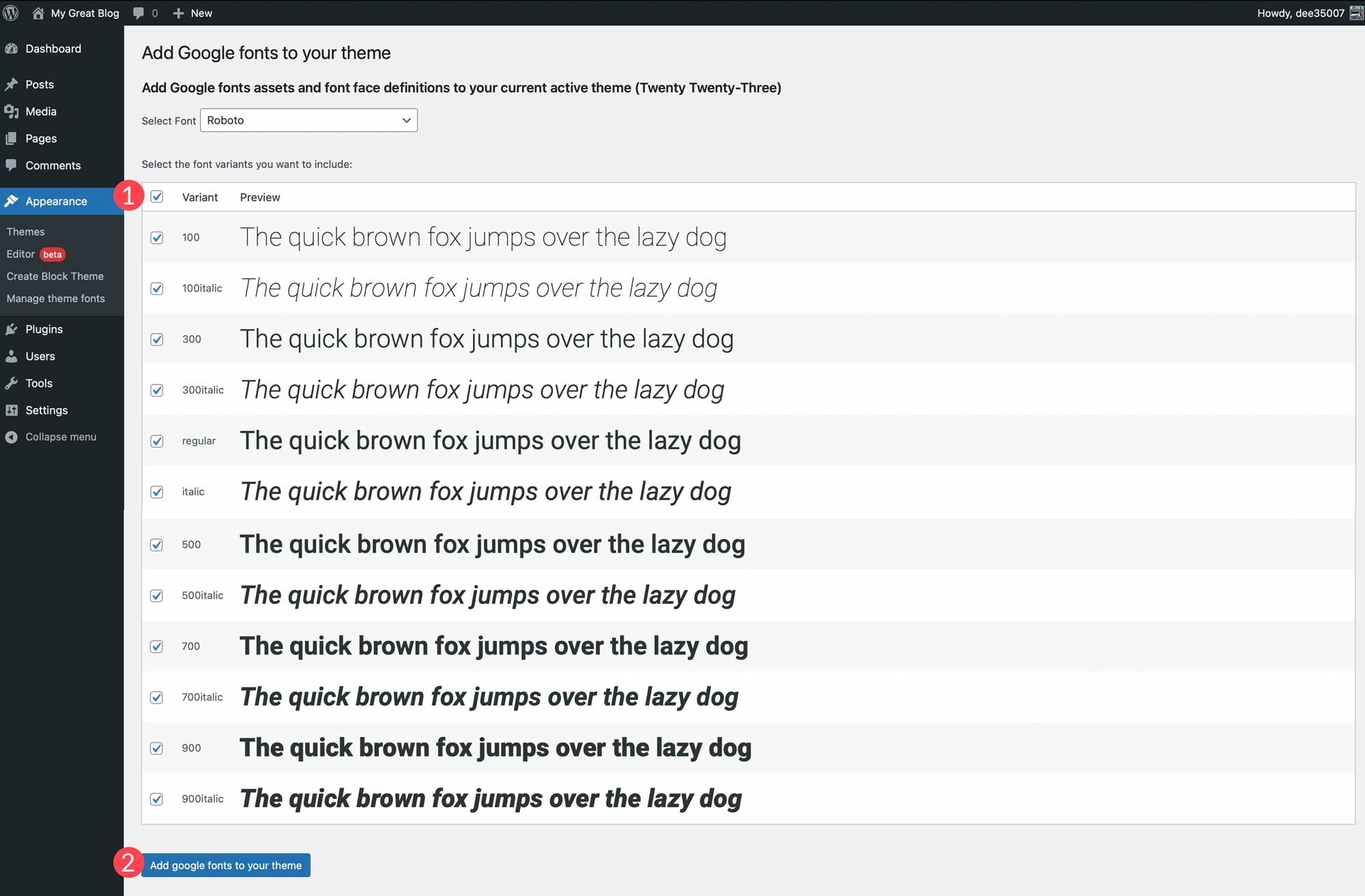
The WordPress live customizer allows easy customization, enabling users to set global colors, WooCommerce options, layout options, and fonts. While some block themes require modifying the theme.json file to add fonts, GeneratePress provides a more streamlined approach with its font manager. This feature allows you to easily upload fonts and apply them to specific target elements across your website.
GeneratePress also boasts an impressive site library with over 100 premade layouts available for use with a premium license. Whether you’re building a business, blog, or ecommerce site, you can get up and running quickly with these pre-built templates.
But GeneratePress is more than just a user-friendly tool for website customization. It’s also a valuable asset for developers thanks to its advanced hook system, which allows for the creation of new functionalities with ease. Additionally, the block-based theme builder combines GeneratePress with the GenerateBlocks plugin, allowing newbies to design their websites without coding. With the ability to create templates featuring static and dynamic blocks, content can be displayed effortlessly.
GeneratePress is Best For:
The block-based theme builder, drag-and-drop interface, and expansive page-building options available through the GeneratePress Blocks plugin will be greatly appreciated by novices. In contrast, developers and WordPress experts will discover the hook system as an exceptional tool for integrating new features into their websites. Overall, GeneratePress is a top-tier WordPress block theme worth trying out.
Pricing: Free, with a premium license starting at $59 per year.
2. Divi

Next on our list of best WordPress block themes is Divi. It’s widely considered one of the most popular themes in the world, with over 1 million live Divi sites in the United States alone. Its popularity is due to the fantastic features it offers. Divi provides the most customization options of any FSE theme on our list. You can design posts and pages in real-time with a no-code front-end Visual Builder, create custom templates with the Theme Builder, and even create a global color palette thanks to Divi’s built-in color manager.
Key Features of Divi:
- Front-end Visual Builder
- Create templates with the Theme Builder
- Global color management system
- 2300+ professional design layouts
- Support for WooCommerce
- Integration with popular plugins

Divi offers direct support for WooCommerce, providing users with over 20 Woo-specific design elements. With these features, users can easily create stunning and functional product, cart, and checkout pages, allowing them to customize ecommerce sites to fit their preferences perfectly.
Furthermore, Divi seamlessly integrates with a wide range of popular plugins, including MemberPress for creating a membership site, Restrict Content Pro for building a learning management system (LMS), and offers custom field support through plugins such as Toolset. That makes Divi stand out from everyone else – its versatility enables you to create virtually any type of website you can imagine.

Finally, Divi presents an impressive collection of more than 2300 professionally-designed layouts that can make your WordPress site a reality in just a few clicks. These layouts cater to over a dozen business types, ensuring something for everyone. Moreover, these layouts are furnished with royalty-free original photos, icons, and in some instances, Photoshop images that can be modified to achieve a more personalized look.
Divi is Best For:
Divi’s wide customization options make it the best WordPress block theme for WordPress beginners and experts. If you’re new to WordPress, you’ll appreciate how easy it is to load one of 2300 free design layouts and quickly change text and images. On the other hand, advanced users will love the flexibility of the Theme Builder, which makes template creation a breeze.
Pricing: $89 per year
3. eStory

Our next theme, eStory by Themegrill, is a WordPress block theme that’s perfect for bloggers. With over 10 customizable templates, you can give your blog a unique look by changing colors, images, and fonts. Plus, you’ll have access to 25+ block patterns and 3 starter sites, so you’ll always have inspiration. eStory is all about performance, too. It boasts an impressive 1-second page load time, so you won’t have to worry about bounce rates caused by slow speeds. As with all FSE themes, you can use the editor to edit templates easily. But don’t worry, you’re not limited to what they provide. With full site editing, you can add or delete any blocks you want, giving you complete control over your site’s look and feel.
Key Features of eStory:
- Comes with 10+ page templates and 3 starter sites
- Fast load times
- Template site editor

Unlike traditional WordPress themes, which typically require you to make customizations through the WordPress customizer, eStory allows you to modify every aspect of your site’s appearance directly through the site editor. This means that you can adjust everything from the images and fonts to the colors and layout at the template level. With the free version, users can access nearly limitless customization options. That said, upgrading gives you access to the eStory theme and over 20 other fully responsive themes, each with a unique focus.
eStory is Best For:
If you’re a blogger looking for a premade theme that’s easy to customize and tailored to your needs, eStory might be the perfect solution. However, check out Divi if you want more options and flexibility in your block theme.
Pricing: Free, with a premium license for $69 per year.
4. Twenty Twenty-Three

Next up on our list of the best WordPress block themes is Twenty Twenty-Three, which just so happens to be WordPress’s flagship theme. Now, don’t expect anything too flashy from this one. In fact, depending on what you’re looking for, that could be either a pro or a con. But, the real magic of Twenty-Three lies in its simplicity. Though it might seem a bit vanilla at first glance, you can turn it into whatever you want, thanks to full site editing.
Key Features of Twenty Twenty-Three:
- Minimal theme
- Global styling
- More than 10 fully editable templates

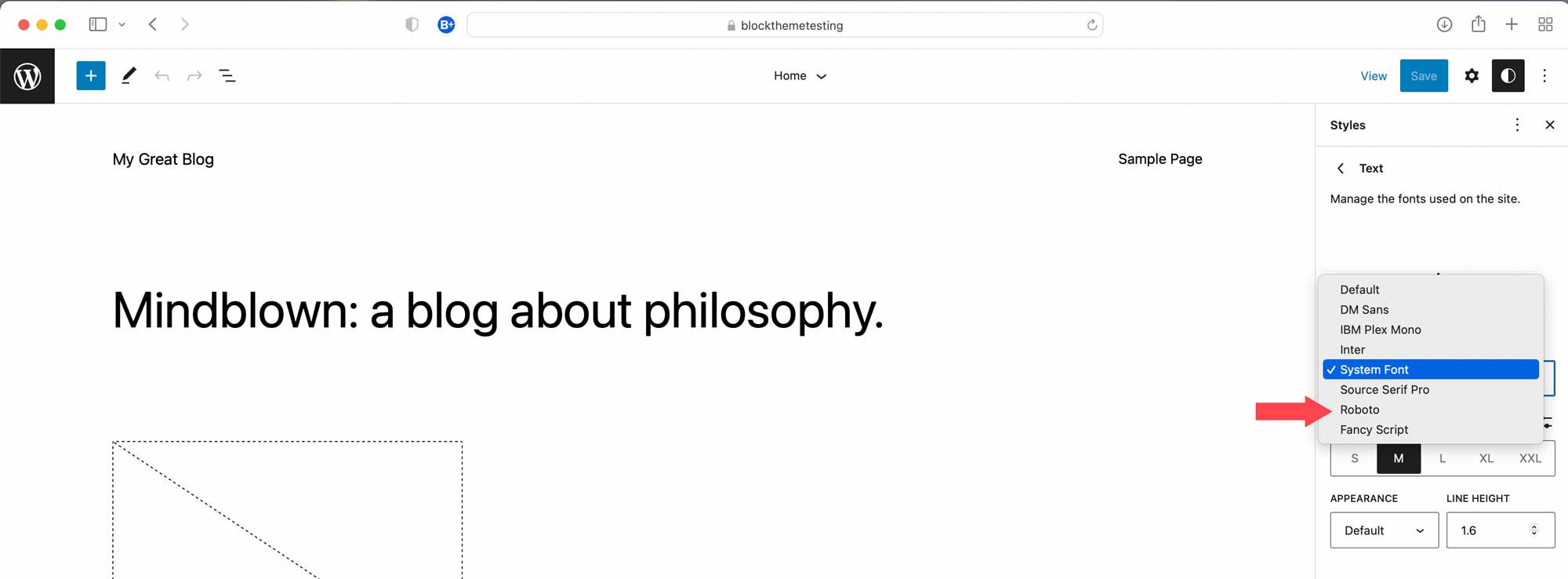
Twenty Twenty-Three is a leaner version of its predecessor, Twenty Twenty-Two. However, it still offers a lot of features. Users can enjoy global style variations, block patterns, full site editing, and color and typography changes. However, if you want to add fonts, you may need to use a plugin or be skilled enough to modify the theme.json file. Fortunately, this is not as intimidating as it may seem. You can easily add unlimited fonts with just a few lines of basic CSS.
One of the best things about Twenty Twenty-Three is its use of fluid typography. This means that fonts are responsive, just like the site width. The type size is relative to the browser window’s width, eliminating the need to set up media queries or painstakingly edit individual text boxes for each breakpoint.
Twenty Twenty-Three is Best For:
Twenty Twenty-Three can be an excellent WordPress block theme if you’re determined to create a theme from scratch. Its minimalist foundation allows developers to modify or build any website they desire. However, if you’re searching for a more straightforward route to achieving the website of your dreams, consider eStory. With its user-friendly interface and pre-built templates, eStory offers a hassle-free experience in creating your ideal website.
Pricing: Free
5. BlockPress

Our next WordPress block theme, BlockPress, offers extensive customization options. It stands out from the other free themes on our list because it includes animation effects, allowing you to easily create stunning parallax, transform, 3D, hover effects, and more. Additionally, BlockPress provides the functionality to generate mega menus, transparent and sticky headers, and over a dozen query loop templates to showcase your blog posts.
Key Features of BlockPress:
- Onboard theme animations
- Create mega menus, transparent headers, and sticky sections
- Multiple templates and template parts
- Conditional asset loading

BlockPress is highly customizable thanks to the pre-built template part options included with it. Several options include a transparent header, a cover image hero section, or a colored title and image hero section. Plus, it provides a cool page template with sticky columns, so you can highlight the information that matters most to you. Also included are multiple template parts for headers and footers to find the perfect look for those essential aspects of your website.
But that’s not all. BlockPress is remarkably lightweight, thanks to its use of conditional asset loading. This means it generates all the necessary styles and scripts on the fly, resulting in some of the fastest page loading times of any theme on our list, with an average page size of just 2kb. With such impressive speed, you won’t even need a separate speed optimization plugin to ensure your website loads quickly.
BlockPress is Best For:
If you’re in the market for a multi-purpose theme that offers a wide range of customization options, look no further than BlockPress. This lightweight theme is the perfect choice for creating a visually stunning website without relying on additional plugins. With features like animations, sticky sections, and mega menus, you’ll have all the tools to make your site stand out.
Pricing: Free
6. Wabi

Moving on to the next WordPress block theme on our list, we have Wabi. This particular theme uses a simple design that emphasizes the power of typography. It is specifically tailored to cater to text-heavy websites by incorporating ample white space, minimalistic styling, and accent colors. Although Wabi’s understated appearance may cause it to be disregarded, several hidden gems within the theme may catch your attention and prompt you to take a second look.
Key Features of Wabi:
- Minimalistic and global styling
- Focuses heavily on the written word
- Accent colors for post headers
- Multiple block patterns

Wabi boasts a simple yet striking feature that allows users to assign one of six accent colors to post title backgrounds. Although it may seem like a small detail, this feature is a powerful tool for drawing attention to individual blog posts and breaking up the monotony of a text-heavy website. Beyond this, Wabi offers other subtle design elements, such as the option to add decorative borders to images. These little nuances add a touch of visual interest to websites that primarily feature written content.
In addition, Wabi allows you to incorporate even more visual elements by providing a collection of premade block patterns. These patterns include headers and footer options, hero layouts, subscribe forms, and query loops. Best of all, each design maintains the minimalistic styling that Wabi is known for, ensuring your website remains sleek and uncluttered.
Wabi is Best For:
Those looking for a minimalistic, clean WordPress block theme for blogging will love Wabi. While there are only a few bells and whistles here, plenty of design elements are included to help showcase your blog or news-heavy website.
Pricing: Free
7. Bricksy

Introducing our next entry, Bricksy – a free, lightweight WordPress block theme perfect for bloggers. It’s packed with full site editing capabilities, an array of premade block patterns, and global styling options, making it a worthy addition to our list. While Bricksy includes default templates in all block themes, it also comes with unique templates, such as home, about, WooCommerce, team page, and more. The best part? Editing all of these templates is a breeze thanks to the user-friendly editor.
Key Features of Bricksy:
- Theme-specific templates
- Tons of Bricksy block patterns
- Lightweight for fast page load speeds
- Intuitive setup wizard (pro)

One of the best features of Bricksy is the ease with which you can add or edit content. Like all full site editing themes, you can edit every aspect of your website, including Bricksy’s included templates. You have the liberty to leave things as they are or explore the diverse range of Bricksy’s pattern blocks – consisting of whole page layouts for travel, wedding, food, and fashion, as well as an array of headers, footers, and general blocks, such as hero sections and image galleries. Adding these blocks is a breeze, giving you the power to customize your website in a few clicks.
Bricksy is Best For:
If you’re searching for a theme that heavily features photos for your food, travel, or wedding blog, then Bricksy might just be what you need. Its user-friendly interface makes adding content a breeze through dozens of pattern blocks or by quickly swapping out text and images using their premade layouts.
Pricing: Free, with a premium license for $59 per year.
8. Tove

Moving on to our next best WordPress block theme, we have Tove. It provides over 40 block patterns, is lightweight, and is ideally suited for those who want to feature their café or restaurant. It embodies the color wheel gamut with various muted rainbow colors and provides a fun and whimsical design.
Key Features of Tove:
- 40+ block patterns
- Lightweight at just over 200kb
- Colorful design

Tove is an exceptional tool for building restaurant sites, boasting full site editing capabilities and over 40 block patterns that streamline the process. Notably, Tove offers a collection of menu pattern blocks that simplify the otherwise tedious task of creating a restaurant menu on a webpage. With impressive responsive layouts tailored for smaller screens, Tove’s menu pattern blocks are a game-changer for anyone seeking an easy and efficient solution to this challenge.
But wait, there’s more. Tove also offers a variety of other patterns to complete your site, including blog, call to action, and hero blocks, in addition to over a dozen patterns for headers and footers. With all of these layouts at your disposal, all you need to do is drag your desired block into a page or post and then customize the fonts, colors, and images to match your branding.
Tove is Best For:
If you’re a restaurant owner looking to build a responsive website, Tove is a good option. Thanks to the ample layout options, you won’t need any design experience. That said, if you want unlimited design freedom, check out Divi.
Pricing: Free
9. Julia

Our next theme, Julia by Pixelgrade, is designed to feature your most delicious recipes on a food blog. With an amazingly simple style manager, an onboard recipe indexing system, and predefined widget areas for ad placement, this full site editing theme is one of the best WordPress block themes on the market. Additionally, Julia comes multilingual-ready with WPML support, so you can cater to a broader audience.
Key Features of Julia:
- Intuitive style manager
- Multilingual support for WMPL
- Recipe indexing system
- Widgets for ad placement

Julia’s intuitive style manager is its best feature. This tool seamlessly integrates the WordPress customizer with Pixelgrade’s proprietary system, giving you the power to manage every aspect of your theme’s styling effortlessly. With Julia, you’ll have the flexibility to choose between light and dark modes, adjust color levels, explore a range of predefined font pairings, and experiment with various hover effects, among other options. Plus, the style manager includes settings to adjust color contrast, which ensures your website is accessible to those with visual impairments.
But that’s not all. Julia also boasts predefined widget areas specifically dedicated to running advertisements, making it a breeze to monetize your blog. With this feature, you can quickly implement various advertising strategies and generate revenue from your website.
Julia is Best For:
Pixelgrade’s Julia theme is a perfect match for folks looking to build and monetize a food blog. With unlimited styling options and an easy drag-and-drop builder, WordPress users of any skill level can produce a stunning food blog that caters to a broad audience.
Pricing: $75 per year
10. BlockBase

And finally, we have BlockBase – a block theme crafted by the folks at Automattic. Like Twenty Twenty-Three, BlockBase is a minimalist WordPress theme that allows you to unleash your creativity. While it comes with the usual Full Site Editing (FSE) theme features like setting up colors and fonts, choosing from a selection of headers and footers, and several pattern blocks, its real strength lies in its simplistic foundation. Because of this, Blockbase provides ample space for developers to work their magic.
Key Features of BlockBase:
- Minimalistic appearance
- Developer-friendly
- 8 dedicated pattern blocks

BlockBase’s bones are strong, leaving room to build something beautiful. There are no bells and whistles or dancing bears, but Blockbase is blazing fast because of this. Those with coding skills can use Blockbase’s foundation to create any website they want. You can create a block theme, add styling options through theme.json, and build custom blocks to create any website your little developer heart desires.
BlockBase is Best For:
Because of its simplicity, BlockBase is an excellent choice for developers that want to take a simple theme and make it their own. That said, through full site editing, anyone with an eye for design can create a beautiful, functional website.
Pricing: Free
What is the Best Block Theme?
Of all the themes featured here, GeneratePress and Divi stand out among the rest as the best WordPress block themes.
| Theme | Price | Free Option | ||
|---|---|---|---|---|
| 🥇 | GeneratePress | $59/year | âœ”ï¸ | Visit |
| 🥈 | Divi | $89/year | ⌠| Visit |
| 🥉 | eStory | $69/year | âœ”ï¸ | Visit |
| 4 | Twenty Twenty-Three | Free | âœ”ï¸ | Visit |
| 5 | BlockPress | Free | âœ”ï¸ | Visit |
| 6 | Wabi | Free | âœ”ï¸ | Visit |
| 7 | Bricksy | $59/year | âœ”ï¸ | Visit |
| 8 | Tove | Free | âœ”ï¸ | Visit |
| 9 | Julia | $75/year | ⌠| Visit |
| 10 | BlockBase | Free | âœ”ï¸ | Visit |
GeneratePress and Divi both offer tons of customization options, a user-friendly interface, and professionally designed layouts. GeneratePress is the best overall, thanks to its lightweight, adaptable structure and ability to work with any page builder. That said, although we may seem biased, Divi is a close second. Divi’s front-end visual builder is simply unmatched. Being able to see design changes in real time is a game-changer. Plus, Divi has excellent customer support. Our support techs are skilled and knowledgeable to help with any Divi-related issues (should they arise) – and in a hurry. Plus, having options to integrate other necessary plugins is a huge bonus. Ultimately, your chosen theme depends on how you want to design your website and which tools you prefer.
Are you looking for more theme reviews? Check out our post for the best WordPress themes in 2023, or if you’re a serious writer, check out our picks for the best themes for bloggers.
The post 10 Best WordPress Block Themes for 2023 (Reviewed) appeared first on Elegant Themes Blog.